

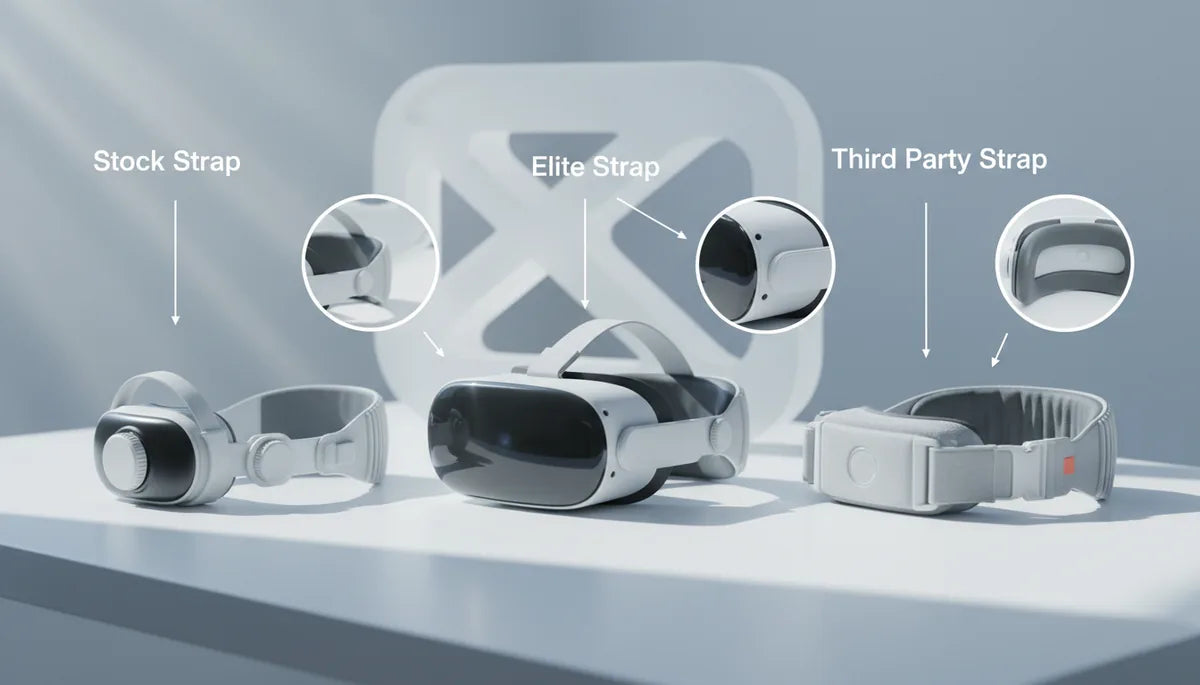
Choosing the Best Quest 2 Head Strap: A Practical Guide to Comfort, Stability, and Long-Session Durability
If you play Oculus Quest 2 for hours—whether exploring vast VR worlds, doing rhythm workouts, or sharing the headset with friends—your head strap matters as much as the headset itself. The right strap reduces hotspots, keeps the lenses aligned during fast motion, and can even extend battery life without turning the headset into a neck workout. ⏱️ 11-min read
This guide walks you through the core strap types, what to look for in long sessions, setup tips for beginners, compatibility with glasses and battery packs, care and maintenance, and a practical buying checklist that helps you choose the best balance of comfort, stability, and value.
The core Quest 2 head-strap options
The Quest 2 ecosystem breaks down into three clear head-strap philosophies: lightweight stock straps for casual use, halo or rigid systems for stability, and flexible, dial-adjusted systems for daylong comfort. Each approach prioritizes different trade-offs: weight, distribution, adjustability, and price.
The stock soft strap that ships with the Quest 2 is simple and light. It’s fine for short sessions and quick demos, but its fabric arms and minimal padding tend to shift during active play. Expect hotspots on the forehead or temples and occasional readjustment if you play intensively or for long periods.
Halo- or rigid-style straps wrap around the sides and back of the head. They significantly improve stability and reduce rearward wobble because the headset’s mass is spread over a wider surface. That said, some halo designs can increase pressure on the forehead or temples if they’re not tuned correctly. Installation is usually straightforward but these options tend to cost more than the stock strap.
Flexible systems use a dial or ratchet to fine-tune tension and accommodate different head shapes. They are often the best middle ground—easier to adjust on the fly, gentler on glasses wearers, and better at avoiding hotspots when properly fitted. A further category adds integrated battery packs to the back of the strap (for example, Meta’s Elite Strap with Battery and third-party models like the BoboVR M2 Pro). These extend playtime but add weight; the key is matching that extra mass to a strap that preserves balance and airflow.
Price ranges: stock (free), basic third‑party fabric/dial straps ($20–$60), mid-range halo/dial combos ($60–$120), and premium official or battery-integrated options ($100–$200+). Installation complexity rises with features—battery packs and rigid backplates need firmer mounting and occasional cable routing—so factor in time and comfort testing when you buy.
Comfort fundamentals for long sessions
Comfort is more than padding thickness—it's about how the strap manages sweat, distributes pressure, and balances weight. For sessions that last an hour or more, small details add up: breathable materials, proper strap geometry, and a fit that prevents the headset from digging into a single point.
Look for cushions made from open-cell foam wrapped in moisture-wicking fabric or mesh. Open-cell foam breathes and loses less shape under prolonged compression; moisture-wicking covers pull sweat away and reduce slip. Avoid dense, non-porous foams that trap heat—these quickly become uncomfortable and can fog lenses. Rewashable or removable covers are a huge plus for hygiene, especially when sharing the headset.
Even pressure distribution is essential. A wide crown band and multiple contact points spread weight across the skull, rather than concentrating it on the forehead or temples. A helpful setup trick is to tighten the top strap just enough to lift the headset slightly off your face; this reduces cheek and nose pressure and lets the head strap carry more of the load.
Material choices affect feel and longevity. Foam cores provide cushioning but compress over time; breathable fabric keeps skin cool; silicone or rubberized elements add grip and durability but can feel sticky if heat builds up. A balanced mix—for example, foam core with a mesh cover and silicone accents on the outer shell—often gives the best day-to-day results.
Finally, ventilation matters. Strategically placed vents, perforated cushions, or mesh surfaces promote airflow, reduce heat buildup, and limit lens fogging. When you plan long sessions, prioritize straps that combine breathable padding with a design that keeps the headset geometry steady without squeezing.
Stability and motion control
Stable positioning keeps the lenses aligned with your eyes, delivering a sharp, immersive image and reducing motion-induced discomfort. Strap design dictates how much the headset wobbles, tilts, or drifts during rapid movement—the difference between a solid VR experience and one that pulls you out of the moment.
Front-weight bias happens when accessories or poor distribution push the headset forward, increasing pressure on the face and causing the rear to lift. A rear-support strap or halo design counteracts that by anchoring weight farther back. Conversely, if a strap lacks rigidity, fabric bands can stretch or twist under load and create tilt or wobble.
Dial-based adjusters (like the Elite-style wheels) and rigid backplates deliver consistent tension that resists shifting during jumps, quick turns, or cardio. Cross-strap designs reduce headset tilt by locking side-to-side movement. For active play, aim for a snug, evenly distributed clamp rather than a tight front-only squeeze: the headset should feel secure without pinching temples or causing pressure headaches.
Practical adjustment tips to reduce movement:
- Start with the top strap slightly taut so the rear support lifts some weight off your face.
- Tighten side dials incrementally—over-tightening increases pressure without improving stability.
- Use the strap’s backplate to counterbalance any front-mounted accessories; shift a battery pack a few millimeters if the headset tips.
- If you feel wobble, loosen the top strap and retighten the sides to center the headset again—small micro-adjustments can dramatically reduce tilt.
When the headset remains steady, lens alignment stays constant and your brain receives a coherent motion signal—reducing blurring and lowering the chance of motion sickness during intense sessions.
Setup and adjustment guide for beginners
Getting a perfect fit quickly makes long sessions far more enjoyable. Follow this step-by-step install and adjustment routine whether you’re swapping out the stock strap or fitting a new aftermarket system.
- Remove the original strap: Gently pull the stock strap arms outward from the Quest 2 side posts until they detach. Unthread the top strap from its loop and store it if you might revert.
- Attach the new strap: Align the new strap arms with the side posts and push until they click. For halo-style or battery-integrated straps, follow the manufacturer manual for any additional plates or clips.
- Thread and set the top strap: Guide the top strap through the headset’s loop and tighten so the headset lifts slightly—this shifts load from your face to the crown of your head.
- Adjust side tension: Use the dials, Velcro, or buckles to tighten the fit evenly on both sides. Aim for a secure hold without pinching.
- Find your visual sweet spot: Move the headset up/down and forward/backward on your face until the image is crisp without forcing the strap tight.
- Test with movement: Do a few quick head turns and a short jog in place to confirm minimal wobble.
Common mistakes and quick fixes:
- Too tight at the forehead: Loosen top strap and tighten sides for better distribution.
- Headset tilting forward: Shift backplate or battery pouch slightly rearward; increase top strap tension to raise the front.
- Glasses pressing against lenses: Raise the headset a notch and loosen the face gasket; consider thinner facial inserts.
- Wobble during play: Recenter using small incremental tweaks—loosen all straps slightly, then retighten starting with the top.
Take 10–15 minutes the first time you install a strap. Small micro-adjustments during that period are normal and will yield a much more comfortable long-session experience.
Compatibility and accessories
Choosing add-ons can enhance playtime—but only if they work together. Battery packs, audio solutions, facial interfaces, and cable management accessories can improve comfort and function, or they can push your balance out of whack. Plan your kit with compatibility in mind.
Battery packs: Rear-mounted batteries extend playtime by several hours but add weight. The best solutions center the battery behind your head and route any cables cleanly. If a pack sits too high or low it can tilt the headset; choose straps designed to integrate the pack, or add counterweights to rebalance. Official options like Meta’s Elite Strap with Battery and third-party packs such as the BoboVR often have specific mounting points to keep the weight centered.
Audio: If you use clip-on speakers, over-ear headphones, or earbuds, check that the strap’s geometry leaves enough room. Some halo styles press against ears or interfere with frames—try your audio solution with the strap before committing. For social VR, clip-on speakers are convenient but avoid straps that press them into your ears.
Facial interfaces and glasses: Thicker facial cushions change the distance between lenses and eyes; ensure the strap leaves enough clearance. Glasses wearers should choose straps with adjustable height and tilt so lenses can avoid contact. A flexible dial system tends to be friendlier for glasses because it lets you tweak tension without shifting the headset forward.
Third-party add-ons: Confirm return policies and mounting compatibility. Some cheaper straps lack attachment points for cable sleeves or battery clips; mixed-brand setups can become loose or uncomfortable if connectors don’t align. If you plan to build a full kit—battery, audio, and cable management—pick a strap designed for modularity or an official accessory ecosystem to reduce surprises.
Maintenance, cleaning, and longevity
Regular care extends the life of your strap and keeps shared headsets hygienic. Different materials demand different cleaning approaches; electronics and battery packs need extra caution.
Fabric and foam: Hand wash removable fabric covers in lukewarm water with mild detergent, rinse thoroughly, and air-dry away from direct heat. If the foam is glued into place, avoid soaking; instead, spot-clean with a damp cloth and mild soap. Rewashable covers are the most convenient for shared setups—rotate them and launder weekly for heavy use.
Silicone and rubber parts: Wipe with 70% isopropyl alcohol or mild soap. These surfaces are durable but can attract dust and oils; a quick wipe after sweaty sessions keeps grip intact. Leather accents should be wiped clean and treated sparingly with leather conditioner—avoid saturating them.
Electronics and batteries: Never submerge battery packs or electronics. Clean housings with a damp microfiber cloth and ensure connectors are dry before reassembly. Store batteries at roughly 40–60% charge and in a cool, dry place to preserve capacity.
Storage and rotation: Lay straps flat or hang them to avoid permanent creases. Keep them away from sunlight and heat which can deform plastic and accelerate foam breakdown. If you own several straps, rotate to spread wear and avoid one strap compressing permanently.
Signs of wear: Look for frayed fabric, stretched elastic, crushed foam that no longer springs back, cracked plastic at mounting points, loose Velcro, or inconsistent tension in dials. With intensive daily use, expect a 6–12 month lifespan; lighter use can push that to 12–18 months. Replace before structural failure—small failures can quickly turn into safety issues during active play.
Buying smarter: price, weight, and performance benchmarks
When evaluating straps, compare objective specs and real-world feel. Raw weight matters, but distribution, adjustability, and padding quality shape perceived comfort far more than grams on a scale. Use the following criteria as a quick checklist while testing or reading reviews.
Key benchmarks to check:
- Strap weight and resultant total headset weight: Note the strap’s weight and add it to the headset to gauge how heavy the system will feel over time.
- Balance point: Does the headset pivot forward under load, or does the backplate counterbalance accessories like batteries? A centered weight is best for long sessions.
- Adjustment mechanism: Dial/rachet systems are more precise than Velcro. Test how easily the system readjusts mid-session.
- Padding material and breathability: Open-cell foam + mesh covers are preferred; removable covers improve hygiene.
- Mounting integrity: Check for secure clicks and tight tolerances at attachment points; loose mounts = wobble over time.
- Accessory compatibility: Verify battery packs, audio clips, and facial inserts are supported without forcing compromises in balance.
- Warranty and return policy: Especially for third-party straps, choose sellers who allow a trial and have clear replacement policies.
Real-world testing tips:
- Wear the headset for at least 20 minutes with the strap tightened for comfort, then for 10 minutes while doing brisk head movements or a short cardio track to test for wobble and heat buildup.
- Test with glasses if you wear them, and with your preferred audio setup.
- Try mounting a battery or counterweight if you plan to use one—balance can change dramatically with added mass.
- Read multiple user reviews that describe long-session experience rather than short demos; long-term reports reveal foam compression and Velcro wear.
Value across price bands generally reflects materials and integrated features: budget straps can be fine for casual play, mid-range options offer durable padding and good adjustability, and premium or official straps provide integrated battery solutions and refined ergonomics. Choose based on your play style: heavy-action and long sessions justify more investment; occasional users may prefer a comfortable, lower-cost third-party strap.
Next step: measure your typical session length, note whether you wear glasses or use external audio, and test a dial-adjustable strap in person if you can







Share:
Comfort Strap vs Elite Strap: long-session ergonomics and support for Quest 2
Choosing the right comfort strap for glasses wearers on Quest headsets