

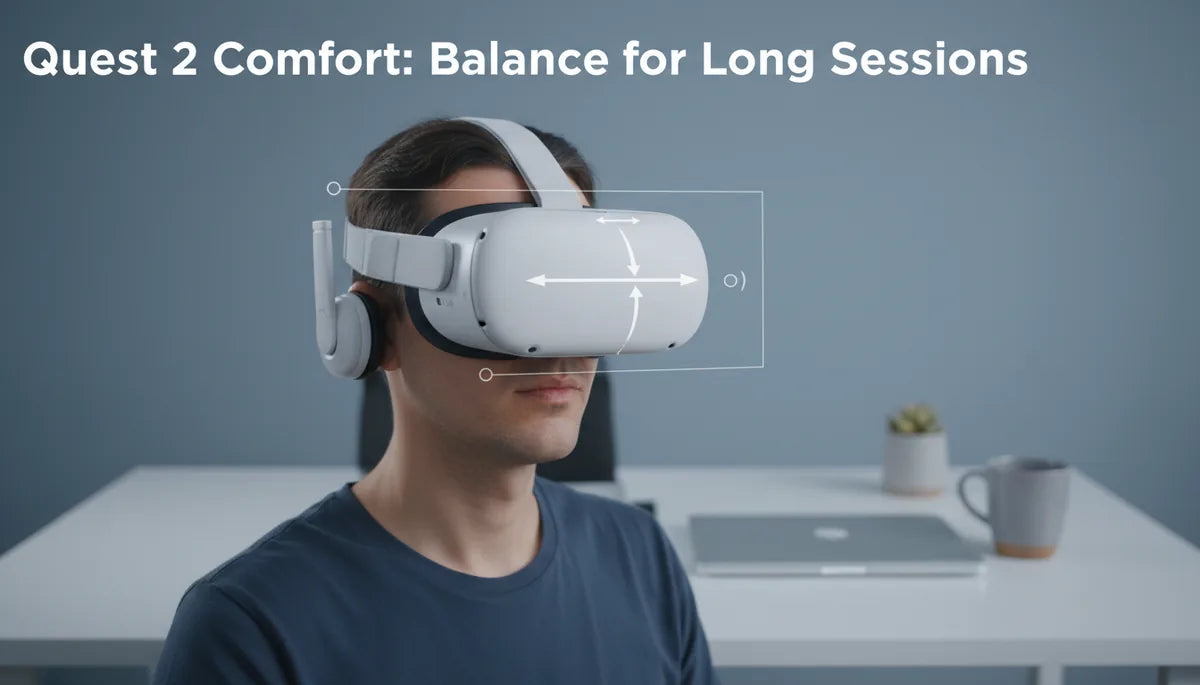
Counterweight Solutions: Balancing Quest 2 Weight for Less Fatigue During Extended Play
If you love long VR sessions on your Quest 2 but end the day with a sore neck, shifting weight and improving balance can make a dramatic difference. This guide explains how counterweights, apple-vision-pro-versus-third-party-comfort-straps-pros-and-cons-and-compatibility" rel="nofollow noopener noreferrer">comfort straps, and small fit tweaks reduce fatigue so you can enjoy longer, more comfortable play. ⏱️ 10-min read
Assessing Quest 2 weight and balance
The Quest 2 is compact and relatively light compared with some tethered headsets, but its front-heavy design is a key source of neck and forehead pressure. The headset itself weighs in the ballpark of half a kilogram, and because much of that mass sits forward of your face, it creates a tipping moment that your neck and facial contact points must resist. Even if the total mass seems modest, a forward bias magnifies perceived heaviness during movement and after repeated sessions.
Comfort isn’t just about total grams on your head—it's about where those grams sit relative to your neck and eyes. Two headsets with the same mass can feel very different: a balanced headset that distributes weight over the cranium and rear strap typically feels lighter than a front-heavy model. That’s why many Quest 2 users who switch to balanced comfort straps or add rear-mounted battery packs report reduced neck strain even when the overall weight rises slightly.
When evaluating comfort goals, compare the Quest 2 to other headsets as a baseline. Tethered headsets like the Valve Index or HP Reverb G2 are heavier as systems, yet manufacturers prioritize robust headbands and rear supports that distribute load across the skull. The Quest 2’s default soft strap trades distribution for simplicity; the result is excellent portability but less ideal long-session ergonomics. Understand that your aim should be to shift the center of gravity so your neck muscles no longer counter a forward torque on every glance or movement.
Counterweight fundamentals: how balance reduces strain
Counterweights don’t reduce the total mass of your headset, but they change how forces act on your neck. Think in terms of torque: a mass sitting some distance in front of your neck creates a rotational force that your neck must resist. Adding mass behind the head shifts the center of gravity rearward, lowering that rotational force and therefore peak neck torque during head turns or tilts. In practice this reduces the strain felt at the base of the skull and decreases pressure on the front foam and face.
A simple example: if a headset places significant mass 5–7 cm forward of the axis of rotation, adding 100–200 g at the same distance behind the axis can move the net center much closer to your head’s pivot point. The result is reduced moment arm for the front weight, so the neck experiences less continuous counter-torque. That’s why rear-mounted battery packs and counterweight pouches are popular—small added weight in the right place often buys much greater perceived comfort than removing an equivalent mass from the front would.
Balance also affects dynamic movements. In gaming, you’re rarely static: you look up, down, and turn quickly. A poorly balanced headset increases inertia in certain directions, making fast motions feel heavier and tiring stabilizer muscles faster. Properly placed counterweights smooth those dynamics, lowering the energetic cost of movement over long sessions. The takeaway: intelligent redistribution of mass is often more effective than simply trying to make the headset lighter.
Choosing the right comfort strap: standard vs Elite vs third-party
Upgrading the strap is the single most impactful change most Quest 2 users can make. The stock soft strap is light and inexpensive but provides limited rear load transfer. The Meta (Oculus) Elite Strap and similar third-party straps replace the simple band with a rigid or semi-rigid structure that bears weight across the occipital area and uses wider, firmer contact points. Many of these straps also offer built-in mounts for rear battery packs and counterweights, which streamline balance improvements.
When comparing straps, evaluate three things: load distribution, padding quality, and adjustability. A strap with a rigid cradle spreads pressure across the upper back of the head and allows you to fine-tune tightness without collapsing the shape. Quality padding—dense foam covered with breathable fabric—prevents pressure hotspots during extended sessions. And good adjustability, including pivot points and lateral fitting, helps align the headset to your facial structure and keeps the display at the correct IPD and focal plane.
Third-party options can be excellent, especially if you need a specific feature—lightweight carbon-fiber frames, thicker or cooling foam, or integrated battery compatibility. However, check compatibility and warranty implications before mixing accessories. Some third-party straps use proprietary latches or require adapters to fit the Quest 2 facial interface. If you rely on warranty coverage or frequent firmware updates, favor designs known to work cleanly with the Quest 2 without forcing connectors or adhesives.
Step-by-step install for Quest 2 comfort strap and counterweight
Start with a clean, static surface and the original Quest 2 packaging or a soft towel to protect lenses. Remove the factory strap as instructed by Meta: gently lift the plastic clips and slide the elastic bands free of the headset’s lugs. Keep any small parts in a safe container—some replacement straps reuse the lugs or require them for reinstallation. If you’re installing a strap that includes a cushion or facial interface, consider swapping the facial foam first for improved comfort and hygiene.
Attach the new comfort strap according to its instructions. For an Elite-style strap, slot the side anchors into the headset lugs and press the rear cradle into place until it clicks. If your strap includes a rear weight or battery pack with a quick-connect, fasten it but don’t tighten anything yet: you want to test the balance before fully clamping the strap. For third-party counterweight pouches, thread the pouch strap or Velcro into the rear cradle through the provided loop so the weight sits low and centered on the occiput.
Fine-tune fit in short iterative steps. Put the headset on, set strap tension until the display is clear and the headset rests comfortably on your face, then add or move rear weight until the forward pull feels neutral. Make small positional changes—10–20 mm—rather than huge jumps. Check the fit while sitting and while standing and look around; the headset should remain stable during nods and quick turns. Once satisfied, tighten locking mechanisms and test with a short play session, then re-check adjustments because foam compresses slightly with initial use.
Weight distribution accessories: battery packs and counterweight kits
Battery packs are popular because they kill two birds with one stone: they extend playtime and add rear weight. Official accessory packs are designed to clip into Elite-style straps and position mass at the correct low-occipital location. Typical aftermarket battery packs range from 5,000 mAh to 10,000 mAh; expect a weight addition between roughly 150 g and 300 g depending on capacity and casing. That’s often just enough to shift the center of gravity rearward without making the entire headset feel heavy.
If your goal is balance rather than extended runtime, dedicated counterweight kits (slim pouches that accept coin-style weights or sandbags) let you tune mass precisely. These kits often allow 50 g increments so you can incrementally test how little weight is needed. Position the weights low on the rear cradle to maximize their lever arm—small masses placed correctly beat larger masses placed too high. Ensure any kit you buy secures the mass firmly: shifting weights during play can create unexpected balance changes and distract from immersion.
When choosing accessories, prioritize models designed for the Quest 2 or known to be compatible. Avoid obstructing cameras, sensors, or ventilation ports. For battery packs, route cables neatly—if your pack sits outside the strap, use short, durable USB-C cables and anchors that prevent tugging. And remember thermal management: battery packs generate heat; choose packs with ventilated housings and avoid packing heavy insulation against the headset’s plastic where heat could transfer into contact areas.
Fit tips for glasses wearers and long sessions
Glasses wearers face special challenges: thicker frames and extended temples increase pressure inside the mask and can change headset-to-face spacing. Start with a glasses spacer or a slimmer facial interface designed to increase internal clearance while maintaining optical alignment. Many facial foam replacements for the Quest 2 add a few millimeters of depth and use softer, anti-allergen materials that reduce pressure on the temples and nose bridge.
Adjust strap height and tilt to redistribute load away from the temples. If your glasses rest against the headset foam, slightly increase rear strap tension and lower the top strap if available to tilt the headset forward a touch—this moves contact away from the sides. Use a thin temple frame if you game often; heavy or wrapped temples intensify pressure and can pinch during extended movement. For high-intensity sessions, consider prescription lens inserts which eliminate frame contact entirely and significantly reduce internal friction and heat buildup.
Add cushioning where needed but avoid excessive padding that traps heat. Breathable foam pads and moisture-wicking covers reduce sweat accumulation and skin irritation. If you wear glasses, wipe the foam and lens regularly and keep a small microfiber cloth on hand for lens condensation. For marathon sessions, schedule short micro-breaks every 30–45 minutes to remove the headset for 60–90 seconds—this prevents pressure fatigue and reduces fogging or sweat-related slippage.
Care, maintenance, and replacements
Regular care extends the life of straps and counterweights. Clean foam and fabric parts weekly if you use the headset frequently: remove detachable facial foam and wash according to the manufacturer’s guidelines (often hand-wash with mild soap and air-dry). For plastics and headband frames, use a 70% isopropyl wipe or a damp cloth with mild soap; avoid harsh solvents that can degrade coatings or adhesives. Always remove batteries before deep cleaning to avoid short circuits or damage to connectors.
Inspect Velcro, elastic, and plastic latches monthly. Velcro can accumulate lint and lose grip—clean with a soft brush or replace Velcro strips that no longer hold. Elastic straps can stretch over time; if you notice slippage or difficulty maintaining a snug fit, replace elastic sections or the entire strap. For battery packs and electronic accessories, check cable insulation and connectors for fraying—replace any damaged parts promptly to avoid charging faults or intermittent loads that affect balance.
Replace components proactively rather than waiting for failure. Foam decomposes and loses cushioning in as little as a year with heavy use; replacing worn foam keeps the headset sitting at the right optical distance and prevents pressure hotspots. Keep spare foam, a secondary strap, and a small repair kit (screwdriver, replacement screws, adhesive strips) on hand if you use VR frequently. Proper maintenance not only improves comfort but protects the headset’s sensors and lenses from sweat and grime, preserving tracking and image clarity.
Performance and cross-headset comparisons
Perceived comfort depends more on balance and distribution than on raw mass. A few hundred grams of well-placed counterweight can feel lighter than an unbalanced headset because the load engages stronger parts of your skull and reduces peak moments. When comparing the Quest 2 to other headsets, note that some heavier systems get away with greater mass because they pair it with robust, ergonomically shaped supports that distribute load over a wider area.
Cross-headset accessory compatibility is limited. Devices like the Apple Vision Pro and high-end tethered headsets use different attachment geometries and internal layouts; you usually cannot directly mount Quest 2 straps, batteries, or counterweights onto them without an adapter or custom mod. Some third-party innovators offer cross-compatible adapters, but these typically require drilling, custom brackets, or adhesive—actions that may void warranties and risk fit and safety. If cross-compatibility is a must, choose modular accessories advertised as multi-platform with clear instructions and reversible mounting options.
Ultimately, use the Quest 2 as your baseline and evaluate accessories on how they change balance and movement dynamics rather than just their advertised weight. Look for accessories that let you tune incremental mass and position, and prefer solutions that keep sensors and vents unobstructed. If you play for hours regularly, investing in a rigid comfort strap plus a small rear counterweight or battery pack will usually yield the best return in comfort per dollar—reducing neck fatigue, improving immersion, and making longer play sessions genuinely enjoyable.







Share:
Apple Vision Pro Versus Third Party Comfort Straps Pros and Cons and Compatibility
Budget-Friendly Quest Two Comfort Straps: The Best Value Options Compared