

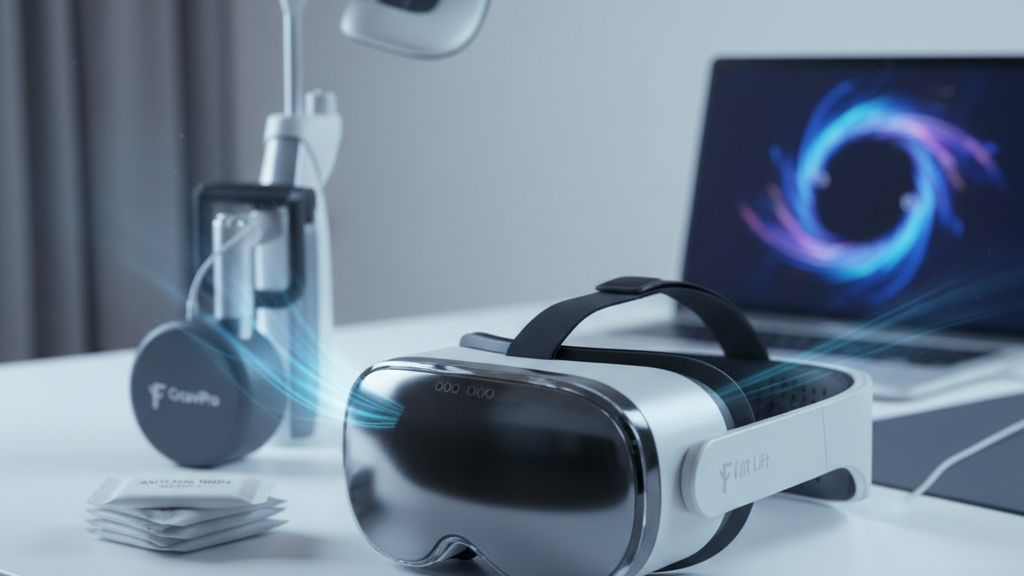
Fog-Free and Cool: A Practical Guide to Clear, Comfortable VR Sessions with GraviPro and Flit Lift
Long VR sessions should be immersive, not foggy or sweaty. This guide walks VR gamers, accessory designers, and hardware tinkerers through the practical steps and design choices that keep optics clear and faces cool—integrating anti-fog technologies, thermal strategies, and ergonomic systems like GraviPro and Flit Lift for noticeably better sessions. ⏱️ 10-min read
By Alex Hart, VR ergonomics and product specialist. Read on for concrete setup checklists, real-world feedback, and developer guidance that you can test tonight.
Fog-Free Vision: Anti-Fog Technologies and Best Practices
Fog in VR is fundamentally a condensation problem: warm, moist air meets a cooler lens surface and forms droplets that scatter light. The technical and behavioral responses are straightforward—either prevent moisture from reaching the glass, change how it forms on the glass, or keep the glass warm enough that condensation doesn't occur.
On the hardware side, hydrophilic coatings are a reliable first line of defense. Unlike hydrophobic treatments that bead water into droplets, hydrophilic coatings spread condensation into an ultra-thin, uniform film that preserves clarity. Pair coatings with micro-vented facial interfaces that channel exhaled air to the sides instead of directly up the nose. Humidity-aware ventilation—systems that modulate airflow based on ambient moisture—strikes a balance between clearing fog and over-drying optics or users' skin.
Day-to-day habits matter as much as materials. Start sessions with a brief warm-up: power the headset for 1–3 minutes so displays and nearby surfaces reach operating temperature. Wipe lenses with a microfiber cloth or manufacturer-approved optics wipes; never use household cleaners or touch the glass with fingers. If your headset supports adjustable fans or vents, begin at a mid-level setting and only ramp up when artwork or scenes demand heavy GPU use. Finally, test your set in the room conditions you normally use—what works in a cool living room might fail in a crowded, warm game night.
Thermal Management Fundamentals for VR Headsets
Understanding heat sources inside a headset clarifies why thermal planning matters. Primary contributors are the SoC/CPU and GPU as they render frames and process tracking, the display driver and backlight circuits, and the battery during heavy draw or charging. Left unchecked, those sources raise local skin temperatures, increase sweat, and make condensation more likely around the lenses.
Passive cooling begins with conductive paths: thermal pads bridging chips to copper plates or heat spreaders distribute heat across a larger surface area so no single spot becomes hot. A conductive frame can act as a heat sink, wicking warmth away from the face toward exterior fins or housings. Material choice is important—low thermal impedance pads and smooth interfaces reduce trapped air and improve transfer efficiency.
Active cooling complements passive measures. Small, quiet fans or vented housings create controlled airflow channels—front-to-back or top-to-bottom are the most effective paths—that carry warm air away from the face and toward exhaust vents. Vent placement is equally strategic: intake at the lower face or sides and exhaust at the rear/top encourages a flow that avoids blowing directly onto the lenses. Finally, seating and environmental conditions matter: a fan behind a user or moderate ambient ventilation will aid thermal removal and reduce the likelihood of fog during longer sessions.
GraviPro Dynamic Lifting: Ergonomics that Support Fog Control
GraviPro's dynamic lifting is often framed as an ergonomic convenience, but its real value for fog control is mechanical: by actively adjusting headset contact pressure, it minimizes the tension and gaps that let warm breath or sweat pool near lenses. Instead of a static clamp that either pinches or slips, dynamic lifting senses movement and tweaks the lift to preserve a stable, breathable seal.
The system uses facial-geometry sensing to make micro-adjustments when you turn your head or lean forward. Those tiny adjustments maintain an even seal around the eye wells without over-tightening on the forehead or cheeks—critical because over-tightening increases localized pressure, raises skin temperature, and forces sweat toward the lens. By keeping the seal just firm enough to redirect exhalation toward vent channels and away from optics, GraviPro reduces the frequency of fog events during rapid head turns and high-intensity gameplay.
Balance also reduces micro-movements. When weight is distributed across the crown, temples, and nose bridge rather than concentrated at the forehead, the headset shifts less with each movement. Those reduced shifts help maintain consistent airflow patterns across the lenses—fewer micro-openings in the seal means less opportunity for warm, moist air to contact cooler glass and form condensation.
Flit Lift: The Weightless Comfort Advantage and Its Thermal Impact
Flit Lift's core promise—near-weightless comfort—translates to measurable thermal benefits. Reducing the effective mass on the face decreases constant pressure on hot zones like the forehead and cheeks. Less pressure means sweat is less likely to pool in one place and more likely to distribute or evaporate, aiding natural cooling and reducing lens fogging.
Practically, a lighter fit lowers facial heat by enabling small convective flows between the facial skin and the interface. The result is fewer localized hotspots and a calmer facial microclimate during extended sessions. In combination with even weight distribution, Flit Lift also reduces clamping that can constrict airflow paths and trap heat against the skin.
Design touches that matter: routing cables and batteries away from the face, as Flit Lift does, prevents heat accumulation near the nose and temple vents. Quick-don and adjustment workflows—where users can achieve a comfortable seal in seconds without wrestling with straps—mean the headset achieves an optimal thermal posture faster, before sweat builds. For everyday users, that small time-to-comfort difference often separates a focused multi-hour session from one that ends early due to discomfort or fog.
Practical Setup for Vision Pro and Other Headsets
Here’s a concise pre-session checklist you can use for Vision Pro and most modern headsets to minimize fog and manage heat. Treat it as a standard operating procedure before any long play or demo.
- Power sequence: Turn on the headset first, then any active lifting systems like GraviPro. Give systems 1–3 minutes to reach operating temperature and for lift mechanisms to calibrate.
- Lens prep: Wipe lenses with a microfiber cloth or approved optical wipe. Inspect for smudges and avoid skin oils—these change how coatings behave.
- Adjust lift tension: Set GraviPro to a gentle, even seal—enough to prevent gaps but not so tight it pinches. Make a few quick head turns to confirm the seal remains stable.
- Route cables: Secure Flit Lift cables along the frame away from the nose and vents. Use clips to prevent tugging that disturbs airflow or seal integrity.
- Fan and vent settings: Begin at medium fan speed if available. For Vision Pro, use manufacturer-recommended vent settings and monitor temperatures during intense scenes.
- Environment: Aim for 40–60% relative humidity. If the room is very warm or humid, increase airflow and consider a short break after 30–45 minutes.
- Quick functionality test: Run a short, high-motion scene for 60–120 seconds. Watch for initial fog; if it appears, check sealing points and minor pressure adjustments.
Compatibility notes: GraviPro and Flit Lift are designed to work with many form factors, but always verify rail mounts, center-of-gravity adjustments, and any connector clearances specific to Vision Pro, Quest, or other headsets before relying on them for extended sessions.
Early Adopters and Real-World Feedback
Feedback from early users of GraviPro and Flit Lift is consistent: fewer mid-session interruptions, reduced fog during high-motion play, and longer comfortable playtime. Gamers report that quick head turns that used to produce brief fogging now result in a momentary haze that clears faster or doesn’t form at all. That improvement is frequently attributed to Flit Lift moving heat sources away from the face and GraviPro maintaining a more stable seal.
Users in hot-room conditions noticed clearer lenses during intensive sessions like fitness-focused VR or racing sims. Rather than pausing to wipe lenses, many players report being able to continue for longer stretches. In competitive contexts, that can mean fewer lost plays due to readjustment delays.
There are caveats. In very high humidity environments (above ~70% RH), even the best coatings and lift systems have limits; condensation can still form if room air remains saturated. Some early adopters also noted that active cooling increases power draw and may require battery management strategies or tolerating slight fan noise. Overall, the consensus is that combining ergonomic support with targeted thermal measures produces the largest practical gains, especially during sessions longer than an hour.
Developer and Manufacturer Guidelines: Integrating GraviPro and Flit Lift for Cooler, Fog-Free Headsets
For hardware designers and accessory manufacturers, integration is a systems problem: mechanical fit, thermal routing, firmware, and user safety must align. Start with precise mechanical references. Design mounting tolerances so GraviPro and Flit Lift rail and fastener interfaces align repeatably every time—symmetry across left and right rails maintains balance and predictable center-of-gravity behavior.
Thermally, plan conductive paths that route heat away from facial-contact surfaces. Reserve space for thermal pads, copper plates, or dedicated heat spreaders. If you add fans, map intake/exhaust so they complement natural head movements and avoid blowing directly on lenses. Cable and battery routing should keep heat sources behind or below the face, as Flit Lift demonstrates.
On the software side, implement calibration routines that map lift force and anti-fog profiles to individual users. Provide per-profile calibration and logging so you can reproduce settings during testing. Integrate real-time temperature sensing and automatic profile switching when thermal thresholds are crossed. Safety interlocks—watchdogs that stop operations if sensors detect misalignment or a stuck actuator—are essential for user safety and regulatory compliance.
Testing should include environmental chambers that vary temperature and relative humidity, accelerated wear cycles on seal gaskets, and repeated torque checks on mechanical joints. Document mounting references, spacer requirements, and adapter parts early to reduce surprises during chassis updates. Finally, select materials with clear safety data, and include lifecycle plans for replaceable gasket parts and firmware update pathways to sustain anti-fog performance over years of use.
Case Studies: Practical Outcomes from Training Rooms and Research Labs
Real deployments show how small procedural changes produce large operational gains. In a mid-sized corporate training room, instructors moved from frequent pauses to wipe lenses to uninterrupted demos after adopting a combined approach: anti-fog wipes, cable routing, moderate active ventilation, and GraviPro-assisted fit. The outcome was smoother demonstrations and faster session flows—critical when multiple attendees must try headsets on a strict schedule.
In a research lab running long experiments, lighter supports and balanced accessories made multi-hour wear feasible without introducing fatigue-related measurement drift. The lab paired Flit Lift’s weight reduction and off-face battery routing with top-to-rear ventilation and the result was a demonstrable increase in usable session length. Researchers spent more time collecting data and less time rehousing gear or recalibrating after readjustments.
Both cases emphasize repeatable routines: pre-warm the device, verify seals, and maintain a steady environmental baseline. These operational practices, paired with ergonomic and thermal hardware improvements, deliver consistent, measurable reductions in fog incidents and session interruptions.
Maintenance, Safety, and Long-Term Reliability
Keeping anti-fog systems effective over time comes down to routine care and sensible lifecycle planning. Lenses: clean regularly with microfiber and optics-safe cleaner; avoid abrasive cloths. Gaskets and seals: inspect for cracks, tears, or permanent compression—replace any gasket that shows visible damage. User-facing foam and padding degrade over time; schedule replacement intervals based on hours of use rather than arbitrary dates.
Mechanical systems like GraviPro require periodic calibration and torque checks. Follow manufacturer torque specs for joints and fasteners, re-torque after the first 50 cycles, and then at regular maintenance intervals. Firmware: install vetted updates from official suppliers that improve thermal control or introduce new safety interlocks. Maintain a change log so you can correlate performance shifts with firmware versions or hardware swaps.
Storage matters: keep headsets in a clean, dry case away from direct sunlight. Cap lenses or use lens plugs to protect coatings. Avoid storing heavy items on top of devices that can compress foam and degrade seals. For safety and compliance: use materials with known safety profiles, and ensure designs include fail-safe behavior for lifting actuators—if a sensor fails, the device should default to a safe, static configuration rather than an uncontrolled movement.
Next step: run a short workshop with your team or gaming group. Use the checklist above, try a 10-minute pre-warm routine, and document fog events across a week. Small, repeatable experiments are the fastest route to improvements that actually stick.







Share:
Using counterweights to balance heavier headsets without sacrificing mobility
How to Fit Third-Party Quest 2 Straps Without Compromising Comfort