

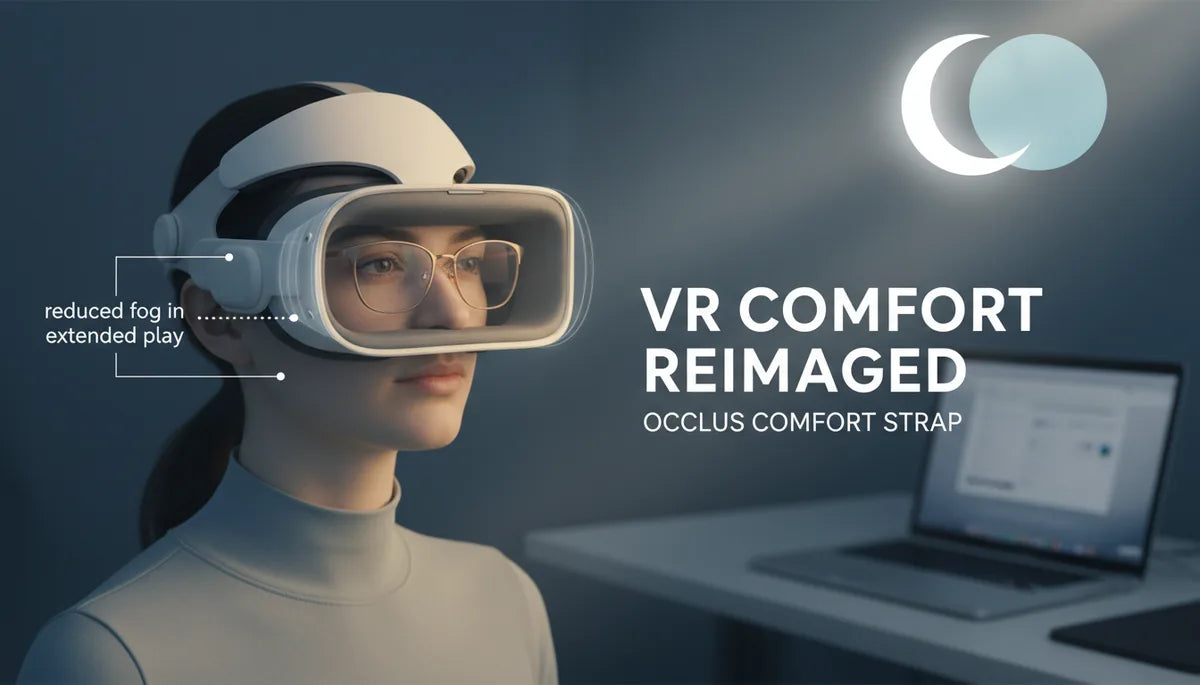
Glasses-Friendly Quest 2 Comfort Straps: Reducing Pressure and Fog in Extended Play
Wearing prescription glasses in VR shouldn’t mean constant discomfort, foggy lenses, or frequent mid-game breaks. For many Quest 2 owners the stock strap is functional but not designed around eyewear: it can press frames into your temples, tilt the headset, and trap warm breath against your glasses—shortening sessions and breaking immersion. ⏱️ 11-min read
This guide explains how glasses-friendly Quest 2 comfort straps solve those problems. I’ll walk through what to look for, which strap designs work best for long sessions, step-by-step installation and fine-tuning, and practical tips to reduce pressure and lens fog. Read on for concrete adjustments and real-world strap recommendations so you can play longer, clearer, and more comfortably.
Choosing a Glasses-Friendly Quest 2 Comfort Strap
Start by matching a strap’s design to your needs. There are three broad types: the stock strap that came with the Quest 2, the official Elite Strap (or similar marketed as “counterbalance” designs), and a wide range of third‑party comfort straps that emphasize padding and glasses clearance. Your selection should prioritize three features: clearance for your frames, even weight distribution, and adjustability.
Clearance means the strap and face cushion hold the headset slightly away from your glasses so temple arms and nose pads don’t get pinched. Check the product photos and specs for “temple cutouts,” low‑profile connectors, or foam shapes that avoid the temple area. Padding is important but not everything—thick foam can push lenses outward if the strap tilts the unit forward. Look for straps that combine softer face foam with a rear support or counterweight.
Adjustability lets you dial in height and snugness. Height controls the angle of the headset relative to your face—critical for keeping glasses from contacting the lenses. Rear adjusters or top straps allow you to distribute weight across the crown instead of the nose. Finally, consider materials: breathable, moisture‑wicking fabrics reduce internal humidity, while low‑friction inner surfaces prevent your glasses from scraping when you move.
Why Standard Quest 2 Straps Fall Short for Glasses Users
The stock Quest 2 strap is lightweight and compact, but it assumes a bare face or minimal optical accessories. For glasses wearers this small, seemingly simple design creates three recurring problems: pressure concentration, alignment drift, and reduced airflow causing fog.
Pressure concentrates where the headset meets your face. With the default strap, load tends to sit on the goggles’ front and the back of the head. That pushes the headset into the nose bridge and temples; when glasses are inside that gap, frames take the brunt. The result: red marks, sore spots, and headaches that curtail sessions.
Alignment drift happens because the stock strap lacks robust rear support and counterbalance. If the front of the headset pulls downward—common during active movement—your glasses and the headset shift relative to each other, producing blur and forcing readjustments. Finally, the sealed face‑gasket design of the Quest 2, combined with glasses, reduces convection. Warm breath becomes trapped and condenses on cooler lens surfaces, creating fog. For anyone planning multi‑hour play, these effects add up quickly.
What Makes a Quest 2 Strap Truly Glasses-Friendly
A glasses-friendly strap is more than extra foam. It’s a system that adjusts geometry, redistributes weight, and manages heat and moisture. The key elements to look for are balanced weight distribution, temple clearance, and materials that reduce friction and humidity.
Balanced weight distribution means the headset’s load is shared across the crown and the rear of the skull. Cradle-style headbands and counterbalance systems push some weight back, restoring a neutral center of gravity so the headset doesn’t tip forward onto your nose. Temple clearance is achieved through foam shapes that avoid the temple area, side cutouts, or thin‑profile connectors that don’t clash with eyeglass arms. In practice this prevents frames from being squeezed between headset and face pad.
Materials matter because they determine how the headset breaths and how your glasses interact with the strap. Breathable mesh or moisture-wicking linings keep the skin drier and lower internal humidity. Soft, low-friction surfaces reduce rubbing against temple arms; a silicone or fabric sleeve over the temples can also protect frame finishes. Finally, articulating hinges and flexible side straps allow the headset to tilt slightly without creating pressure hotspots—this small movement is often the difference between discomfort after ten minutes and comfortable play for hours.
Best Options for Extended Sessions: Strap Picks
Several strap designs are proven for long sessions with glasses. The official Elite Strap introduced better rear support and a firmer cradle; third‑party alternatives have built on that idea with more padding, breathable materials, and more generous temple clearance. Here are reliable categories and standout examples to consider.
- Counterbalance/Elite-style straps (official Elite Strap and similar): These move weight toward the back and use a wider, firmer rear pad. Great for reducing nose pressure—especially useful for heavier faceplates or long content sessions.
- Padded cradle/headband designs (Kiwi Design, AMVR): Characterized by thick, breathable foam across the crown and generous side cutouts for temple arms. They provide comfort without crushing glasses frames and often have tool-free adjustments.
- Lightweight wraparounds with articulating hinges: These use flexible side straps and hinged panels to contour the head, easing pressure at temples while keeping the headset stable during movement.
- Custom cushion pairings (VR Cover, FlitLift-compatible): Adding lower‑profile or memory‑foam face cushions can create greater space between your glasses lenses and the headset lenses, while paired straps focus on moisture control.
User feedback consistently praises straps that combine rear padding with roomy temple areas: “My glasses sit comfortably without pinching, even after long play sessions,” and “Fog is noticeably reduced because the headset seal stays steady.” When selecting, prioritize models that list temple clearance and show photos with eyeglasses in place.
Installation and Fine-Tuning: Step-by-Step Guide
Installing a comfort strap correctly is straightforward, but small tweaks make a big difference for glasses. Follow these steps to install a strap and fine‑tune fit before your next session.
- Remove the stock strap if necessary—most third‑party straps replace the side straps and attach to the same anchors. Keep the stock strap in case you want to revert later.
- Attach the strap’s side anchors to the headset’s mounts, ensuring both sides are level. Misaligned anchors tilt the headset and increase frame contact.
- With the headset off your face, preliminarily set rear and top adjustments to a medium setting. If your strap has a counterweight, start with it toward the back third of the headband.
- Put on the headset while wearing your glasses. Look straight ahead and slowly tighten the side straps until the display is clear—don’t over-tighten.
- Adjust the top strap to lift or lower the faceplate until the headset sits comfortably near the cheekbones; this controls the angle relative to your nose bridge.
- Test movement—nod, shake your head, and simulate gameplay. If the glasses shift or the headset tilts, loosen the side straps slightly and tighten rear adjustment to move weight back.
- Fine-tune pad offset: if your temples feel pinched, gently slide the face cushion forward or back a few millimeters (some cushions are removable and replaceable) until pressure is relieved.
Tips: take short five‑minute test sessions and revisit adjustments; subtle changes to top‑strap tension often prevent forward tilt without increasing facial pressure. Keep a small microfiber cloth nearby for quick lens wipes while you iterate.
Pressure Management: Reducing Face and Temple Strain
Reducing pressure on your temples and nose bridge is a combination of geometry and cushioning. The primary goal is to avoid letting the headset’s front do most of the work. Instead, a glasses-friendly system moves load to the crown and back of the head.
Start by adjusting the top strap—this sets the pitch. If the headset tips forward and presses on your nose, tighten the top strap slightly to pull the faceplate up. If the headset feels like it’s lifting off the cheeks, loosen the top strap and increase rear tension. Use the rear pad or counterweight to take weight off the nose; even a small 1–2 cm shift of the rear pad toward the back of the skull can reduce nose pressure significantly.
Padding placement matters. Thicker cheek padding can increase distance between your glasses and the VR lenses, reducing lens contact, but excessive thickness can change the headset’s angle and reintroduce forward pull. Instead, prefer memory‑foam pads with a tapered profile that cushion without pushing. For temple relief, look for straps with side cutouts or thinner foam adjacent to the temples—this ensures the arms of your glasses aren’t compressed against the headset gasket.
Small accessories like silicone temple sleeves, soft ear hooks, or foam temple pads can prevent frames from digging into skin without changing headset geometry. Finally, if you feel hotspots during intense play, pause, loosen the straps slightly, and reposition; frequent micro‑adjustments early on help you find a sweet spot that lasts for longer play periods.
Fog Reduction and Ventilation Strategies
Fog occurs when warm, moist air condenses on cooler lens surfaces. With glasses in the mix, airflow becomes more restricted and fog appears faster. The right strap improves ventilation and stabilizes the seal so warm breath is less likely to reach the lenses.
Choose straps and face cushions made from breathable fabrics—mesh, moisture‑wicking neoprene blends, or perforated foam reduce humidity buildup. Some third‑party straps incorporate vented panels or channels that promote convection from the bottom of the face pad outward. These design touches help heat escape, keeping lenses clearer for longer.
Practical steps to reduce fog:
- Use an anti‑fog product designed for eyewear or VR lenses—apply sparingly and follow instructions to avoid coating glare-sensitive areas.
- Position the face cushion to maintain a small downward gap between the headset's gasket and your cheekbones: a slight gap increases airflow without breaking the seal that keeps tracking stable.
- Practice breath management: exhale downward or through your nose less forcefully during peak moments to reduce direct airflow toward the lenses.
- Consider tiny fan solutions or aftermarket ventilation inserts if fog is persistent—these actively move air across the lens area.
Combining a breathable strap, a slightly adjusted seal, and anti‑fog treatment typically yields the best results. The strap’s role is often overlooked: by keeping the headset stable and preventing micro‑shifts you limit opportunities for warm air to reach the lenses in the first place.
Glasses‑Wearer Considerations: Comfort and Fit
Not all glasses are created equal for VR. Frame size, temple arm thickness, and nose‑pad style all influence how well your frames coexist with a Quest 2. Here’s how to match your glasses and strap for the best fit.
Frame size: smaller frames generally fit more easily behind the VR foam. If your frames are large or have thick rims, prioritize straps that specify “temple clearance” or show clear photos of glasses tucked in. Temple tips: thin, flexible temple tips slide under the gasket more easily. If your temples are thick or have bulky hinges, try adding soft silicone sleeves to smooth the contact point. Nose pads: adjustable nose pads are helpful because they allow you to change how your glasses sit on your face; a slightly higher nose pad lift can keep the glasses from touching the VR lenses.
Cushion thickness: for rimless or semi-rimless glasses you can often use slightly thicker face cushions to increase distance between eyewear and VR lenses. For bulkier frames, choose lower-profile cushions and a strap that moves weight rearward. Strap height: consider straps with vertical adjustability; being able to fine‑tune the headset’s vertical position by just a few millimeters is especially valuable for glasses wearers.
Finally, test your setup with the actual content you play. Fast‑paced games amplify even small misalignments. A short test session with play and head movement will reveal whether your adjustments are sufficient or need another tweak.
Maintaining Your Comfort Strap and Troubleshooting Common Issues
Maintaining the strap keeps comfort and fog control consistent over time. Care routines vary by material: fabric or microfiber straps should be hand washed with mild soap and air dried; avoid machine washing and high heat. Silicone or rubber pieces can be wiped down and dried; do not use alcohol cleaners that may degrade coatings. Faux leather or real leather pieces should be spot cleaned and conditioned sparingly to prevent cracking.
Inspect connectors and adjusters monthly—loosened clips or worn velcro are the most common failure points. If a cushion begins to compress unevenly, rotate or replace it before it changes the headset angle. Store the headset and strap somewhere cool and flat to prevent permanent warping.
Common troubleshooting fixes:
- If your glasses keep shifting: loosen side straps slightly and tighten rear counterweight; add a small silicone sleeve for temples.
- If you still get fog: use a dedicated anti‑fog wipe for lenses, reposition the face cushion to allow micro‑venting, or add a tiny fan accessory.
- If you feel new pressure points: recheck cushion alignment and try a different cushion thickness—tiny thickness changes can shift pressure by millimeters and solve the problem.
When in doubt, revert to baseline settings—neutral strap, medium top tension, and glasses in place—then tweak in small steps. Keeping notes of what you changed (and why) speeds future setup and makes it easier to repeat a comfortable configuration.
Next step: measure how your headset feels after a 30‑minute play session with a chosen strap. If you notice discomfort or fog, adjust one variable at a time—strap height, rear pad position, or cushion thickness—so you can identify what made the difference.







Share:
Official vs Third-Party Straps for Quest Two: Ergonomics, Durability, and Value
Achieving Balance: Counterweights and Straps for Meta Quest 2 Ergonomics