

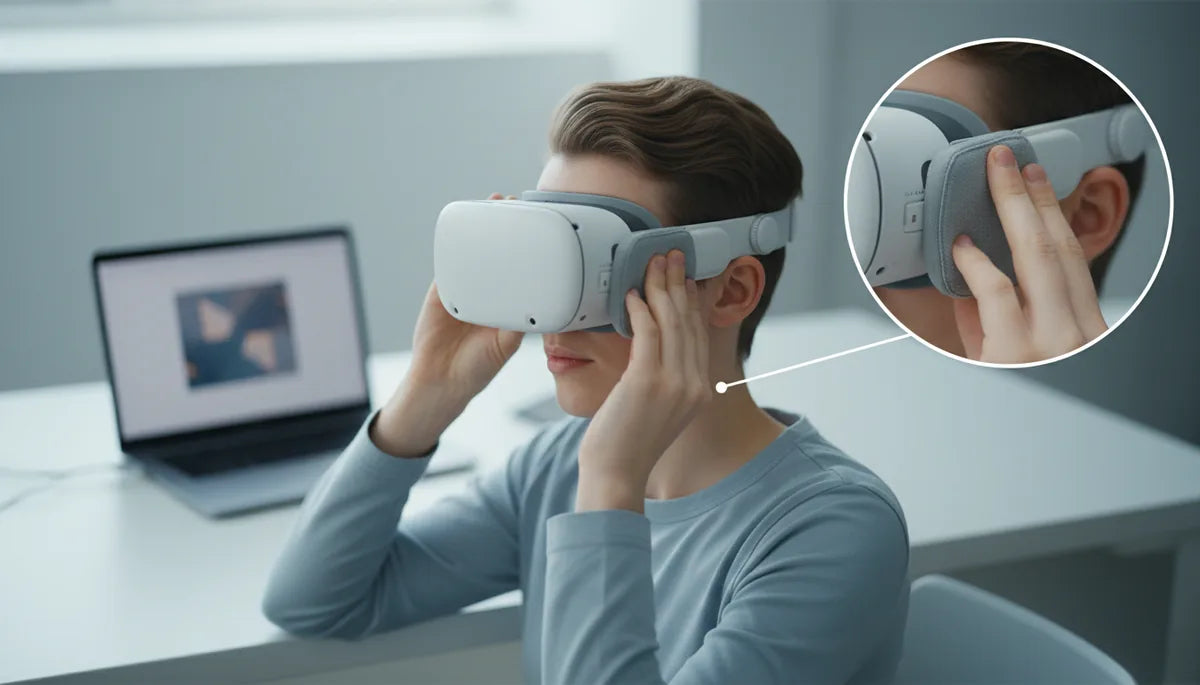
Glasses-friendly Quest 2 comfort: padding and fit tips for longer sessions
Wearing glasses in a Meta Quest 2 is entirely possible — but without a few deliberate adjustments, long VR sessions can leave you with sore temples, fogged lenses, or a headset that constantly shifts and breaks immersion. The good news: most discomfort comes from contact points and weight distribution, which you can fix with better padding, a smart strap choice, and a couple of quick setup steps. ⏱️ 11-min read
This guide walks through practical, glasses-first solutions: what to look for in straps and cushions, how the official accessories compare, step-by-step fitting, lens protection, and upgrade paths like prescription inserts or contacts. Read these sections and you’ll leave with a clear action plan to make your Quest 2 comfortable, safe for your glasses, and ready for longer play.
Why glasses and the Quest 2 need special attention
The Quest 2 was designed to be compact and provide a snug seal for most faces. When you add glasses, that snugness can turn into unwanted pressure. Frames push against the face gasket, the headset tilts forward, or lenses come perilously close to your eyewear. Those small misalignments cause headaches, eye strain, or even scratches on either your glasses or the headset’s lenses.
Problems you’ll commonly see include pressure on the nose bridge and temple areas, fogging from trapped breath, and a reduced field of view if the lenses end up slightly tilted. Even a tiny wobble can let the headset slide and press unevenly on the cheeks, which becomes more noticeable during rapid head movement or zoomed-in scenes. Recognizing these as mechanical and ergonomics problems — not a fault of your glasses — is half the solution. Comfortable VR for glasses wearers is largely about creating space in the right places and spreading the weight so glasses don’t act as unwanted fulcrums.
Choosing a glasses-friendly strap: padding, nose clearance, and cushion materials
When shopping for a strap or replacement cushion, prioritize three simple things: generous nose cutouts, replaceable cushioning, and materials that balance softness with durability. A strap’s job is twofold: keep the headset stable and move weight away from pressure points. For glasses wearers, that means finding straps and cushions that accommodate frame arms and bridge shapes.
Look for straps that include or support thicker forehead pads — these lift some of the headset’s weight off the nose and gently rest against the forehead instead. A wider top-strap distributes vertical pull so the headset no longer pivots forward and squashes your glasses against your face. Replaceable cushions are a practical advantage: you can upgrade or swap pads to suit different glasses or hygiene needs.
On materials, PU leather foam offers a plush, low-friction surface that feels pleasant against both skin and frame arms; it’s also easy to wipe clean. Silicone covers are non-absorbent and disinfect easily, which is helpful if multiple people share the headset, though they can feel firmer. Memory-foam or dense soft foam can contour around frame arms and provide small pockets of clearance. The key is a combination of depth and contour: deeper eye sockets and a pronounced nose cutout prevent your glasses frames from being forced into the lenses or your skin.
Official Quest 2 Comfort Strap vs Elite Strap: glasses-friendly implications
Meta’s official Comfort Strap and Elite Strap aim to improve comfort and stability, but they behave differently for glasses wearers. The Comfort Strap is lighter, offers modest padding, and is a straightforward upgrade from the stock strap. For many glasses users, it reduces forward tilt and gives slightly more forehead support, which translates into less nose pressure.
The Elite Strap (and variations with battery packs) is bulkier and designed for serious weight distribution. Its sturdier construction and larger rear support pad excel at preventing the headset from tilting forward — a key benefit if your glasses frequently get squeezed. However, because the Elite Strap holds the headset very rigidly, you need to make sure your facial interface already provides enough internal clearance. If the face gasket is shallow, the Elite will simply lock the headset in a tighter position, which can worsen lens contact with frames.
Which to choose? If you wear thicker frames or want to prolong sessions without swapping posture often, the Elite-style strap with a substantial forehead pad will be more effective at removing pressure from the nose. If you favor lighter gear and occasional sessions, the Comfort Strap plus a deeper facial interface can be the sweet spot. In either case, combine the strap with a glasses spacer or upgraded cushion to ensure adequate lens distance.
Upgrading your facial interface: best pads for glasses wearers
The facial interface is the component that touches your face, so swapping it is one of the highest-impact upgrades for glasses comfort. Third-party replacements have evolved into a mature market, offering deeper eye sockets, wider internal frames, and different padding materials that are friendlier to eyewear.
PU leather foam replacements are popular because they feel soft and smooth, reducing friction against frame arms and making the headset easier to slide on and off without tugging your glasses. They also absorb a little sweat, which can make them feel more comfortable during long sessions. Silicone covers, while less plush, are completely non-absorbent and very hygienic — ideal if you share your headset or play in sweaty conditions. They’re quick to wipe and won’t degrade from repeated cleaning.
When choosing, look for interfaces marketed specifically for glasses — they typically have deeper recesses around the nose and a more generous distance from the lenses. Softer foam pads conform around the frame arms and reduce concentrated pressure points, while a well-shaped nose cutout prevents the bridge of your glasses from getting pinched. A practical tip: pick an interface with replaceable or detachable cushions so you can test different materials or replace worn pads without buying an entire new rig.
Using the official Quest 2 glasses spacer: installation and immediate benefits
The official Quest 2 glasses spacer is a small but effective accessory: it adds predictable, secure clearance between your glasses and the headset lenses. For many users the spacer is the single simplest modification that prevents scratches and reduces pressure on frame arms and temples.
Installing the spacer is straightforward. Power down the headset and remove it from your head. Detach the facial interface using the side tabs — do this gently to avoid forcing the tabs. Inspect the spacer to find the curved edge that faces your nose, then align it with the slots on the facial interface. Press it firmly into place until you feel it click or sit flush. Reattach the facial interface to the headset, strap it on, and check the clearance with your glasses on.
The benefits are immediate: your glasses sit a little farther from the lenses, reducing contact and the risk of scratching. The spacer also helps maintain a more comfortable seal around the nose without pinching the bridge of your glasses. If you experience lens fogging, the spacer can create better airflow paths. Keep in mind that while a spacer creates extra room, combining it with a deeper facial interface and a supportive strap yields the best long-term comfort.
Step-by-step: optimizing your Quest 2 fit when wearing glasses
A precise fit is more important than a tight fit. Follow these steps to avoid pressure points and keep headset alignment stable:
- Loosen all straps. Start with the headset’s side straps and top strap loosened so the headset won’t press your glasses into your face as you position it.
- Put your glasses on first. Make sure they sit comfortably and won’t shift as you put the headset on.
- Place the Quest 2 gently on your face. Slide it up and down until the image becomes as clear as possible; this helps you find the optimal vertical position relative to your glasses.
- Tighten the top strap until the headset feels supported but not pulling your glasses backward. The top strap helps keep the headset from sagging down and compressing the bridge of your glasses.
- Adjust the side straps until the headset stops moving. Aim for a snug fit that prevents wobble without compressing temple arms. If you have an Elite-style strap, let the rear pad sit lightly against the back of your head to counteract forward tilt.
- Set your IPD while wearing glasses. Use the bottom-left slider to adjust the interpupillary distance so the display is sharp across the field of view; doing this with glasses on ensures correct lens alignment.
- Fine-tune forehead pad position. If your strap has a forehead pad, move it so weight transfers upward and the nose area feels free from pressure.
Throughout, avoid over-tightening. If your glasses feel pinched or you see distortion in peripheral areas, recheck the facial interface depth and consider adding a spacer or different cushion. Small adjustments compound: even a few millimeters of vertical change can eliminate pressure points and improve visual clarity.
Protecting your lenses and glasses: protectors, cleaning, and anti-fog tips
Protecting both the Quest 2 lenses and your eyeglasses pays off. A scratched headset lens is expensive to replace, and scratched or smudged glasses make VR less immersive. Purpose-made lens protectors like the AMVR Quest 2 Lens Protector or KIWI Design Quest 2 Lens Protector offer a barrier without sacrificing image clarity. These protectors are thin, cut to shape, and can be replaced when they show wear.
Cleaning technique matters: use a microfiber cloth and a lens-safe cleaner for both headset and glasses. Avoid household cleaners or paper towels that can leave micro-abrasions. For the facial interface and cushions, use mild soap and water on removable pads or alcohol wipes on silicone covers; allow pads to dry fully before reattachment to prevent skin irritation.
Anti-fogging is often solved with better airflow and occasional wipes. A small fansil or the official spacer can help by creating clearance and a path for breath to escape. If fogging persists, a gentle dab of anti-fog solution on the inside of your glasses (and not the headset lenses) can help. For shared headsets, keep disposable or washable facial covers on hand to maintain hygiene without compromising padding or fit.
Beyond spacers: prescription lens inserts and contact lenses
If your glasses create persistent fit or vision issues, prescription lens inserts are a compelling upgrade. These custom lenses clip magnetically or fit into the headset and match your prescription precisely. They remove the physical barrier of glasses entirely, which eliminates frame pressure, temple sore spots, and reduces the risk of scratching the Quest 2 lenses. Installation is typically quick and reversible, and many users find inserts deliver the clearest, most comfortable long-term solution.
Contact lenses are another option for those comfortable wearing them. Contacts give the broadest field of view and the most natural feel because there’s no glass between your eyes and the headset optics. For people who play frequently and don’t have contraindications for contacts, switching for VR sessions can be the simplest route to maximum comfort.
Comparing options: regular glasses are convenient but can be bulky; spacers and upgraded cushions mitigate many issues. Prescription inserts and contacts remove the problem at the source by eliminating frames. Consider your budget, how often you use VR, and whether you share the headset; inserts are an upfront investment but deliver the cleanest, most immersive experience long term.
Real-world comfort: user experiences and session planning
User reports consistently show that a combination of spacer, deeper facial interface, and a stable strap produces the biggest gains. For example, a player with larger acetate frames switched to a PU leather interface and added the official spacer; their sessions doubled from 30 to 60 minutes before noticing fatigue. Another user with thin metal frames favored a silicone cover and the Elite Strap to prevent forward tilt — the firmer feel reduced cheek pressure and kept temples comfortable.
Session planning also matters. Take short breaks every 30–45 minutes to relieve pressure and let both your face and glasses rest. Rotate cushions periodically to retain their shape and hygiene; soft foam compresses over weeks of use, so replacing or flipping pads can restore proper clearance. If you share the headset, keep an inexpensive washable cover or disposable liner to maintain cleanliness without altering the geometry of your chosen cushion.
Finally, small behavioral adjustments help: tilt your head slightly forward when adjusting the headset so breath moves away from lenses, and avoid rapid up-and-down motions during intense play if your glasses are prone to shifting. These simple changes keep your setup working the way it should.
Quick checklist and next steps for immediate improvement
Use this checklist to quickly identify and fix the most common glasses-related pain points:
- Install the official glasses spacer to add predictable clearance.
- Upgrade the facial interface to a deeper, glasses-friendly pad (PU leather or silicone per your hygiene preference).
- Choose a strap that redistributes weight — Comfort Strap for lighter sessions, Elite-style for maximum stability — and ensure the forehead pad is used to reduce nose pressure.
- Adjust fit step-by-step: glasses first, headset position, top strap, side straps, then IPD while wearing glasses.
- Protect lenses with thin, purpose-made protectors and clean both headset and glasses with microfiber cloths and appropriate cleaners.
- Consider prescription lens inserts or contact lenses if you want the cleanest, most comfortable long-term solution.
- Plan regular breaks and rotate or replace cushions to maintain shape and hygiene.
Next step: start with the spacer and a simple facial interface swap — these two changes often deliver the biggest immediate improvement. If you still feel pressure, add a strap upgrade and then evaluate inserts or contacts for a long-term solution.







Share:
Weight distribution tricks to reduce neck strain in virtual reality
Choosing the right Quest head strap: halo versus modern alternatives