

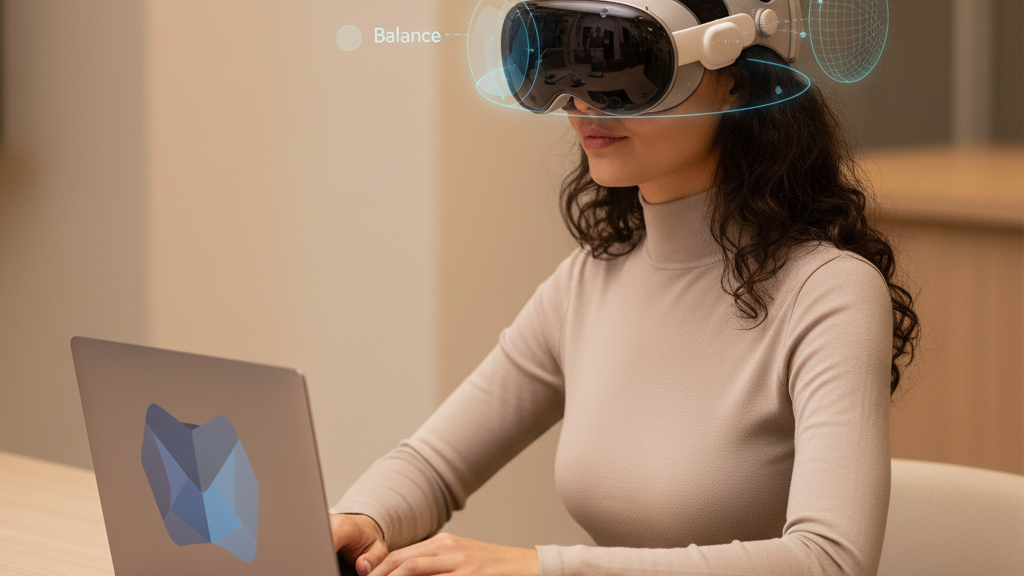
How Headset Weight, Balance, and Strap Design Shape Comfort and Performance on the Quest 2
If you spend hours inside virtual worlds, small differences in how a headset sits on your head quickly become large differences in comfort, focus, and performance. This guide explains the physics behind headset weight and balance, compares the Quest 2 to other headsets, and delivers practical, hands‑on strategies—strap choices, fit tweaks, weight-shifting tricks, glasses tips, and maintenance routines—to keep you playing longer and performing better. ⏱️ 10-min read
Read on for clear, actionable steps you can apply today: a simple install checklist for Quest 2 straps, low-effort balance tweaks that reduce neck torque, and long-session best practices that prevent hotspots and fatigue without sacrificing tracking or immersion.
Weight, balance, and comfort: the core physics of VR headsets
Comfort is more than a number on a scale. In VR, how mass sits relative to your skull—the center of gravity (CG)—dictates the torque your neck must resist whenever you tilt or rotate your head. Two headsets with identical mass can feel radically different if one concentrates weight at the faceplate and the other distributes it across the crown and rear. That difference governs everything from cheek and nose pressure to micro‑adjustments you make mid‑move.
Imagine holding a light book at arm’s length versus at your chest. The book’s mass is the same, but the lever arm changes how much effort you feel. A forward‑loaded headset is the same: the farther the mass sits in front of the neck, the greater the torque and the faster neck muscles fatigue. That’s why a front-heavy design often causes you to push the headset up with your hands, or bite down with jaw tension to stabilize view during quick turns—both reduce immersion and accuracy.
Balance reduces the need for those compensations. Straps, padding, and even small counterweights shift load from the face to the crown and rear, shortening the lever arm and spreading pressure over a larger surface. Padding density and strap tension interact with balance: very soft foam can feel pleasant initially but allow micro‑slip, increasing the need for muscular corrections; overly tight straps concentrate pressure and create hot spots. The goal is a steady, secure fit where most weight is carried by the skull, not the nose.
Quest 2 vs. other headsets: what weight means for comfort
The Quest 2 occupies a middle ground. It’s lighter than many PC‑tethered headsets that pack bulky optics and fans, but heavier than the leanest standalone models that prioritize minimal hardware. That middle position is why the Quest 2’s comfort story depends heavily on strap design and balance: a well‑balanced Quest 2 can rival heavier headsets for long sessions, and conversely an under‑balanced one can feel awkward despite low grams on the spec sheet.
Heavier headsets can paradoxically feel more comfortable if their mass is distributed intelligently. For example, some PC headsets use wider harnesses and rear pads to transfer load to the skull’s crown and occiput, which reduces facial pressure and stabilizes tracking. Meanwhile, lighter headsets with narrow or minimalist straps sometimes concentrate load on the face, creating nose and cheek hotspots that grow painful after an hour.
Session length and the type of content you run matter too. Racing sims and fast‑paced shooters amplify any forward pitch because you’re making rapid head translations; a tiny forward bias becomes more noticeable and disruptive. Conversely, seated experiences with modest head movement tolerate different balance profiles. For Quest 2 users, the takeaway is simple: don’t judge comfort by grams alone—assess how the headset carries weight during the movements your VR titles demand.
Strap design and weight distribution: Comfort Strap, Elite Strap, and third‑party options
Straps do more than hold the headset in place; they define the geometry of weight transfer. Meta’s stock soft strap concentrates load around temples and the forehead, which is fine for short sessions but can produce hotspots. The official Comfort Strap adds thicker padding and wider surfaces to spread pressure, while the Elite Strap introduces a firmer, more adjustable rear band and tensioning system to move load toward the crown.
Geometry matters: a three‑point harness or a wider rear band shifts weight from the face to the sides and back of the skull, reducing nose pressure and the urge to re‑position. Padding density is a tradeoff—denser pads resist collapse and maintain consistent clearance from lenses (important for glasses), while memory‑foam pads feel plush but can permit slight slippage that forces micro‑adjustments. Tightening mechanisms are equally important; a ratcheting or dial tensioner provides repeatable, incremental adjustments that reduce overtightening and hotspots.
Third‑party straps expand the design vocabulary: some add rigid support frames, others integrate battery packs for extended play, and a few include modular mount points for counterweights. These options can dramatically improve balance, but they also change the CG. A rear battery typically shifts CG backward and reduces facial pressure, but an ill‑placed battery or aftermarket pad might create wobble during vigorous movement. When choosing aftermarket gear, pick designs that prioritize stable, repeatable balance and offer clear guidance on how they change the headset’s CG.
Step‑by‑step Quest 2 comfort strap installation and fit tips
Installing and fitting a Quest 2 comfort or Elite Strap properly is the fastest way to feel the difference. Follow these steps slowly—small adjustments matter more than brute tightening.
- Power down and lay the headset on a clean, flat surface. Remove the current strap completely to inspect mounting points and clear any lint or debris.
- Seat the top strap clip first: align it with the top mount and press in until it clicks. This prevents the strap from twisting when you attach the sides.
- Attach side clips next. Guide each side into the respective slot and ensure the strap rests along the temples rather than pinching the foam. Thread any webbing through guides so it sits flat against the shell.
- Tighten the quick‑release knobs or dial evenly. Aim for a snug fit without pinching: the headset should sit comfortably on the face seal and the majority of weight should rest on the crown and rear strap.
- Set vertical height: raise or lower the top strap so the headset’s face gasket seals evenly around your cheeks and nose. The display should sit level and centered on your eyes; adjust IPD or lens spacing if needed.
- Check glasses clearance: if you wear glasses, slide them in and ensure no frame pressure on lenses. If you feel contact, try a thinner face pad or lower the headset slightly.
- Do a motion test: walk in place, nod quickly, and perform a few rapid head turns. If the headset shifts, re‑adjust rear tension incrementally until movement is minimal.
Finally, keep notes. If you find a dial setting and strap position that works for a particular game, write it down. Repeatable settings preserve comfort across sessions and save time when you swap accessories.
Weight reduction and balance tweaks without sacrificing fit
Reducing perceived weight often means changing where mass acts, not merely removing grams. A few surgical adjustments can make the headset feel significantly lighter while preserving the facial seal crucial for optics and tracking.
- Reposition or offload battery packs: If your strap includes a front‑mounted battery or power bank, move it to the rear strap or clip it to a belt. Shifting mass backward shortens the lever arm and reduces forward pull.
- Swap to lighter straps or components: Choose a lighter rear pad or a thinner retention strap if you need to shave mass without weakening support. Prioritize designs that still spread load rather than concentrate it.
- Add minimal counterweights near the crown: Small, low‑profile discs (20–50 g) placed at the rear crown distribute weight without large bulk. Use adhesive Velcro or secured pockets in aftermarket straps to keep them stable.
- Use thin foam inserts to ease hotspots: If the forehead or temples press too hard, add 1–2 mm open‑cell foam under the pad to redistribute pressure. Test for lens clearance after every change.
- Tidy cables and modules: Loose cables create torque and pull. Route cabling along the strap and secure with clips or zip ties so they don’t tug during movement.
After any tweak, perform dynamic checks—walk, sprint in place, rapid head turns—and wear the headset for 10–15 minutes to detect delayed discomfort. If the headset slips or the facial seal changes, reverse or refine the tweak; stability and optical alignment must remain intact.
Glasses‑friendly comfort: optimizing fit for long sessions
For many Quest 2 users, glasses are a comfort and clearance problem. The right mix of frame choice, padding, and strap positioning prevents pinching, fogging, and frame slippage over marathon sessions.
Start with frame selection. Low‑profile temple arms that nest close to the ears are ideal; thick or curved temple tips often push against the facial gasket and create hotspots. If you’re shopping for frames with VR in mind, test them with the headset before committing.
Face gasket depth and pad choice are the next levers. Thinner foam pads or supplied spacer kits increase lens clearance and reduce the chance of pressing frames into lenses. But thinner padding changes how weight is distributed; you’ll often need to raise the top strap slightly so the crown carries more load and the nose is relieved.
Adjust strap geometry: angle the top strap so it pulls slightly backward and higher on the skull, transferring weight to the crown and rear rather than the nose bridge. Loosen side straps enough so the headset doesn’t pinch temples but retain enough tension for a secure seal. If you still encounter problems, prescription lens inserts are an excellent long‑term solution— they eliminate frame contact entirely and maintain optical clarity without altering strap tension.
Finally, incorporate small rituals: wipe lenses and frame arms before sessions to reduce slip, and use anti‑fog wipes or a small fan/airflow modification when playing long sessions to control moisture buildup inside the gasket area.
Maintenance, compatibility, and third‑party accessory considerations
Maintenance keeps your fit consistent and avoids sudden failures that can ruin a session. Wipe foam pads and straps weekly with a mild soap solution, then air‑dry. Avoid harsh solvents that weaken adhesives or degrade foam. Inspect clips, buckles, and Velcro for wear; replace worn straps before they begin stretching and causing fit changes that increase micro‑adjustments.
When shopping for third‑party accessories, compatibility and CG effects are the highest priorities. Check official compatibility lists and user reports for mount size, clip geometry, and required adapters. Some aftermarket straps require small plates or screws; follow vendor instructions closely to avoid damaging the headset shell.
Quality third‑party modules should address safety and CG: prefer brands that publish weight impacts and offer secure mounting systems. For add‑ons like battery packs, verify cable routing options and ensure batteries don’t overheat within enclosed strap pockets. As for cross‑compatibility with ecosystems like Vision Pro, current hardware and mount systems vary widely—don’t assume parts will fit across different devices. If a seller claims cross‑compatibility, ask for explicit photos and measured specs before purchase.
Long‑session comfort and performance: best practices
Comfort in long VR sessions is a routine, not a one‑off setup. Adopt a few habits that protect your neck and preserve tracking accuracy across hours of play.
- Scheduled micro‑breaks: Take 1–2 minute breaks every 20–30 minutes to roll shoulders, tilt the head, and reset posture. These resets counteract sustained static loading and clear microstiffness before it becomes pain.
- Monitor early fatigue signals: Tingling, jaw clenching, or a tendency to push the headset up are early red flags. Shorten break intervals and reassess strap balance if these appear.
- Mindful movement: Keep large head swings to a minimum during long sessions. Use body turns and torso rotation where possible to reduce peak neck torque.
- Airflow and cooling: Increased heat and moisture worsen comfort. Use ambient fans or small clip‑on fans designed for VR to reduce fogging and sweat, and adjust room lighting to minimize reflective glare inside lenses.
- Consider offloading systems: Devices such as lift‑style stands can support some headset weight during seated, extended sessions. These tools reduce baseline load on the neck and extend comfortable playtime, especially when paired with a rear‑mounted counterweight or battery.
Finally, track what works. After a session, note any hotspots, vision changes, or tracking quirks. Small, incremental adjustments—an extra 5 mm of strap, a thin foam pad, or a 30 g counterweight—are easier to evaluate and revert than wholesale changes. Over time you’ll develop a repeatable setup that balances comfort and performance for the games you love.
Next step: pick one variable—strap type, rear battery placement, or a tiny counterweight—and try it for a week. Track comfort and performance, and iterate until your Quest 2 feels like an extension of your body rather than a burden on your neck.







Share:
Choosing between official Meta straps and third-party alternatives for Quest 2 comfort
Upgrading the Quest 2 facial interface for longer, more comfortable play