

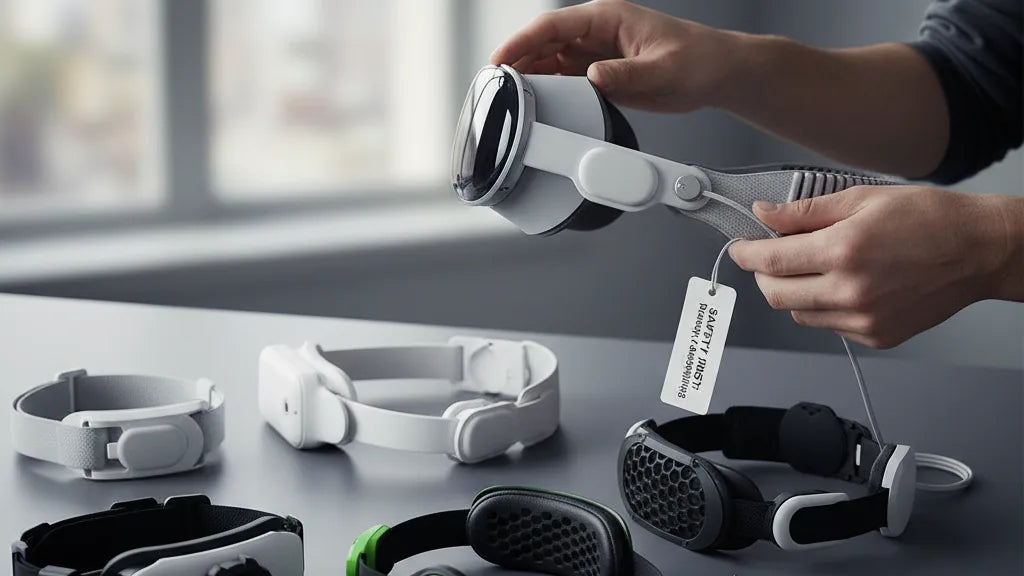
Transform Your VR Experience: The Ultimate Guide to Meta Quest 2 Comfort Strap Installation and Tuning
The Meta Quest 2 offers an unparalleled gateway to virtual worlds, but for many, long gaming sessions quickly introduce an unwelcome companion: discomfort. Whether it's the notorious facial pressure, an unbalanced feel, or persistent neck strain, the stock strap often falls short. Elevating your VR comfort isn't just about luxurious padding; it's about optimizing weight distribution, ensuring a stable fit, and ultimately, extending your immersion without physical toll. ⏱️ 10-min read
This comprehensive guide is designed to empower every Quest 2 owner, from eager beginners to seasoned VR explorers, with the knowledge and confidence to select, install, and meticulously fine-tune their comfort strap. We will walk you through everything from the simple elastic band to advanced third-party counterweighted systems, ensuring your headset feels less like a burden and more like a natural extension of your senses. Prepare to unlock a new level of VR enjoyment, where hours melt away in virtual realms, not in physical discomfort.
Tools, Parts Checklist, and Safety Notes
Before embarking on your journey to superior VR comfort, a moment of preparation can make all the difference. Gathering the necessary items and establishing a safe workspace will protect your Meta Quest 2 and ensure a smooth, frustration-free installation. Think of it as preparing your workbench for a delicate operation, ensuring every piece is accounted for and your headset remains pristine.
**Tools You’ll Want On Hand:** * **Microfiber cloth:** Essential for a gentle wipe-down of the headset's exterior and, crucially, for keeping your lenses free from dust and smudges. * **Gentle cleaning solution:** A mild soap diluted in water, applied to a damp cloth (never directly to the headset), is perfect for cleaning strap materials. * **Soft brush or cotton swabs:** Ideal for dislodging stubborn dust from seams, connectors, or hard-to-reach crevices. * **Clean, padded surface:** A microfiber mat or even a soft towel provides a safe resting place for your Quest 2 during the swap, preventing scratches. * **Optional lint-free gloves:** For those who wish to minimize skin oils transferring to the device, particularly around the lenses or facial interface.
**Your Comfort Strap Kit Contents Checklist:** Every strap upgrade will come with specific components. While specifics vary, generally, you'll find: * **Main comfort strap assembly:** This is the core piece that replaces your existing head strap. * **Back support piece or adjustment dial:** Common in Elite-style and many third-party designs, this is key for rear head support and tightening. * **Two side adapters or mounting arms:** These rigid pieces connect the strap to the Quest 2's main body. * **Any included screws, pins, or fasteners:** Especially pertinent for some third-party designs (e.g., certain KIWI design or BoboVR models) that might use a slightly different anchoring mechanism. * **Replacement facial interface pad or spacers:** Some kits (like those from VR Cover) might include these for enhanced comfort or fit. * **Instruction sheet:** Always refer to the manufacturer's specific directions, even if you're following a general guide.
**Crucial Safety Notes:** * **Power down first:** Always power off your Quest 2 or put it into sleep mode before you begin any physical modification. This protects the internal electronics. * **Handle with care:** Always hold your Quest 2 with both hands, gripping the main body firmly. **Never press on the lenses or screen** directly, as this can cause irreparable damage. * **Avoid forcing clips:** Connection points are designed to click into place. If a clip doesn't slide or click easily, re-check alignment. Forcing it can break fragile plastic tabs on both the strap and the headset. * **Keep small parts safe:** If your installation involves screws or tiny pins, place them in a small dish or magnetic tray to prevent them from getting lost. * **Patience is key:** Take your time. Rushing leads to mistakes and potential damage. A few extra minutes now can save you headaches later.
How to Choose the Right Comfort Strap for Your Needs
Selecting the perfect comfort strap is the single most impactful upgrade you can make to your Meta Quest 2, fundamentally enhancing your virtual reality experience. The "best" choice isn't universal; it hinges entirely on your individual comfort priorities, the shape of your head, and how you predominantly use your headset. A gaming enthusiast might prioritize stability, while a movie watcher might seek plush padding and balanced weight.
Strap designs broadly fall into several categories, each with distinct advantages:
* **The Stock Strap:** The original elastic band is lightweight and simple, but often criticized for its front-heavy feel, facial pressure, and tendency to shift during active play. It's the baseline, and almost any upgrade offers significant improvement. * **Basic Padded Straps:** These offer a straightforward enhancement over the stock elastic band by integrating extra cushioning. Brands like **KIWI design** offer excellent, affordable padded replacements that retain the original attachment style but greatly improve comfort with better materials. * **Halo-Style Straps:** Popularized by the official **Meta Quest 2 Elite Strap**, these designs distribute the headset's weight more evenly around your forehead and the crown of your head, significantly lifting pressure off your face. The rigid structure also offers superior stability. The **Elite Strap with Battery** combines this design with an integrated battery pack, providing extended playtime and excellent counterbalancing. * **Counterweight Systems/Harnesses:** For those most bothered by the Quest 2's front-heavy nature, counterweight systems are game-changers. Brands like **BoboVR** and **AMVR** often integrate a battery pack at the rear, creating a balanced pivot point. This design reduces neck strain by shifting the center of gravity, making the headset feel much lighter than it actually is. Some advanced systems are full harnesses, offering robust support.
**Key Tradeoffs to Consider:** * **Weight & Balance:** A heavier strap isn't necessarily worse if that weight is strategically placed as a counterweight. The Elite Strap with Battery, for example, is heavier but feels lighter due to improved balance. * **Adjustability:** Look for a robust rear dial (common on Elite and halo-style straps) for precise, on-the-fly tension adjustments, especially important for sharing the headset. * **Glasses Friendliness:** Halo straps often provide more space, reducing pressure on glasses frames. Some kits include larger facial interface spacers to accommodate spectacles. * **Price:** Basic padded straps are highly affordable (often $20-$40). The official Elite Strap ranges from $50-$130 (with battery). Premium third-party options like BoboVR can cost $40-$80, often including a battery. * **Battery Pack or Wireless Adapter Compatibility:** If you already own a power bank or wireless adapter, consider how it will mount. Many third-party straps are designed with integrated battery compartments or easy attachment points. The Elite Strap with Battery solves this elegantly.
**Affordable Options & Premium Picks:** * **Affordable Workhorses:** For a quick, impactful upgrade without breaking the bank, consider a basic padded strap from **KIWI design** or **AMVR**. They're a significant step up from stock. * **Balanced Performer:** The **Meta Quest 2 Elite Strap** (standard or with battery) remains a solid, high-quality choice for robust build and improved ergonomics. * **The Ultimate Balancer:** For the best in weight distribution and extended play, **BoboVR's M2 Pro** (or similar iterations) is frequently praised for its comfort, integrated battery, and excellent counterweight design, making the Quest 2 feel almost weightless.
By weighing these factors against your typical VR activities—be it intense Beat Saber sessions, sprawling RPGs, or cinematic viewing—you can confidently select the perfect comfort strap to redefine your Quest 2 experience.
Unboxing and Pre-Install Inspection
The excitement of receiving a new comfort strap for your Quest 2 is palpable, but a thorough unboxing and pre-installation inspection are crucial first steps. This careful approach ensures you have all the necessary components, that they are in perfect condition, and most importantly, that they are compatible with your headset. Think of it as a pre-flight check before your comfort upgrade takes off.
Begin by gently opening your new comfort strap's packaging. Resist the urge to rip through the box; take your time to carefully remove the contents. Preserving the original packaging is always a wise move, as it can be invaluable for returns, warranty claims, or even for storing your original strap. **Avoid using sharp tools directly on the product itself** to prevent any accidental nicks or damage to the strap material or plastic components.
Once everything is unboxed, immediately locate the included packing list or user manual. This document is your guide to what *should* be in the box. Compare the physical items you've received against this list. You should typically find the main comfort strap, any additional padding (e.g., for the forehead or rear of the head), and specific connector clips, adapters, or mounting hardware. Confirm that every single piece is accounted for before proceeding. Missing parts can halt your installation prematurely.
Next, perform a thorough visual inspection of the strap itself and all its components. This is where you play detective: * **Manufacturing Flaws:** Look closely for any signs of manufacturing imperfections, such as loose stitching on fabric elements, frayed edges, or scuff marks on plastic components. * **Buckles and Adjustment Mechanisms:** Examine any dials, buckles, or sliding adjustment mechanisms. Do they move freely? Do they feel sturdy? Are there any signs of grinding or excessive play? * **Plastic Integrity:** Crucially, check for any cracks, deformities, or stress marks in plastic parts, especially where the strap will connect to your Meta Quest 2 headset. These connection points bear significant stress during use, so their integrity is paramount. * **Foam or Velcro Condition:** If your strap includes foam padding or Velcro fasteners, ensure they are clean, intact, and adhere properly. Worn Velcro or compressed foam will compromise comfort and stability. * **Adapter Plates and Cable Orientation:** For third-party straps, check if any specific adapter plates are included and understand their orientation. If your strap comes with an integrated battery pack, inspect the charging cable for kinks or damage and confirm its orientation – where does it plug into the headset?
Finally, if possible, perform quick, non-destructive tests to confirm parts fit before final assembly. For instance, if there are side clips, try a gentle, unattached fit to see how they align with the Quest 2's attachment points. Identifying any issues now, before full installation, can save you from damaging your headset or wasting time on an incompatible or faulty product. A few moments of vigilance here will ensure your comfort upgrade goes as planned.
Step-by-Step Installation: Stock Strap and Basic Replacements
Upgrading your Meta Quest 2 with a basic comfort strap is a remarkably straightforward process, a testament to the headset's modular design. Before you can dive into enhanced virtual reality sessions, let's walk through safely removing the original strap and installing your new one. For this, you’ll largely only need your hands and a few careful moments.
**1. Prepare Your Workspace:** * Ensure your Quest 2 is powered down. * Place the headset on a clean, padded surface with the lenses facing up to protect them.
**2. Detach the Original Stock Strap:** * **Side Arms:** Locate the flexible side arms of the stock strap where they connect to the headset’s main body. Gently but firmly pull each arm **outwards** from the headset. You should feel or hear a small *click* as it disengages from its slot. Repeat for both the left and right sides. * **Top Strap:** Find the elastic top strap, which typically threads through a plastic loop on the top center of the headset. Simply unthread this strap completely from the loop. * Once both sides and the top are detached, the stock strap should come off cleanly. Store it in its original packaging or a safe place if you intend to keep it.
**3. Install Your Basic Replacement Comfort Strap:** Many basic comfort straps, whether padded fabric or silicone versions, are designed to mirror the original attachment method for simplicity. * **Identify Orientation:** Determine the left and right connection points on your new strap. These are usually marked (L/R) or are clearly shaped to match the Quest 2's side posts. * **Align Side Mounts:** Align one of the new strap's side arms with the corresponding







Share:
Ergonomic benefits of Quest 2 comfort straps for extended play
Mastering weight distribution: balance Quest 2 with counterweights for comfort