

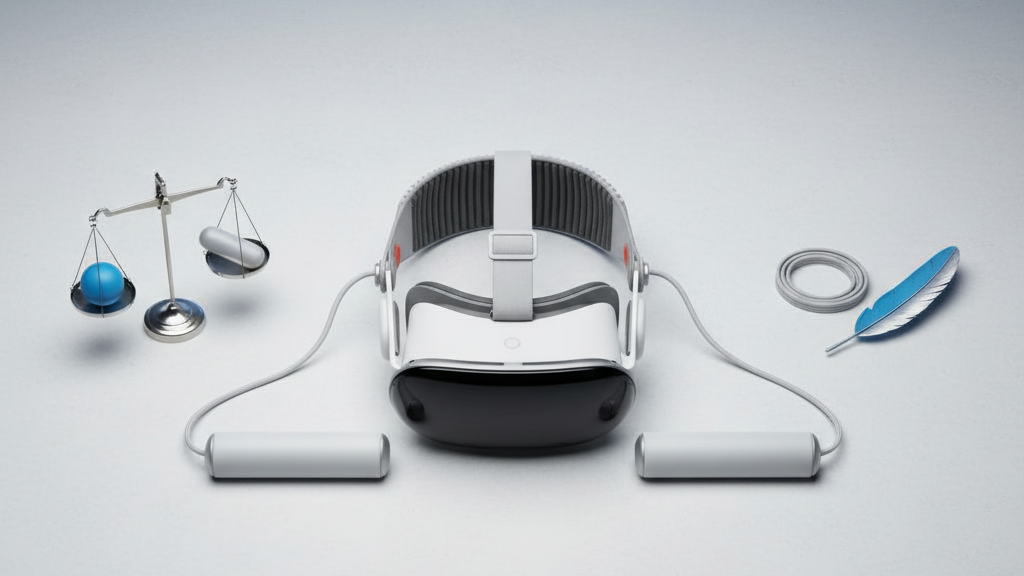
Balancing with Counterweights: Transforming Stability on Lightweight VR Headsets (Quest 2 Focus)
Light VR headsets like the Quest 2 were designed to be feather-light for immersion, but that lightness can come with a trade-off: a forward-biased center of gravity that tugs on your nose and forehead during quick looks or long sessions. Adding small, well-placed counterweights re-centers the headset, dramatically reducing forward tilt, stabilizing sightlines and letting you play longer with less fuss. ⏱️ 10-min read
This guide explains why counterweights work, how to pick and install them on Quest 2 comfort straps, how to tune placement for glasses wearers and marathon sessions, and what to watch for in cross-brand compatibility and safety. Read it if you want practical, step-by-step advice to get an immediate, measurable improvement in stability and comfort.
Why counterweights improve stability on lightweight VR headsets
At its simplest, a counterweight moves the headset’s center of gravity rearward. A lightweight front-heavy rig tends to pitch forward when you snap your head, creating the forehead pressure and nose-down tilt that spoils quick gaze shifts. Shifting some mass toward the crown or rear strap counters that torque: the headset resists pitching and returns to neutral more quickly.
Weight distribution also works with strap geometry. The top and rear straps form a triangular support system; when a counterweight sits near the crown and back of the head, strap tension helps dampen wobble at the temples and crown rather than loading the face. That translates into steadier frames during small head turns and fewer micro-adjustments.
Placement matters: back-mounted weights bias load to the rear of the skull, while side-mounted weights change pressure patterns on the temples. For Quest 2 users who prefer a slim profile, compact weights that tuck along the strap or crown can deliver stability gains without adding bulky protrusions—think of GraviPro-style mounts like the FlitLift family that preserve travel-friendliness. Expect modest but noticeable improvements: steadier sightlines, fewer slips, and reduced forehead concentration during fast head moves.
How to choose a counterweight setup for Quest 2
Choosing a counterweight setup isn’t guesswork; it’s a balance of total mass, distribution pattern, and the strap you’re using. The commonly effective range for Quest 2 is about 30–90 grams total. Start low—30–60 g is a good baseline for people with standard comfort straps—then increase in 10–15 g increments until the headset no longer pitches forward during natural head movement.
Attachment options fall into a few practical patterns:
- Rear-only single weight: simplest and often most effective for straps with a rear anchor (good for Elite Strap-style setups).
- Split/dual weights: small masses placed left and right along the back strap reduce lateral sway and can be tuned for asymmetrical head shapes.
- Side or temple weights: these change pressure distribution at the temples but can interfere with glasses comfort if too large.
Compatibility is essential. Quest 2 uses standardized strap attachment points, so many third-party kits work, but check fit with your specific comfort strap—official Elite Strap mounts will accept rear-clips easily, while thin third-party bands sometimes need strap-mounted plates or Velcro loops. If you rely on a facial interface that pushes the headset forward (thicker foam or custom inserts), you’ll likely need more rear bias to counteract that added front thickness. Modular kits with adjustable mounts are preferable because they let you shift mass a few centimeters fore/aft and up/down for precise tuning.
Step-by-step install and adjustment for Quest 2 comfort straps with counterweights
Installation is straightforward if you adopt a methodical approach and keep a few safety checks in mind. Start with the right mindset: plan for incremental changes and test often rather than adding all the weight at once.
- Gather parts and plan: Begin with 30–60 g total. Choose rear-only or split configuration. Lay out tools—small screwdriver, spare screws, and a container for tiny parts.
- Access attachment points: Loosen or remove the top and rear strap sections per your strap’s instructions so you can reach the crown or rear mount cleanly. Keep track of any clips or Velcro pieces.
- Secure weights: Attach weights to the designated mounts—clip, plate, or Velcro—ensuring they sit flush and can’t rotate. Fasten screws snugly but avoid over-tightening plastic threads.
- Baseline fit: Reassemble the strap and put the headset on. Set strap tension to your usual comfort level before any tuning so you’re testing from a natural baseline.
- Test and adjust: Perform neutral head movements: look left/right, quick up/down snaps, and nods. Watch for forward tilt, lateral drift, or back-of-head pressure. Shift weight rearward or redistribute side-to-side in small increments until tilt is minimized.
Common mistakes to avoid: placing too much mass near the lower rear so it presses into the base of the skull during nods, over-tightening mounts and cracking plastic, and adding weight without resetting strap tension. Alignment cues to watch during testing include whether the top edge of the headset rides down over your brow during a quick look, if glasses contact occurs, and whether the headset slips when you look sharply to the side. If you notice new pressure points, back off weight and redistribute; comfort is about distribution, not simply adding mass.
Positioning and tuning for optimal balance
Fine-tuning is where a counterweight setup becomes personal. Two axes matter most: vertical height along the crown strap and fore/aft distance from the headset shell. Small movements here change the leverage and perceived tilt markedly.
Begin tuning with a neutral posture while standing, then repeat seated. A neutral standing balance often feels slightly rearward when seated—this rearward bias reduces cheek and nose pressure during longer, sedentary sessions. Start with the weight centered on the crown, then make incremental moves in 1–2 cm steps. Raising the weight closer to the crown typically reduces forward lean and stabilizes pitch; lowering it toward the lower rear strap can relieve top-of-head pressure and is sometimes more comfortable for glasses wearers.
Here’s a concise test workflow:
- Start light: 30–40 g mounted centered at the rear crown.
- Do quick gaze shifts (left/right/up/down) and a short walk to check for wobble.
- If the headset still tilts forward on snaps, move weight 1–2 cm rearward or add 10–15 g.
- If you feel top-of-head pinch, lower the weight slightly or split mass across two mounts.
- Document your baseline: crown height, rear bias, total grams, and strap tension.
Testing across activities matters: what stabilizes you in a seated shooter might feel different in a rhythm game or while standing. Keep a simple log—crown height, grams, and a 1–10 comfort rating—so you can quickly recreate setups per game or if you swap facial interfaces. If a tweak improves stability but creates a pressure hotspot, move the weight a hair and retest; tiny changes often yield big subjective improvements.
Compatibility and accessories for Quest 2 and Vision Pro
Quest 2 enjoys a broad ecosystem of comfort straps and counterweight accessories because of its standardized attachment points. That makes matching mounts, clip-on plates, and modular weight kits relatively easy. Popular choices include rear-clip systems for the Elite Strap or strap-mounted plates that slide under the top strap for third-party bands. Prioritize kits with adjustable mounts, quick-release hardware, and low-profile weights to avoid bulk.
Vision Pro, however, is a different animal. It uses a distinct headband and sensor layout, so universal rails often won’t line up. If you need a counterweight solution for Vision Pro, seek Vision Pro–specific rails or adapters that integrate with the official headband and keep cameras and sensors unobstructed. Adapters that attach to generic headbands can be tempting but may block vents, cameras, or calibration markers—avoid anything that interferes with tracking.
Practical checks before buying cross-brand accessories:
- Measure the headband width and clip spacing relative to the accessory’s mounting footprint.
- Confirm the accessory clears cameras, vents, and the facial interface area.
- Look for vendor documentation that lists compatible headset models or adapter kits.
Modular kits that come with flexible arms, interchangeable weights, and quick-release screws are best when you plan to move mounts between devices. Safety considerations: don’t obstruct sensors, avoid blocking airflow or vents, and don’t over-tighten mounts on delicate plastic shells. When in doubt, test with low mass and verify tracking and thermal behavior before longer sessions.
Real-world impact: comfort for glasses wearers and long sessions
Counterweights don’t make a headset lighter—they redistribute load. For glasses wearers, that redistribution can significantly improve comfort. When the headset leans forward, frames get pinched between the face and the headset rim, increasing pressure on the nose bridge and temple arms. Moving mass rearward reduces forward pitch, which lowers contact force on frames, improves lens alignment, and reduces the need to adjust the headset mid-session.
Beyond glasses, a well-balanced headset reduces neck strain by lowering the moment arm acting on your neck muscles. That means you can play longer with less fatigue. The benefits are tangible: fewer micro-adjustments, steadier aim, and longer continuous play before soreness sets in.
Simple metrics to evaluate improvements after adding counterweights:
- Perceived stability: do quick head snaps produce less visible headset movement?
- Slipping frequency: how often do you need to tighten or re-seat the headset?
- Comfort duration: how long before you feel forehead, nose, or neck discomfort?
Case example: a glasses-wearing gamer paired a modular rear-counterweight kit with a breathable facial interface and moved from three 20–30 minute sessions per day to two 90-minute sessions with fewer interruptions. Their self-reported metrics improved: perceived stability rose, slipping dropped to near zero, and average comfort duration increased significantly. Pair counterweights with a compatible facial interface and breathable strap to maximize gains—small changes compound into much longer, more comfortable sessions.
Maintenance, safety, and best practices for all-day wear
Routine maintenance and mindful use preserve both comfort gains and hardware longevity. Inspect mounts, screws, and Velcro straps before sessions—look for stripped threads, cracked plastic, or foam compression. Torque screws to manufacturer recommendations when provided; otherwise, tighten until secure without forcing threads. Replace worn Velcro and cracked mounts promptly to avoid sudden failures mid-session.
Cleaning is simple: wipe weights and mounts with a dry or slightly damp cloth and keep moisture away from headset electronics. Avoid solvents and sprays that can degrade plastics or adhesives. Store components in a dry case when not in use to prevent corrosion and accidental knocks.
Safety guidelines:
- Use the minimal effective weight. Start at 30–60 g and avoid exceeding the practical range (commonly 30–90 g). Refrain from adding excessive mass—if you find yourself needing very heavy weights, reconsider the facial interface or strap choice instead of just piling on mass.
- Monitor neck load. If you experience unusual neck pain, headaches, or numbness, remove the additional weights and consult ergonomic advice or a medical professional.
- Rotate contact points. Change weight positions occasionally (left/right or slight fore/aft changes) to avoid repetitive pressure on the same scalp area during prolonged use.
- Rebalance after hardware changes. Replace or add a thicker facial interface, switch straps, or change prescription lens inserts—these all alter the balance and require a re-tune.
Finally, keep a short log of configurations you try. Note crown height, rear bias, total mass, strap tension, and comfort rating. When something works, you’ll be able to reproduce it quickly—especially useful if you lend your headset or travel with it.
Takeaway: Start light (30–60 g), mount rear and centered, test across activities, record your best setting, and prioritize strap and facial interface choices before escalating weight. A small, well-positioned counterweight often gives more comfort than bigger, poorly placed masses—so tune deliberately, test thoroughly, and enjoy longer, steadier VR sessions.







Compartir:
Achieving perfect balance: counterweight solutions for extended Quest two sessions
Ergonomics of lightweight VR headsets with Quest two