

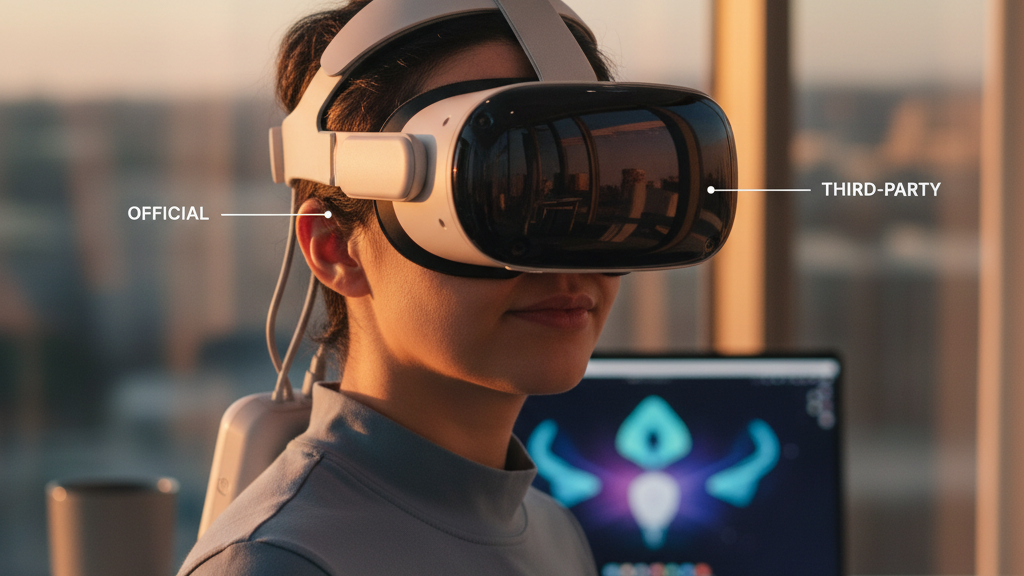
Meta vs. Third‑Party Quest 2 Straps: A Practical, Side‑by‑Side Buyer’s Guide for Comfort, Glasses, and Long Sessions
Choosing the right strap for your Meta Quest 2 is one of the fastest ways to turn a fiddly, forehead‑pinching experience into comfortable, extended play. This guide walks you through how Meta’s official straps stack up against popular third‑party alternatives, focusing on real-world trade‑offs: weight, balance, glasses fit, installation, maintenance, and—ultimately—value. ⏱️ 11-min read
Whether you’re a beginner setting up your first headset, a glasses wearer who needs clearance without torque, or a marathon gamer hunting for stable support and optional battery life, the comparisons below help you pick what matters most for your head, wallet, and play style.
Official Meta Quest 2 comfort straps: options, fit, and practical trade-offs
Meta’s strap family is intentionally compact: the Standard Strap (the light, basic unit many headsets ship with), the Comfort/Curved Comfort Strap (with thicker padding and a contoured rear), and the Elite Strap line—available in versions with and without a rear battery. Each has a clear role.
The Standard Strap is unobtrusive, light, and cheap. It’s ideal if you game for short bursts or prioritize portability. The Comfort Strap steps up with a curved back plate and more foam, shifting pressure away from the forehead and reducing cheek/temple rub. It’s a sensible middle ground for casual nightly sessions. The Elite Strap focuses on fore‑aft stability; its firmer structure and tighter clamping reduce headset wobble during active movement and tracking‑heavy titles. The Elite with Battery trades extra ounces for extended playtime and moves the center of gravity rearward—an advantage if your headset tends to pitch forward.
Where you’ll notice the differences most is pressure distribution. A crown‑heavy setup (poor upper strap design) presses on the forehead and creates hot spots. Elite‑style supports and wider rear plates spread load across the sides and back to relieve that pressure, but they tend to add weight and bulk. Warranty and seamless integration with Oculus software and accessories are definite perks of official Meta straps; they’re designed to attach cleanly and are covered by Meta’s guidance. If you prioritize plug‑and‑play reliability and don’t mind paying for a branded solution, the official options are the safest bet.
Third‑party comfort straps: what to look for and how they compare
Third‑party strap makers offer more variety and aggressively compete on price, padding style, and features. Designs range from thin, ultra‑light bands to thick, memory‑foam cushions with reinforced polymer back plates. When comparing them to Meta’s lineup, focus on compatibility, build quality, adjustability, and the mounting method—ratcheting, quick‑release clips, or fixed plates.
Good third‑party straps share certain traits: a wide back plate for stable anchoring, resilient stitching or molded polymer for durability, and side arms that resist wiggle. Some include a battery pocket or cable channel—handy for external battery upgrades but something to account for when balancing the headset. Others opt for slimmer profiles aimed at minimizing lens contact for glasses wearers. The tradeoff is almost always between padding and weight: more cushioning usually means more grams.
Brand reputation matters. Look for vendors with clear fit tests, easy returns, and documented warranties. Read community reviews about long‑term hold: does the ratchet loosen over weeks? Do quick‑release clips develop play? Also check replacement part availability—pads, buckles, straps—so you’re not forced to buy a whole new unit if the foam compresses or a hinge breaks. For many buyers, a mid‑range third‑party strap can match or exceed Meta’s Comfort strap at a lower price; premium third‑party models can approach the Elite Strap’s stability, sometimes with better breathability or a different weight balance tailored to specific head shapes.
Weight, balance, and long‑session comfort
Comfort in VR isn’t a simple function of how heavy a strap is; it’s how the headset’s mass is positioned relative to your neck and skull. A slightly heavier strap that moves mass toward the rear can feel far lighter on long sessions than a lighter strap that leaves the display front‑heavy. Think of balance like a seesaw: move mass rearward and the display rests level without the forehead doing all the work.
Battery packs and thick back pads increase mass quickly. Each additional ounce compounds neck strain over time, so consider whether added weight provides real benefits—like extended battery life or improved stability—or merely adds bulk. For marathon sessions, look for back‑mounted batteries or heavier rear plates that offset the front weight of the headset. Conversely, if you prefer short sessions or values portability, choose ultra‑light straps that minimize overall mass.
Material choices matter: breathable fabrics and moisture‑wicking covers help foam retain shape and reduce skin irritation when sweating. A wide contact area spreads force across more surface, lowering peak pressure points that cause hotspots. Crown pressure can be mitigated by an adjustable top strap or a peripheral design that routes load around the sides. When testing a strap, try movements that mimic your play: quick head turns, squats, and leaning forward. The strap that keeps the display stable without forcing you to re‑adjust is the one engineered for long comfort—not merely the one that looks padded on paper.
Glasses wearers and fit considerations
If you wear glasses, strap selection becomes more nuanced. The two biggest concerns are lens clearance (so your frames don’t press into the foam or the headset) and temple pressure (which causes discomfort behind the ears). A good strap should allow you to raise or tilt the headset slightly without forcing your glasses into the foam or blocking your periphery.
Look for straps that provide adjustable front height or a slight forward mount to increase eye‑box space. Some third‑party designs deliberately position the headset a touch forward to improve airflow and reduce lens fogging—this can also prevent glasses from rubbing against the inner foam. Rear padding that sits deeper or curves down can help lift the front and minimize chin contact or frame interference. Padding around the temples should be soft and forgiving; memory foam or dense, layered foam works better than cheap, thin padding that compresses and rubs.
Measure your glasses’ temple length and overall frame depth, and cross‑reference those dimensions with strap specs and user photos when available. Community reviews from other glasses wearers are invaluable: they’ll tell you if a strap creates pinching behind the ears or forces you to change your IPD settings. In practice, many glasses‑wearing gamers find the Comfort Strap or high‑quality third‑party wide back supports give the best balance of clearance and stability without needing frame modifications or lens inserts.
Installation and setup: step‑by‑step for Meta and third‑party straps
Installing a new strap is usually straightforward, but doing it carefully prevents damage to mounting points and ensures proper balance. Power off the headset and work on a clean, padded surface to avoid scratches. Most Meta straps and many third‑party units use the same side attachment points, but hardware style varies—clip, snap, or screw—so inspect the components before you begin.
- Power off and lay the headset display‑side down on a soft cloth. Wipe the attachment area to remove sweat or dust.
- Remove the current strap by releasing clips or unscrewing fasteners. Keep any screws in a small container if the new strap doesn’t use them; you may need them later.
- Align the new strap’s mounting plates to the headset attachments. For clip systems, press until you hear a positive click; for screws, hand‑thread and then tighten gradually in a crisscross pattern to avoid over‑stress.
- Once attached, put the headset on and dial in the top strap and side arms. Adjust the back plate height to lift or lower the display until the lenses sit comfortably at your eye level without pressure on your forehead.
- Do a movement test: quick head turns, leaning, and a light jog in place. Re‑adjust as needed; straps often settle after a few minutes of use.
For third‑party straps that include battery packs, route cables through the provided channels and secure them to avoid tugging. If the third‑party setup uses screws and you feel resistance beyond finger‑tight, stop to realign—overtightening can crack plastic. Finally, check that any quick‑release mechanisms are secure; a loose clip is the most common source of wobble or accidental detachment.
Maintenance, cleaning, and durability tips
Straps live in a sweaty, moving environment, so routine care extends life and keeps materials comfortable. After intense sessions, a quick wipe with a damp cloth and mild soap removes salts and oils that degrade foam and fabric. Avoid soaking foam or using harsh solvents; these can break down adhesives and compress the padding prematurely.
- Wipe facial interfaces and straps after heavy use; let them air‑dry fully before storage.
- Inspect attachment points regularly—look for hairline cracks in plastic, loose rivets, or fraying webbing. Tighten screws gently if needed.
- Rotate pads if compression becomes uneven; many third‑party vendors offer replacement pads or cover kits.
- Store straps flat or in a soft pouch, away from direct sunlight and heat sources that warp plastic back plates.
- When traveling, remove straps and pack them separately to avoid stressing mounts during transit.
Small repairs—replacing a worn pad or tightening a hinge—can make a budget strap feel premium again. If a strap develops permanent creases or the foam loses resilience, consider replacement sooner rather than later; foam that no longer springs back can create hotspots and unbalance the headset even if the rest of the hardware is fine. For battery‑equipped straps, follow battery care guidance: store partially charged for long periods and avoid extreme temperatures to preserve lifespan.
Cost, value, and use‑case recommendations
Budget, usage patterns, and whether you wear glasses are the three filters that make a buying decision easy. For short sessions and casual play, the Standard Strap or a low‑cost third‑party alternative does the job. If you want a balance of comfort and price for nightly two‑hour sessions, the Comfort Strap or a mid‑range third‑party with good padding and a wider rear plate is a strong choice.
For daily heavy use, VR content creators, or those who want continuous play without swapping chargers, the Elite Strap with Battery or a high‑end third‑party equivalent is worth the investment. The rear battery balances the headset, and the firmer structure resists loosening during active movement. Expect to trade off some neck fatigue from added mass; many users find the rear offset worthwhile, especially when the alternative is constantly readjusting to keep the display centered.
Practical buying rules:
- If you wear glasses often, prioritize clearance and adjustable front height over extra foam thickness.
- If marathon sessions matter, choose a strap that shifts mass rearward rather than just adding forehead padding.
- For travel or quick swaps, look for simple clip systems and availability of spare parts.
- Always check return policies and community feedback—product images rarely show how a strap behaves after weeks of use.
Case examples: a glasses‑wearing casual gamer benefited most from a Comfort Strap’s gentle lift and padding; a daily VR streamer justified the Elite Strap with Battery for uninterrupted streams; a frequent traveler found a compact third‑party model that balanced portability and comfort. Match the strap not just to a price point, but to how you play.
Vision Pro compatibility considerations
Apple’s Vision Pro uses a distinct headband and attachment geometry; Quest 2 straps aren’t designed for direct compatibility. Trying to swap straps between platforms will likely result in misalignment and can compromise fit, balance, or even safety. Adapters exist in the wild, but using them can void warranties and introduce instability in a device that wasn’t engineered for the change.
If you own both a Quest 2 and a Vision Pro, plan accessory purchases around each headset. Treat straps as system‑specific accessories: a strap that stabilizes a Quest 2’s tracking cameras may provide no benefit—and could be dangerous—on the Vision Pro’s layout. For cross‑platform convenience, seek universal carrying cases and separate strap kits for each headset rather than attempting a one‑strap‑fits‑all approach. When evaluating adapters, confirm alignment, mounting points, and vendor warranties; if a third‑party seller can’t answer how their adapter affects weight distribution and safety, it’s best to avoid it.
For users experimenting across ecosystems, the most practical approach is to source dedicated comfort solutions tested for each device. That preserves warranty coverage and ensures the headsets perform as intended during active use.
Next step: decide what matters most for your sessions—glasses clearance, marathon comfort, portability, or battery life—then shortlist two straps (one official, one third‑party) and try both using the vendor’s return policy. Testing in real play scenarios—movement, head turns, and a full two‑hour session—will reveal the differences no spec sheet can capture.







Compartir:
Comparing Quest 2 head straps: original vs aftermarket for long-wear comfort
How headset weight impacts comfort and performance in virtual reality