

Comfort Strap vs Elite Strap: an ergonomic showdown for Quest 2 long sessions
If you own a Quest 2 and plan to spend hours in VR, the strap you choose will control more than how the headset sits—it determines neck load, stability during rapid turns, and whether your glasses will get pinched. This guide compares the official Comfort Strap and Elite Strap with clear, practical advice so you can pick and tweak the setup that keeps you playing longer and feeling better. ⏱️ 7-min read
Below you’ll find an ergonomic comparison, hands-on installation steps, glasses considerations, care tips, and simple rules for choosing the right strap based on how and where you play.
Comfort Strap vs Elite Strap: ergonomic showdown
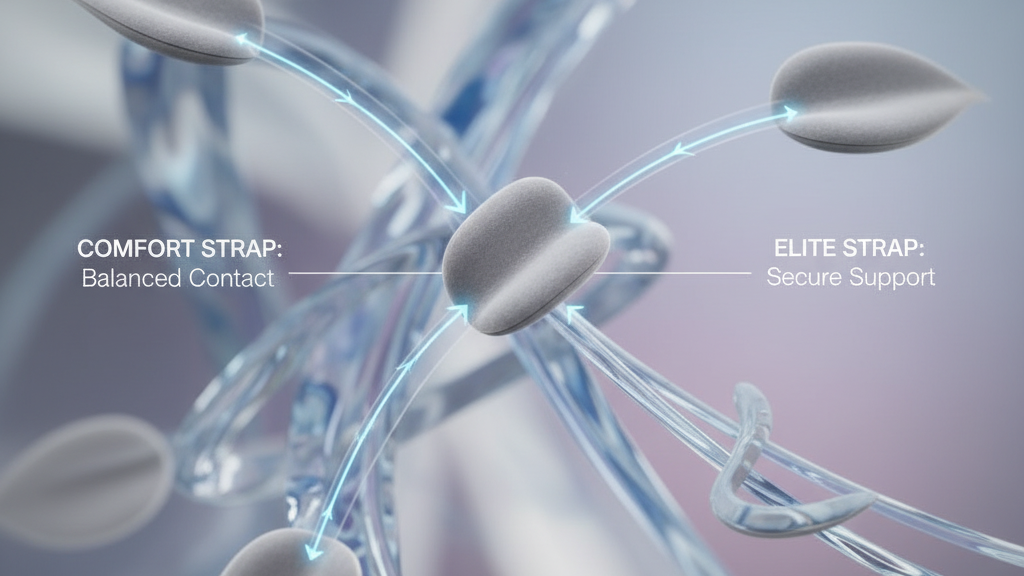
At a glance, the Comfort Strap and Elite Strap pursue the same goal—reduce front-heavy pressure—but they take different routes. The Comfort Strap shifts weight rearward with a broad forehead pad and softer contact points, spreading pressure across more of your head for a lighter, quick-fit feel. The Elite Strap uses a rigid backplate and adjustable side bands (often with a dial) to lock the HMD into place, trading a bit of weight for greater stability.
Practical implications: if you favor fast on/off sessions, casual play or frequent swapping between users, the Comfort Strap’s gentler pressure and simpler adjustments win. If you run marathon sessions, move quickly in-room, or add a battery pack, the Elite Strap’s rigid support reduces wobble and maintains alignment when you turn or lean.
Weight, balance, and long-session comfort
How a strap moves mass around your skull changes how tired your neck feels after an hour or three. The Comfort Strap tends to balance the headset, reducing forward pull and easing neck strain for many users; it’s lighter and usually stays cooler. The Elite Strap, by contrast, concentrates support at the back and can feel heavier, but its rigidity keeps the headset from shifting under sudden movement.
Trade-offs to expect:
- Heavier = steadier: The Elite Strap’s added heft and rigid backpad mean less perceived shift during quick turns, but heavier setups can increase neck fatigue for some users over very long sessions.
- Lighter = cooler, quicker: The Comfort Strap stays lighter and breathes better, reducing heat buildup during 1–2 hour sessions and offering faster mid-session adjustments.
- Battery and accessories: Adding a battery pack moves more mass to the rear—this pairs well with the Elite Strap’s design, while the Comfort Strap will accept lighter modules but offers less tidy cable management.
Comfort features and adjustability
Look beyond names to materials and micro-control. The ideal strap uses high-density foam that cushions without collapsing, wrapped in breathable, moisture-wicking fabric. Removable, washable covers extend freshness between sessions.
Comparing adjustments:
- Comfort Strap: pull-and-click or simple sliders let you dial a fit fast. That speed is useful for shared headsets, but the increments can be coarser.
- Elite Strap: a thumb-accessible dial provides fine-grain tuning and secure locking. It takes a second longer to set but gives more repeatable precision—valuable when you want the same fit from session to session.
Other durability cues: reinforced stitching, robust buckles, and solid plastic housings resist daily wear. Small design details—contoured top straps that match head shape, wider contact footprints to prevent hotspots, and replaceable cushions—extend useful life and comfort.
Glasses wearers: clearance and fit
Glasses compatibility is a frequent decider. Wide or chunky temple arms can press against the strap edges, producing pressure or lens fog when the frame rubs the padding.
How the two straps behave:
- Comfort Strap: edges are thinner and often leave more space for temples, making it easier to find a comfy position with most frames. It’s generally the friendlier option for occasional glasses wearers.
- Elite Strap: side padding runs closer to temple tips and, when tightened, can press frames more firmly. That gives a secure fit but may require extra tuning for thick frames.
Practical tweaks to reduce pressure and fogging:
- Start with the headset on and your glasses in place, then adjust strap height—raising the strap slightly often relieves temple pressure.
- Angle the headset slightly up so frames sit away from the padding edge and airflow improves; this reduces fogging.
- Use a thin foam spacer or thinner temple covers if your frames are particularly wide.
Installation and setup step-by-step
Installing either strap is straightforward but doing it right avoids twists, uneven pressure, and mid-session adjustments.
General prep
- Power down and remove the current strap from the side rails, following Quest 2 mounting points.
- Clear a flat surface and keep screws or clips in a small dish so they don’t get lost.
Comfort Strap install
- Align the center top clip with the top slot on the Quest 2. Slide it in until it clicks.
- Attach the side hooks to the rails; ensure they sit flush—don’t force them at an angle.
- Set initial tension so the headset sits stable but not tight; you should be able to slide a finger between strap and head.
Elite Strap install
- Attach the rigid backplate to the rear rail points first, then clip the side bands into place.
- If your Elite Strap has a dial, leave it loose for the first fit—tighten gradually while wearing the headset until the HMD feels secure.
- Route any battery or accessory cables into the headband grooves and secure with clips.
Common errors and fixes
- Strap twist: remove and re-seat the side hooks, ensuring they align with the rail slot before pushing home.
- Top strap too tight/too loose: adjust the top strap so it supports vertical load without squashing the forehead pad—if the headset pulls forward, raise or tighten the top strap slightly.
- Dial over-tightening (Elite): tighten only until the headset stops moving; over-tightening can create pressure points and accelerate foam wear.
Maintenance and longevity
Care extends both comfort and life. Wipe straps with a damp microfiber cloth and mild soap when needed, then air-dry away from heat. Remove and wash covers if detachable. Avoid solvents that degrade fabric and plastic.
Inspect periodically for fraying stitches, cracked housings, or loose buckles. Replace any component showing visible wear—don’t wait until comfort drops or something snaps mid-session. Store your strap flat or on a head-shaped stand in a cool, dry place away from sunlight; don’t coil tightly or leave near heaters.
Replacement indicators: if padding collapses, fasteners loosen, or the fit feels inconsistent compared with when new, it’s time for new cushions or a full strap swap. Check warranty info with Meta/Oculus and keep your proof of purchase handy for claims.
When to choose which: practical recommendations
Match the strap to how you play—here are condensed, realistic recommendations based on common scenarios.
- Short, casual sessions or shared headsets: Comfort Strap. It’s lighter, adjusts quickly, and is often easier on glasses.
- Marathon sessions, active movement, or pro setups: Elite Strap. The dial and backplate keep the HMD stable and pair well with battery modules for long runtimes.
- Small play spaces or tidy desks: Elite Strap’s cable channels and pack positioning help keep tangle risk low.
- Occasional glasses wearers or thin-frame users: Comfort Strap generally gives gentler temple clearance.
Quick optimization tips:
- Center mass by slightly loosening the front and ensuring the top strap bears vertical load—this reduces chin pressure.
- When adding a rear battery pack, use a strap with a rigid backplate (Elite) to turn added mass into stability rather than extra neck strain.
- Consider third-party pads if you need different foam density or cooling fabrics—choose reputable suppliers with replaceable parts.
Next step: try each approach for a single session and note three things—how the headset shifts during quick turns, any pressure points after 30 minutes, and how your neck feels after an hour. Those observations will tell you which strap matches your body and play style.
Powered by Trafficontent







Compartir:
Official Quest 2 Strap vs Third-Party Options: Which Keeps You Comfortable During Marathon Sessions
Step-by-step setup for a comfortable Quest 2 head strap with glasses