

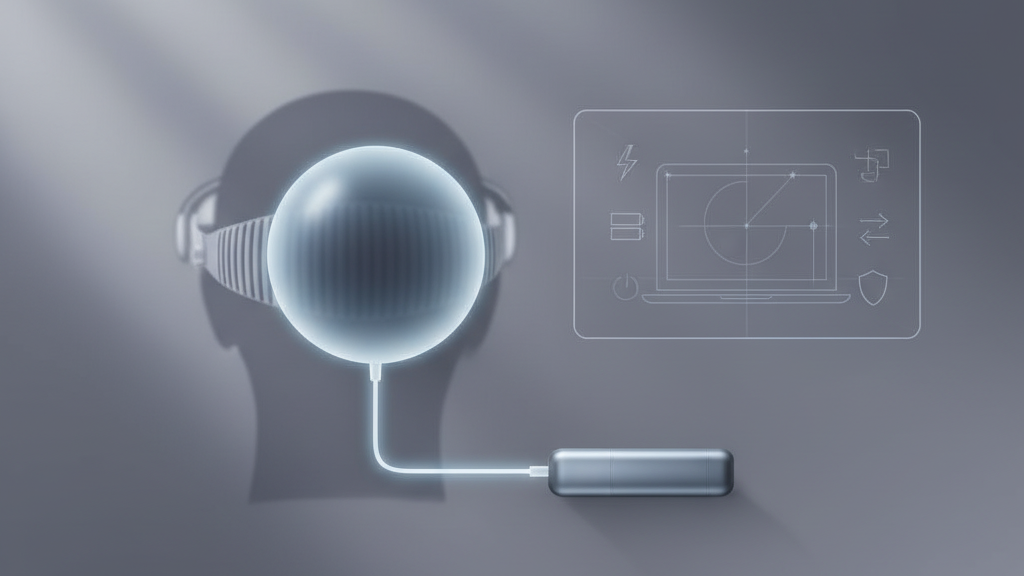
How to Validate an External Battery Pack for Your Meta Quest 2: A Practical, Safety‑First Checklist
Extending playtime on a Meta Quest 2 is tempting — but not all external battery packs are equal. The right pack will keep you gaming longer without adding awkward weight, heat, or safety risk. This guide walks you through the specific checks to perform before you buy, so you get reliable runtime and a comfortable, safe user experience. ⏱️ 7-min read
Read this as a step‑by‑step validation: power requirements, runtime math, connector and strap fit, safety certifications, installation tips, maintenance, and how to weigh warranty and brand reliability. Follow the checklist at the end before you hit “Add to cart.”
Understand the Quest 2 power requirements
The Meta Quest 2 charges via USB‑C, so start by confirming the battery pack can deliver a steady, compatible output over that connector. Look for power outputs that support USB Power Delivery (PD) or at least a reliable 5V/3A supply—that keeps voltage stable under load and prevents the headset from hiccuping during play.
Distinguish capacity from usable energy. Many specs list mAh at the cell voltage (often 3.7V), but Watt‑hours (Wh) give a clearer picture of how long a pack can power your headset. If a power bank lists only mAh, convert it to Wh with: (mAh / 1000) × nominal cell voltage (usually 3.7V).
Finally, if you plan to play while charging, confirm the pack supports pass‑through charging (power in and out simultaneously). Not all packs allow it, and some that do will throttle output or run hotter when pass‑through is active.
Assess capacity and expected runtime
Capacity is a headline number, but actual runtime depends on many factors: pack efficiency, conversion losses in the cable and connector, display brightness, wireless radios, and even the game’s CPU/GPU demands. Prefer packs that advertise sustained high‑drain output rather than only peak numbers.
Use Watt‑hours to estimate runtime. Example: a 20,000mAh pack typically rated at 3.7V contains about 74Wh of energy. If the Quest 2 draws roughly 7–9W during typical play, that pack could theoretically supply several hours — but conversion inefficiencies, heat, and brightness will cut that number. A reasonable expectation is to assume 60–80% of the theoretical runtime and check real user reports for confirmation.
- Choose capacity based on session length: short sessions (1–2 hours) can work with 5,000–10,000mAh packs; marathon sessions benefit from 15,000–30,000mAh, but expect more weight.
- Prefer packs marketed for sustained output to minimize voltage sag during demanding apps.
- Check how capacity holds up over cycles and whether the vendor covers premature degradation in the warranty.
Check connector, pass‑through, and strap compatibility
Connector fit matters more than you think. Verify the battery pack’s USB‑C port and included cable are high quality and rated for power (not just data). Cheap cables can restrict current or suffer heat buildup.
Test these specifics when possible:
- USB‑C PD negotiation: ensure the pack actually negotiates a stable PD profile with the Quest 2 instead of falling back to low‑power modes.
- Pass‑through behavior: confirm the pack can charge the headset while itself is plugged into mains (if you need that feature), and note any heat or throttling reported by other users.
- Mount and strap fit: determine whether you’ll use a rear‑clip, belt, or top‑mounted pack. Some packs come with dedicated clips or straps that integrate with popular Quest 2 head straps—look for proven mounting systems to avoid interference with the facial gasket or cameras.
- Strain relief: the pack and cable should include good strain relief so movement doesn’t stress the headset’s USB‑C port.
Examples: rear‑mounted packs distribute weight behind the head and often work best with thicker head straps or rear carriers; belt packs keep weight off your head entirely but require a longer cable and careful routing to avoid tripping sensors.
Evaluate safety features and certifications
Safety is non‑negotiable for lithium battery packs. Look for clear safety certifications and testing documentation: UL/ETL (North America), CE (Europe), FCC where relevant, and UN38.3 for transport compliance. Reputable vendors will list these on the product page or in the user manual.
Key internal protections to verify:
- Overcurrent and short‑circuit protection
- Overcharge and overdischarge protection
- Thermal protection or thermal cutoff to prevent overheating during sustained use
- Automatic shutoff when full or when unsafe temperatures are detected
Also review real customer feedback for patterns of swelling, overheating, or rapid capacity loss. Isolated complaints happen, but multiple verified reports indicate a systemic issue. Finally, make sure the vendor’s return/RMA policy covers battery faults and any shipping restrictions for defective batteries.
Consider physical fit, weight distribution, and comfort
How a pack mounts and where its mass sits will directly affect headset balance and neck strain. A compact, low‑profile pack mounted at the back of the head tends to be the most comfortable for long sessions because it counterbalances the front weight of the headset and controllers.
Practical points to test or check in photos and reviews:
- Does the pack increase strap tension or cause the headset to ride higher on your face?
- Will the pack press on the facial gasket or lenses, especially if you wear glasses?
- Is there padding and breathability around the mount to reduce heat and pressure points?
- Does weight placement affect tracking? If the pack shifts during movement, it can misalign cameras or cameras’ fields of view.
When possible, try on a demo or buy from a seller with an easy return policy so you can evaluate comfort in a real session.
Installation and user experience
Install deliberately. A simple five‑step approach keeps you safe and prevents damage:
- Verify compatibility with your Quest 2 model and mounting method; confirm the pack’s output matches the headset input.
- Pre‑charge the pack and test powering the headset off the pack on a short session to confirm stable output and pass‑through behavior (if needed).
- Attach the pack per the manufacturer’s instructions to your strap, clip, or belt—ensure a secure, centered fit.
- Route cables to avoid pulling on the headset port and to keep cameras and the facial gasket unobstructed; use clips or cable channels when provided.
- Run a brief session while monitoring for heat around the pack and headset; stop immediately if you feel excessive warmth.
Note compatibility caveats up front: some head straps or facial interfaces change how a pack mounts. If you use a third‑party strap or a prescription lens insert, double‑check clearances and cable routing before committing to a purchase.
Maintenance, care, and longevity
Treat an external battery like a small appliance: storage, inspection, and periodic cycling preserve life and safety.
- Storage: keep packs in a cool, dry place away from direct sunlight and high heat. Heat accelerates chemical aging and can lead to swelling.
- Periodic cycling: every few months, charge fully, use to around 20% and then recharge. This helps keep cells balanced and gives you a quick health check by observing runtime changes.
- Inspect connectors and cables for wear. Replace any frayed cables immediately to avoid shorts or heat issues.
- Monitor capacity over time. If runtime drops noticeably compared with new performance, plan for replacement before the pack fails entirely.
- End‑of‑life: follow local e‑waste or battery recycling guidelines—do not discard lithium packs in household trash.
Budget, warranty, and brand considerations
Price matters, but inexpensive packs can cost more over time if they fail early or lack safety features. Evaluate total cost of ownership: initial price plus cables, adapters, and likely replacement within 1–3 years based on expected cycle life.
What to look for in warranty and brand support:
- Multi‑year warranty with clear coverage for defects and premature capacity loss.
- Straightforward RMA and customer support channels (email, phone, chat).
- Transparent documentation about battery chemistry, certifications, and expected cycle life.
Reputable brands may charge more, but they typically back their products and replace failing units reliably. If you’re unsure, prioritize sellers with generous return policies so you can test runtime and fit risk‑free.
Practical pre‑purchase checklist (your next step)
Before you click buy, run through this targeted checklist:
- Is the pack USB‑C with PD support or at least 5V/3A output? (Yes/No)
- Does the product list Wh or allow mAh→Wh conversion? Do the numbers meet your session goals? (Estimate runtime with Wh ÷ headset wattage)
- Does it support safe pass‑through charging if you plan to play while mains charging? (Yes/No)
- Are there UL/ETL/CE/UN38.3 certifications and clear safety features (thermal, overcurrent, short‑circuit)?
- Will it mount cleanly with your head strap or rear clip without pressing lenses or gasket?
- Is there a multi‑year warranty and an easy return/RMA process?
- Do user reviews show consistent performance and no recurring safety complaints?
If you can check most of these boxes, you’re likely picking a pack that extends playtime safely and comfortably. If not, consider a different model or buy from a retailer that lets you test fit and return easily.
Powered by Trafficontent







Compartir:
Counterweights and Cushions Upgrades for Extended Comfort in VR
Quest 2 Strap Length Adjustments: Finding the Ideal Fit for Different Head Sizes