

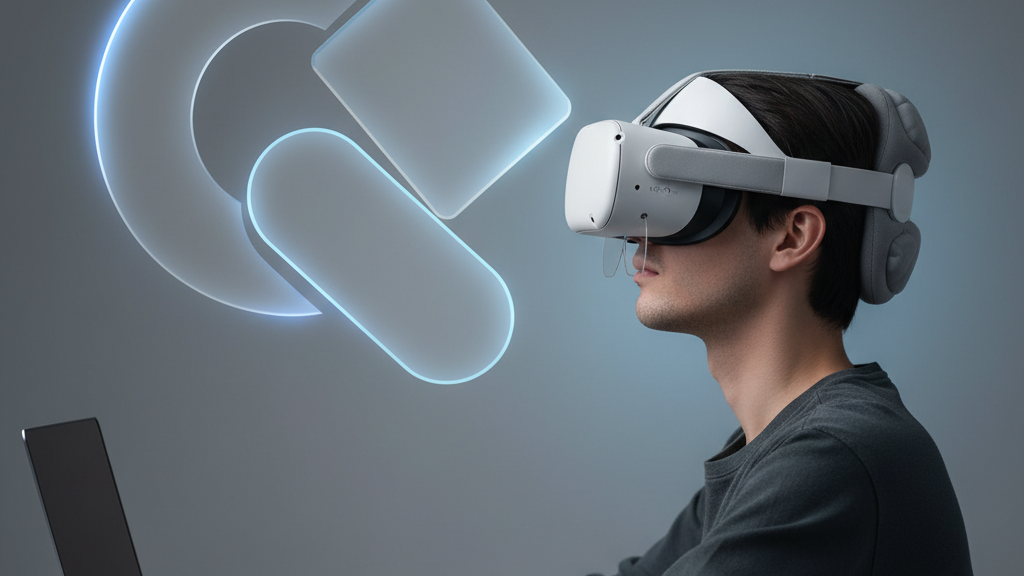
Glasses Friendly VR: Fitting Quest Two Comfort Straps for Spectacle Wearers
If you wear glasses and play on a Quest 2, the right comfort strap makes the difference between a painful 30-minute session and several hours of immersive play. This guide walks through why glasses-friendly straps matter, how to choose one, how to install it, and practical tuning tips to keep your lenses and face comfortable during long gaming sessions. ⏱️ 7-min read
Why glasses-friendly straps matter for Quest 2
Glasses change how the headset sits on your face: frames create extra thickness between your eyes and the lenses, and arms can press into the temple area. Strap design directly affects three trouble spots for glasses wearers—pressure points (temples and nose bridge), tilt (forward or backward angle that can pinch frames), and movement (sliding that causes frames to rub). A glasses-friendly strap reduces forehead pressure, lifts and stabilizes the headset so it doesn’t rock, and keeps the gasket-to-face seal without crushing your frames.
Look for three supportive elements in a strap: a padded crown or halo to share load across the top of the head, an arch or spacer that increases forehead-to-lens distance slightly, and a rear geometry that pushes weight toward the back of the skull instead of the temples. These features together minimize hotspots, reduce lens contact with frames, and stabilise the headset during active play.
Choosing the right strap: Elite Strap vs. third-party options for glasses wearers
The official Elite Strap and third-party alternatives both aim to improve comfort over the stock fabric strap, but they approach the problem differently.
- Official Elite Strap — Generally built for a snug, stable fit with a low-profile pad and sturdy connection to the headset. It’s designed to be reliable and maintain a consistent seal, which helps reduce frame-to-lens contact. The official option often prioritizes secure attachment and simplified adjustability.
- Third-party options — These vary widely: halo-style and crown straps spread weight across the top of the head, padded straps increase forehead cushion, and counterweight designs move the center of mass rearward to relieve facial pressure. Many third-party straps include deeper cushions, breathable fabrics, or modular attachments (battery packs, thicker pads, or quick-release mounts).
For glasses wearers specifically, prioritize straps that (1) raise the headset slightly off the face to protect frames, (2) provide even pressure distribution across the forehead and crown, and (3) allow easy length and angle adjustments so you can tune lens clearance. The Elite Strap is a solid, manufacturer-backed choice for durability and fit; third-party designs often offer more padding and modularity that can be helpful if you need extra lens clearance or softer contact points.
Step-by-step install guide for Quest 2 comfort straps
Installing a new comfort strap is straightforward. Follow these beginner-friendly steps to swap the stock strap safely and make sure everything is aligned.
- Power off the headset and set it on a soft, flat surface with the lenses covered or facing down to avoid scratches.
- Remove the stock fabric strap: unclip or unthread the side straps from their anchors. If your stock strap has a Velcro tab or buckle, release it and slide the strap free.
- Prepare the new strap: locate the left and right connectors and any padding pieces. Familiarize yourself with how it mates to the headset—most straps have clear anchor points or slots.
- Attach the new strap to the headset anchors. Press or slide the connectors into place until you hear or feel a click. Make sure both sides are seated evenly so the headset won’t twist on your face.
- Adjust the length on both sides evenly, then put the headset on and fine-tune the crown/top strap tension until the headset sits level and the display is clear.
- Check quick-release features (if present) and test the strap with gentle head movements to confirm the headset remains stable and glasses don’t contact the lenses.
Fit tips for glasses wearers: height, length, and lens clearance
Small adjustments make a big difference when it comes to keeping frames away from lenses while retaining a secure seal.
- Height first: start by raising the headset slightly on the face using the crown or halo tension. Increasing forehead clearance helps keep frames off the lenses without loosening the seal.
- Balance length next: shorten the side straps just enough to eliminate forward tilt. If the headset tilts forward, it will press frames into the lenses; if it tilts back, the bottom of your frames can touch lenses.
- Use thin face cushions or spacers: a low-profile foam insert or a dedicated glasses spacer adds controlled distance between your frames and the lenses and can be swapped in easily on most face gaskets.
- Check temple clearance: move the arms of your glasses slightly above or inside the gasket (where possible) so they don’t get pinched. Make micro-adjustments to padding thickness if your temples feel pressure points.
- Test with the app and visuals: put the headset on and confirm the image is sharp. If you’re compensating for poor focus by forcing the headset against your face, you’ll only cause discomfort and pressure on your frames.
Comfort optimization for long sessions: padding, weight distribution, and breathability
For marathon sessions, comfort is about managing heat, pressure, and weight over time.
- Padding tweaks: swap to breathable, sweat-wicking covers and experiment with different foam thicknesses. Softer forehead padding reduces local hotspots, while firmer pads can improve stability—try a combination until you find what works.
- Redistribute weight: counterweights or rear-mounted battery packs move the center of gravity back and take pressure off the nose and temples. If you add a battery, pair it with a strap that securely anchors the pack so it doesn’t sway.
- Encourage airflow: choose straps with moisture-wicking materials and perforated padding. Short, scheduled breaks (5–10 minutes every hour) let your face cool and reduce sweat buildup on both glasses and foam.
- Reduce friction: apply a thin, soft cloth sleeve or cover where your glasses touch the strap or frame arms to stop rubbing without affecting fit.
Weight, balance, and compatibility: keeping Quest 2 comfortable and versatile
Strap choice affects total system weight and how that weight feels. A heavier strap with a built-in battery or thicker padding can be more comfortable if it shifts weight rearward, but it will increase overall load and can make neck strain worse if not balanced.
When evaluating compatibility, consider accessories you use: prescription lens inserts, counterweight packs, faceplate mods, and passthrough cameras. Most Quest 2-specific straps are designed to work with official lens inserts and common third-party face gaskets, but verify attachment points and clearance if you plan to mix a rear battery pack with a bulky face cover.
Cross-device considerations: Vision Pro compatibility and third-party strap ecosystems
Apple Vision Pro and other VR/AR headsets are introducing different strap philosophies—many emphasize uniform headbands, rigid frames, or modular magnetic attachments. Those ideas influence future strap design, but Quest 2-specific straps remain the most practical choice for current Quest 2 owners because they match the headset’s mounting points, weight profile, and ventilation layout.
If you follow cross-device trends for inspiration—such as wider crowns, lighter foam, or modular counterweights—apply those lessons to Quest 2 straps that are explicitly listed as compatible. Mixing non-Quest-specific straps risks poor fit, compromised seal, or even damage to the headset's anchors.
Final notes: quick checklist for glasses-friendly comfort
- Choose a strap that raises the headset slightly and redistributes weight rearward.
- Install carefully and ensure both sides are seated evenly before testing.
- Adjust height, length, and padding to keep frames clear of the lenses without over-tightening.
- Consider a rear counterweight or battery to relieve facial pressure for long sessions.
- Stick with Quest 2–specific straps for guaranteed compatibility and predictable performance.
With the right strap and a few minutes of tuning, Quest 2 owners who wear glasses can enjoy longer, more comfortable VR sessions without sacrificing visual clarity or safety. Experiment with padding and weight distribution, and you’ll likely find a setup that keeps both your headset and your spectacles happy.
Powered by Trafficontent







Compartir:
Choosing a Quest 2 Comfort Strap for Glasses Wearers: Fit and Clearance
Vision Pro for glasses wearers: how to get a snug, comfortable fit