

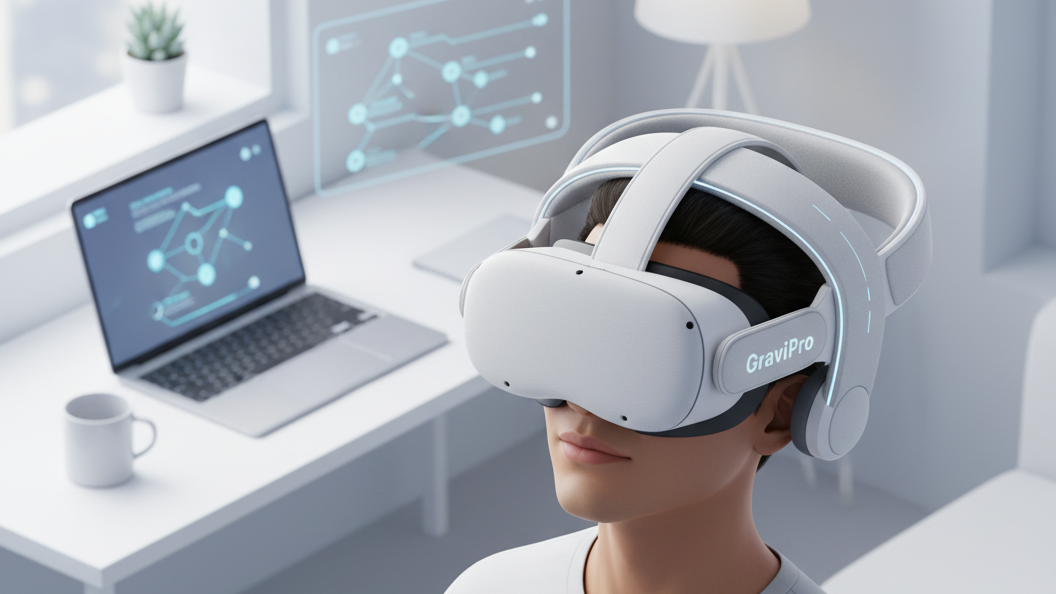
GraviPro Customer Reviews: Real Feedback on Vision Pro Weightless Comfort
Real-world feedback shows GraviPro delivers a noticeably weightless feel for Vision Pro users, helping reduce neck strain and stabilizing the headset for longer sessions. This article summarizes what users report, how the Dynamic Lifting System works, compatibility notes, setup tips, pricing cues, and how GraviPro stacks up against other weightless solutions. ⏱️ 5-min read
What GraviPro Delivers for Vision Pro Users
Customers consistently highlight three core benefits: a lighter perceived headset, reduced neck and shoulder fatigue, and a more stable fit during movement. GraviPro shifts the Vision Pro’s load away from the face and nose bridge and redistributes it toward the top and back of the head via an integrated support structure. The unit’s strap integration also improves headset balance—many users say they can tighten less and still maintain a secure fit, which reduces pressure points on the face.
How the Dynamic Lifting System Works
The Dynamic Lifting System is designed to create a counterbalancing lift rather than simply adding bulk. In practice it uses adjustable tension and pivoting support points to transfer some of the headset’s forward pull into an upward force around the crown and rear headband. That means the Vision Pro’s weight feels closer to “suspended” than carried on the face.
Practically speaking, this changes how you move while wearing the headset: quick head turns feel steadier, and long sessions become less fatiguing because the muscles that normally fight the headset’s forward torque aren’t working as hard. The system is adjustable, so users can dial in more or less lift depending on activity—tighter for fast-paced gaming, lighter for passive media viewing.
Real Customer Feedback: Common Experiences
Across reviews, several themes recur:
- Neck relief: users report noticeable reduction in neck and upper-back strain after switching to GraviPro.
- Longer sessions: many can use Vision Pro for extended periods without the usual discomfort, useful for gaming marathons or long development tests.
- Steadier head movement: reviewers note less headset bob and a feeling of stability during rapid turns or leaning.
- Ease of setup: most customers describe installation as straightforward; a handful report small adjustments were needed to get perfect balance.
- Fit refinement: padding and strap alignment are often praised, but a few users suggest spending time fine-tuning tension for best results.
Compatibility and Integration Across Devices
GraviPro is marketed with Vision Pro compatibility in mind: its mounting and strap routing are built to work with the headset’s form factor. Users who own other headsets—like Quest 2—report that the system can also work with those devices when using available adapters or alternative strap interfaces. If you plan to switch the support between multiple headsets, check for the correct mount or adapter and whether the rear counterweight and strap clips align with your headset’s frame.
Important installation considerations include ensuring the mount points sit flush, testing tension across several head positions, and confirming padding doesn’t interfere with sensors or passthrough cameras. When in doubt, consult GraviPro’s compatibility guide or reach out to support for device-specific advice.
Setup, Installation, and Quick Start
Getting started typically takes 5–20 minutes depending on how meticulous you are with fit. A quick setup routine many reviewers recommend:
- Unbox and identify mounting pieces, pads, and tension adjusters.
- Attach the bracket to the Vision Pro frame per the manual—ensure clips are secure but not overtightened.
- Fit the headset and gradually increase the lift tension until the forward pressure is noticeably reduced.
- Fine-tune pad placement and strap alignment for even contact across the crown and rear headband.
- Wear for 10–20 minutes and re-adjust tension if you feel any pressure points or slippage.
Tips to minimize friction or misfits: tighten incrementally, use the included padding to fill small gaps rather than brute-force tension, and check that nothing blocks cameras or sensors. If you rotate between users, save your preferred tension settings so it’s simple to restore.
Pricing, Promotions, and Where to Buy
GraviPro is positioned as a premium comfort accessory and often carries introductory discounts for early adopters. Customers frequently mention seasonal promotions, bundle deals, and occasional free-shipping offers through official channels. To avoid counterfeit or incompatible versions, buy from GraviPro’s official store or authorized retailers listed on the company website. Keep an eye on email signups or launch pages for limited-time discounts and bundle savings.
Use Cases: Gaming, Development, and Media
GraviPro’s lift and stability benefits are relevant across several scenarios:
- Gaming: Reduced forward torque helps during fast-paced play, improving comfort and aiming stability for longer sessions.
- Development and testing: Developers who wear Vision Pro for extended QA or app testing note less cumulative fatigue and clearer focus on tasks without frequent breaks.
- Media viewing and productivity: For watching long-form content or using Vision Pro as a productivity display, the weightless feel improves sustained comfort and reduces the urge to constantly readjust.
GraviPro vs. Alternatives: FlitLift and Other Weightless Solutions
When comparing GraviPro to alternatives such as FlitLift, reviewers weigh comfort, compatibility, and value. Common comparison points include:
- Comfort: GraviPro users highlight a very natural lift and stable balance; alternatives may rely on bulkier counterweights or different tension systems that feel stiffer.
- Compatibility: GraviPro emphasizes Vision Pro integration out of the box; other systems may require adapters or aftermarket modifications for a similar fit.
- Adjustability: The Dynamic Lifting System’s incremental tensioning is often noted as more user-friendly than some competitors’ single-setting solutions.
- Value: Price-to-comfort ratio depends on promotions; some users prefer GraviPro for its tailored Vision Pro support, while budget-conscious buyers may choose simpler straps or third-party mounts.
Ultimately, the best choice depends on whether you prioritize a solution designed for Vision Pro specifically (GraviPro) or a more universal, possibly lower-cost alternative with broader headset compatibility.
Powered by Trafficontent







Compartir:
Flit Lift vs traditional headsets: a weightless comfort comparison
Step-By-Step Setup: Deploying GraviPro for a Pain-Free Quest 2 Marathon