

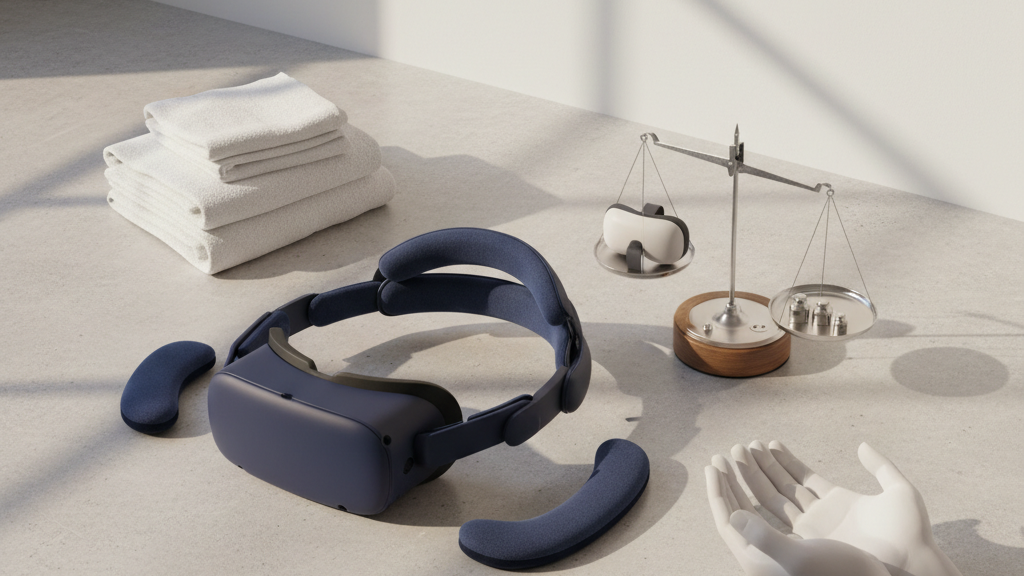
How to Fit Third-Party Quest 2 Straps Without Compromising Comfort
Choosing and fitting a third-party Quest 2 strap can transform long VR sessions, but the wrong setup can cause pressure points, imbalance, or tracking issues. This guide walks Quest 2 owners—especially first-time buyers and glasses wearers—through selecting, installing, and tuning straps so you keep comfort and performance for extended play. ⏱️ 6-min read
Assess Comfort Fundamentals for Quest 2 Straps
Start with three basic factors that determine long-session comfort: weight distribution, padding width, and adjustability. How a strap spreads the headset’s weight across your crown and back of the head directly affects neck strain and fatigue. Padding that’s too narrow creates hotspots on the temples and forehead, while too-soft foam can allow unwanted tilt.
- Weight distribution: Look for straps that move most of the headset load to the crown or add a rear support band to balance front-heavy units.
- Padding width and material: Wider, denser pads reduce pressure on the temples—ideal for extended sessions and glasses wearers.
- Adjustability: Ratchet systems and micro-adjust sliders let you fine-tune stability and tilt without over-tightening.
For glasses wearers, check how the strap’s side padding sits over the temple area. A lower-profile pad or an adjustable crown height helps prevent squeezing against frames and avoids fogging or pressure points.
Choose the Strap Type That Aligns With Your Goals
Third-party Quest 2 straps fall into a few practical categories. Match the strap type to the way you play, your tolerance for added weight, and whether you need quick on/off convenience.
- Halo-style and multiple-strap systems: These distribute weight across the crown and rear of the head, improving balance and stability—good for long sessions and active games.
- Soft fabric and elastic straps: Lightweight and cheap, but often lack fine-tuned adjustment and can let the headset move during vigorous play.
- Ratcheting or dial systems (premium): Offer precise fit, better padding and damping, and usually more durable hardware—ideal if comfort is your priority.
Budget-friendly options can be fine for casual play, but if you routinely play for hours or use the Quest 2 with prescription glasses, consider investing in a higher-quality strap with wider padding and a stable retention system.
Check Compatibility and Fit Before You Buy
Not every third-party strap mounts identically to the Quest 2. Verify fit and read reviews from users with similar head sizes and glasses to avoid surprises.
- Mounting compatibility: Some straps attach to the stock hinges, others use a clip or adapter. Confirm the product explicitly lists Quest 2 support or includes the necessary adapter.
- Head size and crown clearance: Look for stated head-size ranges and user photos to confirm the strap will clear hair styles, hats, or glasses.
- Sensor and tracking clearance: Ensure added rear pads or rails don’t interfere with the front-facing cameras or block controller tracking angles.
When in doubt, check independent reviews and the seller’s return policy—fit is personal, and a good return window removes the risk of a poor match.
Step-by-Step Third-Party Strap Installation
Installing a replacement strap is usually quick. Follow these steps to avoid damaging the headset and to get a baseline fit before fine-tuning.
- Power off the Quest 2 and remove batteries or external accessories if present.
- Detach the stock strap: gently unclip or slide out the side hinges depending on your headset model.
- Attach the new strap using the hardware provided—follow the manufacturer’s orientation notes so pads and fasteners sit correctly.
- Rough-adjust crown pad height and strap length so the headset sits naturally on the face without sagging.
- Secure all screws, clips, and fasteners; give the headset a gentle shake test to ensure nothing loosens.
- Put on the headset and run a brief trial session (5–10 minutes) to identify immediate pressure points or imbalance.
If the kit includes an instruction card or video link, follow it—small differences in clip direction or pad placement can matter for fit and tracking.
Fine-Tuning Fit for Weight, Balance, and Comfort
Once the strap is installed, fine-tuning is where comfort is won. Make small adjustments and test between changes to avoid over-correcting.
- Start neutral: set even tension on side straps, then adjust the crown so weight sits over the top of your head rather than pulling the front forward.
- Minimize temple pressure: lower or widen side padding if you feel pressure near the glasses’ arms. If the strap has crown height adjustment, raise it slightly to shift load off the temples.
- Fix tilt: if the headset tips forward, tighten the back strap or add a slight rear counterweight; if it leans back, loosen the rear and increase front support.
- Test in stages: play a short, active scene and note hotspots or slippage—make incremental changes (one notch at a time).
For glasses wearers, ensure the foam around the nose and cheeks isn’t compressing frames. Consider thinner replacement face cushions designed for glasses if needed.
Maintenance, Durability, and Replacement Cushions
Regular care prolongs the life of a third-party strap and keeps comfort consistent.
- Cleaning: Wipe foam and fabric with a damp cloth and mild soap. Allow full drying before storage.
- Inspection: Check straps, stitching, clips, and ratchets for fraying, loosened screws, or hairline cracks—replace worn components before they fail mid-session.
- Replacement cushions: Swap in compatible replacement pads when foam compresses or becomes rough; breathable, hypoallergenic materials reduce skin irritation during long plays.
Store the headset in a cool, dry place and avoid leaving heavy items on top of soft straps to prevent deforming the padding.
Managing Weight and Battery Considerations for All-Day Comfort
Adding battery packs, rail-mounted accessories, or heavier strap systems can improve balance but will always change the feel. Evaluate total system weight and center of mass before committing to all-day use.
- Counterweights vs batteries: A lightweight counterweight can shift balance without increasing run-time. If you add a rear battery pack, account for the combined mass and secure mounting to prevent sag.
- Verify tracking clearance: Rails or packs that extend behind the headset should not obstruct the Quest 2 cameras or controllers’ tracking cones.
- Balance testing: With any added weight, do a 15–20 minute active test session to ensure the setup doesn’t produce neck strain or new pressure points.
If you need extra battery life, choose compact packs and place them close to the crown so they help balance the front weight rather than pulling the headset backward oddly.
Real-World Picks, Case Studies, and Resources
Popular third-party options to research include Kiwi Design, AMVR, and BoboVR—each offers variants focused on padding, adjustability, or price. Compare models by padding thickness, ratchet/dial quality, and reported fit for glasses wearers.
- Kiwi Design: often praised for wide foam and good balance; check which model supports Quest 2 clips natively.
- AMVR: budget-friendly lineup with practical upgrade kits; may lack the finest micro-adjustment but offers good value.
- BoboVR: a range of halo and halo-like designs that distribute weight well; confirm mounting details for the Quest 2.
Supplement product comparisons with Meta’s official setup guides and independent video reviews that show straps in use. Look for community feedback on head-size fit, glasses compatibility, and longevity rather than just marketing claims.
Following these selection, installation, and tuning steps will help you get the most comfortable fit from any third-party Quest 2 strap—so you can focus on the game, not the headset.
Powered by Trafficontent







Compartir:
Fog-Free and Cool: Anti-Fog Solutions and Thermal Management for Comfortable VR
Choosing a Quest 2 Comfort Strap for Glasses Wearers: Fit and Clearance