

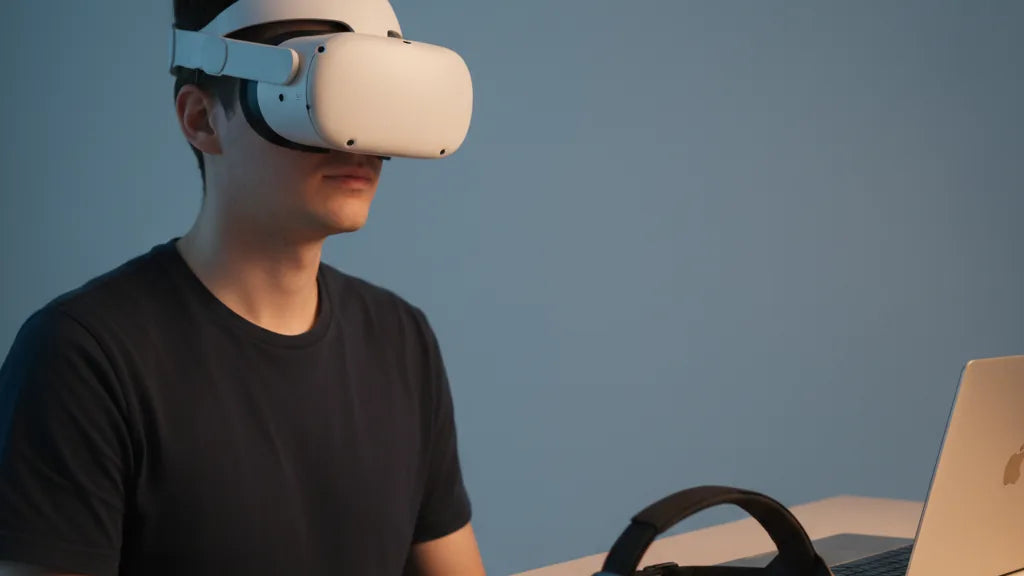
Official Quest 2 Straps vs Third-Party Alternatives: Which Delivers the Best Comfort and Value?
If you own a Meta Quest 2 or are deciding which headset accessories to buy, the strap you choose will shape every session — from ten‑minute demos to marathon VR nights. The stock fabric band works fine for short play, but anyone who spends hours in VR, wears glasses, or uses an external battery quickly notices its limits. ⏱️ 12-min read
This guide compares Meta’s official strap lineup with the most common third‑party solutions across comfort, balance, compatibility and cost. I’ll define practical comfort metrics, walk through what each official and aftermarket option actually delivers, explain how rear weights and batteries change neck load, and give clear buying scenarios so you can pick the best value for your needs.
What "comfort" means for Quest 2 straps (practical metrics)
Comfort for a Quest 2 strap is measurable behavior, not marketing copy. Think in terms of contact points, pressure distribution, centre of gravity, adjustability range, breathability and glasses friendliness — each affects fatigue in multi‑hour sessions.
Contact points: A strap that anchors at the occipital bone (the back of your skull) and contacts the temples in a controlled way prevents sliding and reduces sharp pressure spikes. If contact is limited to the forehead, you’ll feel more facial pressure and lens misalignment over time.
Pressure distribution: The aim is even load across forehead, temples and the rear head. Look for a well-shaped forehead pad and a cushioned rear cradle. Memory foam or layered padding spreads force; thin foam concentrates it. Ergonomic cushions and a broad contact patch reduce hotspots and skin soreness during long plays.
Centre of gravity: The Quest 2 is front‑heavy by design. A strap that shifts weight rearward — via a rigid backplate, halo frame or counterweight — reduces the torque on your neck. This is the single most important factor in perceived comfort: a slightly heavier strap that rebalances weight often feels much lighter.
Adjustability and fit range: Micro‑adjust dials, ratchets or tension sliders let you fine‑tune fit quickly. A top strap for vertical adjustment prevents the headset from digging into your cheekbones. Finally, breathable fabrics and temple clearance for glasses matter for sweat control and eyewear comfort.
Official Meta straps: Standard strap, Elite Strap and Elite Strap with Battery — what they actually give you
Meta offers a simple progression: the included Standard Strap, the Elite Strap, and the Elite Strap with Battery (plus the Deluxe Audio Strap for those who want integrated sound). Each trades weight, structure and features for different user needs.
The Standard Strap is lightweight, flexible and adjustable via Velcro. Its strengths are simplicity and packability; its weakness is limited structural support. Users report good short‑session comfort but increasing facial pressure as sessions lengthen, because the fabric does little to shift the headset’s centre of gravity.
The Elite Strap replaces fabric with a rigid plastic rear support and a gear‑style tightening dial. That dial gives reliable micro‑adjustment and the back cradle transfers load away from the face toward the occipital area. The result is markedly improved balance and longer comfort for sessions of two hours or more. Installation is straightforward and Meta’s official warranty and compatibility assurances are a plus for many buyers.
The Elite Strap with Battery builds on that by adding an integrated battery pack at the rear. That extends playtime and purposefully counters front‑heaviness by shifting mass rearward. The trade‑offs are obvious: more weight overall and a higher price (officially around the low hundreds when first released, with typical street pricing often near $129 at retail). For users who value official fit, warranty and a plug‑and‑play battery solution, it’s a solid choice — but not the only way to get balance and runtime.
Third-party strap types and representative models to consider
The aftermarket market is diverse because it addresses many real pain points left by the stock strap. Third‑party straps generally fall into a few categories: padded rear‑counterweight straps, halo/suspension systems, third‑party battery‑integrated straps, and dedicated lift/weight‑relief designs. Each category solves different problems and runs a distinct price range.
Padded rear‑counterweight straps mimic the Elite’s principle by adding a cushioned rear cradle and the option to hang a counterweight or battery pack. Popular examples include KIWI design and AMVR units. These often feature thicker foam, better fabrics and gear dials for a fraction of official pricing — typically $25–$60 for solid mid‑tier models.
Halo or suspension systems (sometimes called “halo” or “halo‑ring” straps) distribute load in a circular frame that contacts the top and sides more than the face. VR Cover and some BOBOVR designs use this approach; users report reduced facial pressure and improved stability during active motion. Prices vary, from budget halo clones under $30 to premium units approaching $70–$100.
Third‑party straps with integrated batteries — such as the BOBOVR M2 Pro and similar models — offer long runtime and balance in a single package. These are attractive to wireless PC VR users who want extended play without fiddling with external power banks. You’ll see quality differences: cheap integrated packs can add awkward bulk or poor heat management, while better models keep a slim profile and attach cleanly to the rear cradle.
Finally, lift and weight‑relief systems like FlitLift/GraviPro add mechanical lift to offset front weight using a top‑strap tensioning system. They’re less common but effective for sim racers who need extremely stable head tracking. Expect prices from $40 to $100 depending on materials and accessories.
Weight, balance and battery packs: how strap choice changes neck load
Understanding how straps change perceived weight is essential. The truth is counterintuitive: a slightly heavier strap can feel much more comfortable if it shifts the headset’s centre of gravity rearward. What matters is torque — the force that makes the headset want to pull downward at the front of your face.
Rear counterweights (or rear battery packs) move mass behind the head, reducing torque on the neck. The official Elite Strap with Battery exploits this by combining structural support and extra battery mass in one unit. Third‑party rear‑weight straps achieve the same effect, often at lower cost and with greater battery options: you can attach a slim external power bank with a Velcro strap or use a dedicated integrated pack.
External battery packs have pros and cons. A dedicated integrated battery is tidy and guaranteed compatible, but it adds permanent weight and heat near the rear cradle. External power banks let you choose capacity and swap batteries quickly; they’re usually lighter on the head because you can position them lower in a chair or belt clip during seated play, but that requires a tether and possibly a longer USB‑C cable — acceptable for home use but less tidy for wireless roomscale. Consider how you play: standing roomscale favors lightweight head setups and compact rear packs; seated sim racing or long single‑player sessions benefit from rear counterweights or large battery packs to minimize facial pressure.
Tip: if your priority is neck relief, look first for a strap that provides a firm rear cradle and an accessible mount for a battery. That combination reduces torque and extends runtime without forcing a tradeoff between comfort and portability.
Real-world comfort: long sessions, glasses wearers and active movement
Specs and photos don’t tell the whole story — real comfort emerges during long sessions and active play. The stock strap’s front‑heavy bias often becomes obvious after 45–90 minutes: forehead or cheek pressure, lens misalignment and a desire to loosen the fit. Third‑party halo and counterweight straps commonly fix these problems.
Long sessions: Memory‑foam forehead pads and broad rear cradles distribute pressure, so your face doesn’t bear the headset’s full load. Look for removable pads that retain shape. Dense foam avoids bottoming out; layered foam can combine softness with structure. Also watch for breathable covers — neoprene and mesh breathe better than solid vinyl and reduce sweat buildup over marathon plays.
Glasses wearers: Two issues matter — temple clearance and pressure on the bridge of the nose. Many third‑party straps increase the internal gap slightly or provide more vertical lifting adjustment, preventing frames from being pinched. Halo designs that lift the headset away from your cheekbones help prevent temple rubbing. If you wear bulky frames, prioritize straps with adjustable top straps and deeper facial cushions to keep lenses from contacting the Quest’s optics.
Active movement: Roomscale games, fitness titles and VR sports demand stability. Anti‑slip materials on the rear pad (silicone dots, tacky rubber) and secure gear dials help prevent the headset from sliding during fast turns. Halo systems excel here because they cradle the skull rather than relying on tight temple pressure. If you frequently swing your head or play physically active titles, invest in a strap that locks via a ratchet or tensioning wheel rather than Velcro alone.
Installation, adjustment and quick setup guide for beginners
Whether you buy Meta’s Elite Strap or a third‑party option, installation follows the same basic steps. The process is quick but proper setup makes a huge comfort difference.
- Remove the original strap: Gently unclip the stock side arms from the headset posts. Pull the top strap out of its loop on the headset. Keep the original parts if you want to revert later.
- Attach side arms: Slide the new strap’s rigid side arms into the Quest 2 headset posts until they click. They should seat firmly; don’t force them beyond their normal stop.
- Connect the top strap: Feed the top strap through the front loop and secure it to the top of the new head strap. Adjust it so the headset sits centered over your eyes — not tilted up or down.
- Rear support first: Tighten the rear dial or strap until the headset sits stable but not pressed into your face. The aim is to transfer weight to the back of your skull, not clamp the forehead hard.
- Top strap and cheek clearance: Adjust the top strap to lift the headset slightly off your cheekbones. This reduces cheek pressure and helps with glasses.
- Micro‑adjust and test: Use the micro‑dials or sliders while wearing the headset to eliminate gaps and prevent fogging. Play a short, active title to test slippage and re‑adjust tension as needed.
- Battery/counterweight placement: If using a rear battery or weight, mount it in the rear cradle, and redo the comfort test. Make small tension tweaks — you should feel balance, not backward pull.
Small changes matter: a few millimetres of top strap adjustment can fix a cheek pressure problem. If your third‑party strap includes removable pads, experiment with thickness until you find a sweet spot.
Cleaning, maintenance and durability concerns
Straps live through sweat, repeated tightening and occasional knocks — how you care for them extends life and comfort. Material dictates cleaning: fabric and foam pads should be hand washed gently; rigid plastics and silicone can be wiped down.
Cleaning basics: For fabric pads, use mild soap and lukewarm water; avoid bleach, harsh detergents and aggressive scrubbing that damages foam. Rinse thoroughly and air dry completely before reattaching. For plastic parts, a damp cloth with a small amount of isopropyl alcohol or an electronics‑safe wipe will disinfect surfaces without damaging plastics. Never submerge electronics or battery packs; follow manufacturer guidance for cleaning integrated batteries.
Common failure points: Velcro can lose grip over time, foam compresses and loses resilience, and plastic buckles or hinges can snap when overloaded or overtightened. Ratchet mechanisms are generally durable but can accumulate dust — occasional compressed air and a wipe will keep them smooth. If you buy a third‑party strap, inspect the side arm clips and the attachment interface carefully; cheap clones sometimes use weaker plastics that fatigue sooner.
Warranty and returns: Official Meta straps benefit from the brand’s warranty and predictable return policies, which appeal to buyers who want low fuss. Third‑party vendors vary widely — reputable brands like KIWI design and BOBOVR often offer solid customer support and easy returns, while unknown sellers may have limited recourse. Check return windows and warranty terms before you buy, especially for battery‑integrated units where battery health and safety are critical.
Price vs value: buying scenarios and final recommendation framework
Price is a major deciding factor, but value depends on how you play. Here are concise recommendations mapped to common buyer profiles, followed by a six‑point checklist to finalize your choice.
Casual players (1–2 hour sessions, budget conscious): A well‑made third‑party padded strap in the $15–$40 range will noticeably improve comfort over the stock strap and won’t break the bank. Prioritize straps with wider forehead pads and simple rear support.
Regular long‑session users (2+ hours daily): Invest in a rigid rear cradle — either the official Elite Strap or a high‑quality third‑party equivalent — and add either an integrated rear battery or a small external power bank. Look for memory foam pads, a reliable ratchet or dial, and breathable covers to prevent sweating.
Glasses wearers: Choose halo or straps with generous vertical adjustment and deep facial cushions. Prioritize temple clearance and anti‑slip rear pads to avoid lens contact and slipping during movement.
Active/roomscale players and sim racers: Stability matters most. Halo designs and straps with strong ratchets and anti‑slip rear materials will keep the headset stationary during aggressive motion. Sim racers may prefer straps with dedicated lift systems or rear weights for precise, steady head position.
Budget shoppers seeking the best value: Mid‑tier third‑party straps around $30–$60 often deliver the best comfort per dollar. They typically include thicker padding, gear dials and rear cradles without the premium price of official accessories.
Shortlist checklist — six quick decision points before you hit buy:
- Primary play style: seated vs roomscale — choose rear weight for seated, halo or tight ratchet for active roomscale.
- Session length: under 90 minutes (budget strap OK) vs multi‑hour (rigid cradle + good foam).
- Glasses compatibility: ensure temple clearance and vertical adjustment.
- Battery needs: integrated battery for tidy setup; external power bank for flexibility.
- Durability & warranty: prefer reputable brands or official Meta for peace of mind.
- Price vs features: match the strap’s features to the value you’ll use — don’t pay for integrated battery if you rarely exceed two hours.
Next step: decide which problem you want to solve first — facial pressure, runtime, or stability — and pick the strap category that addresses it. If uncertain, a mid‑range third‑party rear‑cradle with battery compatibility is the most versatile, offering comfort, balance and upgrade paths without the highest price tag.







Compartir:
A buyer’s guide to third-party comfort straps that slash Quest 2 weight
Top Third Party Quest Two Head Straps for Extended Comfort