

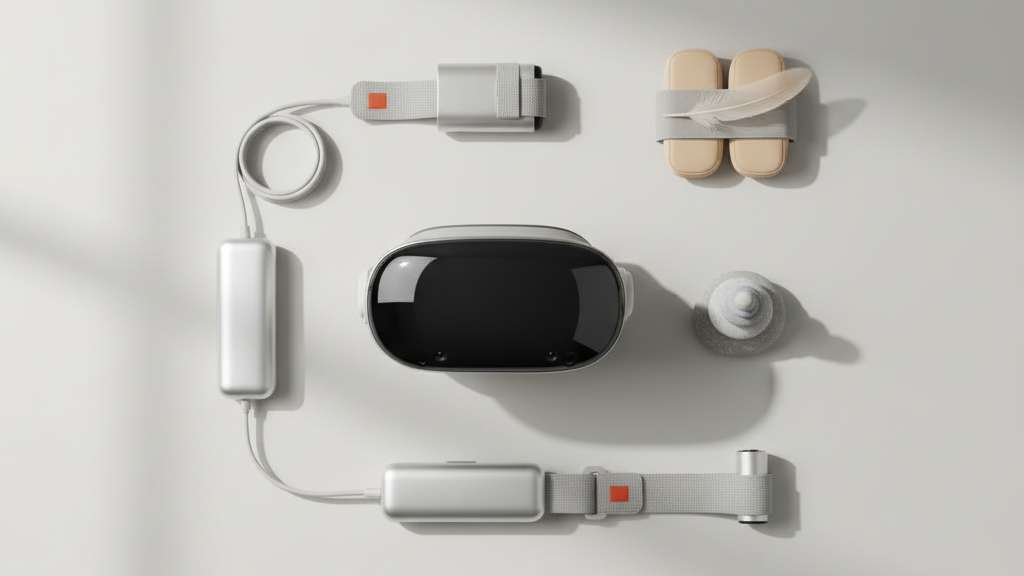
Achieving Perfect Balance: Counterweight Solutions to Reduce Neck Strain During Extended Quest 2 Sessions
Long VR sessions on the Quest 2 can be exhilarating — until your neck, forehead, or temples start complaining. The culprit is often simple: the headset’s center of mass sits slightly forward of your skull, so even a light device can feel heavy when you’re moving, looking around, or playing for hours. Balancing that mass with counterweights changes how the load travels through your spine, reduces micro-adjustments, and keeps the visor stable so you can stay immersed longer. ⏱️ 11-min read
This article walks Quest 2 users through why balance matters, which counterweight styles work best, how to choose weight and placement for varied head shapes and playstyles, and practical install, maintenance, and testing routines you can use today. Expect clear, action-first guidance and real-world tips for glasses wearers, battery-pack pairings, and quick checks that keep your headset feeling lighter than it is.
The role of balance in long Quest 2 sessions
Balance governs comfort more than raw weight. When the Quest 2’s center of mass sits forward or off-center, your neck muscles compensate by holding your head in an unnatural posture. Over time that small, constant effort turns into fatigue, headaches, and the urge to take frequent breaks. Conversely, a neutral balance keeps most of the headset’s load aligned with your spine, minimizing muscle work and letting you adopt a natural head position.
There are two axes to consider: fore-aft (front-to-back) and lateral (side-to-side). A forward bias increases forehead pressure and nose contact; lateral imbalance causes one temple to bear more load, which translates to cheek or ear discomfort and subtle twisting of the neck. Both axes also affect tracking: a headset that wobbles or tilts under movement produces micro-adjustments and can confuse inside-out sensors, leading to momentary jitter or drift.
The goal is precise: minimize forehead pressure, reduce neck strain, and eliminate visor wobble during movement. That usually means shifting a small amount of mass behind the crown or around the sides so the headset’s center of gravity sits closer to the center of your head. With that achieved, your posture stays more natural, tracking remains stable, and longer sessions feel markedly less tiring.
Counterweight options: built-in, external, and strap-based solutions
Counterweights come in three practical families: built-in weights integrated into straps, external clip-on or pouch weights, and strap-based distribution systems with pockets or plates. Each has trade-offs in adjustability, form factor, and stability.
Built-in weights are typically molded into the crown or back of a premium strap. They’re low-profile and unlikely to snag on clothing or hair, making them ideal for seated or predictable play. The downside is limited tuning — if your posture or headset setup changes, you’ll need to remove the headset to shift the balance. Think of built-in weights as a “set-and-forget” approach for players who want simplicity and neat aesthetics.
External clip-on or pouch weights offer on-the-fly adjustability. You can slide them along a strap, remove them quickly between sessions, or redistribute mass for different users. They’re popular for households that share a headset or for players who alternate between active roomscale and seated experiences. The trade-off: clips can bounce or shift with aggressive movement if not secured, and pouches may catch on shirts or jacket collars if poorly routed.
Strap-based weight distribution systems — pockets, channels, and plate-and-slot designs — combine the best of both worlds. They spread mass across the crown and back, smoothing out pressure points and improving stability during rapid head movements. These systems often accept modular weights so you can tune the total mass precisely. Examples include crown plates that add a small, centered mass and rear pouches that bias the load backward without bulk.
When evaluating options, consider adjustability you’ll realistically use: if you want to switch between intense active play and long seated sessions, favor modular solutions. If minimalist looks and low snag risk matter most, built-in weights are a solid choice.
How to choose weight and placement for extended play
Choosing the right weight is a process of small steps. Start light and add mass in controlled increments until you feel a clear reduction in forehead or nose pressure and an improvement in visor stability. Use 0.5–1 ounce (15–30 g) increments for fine tuning; larger changes are useful only when switching from light to heavy setups (for instance, adding a battery pack).
Placement matters more than total mass. Crown-mounted weights — placed higher on the strap where it meets the top of your skull — tend to pull the headset back toward the skull rather than letting it tilt forward. This creates a balanced feel without a rigid clamp. Rear-mounted weights at the nape level counter forward load effectively when the headset wants to pull your face forward, but they may feel more noticeable during rapid nodding or bending.
Here’s a simple selection workflow:
- Baseline: Wear the Quest 2 unmodified and note forehead/nose pressure, temple pressure, and any front tilt.
- Start Light: Attach a small crown weight (10–20 g) or a single pouch weight; test with looking up/down and turning head side-to-side.
- Fine-tune: Add 5–30 g increments until you notice less forehead pressure and fewer micro-adjustments. Record the weight and placement.
- Confirm symmetry: If one temple feels heavier, move mass laterally or use two smaller weights to distribute evenly.
Different head shapes require different placements. High foreheads often benefit from slightly more rearward mass and higher strap placement. Rounder skulls may prefer wider, lower distribution so the weight sits along the crown and reduces pressure on the temples. Keep a short log of what works — a small pattern will emerge quickly and make future adjustments fast.
Installation and compatibility across Quest 2 straps and accessories
Before adding any weight, check your strap’s documentation. Attachment methods vary — clips, Velcro pockets, screw tabs, and integrated slots each behave differently. Quick-clip systems are convenient but may need adapters to accept pouch-style weights. Hook-and-loop pockets are flexible but require secure closure to prevent weight migration. Screw-mounted platforms give the strongest, most reliable anchor but limit on-the-fly changes.
Sensor clearance and cable routing are critical. Weights mounted along the back should never cover or shade the Quest 2’s cameras and sensors; even subtle shading can degrade inside-out tracking. Keep battery pack cables and accessory leads tucked away from the facial interface to prevent changes in pressure distribution. When installing, don’t let pads or weight edges ride over the temple line where they could contact glasses or press into skin.
Compatibility with third-party battery packs and add-ons often requires small compromises. Some packs mount directly to the strap using a central rail, while others use side clips that change lateral balance. If you plan to pair a battery pack with additional counterweights, mount the pack first, then rebalance with discrete weights. For maximum reliability, use straps and mounts rated for the combined weight of your chosen accessories — straps that list weight limits or reinforced anchors are worth the slight premium.
Finally, test in stages. Install a single weight, wear the headset for 5–10 minutes, then add or relocate weight as needed. This iterative approach prevents over-tensioning the straps and avoids surprises during a long session.
Glasses wearers: optimizing fit with counterweights
Wearing glasses changes pressure distribution: frames add contact points and require extra clearance in the facial interface. The good news is that counterweights are especially effective for glasses wearers because they shift load away from the nose bridge and cheeks, where lenses press and cause discomfort.
Choose low-profile, flat weights that sit close to the strap’s contour so they don’t protrude into the frames. Small crown plates or rear pouches work well because they draw mass rearward and upward, lifting the headset slightly and reducing nose pressure. Place weights symmetrically to prevent one lens from rubbing against the foam or creating a skewed view.
Adjust strap height: raising the main strap higher on the skull helps maintain clearance for the glasses’ arms and reduces cheek pressure. Combine this with a small rear counterweight to avoid introducing a forward tilt. If you feel the headset slip down during play, nudge the strap forward or add a thin spacer pad between the foam and the headset to keep lens-to-eyes distance consistent without increasing nose pressure.
Practical tips:
- Start with two light weights (10–20 g each) placed symmetrically; evaluate for 10 minutes of mixed movement.
- If frames touch the foam, tilt weights slightly outward toward the temples to preserve lens clearance.
- Use anti-slip tape on clips and pouches if your hair or movement makes weights shift.
With careful placement and modest mass, glasses wearers can remove the need to constantly push the headset up, enjoy clearer alignment, and reduce the sore spots around the nose and cheeks that end sessions early.
Battery packs, add-ons, and weight distribution
Adding a battery pack changes the whole equation. Packs mounted at the rear make the rig back-heavy and can tilt the headset’s front upward, which sounds good but often creates a competing strain pattern: your neck must fight a different moment to keep your gaze stable. Anticipating and counteracting that shift lets you enjoy the extra runtime without the ergonomic penalty.
If a battery pack makes the rear too heavy, rebalance by adding a small front counterweight or moving existing padding forward slightly. This restores a level crown and prevents the headset from pulling your head forward or back under motion. Symmetry is crucial: if you mount a single pack off-center, you risk lateral twisting during rapid turns. Whenever possible, center the pack on the strap’s midline or use two smaller packs mounted on opposite sides to preserve vertical alignment.
Here are pairing strategies that work in practice:
- Center-mount approach: attach a single battery along the strap’s centerline, then fine-tune with a crown plate to bring the balance forward by small increments.
- Dual-pack approach: mount two slim packs on the left and right anchors to keep lateral balance; adjust fore-aft with a small crown weight.
- Minimalist approach: if you dislike rear weight, use a single slim pack coupled with a strap that already includes a built-in counterweight — less fiddling is required.
Check connectors and strap anchors for strain. Clips and plastics under repeated load can fatigue; inspect them often and prefer reinforced or screw-backed anchors for heavy setups. Finally, always test the headset with the battery installed and active: heat build-up, cable tension, and slight casing shifts during use can reveal balance problems that aren’t obvious when the pack is cold or disconnected.
Maintenance and longevity of counterweight gear
Treat your counterweight system like any piece of wearable gear: regular inspection, cleaning, and occasional replacement keep it safe and predictable. Weights, anchors, and strap materials take daily micro-stress that can open seams or crack clips long before the issue becomes dangerous.
Inspection checklist (weekly if you use the headset often):
- Check anchors and clips for cracking, deformation, or loosened screws.
- Look for fraying on straps and wear-through on hook-and-loop closures.
- Confirm that weight surfaces haven’t delaminated or shifted internally.
Cleaning matters for hygiene and material health. Wipe weights and straps with a damp cloth after sweaty sessions; use mild soap and water for grime but avoid solvents that can degrade foams or plastics. Dry everything fully before storage. For foams and facial interfaces, occasional swapping or rotation helps distribute wear — much like rotating tires — and prevents a single spot from compressing permanently.
Replacement intervals depend on usage. For daily players, inspect and likely replace softer strap padding yearly and plastic clips every 18–24 months if signs of fatigue appear. Metal or reinforced components last longer but still need inspection for micro-cracks. Store weights flat in a cool, dry place to prevent warping and keep hook-and-loop fasteners closed to avoid attracting debris.
Finally, maintain a small “safety kit” — spare screws, a backup Velcro strip, and a few lightweight weights — so mid-session failures become a quick swap instead of an interrupted play session.
Fast-start plan for all-day comfort and real-world testing
Use this repeatable, 8-minute routine to dial in balance before any long session. It’s designed to be quick, measurable, and easy to replicate before every extended play period.
- (1 minute) Baseline check: Put on the Quest 2 without counterweights. Note forehead pressure, nose contact, and any leaning or tilt.
- (2 minutes) Add initial weight: Attach a single, light crown or rear weight (10–20 g). Secure clips or Velcro and sit upright.
- (2 minutes) Movement test: Look up and down, nod, and quickly turn head left-to-right for 30 seconds each. Watch for wobble and note any temple pressure.
- (1 minute) Fine-tune: Add 5–30 g increments where needed. Prefer crown placement for forward tilt and rear placement to counter forehead pressure.
- (1 minute) Glasses/pack check: If you wear glasses or use a battery pack, ensure no contact with frames and confirm balanced fore-aft feel.
- (1 minute) Short play test: Launch a headset-heavy scene for one minute (a fast-moving demo or a walking scene). Reassess.
Measure progress with a short comfort log you can keep on your phone:
- Session date and length
- Weight and placement (grams and location: crown, rear, sides)
- Comfort score (1–5) and neck fatigue score (1–5)
- Notes on tracking or wobble and whether glasses or a battery pack were used
Reassess every 60–90 minutes during long sessions. Small adjustments — a 0.5–1 oz mass or slight strap reposition — can revive comfort without a full break. Over weeks, your log will show which setups consistently reduce fatigue and which combinations to avoid.
Next step: pick one counterweight approach (crown plate, rear pouch, or balanced dual packs), perform this 8-minute routine, and record three sessions in your log. That small investment quickly pays dividends in longer, more comfortable play.







Share:
Facial interface and gasket upgrades to maximize Quest 2 comfort and reduce fatigue
Balancing with Counterweights: Transforming Stability on Lightweight VR Headsets