

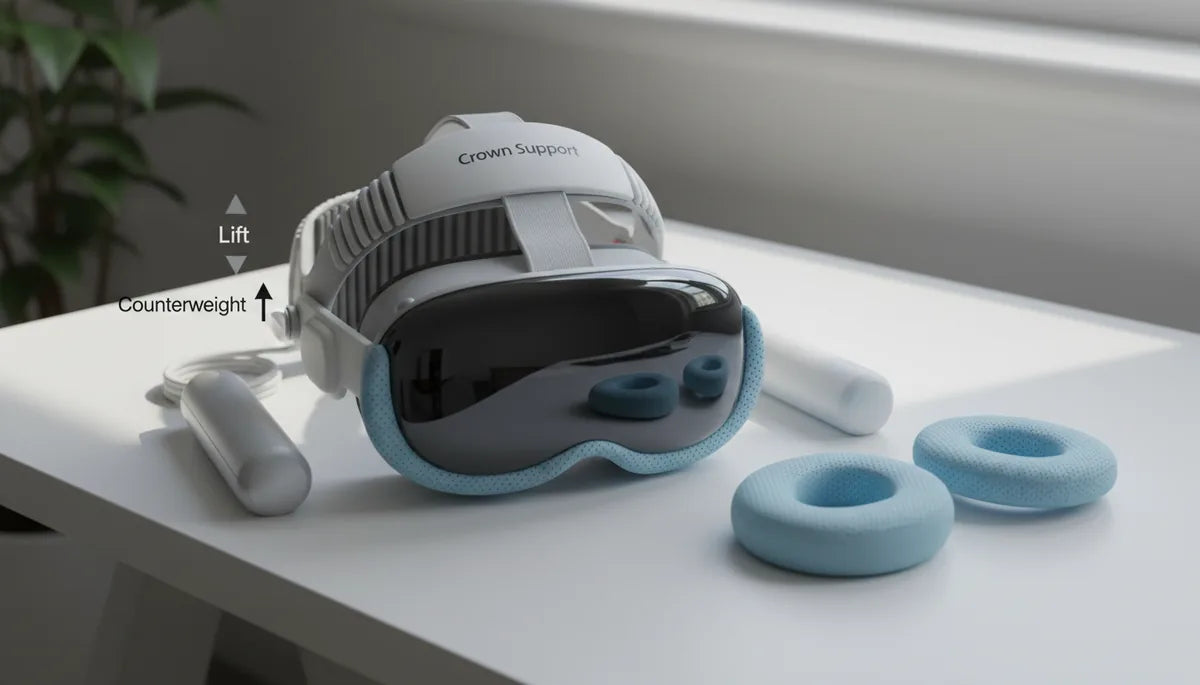
Beyond Straps: Practical Vision Pro Accessories That Let You Wear It Longer—Comfort, Balance, and Everyday Usability
The Apple Vision Pro is a technical marvel, but even the best headset benefits from thoughtful accessories that make extended sessions comfortable and repeatable. If you find your cheeks, nose, or forehead getting sore after an hour of immersive work or play, the solution is rarely a single strap swap—it's a combination of balanced weight, better seals and padding, cooling, smarter power, and a docking strategy that removes friction between uses. ⏱️ 11-min read
This guide walks Vision Pro owners through practical, field-tested accessories and techniques that move load off the face, reduce heat and moisture, simplify power and storage, and keep your headset feeling fresh. Expect concrete recommendations—counterweights and crown supports, upgraded facial interfaces and eye relief options, active and passive cooling, external battery workflows, desk mounts, and a clear install and care checklist so your upgrades perform reliably.
Weight distribution and balance: moving load away from the face
Discomfort from long Vision Pro sessions usually starts where the headset meets skin: the nose bridge, cheeks, and brow. Effective fixes shift load toward the crown and rear of the skull, where bone and muscle tolerate sustained pressure better than soft facial tissue. Two proven approaches are rear counterweights and reinforced top/crown supports.
Counterweight systems attach to the rear strap or to a small plate that rests against the occipital region (the base of the skull). The idea isn’t to yank the headset backward but to nudge its center of gravity rearward so the front doesn’t press into your cheeks and nose. Practical designs use 100–180 grams total, often adjustable in small increments so you can fine‑tune balance. Start light: add a single 50–100 g increment and note whether forehead pressure eases without the headset feeling loose. Brands like FlitLift market weight-relief and lift-style concepts—GraviPro, for example—combines counterweights with a mechanical lift to create a “weightless” sensation while keeping the lenses stable.
Top-strap or crown-support solutions complement rear weights. A padded crown yoke or reinforced top strap redistributes some load onto the skull’s apex. Look for three-point harness designs with a padded crown piece and adjustable tension. The adjustment principle is simple: tighten the crown until the front stays stable with minimal cheek pressure, but not so much that the top strap becomes the dominant support and causes a forehead hotspot. When combined—light rear weights plus a well-set crown strap—you’ll often cut facial pressure dramatically with minimal added bulk.
Comfort padding and eye relief upgrades
The Vision Pro’s stock cushion is functional, but aftermarket facial interfaces can make a night-and-day difference—especially for glasses wearers and people with nonstandard facial geometry. High-quality replacements use open-cell foam, breathable mesh, and microfiber or fabric covers that wick moisture, reduce heat, and feel softer against the skin. Removable, machine-washable covers and antimicrobial linings keep the interface hygienic between long sessions.
Eye relief—how far the lenses sit from your eyes—matters for comfort and visual clarity. Thicker or adjustable light seals (silicone or dense foam) let you fine-tune lens distance and reduce orbital pressure. Modular seals with Velcro or clip-in segments let you test thicknesses without committing to a single setup. A properly set seal also blocks stray light and limits glare, reducing eye strain during long workflows or movie nights. For those who wear glasses, look for flatter or cutaway seals that create extra room for frames while still sealing light. Some third‑party kits offer low-profile “glasses tunnels” and replaceable cheek pads with added clearance.
Custom-contoured padding caters to uncommon facial contours. These solutions range from pre-shaped cushion variants to fully molded kits based on a face scan. While bespoke options cost more, they can eliminate persistent pressure points that generic pads never fully address. Pair upgraded padding with a lift or counterweight system: lighter pressure on the face plus a better seal equals longer, more focused sessions.
Cooling, moisture management, and breathability
Heat and sweat are often the limiting factors in extended Vision Pro use. Your body’s natural reaction to a headset pressing on your brow and temples is increased perspiration, which then makes the fit feel tighter and more uncomfortable. Targeted cooling and breathable materials reduce that feedback loop without adding bulky hardware.
Active cooling fan attachments are a compact option. Small, USB-powered fans clip to the headphone housing or headband and direct a gentle airflow across the forehead and temples. Choose low-noise models with adjustable speed so airflow is effective but unobtrusive. Correct placement matters: direct air toward the forehead and the gap between the face cushion and brow to reduce sweat points and limit lens fog. Fans aren’t necessary for every user, but for longer sessions in warmer environments they can extend comfortable wear time considerably.
Passive solutions include moisture-wicking liners and ventilated cushion materials. Liners made from athletic-grade fabrics pull moisture from the skin and to the outer surface of the pad, where it evaporates. Antimicrobial treatments reduce odor from repeated use and make maintenance easier. Ventilated foam—open-cell with channels—lets heat escape instead of trapping it. For the light seal region, look for thin, breathable silicone or foam variants that maintain a solid light block but reduce trapped humidity that causes lens fog.
Small behavioral changes amplify hardware benefits. Keep room ventilation on, take short breaks for skin-to-air contact every 45–60 minutes, and avoid active cooling fans that create turbulent noise in quiet collaboration sessions. For lens fog specifically, a brief wipe of the inner optics with a microfiber cloth between sessions helps more than you’d expect.
External power and wireless options to slim the headset
One of the simplest ways to reduce on-head fatigue is to remove weight that doesn’t need to be there—batteries. External power setups move battery mass away from the headset and are a favorite among long-session users who prioritize balance and uptime.
High-capacity external battery packs (20,000 mAh or larger) with USB-C Power Delivery let you run the Vision Pro while the pack sits in a pocket or clipped to a belt. Choose packs that support steady 20–100 W PD output depending on the headset’s draw, and prioritize reputable cells with proper protection circuits. A 60–90 cm (2–3 ft) tether offers freedom of movement without excess slack; cable routing clips or magnetic guides keep the cord from tugging. Pass-through charging—where the battery can be used while being charged—makes long workdays easier, but confirm compatibility and safety specifications.
Wearable battery solutions integrate flat battery modules into belts, vests, or bandolier-style pouches. These spread weight across the hips or torso rather than the head and often include dedicated cable management and quick disconnects so you can bail out instantly if you need to remove the headset. Prioritize packs with heat-dissipating enclosures and simple mechanical disconnects. Safety first: avoid jury-rigging cells or adapters that bypass PD negotiation—use approved cables and certified power banks.
Wireless power transfer for headsets remains conceptual for many users. Emerging products promise true untethered use, but they require careful attention to efficiency, heat, and vendor certifications. Until wireless power accessories demonstrate robust safety and compatibility with Vision Pro firmware and power profiles, external wired packs and wearable batteries are the practical, tested path to reducing on-head mass while increasing session length.
Mounts, stands, and desk setups for easier usability
Comfort isn’t only about what’s on your head—how you store and dock the Vision Pro between uses matters just as much. Thoughtful mounting systems reduce neck strain, simplify transitions, and protect your headset when it’s off your face but still in the workspace.
Desk-mounted articulating arms and grommet mounts hold the headset at a consistent ergonomic height. These arms let you position the Vision Pro in reach and quickly raise or lower it without fumbling with straps. Look for arms with good tilt, swivel, and reach and those designed to carry headset weight plus any attached counterweight or cable bundle. Some arms include a light-lift mechanism to support movement and reduce the torque on the headset stand point, making putting the device on and off feel nearly weightless.
Dedicated charging stands and docks tidy cables and protect the fragile faceplate and seals. Quality docks incorporate cable management, corrosion-resistant chargers, and storage for accessories—controllers, spare seals, and cleaning tools. FlitLift-style “weightless” stands combine a gentle lift assist with a rest cradle so the headset sits ready at eye height without bearing load while idle. If you use Vision Pro as part of a multi-display desk, adapters allow you to mount the headset alongside monitors, preserving prime desk real estate and enabling quick gaze checks between screens.
When setting up a dock or arm, think in workflows: place power and data within reach, leave a small, clean microfiber towel nearby for lens wipes, and carry out a cable-management pass to remove loose leads that could snag. The goal is a frictionless routine: pick up, wear, work; dock, charge, clean—repeat.
Step-by-step installation and fit for comfort upgrades
Installing comfort upgrades is straightforward if you follow a deliberate sequence. Rushing or making large adjustments at once is the fastest route to a worse fit. Use this checklist as a practical workflow for adding counterweights, seals, and strap upgrades so you end up with consistent, repeatable comfort.
- Prepare your workspace: soft cloth, microfiber towel, small screwdriver set, and the upgrade parts laid out in order.
- Remove stock padding carefully: follow any clips or tabs to avoid tearing foam. Keep fasteners in a small dish so you don’t lose them.
- Attach rear counterweights symmetrically: start with equal weights on each side. Slide along tracks if present and lock lightly—don’t fully tighten until final balance checks.
- Fit the crown/top strap: attach the padded yoke and set initial tension to a neutral position. You want the front stable without significant cheek pressure.
- Install alternative light seals: clean the lens edge with a dry microfiber cloth, seat the seal evenly, and press until it’s flush. If the seal is modular, start with a medium thickness.
- Put on the headset and perform balance checks: look straight ahead, nod slowly, and note any forward/back tipping. If it tips forward, shift rear weights back slightly; if it tips back, move weight forward a notch—small moves.
- Check glasses clearance: if you wear glasses, test frames for pressure points; if needed, swap for a thinner seal or adjust crown tension.
- Quiet-test the setup: stand and walk a few steps, speak aloud, and ensure fans or battery tethers don’t rattle. Make adjustments in small increments until stable.
- Document your final positions: photograph weight positions, strap settings, and seal choice so you can reproduce the fit later or after cleaning.
Patience pays. Small, incremental adjustments often create the biggest comfort gains without compromising stability or safety.
Care, compatibility, and buying guidance
Once you’ve upgraded for comfort, maintenance keeps those improvements working. Soft pads and liners should be washed per manufacturer guidance—typically mild soap and water—then air-dried. Avoid harsh solvents or alcohols that degrade foam or antimicrobial coatings. Wipe hard plastics with a damp microfiber cloth and ensure components are completely dry before reassembly. Never submerge electronics or straps with built‑in cabling.
Store accessories in a cool, dry place away from direct sunlight and extreme temperatures. Use a soft pouch or the original packaging for delicate seals and face cushions. Regularly inspect clips, screws, and cable connectors; replace worn parts rather than forcing them to fit. A small bag of spare pads, a microfiber cloth, and a lens-safe cleaner will keep your Vision Pro ready for unexpected long sessions.
Compatibility matters. Confirm that third‑party accessories explicitly support the Vision Pro model you own—check product pages for compatibility notes, version numbers, and any firmware or OS caveats. Brands that publish clear compatibility statements and offer trial or return windows are safer buys. When considering battery packs or active electronics, prioritize PD-certified power banks and accessories that provide short-circuit, overcurrent, and thermal protection.
Budget vs. premium: inexpensive foam covers and silicone seals are a low-risk way to test what you like; premium solutions (engineered weight systems, molded face cushions, and branded lifts like GraviPro) cost more but often deliver measurable comfort and durability. If you use Vision Pro for professional or daily multi-hour work, prioritize quality: better materials, solid fasteners, and clear compatibility reduce long-term hassle.
If you’re uncertain about a particular accessory, contact the maker for explicit compatibility confirmation or look for reviews from Vision Pro users with similar facial geometry and use cases. And if you plan to mix several upgrades—weights, crown straps, and active cooling—introduce them one at a time to isolate effects and find the best combination for your head and workflow.
Next step: pick one small change—try a moisture-wicking liner or a modest 100 g rear weight—and track how it changes your comfort over two sessions. Small, deliberate investments compound into long, comfortable sessions that let the Vision Pro be the gateway to prolonged focus, creativity, and enjoyment.







Share:
Ergonomic testing for long sessions with Meta Quest Two head straps and glasses
Long Oculus Quest 2 Sessions: Ergonomic Straps That Reduce Pressure for Extended Play