

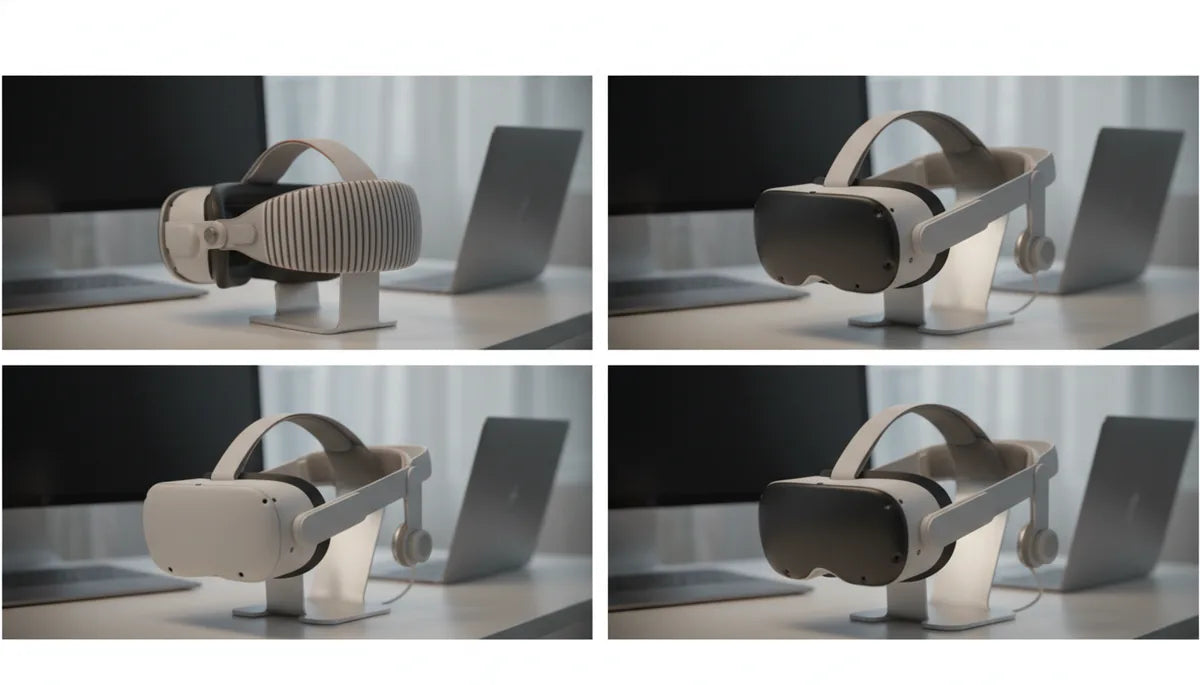
Comfort Strap vs Elite Strap for Quest 2: a practical, data-driven guide to multi-hour comfort
If you plan to spend hours inside your Quest 2—whether in long VR training sessions, extended multiplayer matches, or daily productivity blocks—the head strap matters as much as the headset. The stock Comfort Strap and Meta’s Elite Strap follow different philosophies: one favors lightness and simplicity, the other trades a bit of weight for improved balance and micro-adjustability. Over long sessions these differences compound into measurable effects on face pressure, neck fatigue, and tracking stability. ⏱️ 10-min read
This guide breaks down how each strap distributes weight, how adjustability changes what you feel after an hour, and which maintenance and accessory choices help you squeeze more comfort out of every session. I'll include concrete setup steps, quick tuning tips, and realistic compatibility notes so you can choose—and optimize—the strap that keeps you in VR longer without pain.
Comparative Ergonomics: Comfort Strap vs Elite Strap in Long Sessions
Ergonomics is the story of how forces move across your skull and face over time. The Comfort Strap (the soft, fabric-based option including the stock strap) holds the headset in place by relying mostly on the forehead and the facial gasket. That means initial comfort is often high—soft foam and plush fabric feel good right away—but the foam compresses and the load migrates onto the bridge of your nose and the upper cheekbone after extended wear, creating hotspots and pressure points.
The Elite Strap takes a different approach: a semi-rigid frame with a reinforced rear cradle and a top strap that places some of the load onto the crown and back of the head. In practice this redistributes pressure away from the face gasket and spreads it across a larger contact area. For long sessions, that change in pressure distribution is the primary ergonomic advantage. Whereas the Comfort Strap asks the face to bear much of the headset’s weight, the Elite Strap asks the skull to share it. The result for many users is fewer facial pressure complaints but an increased awareness of crown contact and, sometimes, new pressure points at the rear pad if not fitted precisely.
Initial fit considerations matter: crown tension and gasket contact determine whether weight sits on bone (better) or soft tissue (worse). A correctly adjusted Elite Strap can minimize gasket compression and nose pressure; a well-tuned Comfort Strap can still be comfortable for long sessions, but requires more frequent micro-adjustments to avoid hotspots. If your primary pain point is face or nose pressure during multi-hour play, the Elite Strap’s design is more likely to prevent it. If you prefer a light setup and only play for short to moderate stretches, the Comfort Strap stays competitive.
Weight, Balance, and Neck Comfort for Extended Play
Weight is obvious; torque is what really matters. Even small mass differences become noticeable after hours because they change how the headset’s center of mass sits relative to the pivot points of your neck. The stock Comfort Strap is very light and keeps the headset feeling nimble, but that lightness concentrates the headset’s effective torque toward the front of your face: gravity wants to tilt the visor down, so your neck and upper facial regions compensate. The Elite Strap weighs more—enough to be felt—because it deliberately moves mass farther back to counter that front-heavy tilt.
Think in practical terms: shifting the same headset weight rearward by a few centimeters reduces forward torque and the force on your nose and forehead. That’s why many users with neck discomfort notice improvement when switching to a rear-supported strap, even if total load goes up slightly. The Elite Strap’s rear cradle acts as a counterweight location; when you add an optional battery or counterweight, it places mass close to the skull, which reduces lever arm effects and lowers perceived face pressure.
Mitigation strategies for neck fatigue include small adjustments and incremental changes. Lower the top-strap tension slightly if crown pressure is uncomfortable; tighten it if the headset keeps tilting forward. Use an Elite battery or small counterweight only if it sits flush to the rear cradle—dangling weights or poorly mounted packs amplify torque rather than reduce it. If you get neck strain despite a rear-supported strap, try a thin counterweight (20–80 g) positioned low on the rear cradle to fine-tune balance without introducing new pressure points. For players with chronic neck issues, modular counterweights and frequent breaks (5–10 minutes every 45–60 minutes) are simple, effective practices to keep sessions sustainable.
Fit, Adjustability, and Glasses-Friendly Design
Comfort over time is mostly a function of fit. Both straps offer size adjustments, but their fine-tuning ability differs. The Comfort Strap uses side sliders and Velcro-style rear adjustments that are fast and broadly accommodating. It’s forgiving for different hair styles and head shapes, and because it’s flexible it’s often more comfortable for glasses wearers who need extra depth between lenses and face. However, getting a perfectly stable fit can require more fiddling and occasional re-tightening during active play.
The Elite Strap gives you more precise micro-adjustments: a dial or ratchet at the back lets you incrementally increase tension, and the top strap length is easy to modify to control crown pressure. These finer controls are why many players report longer uninterrupted sessions without readjustment. Glasses users usually prefer the Elite Strap for long sessions because it stabilizes the headset and minimizes lens-to-glasses rubbing—provided you allow enough faceplate-to-face clearance by inserting slimmer facial interfaces or adding thin foam spacers.
Practical strategies for glasses-friendly comfort:
- Choose a thinner facial interface (third-party or low-profile foam) to increase internal clearance without moving the headset forward.
- Tune the top strap so the headset’s weight rests on the crown, not the bridge of the nose—small dial adjustments on the Elite Strap make this faster.
- If you use the Comfort Strap and wear glasses, ensure the side sliders are symmetrical to avoid skew that forces the headset to press on one temple.
- Consider prescription lens inserts if you frequently switch between users; they remove the guesswork of clearance and reduce compression on frames.
Step-by-Step Installation for Beginners
Getting a clean initial setup prevents many long-session headaches. Follow these step-by-step procedures for both strap types and avoid common pitfalls that create hotspots and instability.
Installing the Comfort Strap
- Remove the stock strap from packaging and inspect the foam—flatten any uneven areas gently with your fingers.
- Slide the side straps into the headset anchors; ensure they lock into the side slots and sit flush with the plastic housing.
- Put the headset on and place the face gasket comfortably on your face. Tighten side sliders until the lenses align with your eyes—avoid overtightening.
- Adjust the rear Velcro so the rear pad cups the base of your skull. If you wear glasses, back off slightly and check for frame pressure.
- Do a movement test: turn your head quickly and play a short active scene to see if the headset shifts; tighten only if necessary.
Installing the Elite Strap
- Unbox the Elite Strap and clip the plastic frame onto the headset’s side anchors. Confirm both clips snap fully.
- Fasten the rear cradle and align the pad so its lower edge sits at the back of the skull. The pad should be centered, not tilted.
- Set the top strap length so the headset sits high enough to align with your eyes without digging into the forehead.
- Use the rear dial to fine-tune tension until the headset feels secure during quick head turns but not painful at the crown.
- Optional: attach an external battery or counterweight using the Elite-compatible mount, then re-balance using the dial.
Common mistakes to avoid: overtightening the top strap (causes crown pain), seating the rear pad too high or too low (creates a lever and increases tilt), and adding a rear battery without re-adjusting the dial or top strap. Quick tuning after the first 10–15 minutes often solves small discomforts before they become problematic.
Maintenance, Durability, and Third-Party Options
Routine maintenance preserves comfort. For soft straps, clean the fabric and foam weekly or after sweaty sessions with a damp cloth and mild soap; avoid saturating foam. Microfiber or leatherette covers on the Elite Strap wipe clean more easily—use isopropyl wipes on non-foam surfaces and mild detergent on removable pads. Inspect foam and Velcro for compression and fraying: if foam is flattened beyond recovery it will fail to distribute pressure correctly and should be replaced.
Durability differences matter. The Comfort Strap’s foam cores compress over months of heavy use, leading to progressively worse pressure distribution. The Elite Strap’s rigid frame resists sagging, so its functional lifespan is usually longer—especially if you avoid harsh cleaning chemicals and store it in a cool, dry place. Rear pads and top straps are wear items; replace them when seams split or foam doesn’t spring back.
Third-party options can be excellent value but choose carefully. Replacements and third-party halo straps often add features like thicker rear padding, quick-release buckles, and integrated battery mounts at lower prices. Verify compatibility with Quest 2 mounting points and check whether a third-party strap requires headset modifications that could void warranty. Look for vendors who provide clear mounting instructions, return policies, and a warranty—those indicators often separate reliable accessories from cheap knock-offs. If you plan to use a third-party battery mount, ensure the mount keeps weight close to the skull and avoids wide leverage arms that increase torque.
Cross-Platform Compatibility: Vision Pro and Quest 2 Strap Ecosystems
There's occasional curiosity about mixing ecosystems—does a Vision Pro comfort accessory fit the Quest 2? Short answer: mostly no without modification. Headset strap systems are engineered around specific mounting points and radii. Apple’s Vision Pro and Meta’s Quest 2 use different anchor geometries, padding profiles, and materials, so off-the-shelf cross-compatibility is uncommon.
Why it matters: a strap that doesn't match the anchor or curvature can misalign the headset, obscure cameras, or create dangerous pressure points. For example, a Vision Pro-style halo might offer excellent comfort on its original headset but cause the Quest 2’s cameras to sit at an angle that compromises tracking. That’s more than annoying—occluded or misaligned cameras can create tracking dropouts or conditional errors in games.
Safe alternatives: choose Quest 2-specific third-party straps from reputable brands. Some vendors market "universal" halo frames with adapter plates for multiple headsets; these adapters can work well if they bolt securely into the Quest 2’s anchors and maintain the correct lens-to-eye distance. Always test a new strap in a controlled session (15–30 minutes) before committing to long sessions, and avoid DIY mounting that requires drilling or irreversible changes if you want to preserve warranty and resale value.
Practical Tips for All-Day Comfort and Value
Keeping comfort high during marathon sessions is about technique as much as gear. Here are practical, battle-tested tactics to extend comfort, reduce strain, and get the most value from any strap you choose.
- Micro-adjust every 20–30 minutes: tiny tweaks to the rear dial or side sliders prevent foam from compressing into hotspots.
- Distribute accessory weight intelligently: mount batteries low and close to the rear pad; avoid dangling pouches that swing with movement.
- Swap padding strategically: use thicker foam for short sessions that emphasize plushness, and thinner, denser foam for long sessions where support matters more than softness.
- Use scheduled breaks: a 5–10 minute break every 45–60 minutes resets circulation and lets foam decompress.
- Employ counterweights sparingly: small, well-placed counterweights (20–80 g) can fine-tune balance without creating new pressure points. Heavy batteries are better with rigid rear cradles like the Elite Strap.
- Prioritize replaceable parts: prefer straps with removable pads so you can replace foam later rather than buy a new strap.
- Test before committing: if possible, borrow or demo an Elite Strap before purchasing—your head shape and tolerance for crown pressure are individual, and in-person testing is the best predictor of long-term comfort.
Value decision rule: if most of your VR time is active (fitness, rhythm, room-scale), the Elite Strap or a high-quality third-party halo with battery integration is a clear investment. If your time is mostly short sessions or you prioritize lightness and ease of use, the Comfort Strap remains an economical, effective choice—especially when paired with quick micro-adjustments and periodic breaks.
Next step: pick the strap that best matches how you use Quest 2, then commit to a 30–60 minute trial session focused on tuning fit—adjust the crown, dial in rear tension, test with and without a counterweight, and iterate until your headset stays aligned without digging into skin. Small initial effort yields the biggest returns in comfort over hours of play.







Share:
Achieving balance: using counterweights to reduce VR fatigue
Choosing the Best Oculus Quest 2 Head Strap: Comfort, Stability, and Longevity