

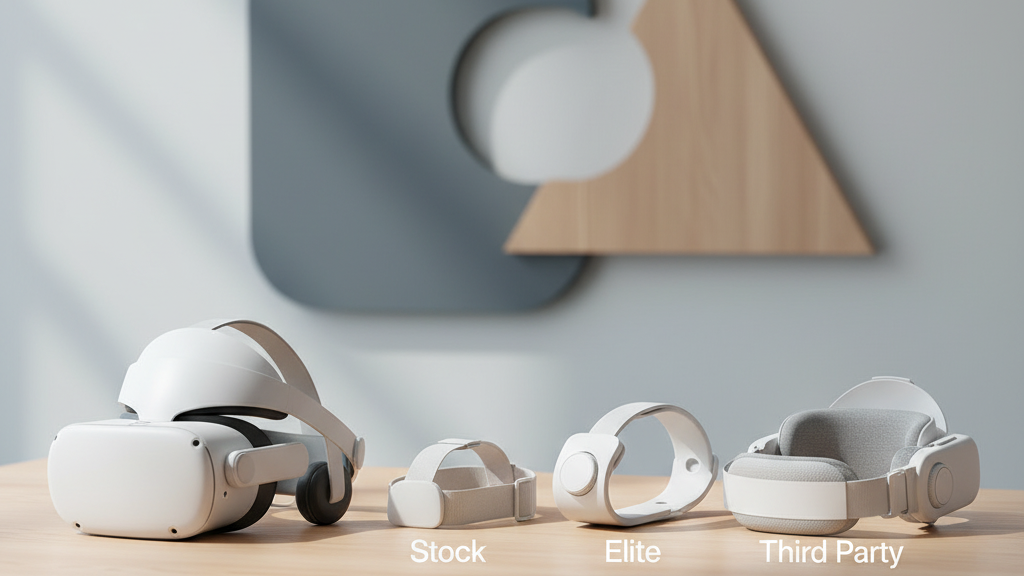
How to Choose a Quest 2 Head Strap: Stock vs Elite vs Third‑Party — a Practical Framework
Deciding whether to stick with the Quest 2 stock strap or upgrade to an Elite or third‑party option comes down less to labels and more to how you actually use VR. This guide breaks the decision into clear trade‑offs—comfort, weight, stability, glasses compatibility, and cost—so you can choose the strap that fits your habits, not the marketing. ⏱️ 6-min read
Read on for a concise breakdown of what each option delivers, practical fit and installation tips, and a simple decision framework you can use right now to pick the best strap for your gaming, travel, or mixed‑use lifestyle.
Stock Quest 2 strap: baseline comfort and limitations
The stock Quest 2 strap is designed to be straightforward: lightweight, minimal, and quick to adjust, which makes it ideal for casual play and travel. It keeps the headset low on added bulk and lets you jump in immediately without extra hardware or costs.
That simplicity has predictable limits. Padding is basic, so during sessions longer than 30–45 minutes some users report temple pressure, forehead hot spots, or rear neck fatigue because most of the headset’s weight sits at a single point. The one‑size approach offers limited adjustability and less back support, so the headset can feel front‑heavy and slip during vigorous movement or rapid turns. In short: great for short bursts, less suited to marathon gaming or active fitness sessions.
Elite Strap vs stock: when upgrade makes sense
The Elite Strap addresses the stock strap’s biggest shortcomings by redistributing weight and adding structure. It introduces thicker padding, a more supportive rear band, and a more robust connector—changes that matter during extended sessions or active play.
Key trade‑offs to consider:
- Comfort & fit: The Elite reduces crown pressure and slippage by moving weight toward the back of the head—noticeable relief for users who play an hour or more at a time.
- Battery option: An Elite bundle with an integrated battery extends runtime but adds mass behind the head. This is ideal for long sessions if you prioritize runtime over the absolute lightest feel.
- Durability: Reinforced materials and a sturdier connector typically outlast the stock strap, but the cost is higher and the headset feels a touch bulkier.
Choose the Elite if you routinely play long sessions, use VR for work, or want the simplest, official upgrade path that balances comfort and compatibility.
Popular third‑party strap categories and what they offer
Third‑party straps expand the options beyond “stock” or “official upgrade.” They come in distinct styles designed around specific needs:
- Halo / back‑support designs — Spread load across a wider area on the back of the head, improving balance and reducing front‑heavy tilt during longer sessions.
- Two‑strap systems — Add a top strap plus a rear strap to minimize slippage for active play; good for VR fitness or fast head movements.
- Memory‑foam and plush padding — Reduce skin pressure and heat buildup for marathon sessions, and often come with replaceable covers.
- Belt‑style cradles — Cradle the headset to distribute weight evenly front to back, which can feel more stable and reduce face contact.
- Battery‑enabled and quick‑release designs — Add runtime or allow faster on/off, useful for shared headsets or kiosks.
Brands like KIWI Design and others populate different price tiers. Higher‑end third‑party straps often offer longer padding life and better warranties; cheaper models can deliver solid comfort gains but may wear faster.
How to choose by use‑case
Match strap features to your primary use. Here’s a quick guide:
- Long gaming sessions / VR work: Prioritize weight distribution and padding. Elite or halo‑style third‑party straps reduce neck strain over time.
- Active players / VR fitness: Look for straps that minimize slippage—two‑strap systems, tight rear cradles, or quick‑release buckles are useful.
- Glasses wearers: Choose wider face padding and adjustable cushions that keep temple pressure off frames. Replaceable, softer foam helps avoid lens contact.
- Travel and casual play: Stay with the stock strap for lightness and simplicity, or pick a compact third‑party option that’s easy to stow.
- Shared headsets or kiosks: Go for quick‑release or easy‑clean covers and durable materials that stand up to frequent swapping.
Installation, fit, and adjustment tips
Installing and dialing in a new strap is straightforward if you follow a short checklist:
- Remove the stock strap per the Quest 2 manual and inspect mounting points for wear.
- Attach the new strap, aligning each clip with the headset slots until it snaps in securely.
- Center the rear support at the occipital bone (just above the neck) so the weight sits naturally.
- Tighten the top strap lightly to create an even seal without pressing the headset hard into your face.
- Equalize tension left and right to avoid uneven pressure on temples or one ear.
- Test with slow movements and quick tilts; if it slips, adjust rear height or tighten the rear band slightly.
Small adjustments during play are normal—re‑tighten after the first 10–15 minutes because materials settle. For even weight distribution, aim for a slight sensation of the headset resting on the rear support rather than the nose or forehead.
Compatibility, maintenance, and accessories
Before you buy, confirm that a third‑party strap matches the Quest 2 mounting interface and any battery packs or face cushions you currently use. Some third‑party designs have unique connectors or won’t accommodate official battery packs.
Maintenance is simple but important:
- Inspect stitching, clips, and foam regularly; replace pads at the first sign of flattening or skin irritation.
- Clean fabrics with mild soap and water; air dry—avoid soaking or harsh chemicals that damage foam and adhesives.
- Consider anti‑slip pads, spare cushion covers, or a compatible battery pack as add‑ons to extend comfort and utility.
- Store straps flat in a cool, dry place away from direct sunlight to preserve materials and color.
Cost, durability, and value: making the final call
Think beyond sticker price. Durability hinges on padding quality, fabric resilience, and clip integrity. A premium strap that lasts several years can be more economical than replacing cheaper straps frequently.
Use this mini framework to decide:
- Estimate your monthly VR hours. If you average one hour or more daily, prioritize comfort and durability.
- List non‑negotiable features (glasses friendly, battery support, quick‑release) and filter options accordingly.
- Check warranty and return policies—being able to test for a few weeks reduces purchase risk.
- Read varied real‑world reviews focused on comfort over time, not just initial impressions.
Final practical step: try the stock strap for a couple of weeks and note specific pain points (temple pressure, slipping, headset tilt). If you hit the same limits repeatedly, pick a strap that addresses that exact issue—better weight distribution for neck strain, wider padding for glasses, or secure rear cradles for active play. Testing for a few weeks lets you separate marketing claims from real‑world comfort gains.
Powered by Trafficontent







Share:
Glasses wearers guide to Quest 2 strap height and padding comfort
Upgrading Quest Two: the best third party straps for balance and all day wear