

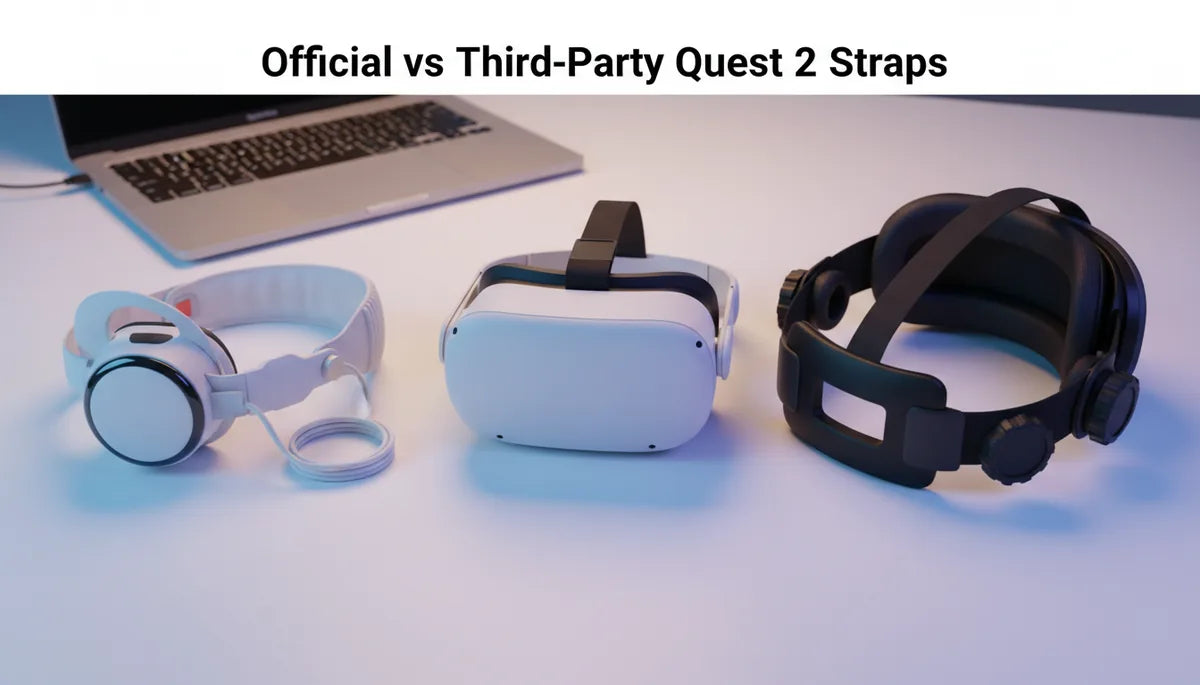
Official vs Third-Party Straps for Quest 2: Ergonomics, Durability, and Value — which one should you buy?
If you own a Quest 2 (Quest Two) and plan to spend hours inside VR—gaming marathons, fitness sessions, or long creative bursts—the strap that holds your headset matters as much as the headset itself. Official Meta straps promise plug-and-play compatibility and a cohesive feel, while third-party makers push customization, extra padding, and lower price points. This guide cuts through marketing claims to give practical advice: how each option distributes weight, what materials tell you about longevity, how much you’ll really spend over time, and which situations call for official hardware versus a third-party upgrade. ⏱️ 11-min read
Below you’ll find step-by-step installation tips, cleaning and maintenance habits, and a clear decision framework you can apply in minutes. Whether you wear glasses, sweat during play, or want the most comfortable setup for multi-hour sessions, read on to identify the trade-offs—and pick the strap that matches your priorities.
Official Quest 2 Straps: Design, Features, and Fit
Meta’s official strap options for the Quest 2 follow a simple philosophy: clean aesthetics, consistent fit, and easy field adjustments. The stock strap that comes with the headset is minimalist—nylon webbing and a lightweight flexible backplate—built for casual use and short sessions. Meta’s Elite Strap lineup adds a sturdier rear support piece, integrated top strap, and extra padding; the Elite Strap with Battery tacks on a power pack for longer play without tethering to a PC.
Design choices are practical: materials are selected for durability and straightforward cleaning, weight is kept reasonable so the headset isn’t front-heavy, and the look matches the headset’s design language. Fit adjustments are intuitive. The standard strap relies on sliding adjustments—lengthen or shorten the side bands and tighten from the rear—while the Elite Strap introduces a more rigid back brace and top strap tensioner that broaden head-size compatibility and make on-head micro-adjustments easier.
Installation is beginner-friendly. Attach the side arms, click the rear mount into place, put the headset on, and fine-tune tension from back to front. What you’re buying with official straps is predictability: consistent tolerances, guaranteed fit with official accessories, and a low-friction path for warranty and support. The trade-off is less customization compared with aftermarket halo-style or heavily padded third-party options.
Third-Party Straps for Quest 2: Range, Pros, Cons
The third-party market for Quest 2 straps is broad, offering everything from budget fabric bands to premium halo-style rigs. Brands like KIWI Design, BoboVR, and AMVR cover the spectrum: economical silicone or fabric straps (~$8–$15), mid-range nylon or faux-leather options ($20–$40), and premium structures with memory-foam padding, quick-release hardware, or metal hinges in the $40–$70 range. Some boutique designs hit $60–$100 when they mimic high-end ergonomics and materials.
What third-party makers sell most effectively is variety: different padding widths, ventilation mesh, magnetic buckles, quick-release systems, and color options to match personal taste. Many manufacturers add wider rear panels or halo bands that shift load toward the occiput, which helps players who experience forehead or nose pressure. Quick-release and magnetic connectors are common on mid- and high-end models, making swaps and cleaning easier.
Downsides are real: fit inconsistency and warranty limitations top the list. Not every third-party strap aligns perfectly with Meta’s tolerances—some require adapters or slightly different attachment angles that can change how the headset sits. Lower-cost models often skimp on reinforced stitching or use cheaper plastic hardware that can wear faster under heavy use. If you’re buying third-party, check reviews for real-world durability and confirm return policies if fit turns out to be off.
Ergonomics: Weight Distribution and Long-Session Comfort
Comfort during long Quest 2 sessions boils down to two things: how weight is distributed and how tension patterns interact with your skull shape. A strap that simply clamps the headset to your face might keep it secure for short play, but for hours at a time you want a design that offloads weight from the nose and front of the face to the stronger muscles and bone at the back of the head.
Official straps generally aim for a middle ground. The Elite Strap’s rear brace shifts more mass rearward than the stock band and the top strap helps maintain alignment, reducing forward tilt and nose pressure. Third-party designs often push further: halo bands and wider rear panels spread load across a larger area of the occiput, which can drastically reduce neck fatigue during long sessions. Conversely, designs that emphasize a tight top strap—without good rear support—can pull the headset forward, increasing pressure on the forehead and nose.
Balance is not only about front-versus-back; it’s about even tension. You want uniform crown pressure with gentle side support and a secure back anchor. If the top strap is too tight relative to the sides, hotspots form on the forehead. If the sides are loose, the headset wobbles and forces you to over-tighten the rear. Practical tip: tighten the rear anchor first for a stable base, then adjust the side and top straps to level the headset and eliminate forward tilt. For many long-session users, a premium third-party halo or an official Elite Strap provides the best sustained comfort—but individual head shape can tilt the decision either way.
Durability and Build Quality: Materials, Sweat Resistance, Longevity
Materials and stitching quality dictate how a strap handles months or years of heavy use. Common materials are nylon webbing, TPU or other polymers, PU leather, silicone, and various foams. Each has predictable wear characteristics: polymers resist water but can crack or stiffen with prolonged sun exposure; nylon resists abrasion and sweat but can fray or stretch; leather looks premium but needs care to avoid stiffening and odor when exposed to moisture.
Look for reinforced stitching and bar-tack points at stress areas—especially where straps meet buckles and hinge points. High-quality threads (polyester or nylon blends) resist salt from sweat and UV degradation better than cheaper cotton-based threads. Hardware matters too: metal or anodized aluminum buckles tend to outlast plain plastic, and corrosion-resistant coatings reduce long-term failure risk. Some high-end third-party straps use replaceable buckles and sliders; that’s a real longevity plus because a worn buckle is an inexpensive part to swap out.
Cleaning and maintenance extend lifespan. Wipe down straps after sweaty sessions to remove salt, spot-clean fabric with mild soap, and air-dry away from direct heat or sunlight. For polymer bands, avoid leaving them in hot cars where the material can warp or stiffen. Real-world durability often depends on use case: a fitness-focused user who sweats frequently should favor breathable, washable materials and sealed hardware; a casual player can prioritize comfort or aesthetics and accept more delicate materials.
Value and Total Cost of Ownership: Price, Longevity, and Warranty
Upfront cost is only the beginning of the value equation. The stock Quest 2 strap is included with the headset. Official upgrades—like the Elite Strap, and especially the Elite Strap with Battery—sit in the $60–$130 range. Third-party straps spread across $8 to $100 depending on features and materials. At first glance, cheaper straps win on headline price, but expected replacement cycles and warranty coverage shift the math.
Heavy daily users who buy budget straps often face replacement within 12–18 months due to fraying, cracked polymers, or slipping hardware. Higher-quality official or premium third-party straps commonly last 2–3 years with reasonable care. Consider warranty: official Meta products have predictable warranty pathways; third-party warranties vary widely—some brands offer solid multi-year coverage, many offer none. When you add replaceable parts into the equation (buckles, pads), a slightly more expensive strap with modular components can outlast several cheap replacements.
Think in terms of total cost of ownership. If a $25 strap lasts a year and a $70 strap lasts three years, the yearly cost is roughly equal—but the $70 strap will likely offer better comfort and fewer interruptions. Factor in accessory compatibility too: if you plan to add a battery pack or premium cushion, a guaranteed-compatible official strap can avoid compatibility hiccups and extra adapters that add cost and complexity.
Installation, Fit, and Adjustment: Beginner-Friendly Steps and Tips
Installing either an official or a well-made third-party strap is straightforward if you follow a consistent routine. Here’s a practical quick-start guide to get a secure, comfortable fit fast.
- Unpack and inspect: Lay out all pieces and check for loose stitching or missing hardware before you start.
- Attach side arms: Clip or slide the side arms into the Quest 2’s rail mounts until you hear a click; ensure they sit flat with no gaps.
- Secure the rear mount: Connect the rear strap or brace to the back anchor point—again, confirm a solid click and no loose play.
- Center the headset: Put the headset on and position it so the display sits level on your face; a mirror helps here.
- Tighten in order: Start with the rear anchor (back of the head) to create a stable base, then adjust the side straps to remove horizontal wiggle, and finally tweak the top strap to prevent forward tilt.
- Test movement: Turn your head and squat slightly—if the headset shifts, tighten slightly at the back rather than over-tightening the top.
Glasses wearers: check lens clearance before locking everything down. If you use thick face pads, consider a strap with higher clearance or test third-party adapters. For frequent on/off use, magnetic or quick-release buckles save time. And a final sanity check: if you feel concentrated pressure on the temples or nose bridge, back off and readjust the tension distribution rather than tightening more.
Compatibility with Accessories and Real-World Use Cases
Accessory compatibility matters more than you might expect. The official Elite Strap uses a dedicated rear mount and side attachments that most third-party makers replicate, but not every strap plays nicely with added batteries, thick face cushions, or lens covers. If you plan to add a battery pack, confirm the strap leaves room and has a stable rear mount; a battery attached to a flimsy strap can shift balance or stress attachment points.
Real-world scenarios reveal clear winners. For gaming marathons and seated experiences, a strap with even tension and generous rear support—either an official Elite Strap or a premium third-party halo—reduces micro-movement and discomfort. For workouts, choose breathable, sweat-resistant materials and easy-clean pads; many fitness players prefer third-party silicone/mesh blends for quick wiping and less odor retention. For travel, lightweight, foldable straps compress better and reduce luggage bulk; some budget third-party options win here because they’re compact and replaceable.
Also test with your usual face padding and lens protectors before committing. Some cushions push the headset forward and change balance; a strap that felt perfect with stock foam might become nose-heavy with a thicker cushion. If you frequently switch between multiple add-ons, favor straps with adjustable quick-release adapters or those known to retain clearance with popular third-party cushions and lens caps.
Decision Framework: When to Choose Official vs Third-Party
Use this quick checklist to decide which path fits your setup and priorities.
- Do you prioritize guaranteed compatibility and straightforward warranty support? Choose official (Elite Strap or Elite Strap with Battery).
- Are you on a tight budget or want a specific feature (halo band, quick-release, extra padding)? Consider third-party—focus on reputable makers like KIWI Design, BoboVR, AMVR, and read durability reviews.
- Do you sweat a lot or use the headset for workouts? Favor breathable, washable third-party materials or the official strap if you prefer a conservative choice with solid build quality.
- Do you regularly use add-ons (battery packs, thick face pads, lens covers)? Test compatibility first—official straps minimize surprises, while some third-party models may need adapters.
- Do you need long-term value? Choose a higher-quality strap—official or premium third-party—with reinforced stitching and metal hardware to lower total cost of ownership.
Recommendation guardrails: For casual players and newcomers, the stock or official Elite Strap is a safe, predictable upgrade. For serious long-session users and fitness enthusiasts, a premium third-party halo-style strap or a high-end official Elite Strap can both work—pick the option that best matches your head shape and accessory plans. If budget is your primary driver, select a mid-range third-party strap with strong reviews and replaceable parts; you’ll save money up front while retaining the ability to swap worn components instead of buying new straps repeatedly.
Next step: measure how many hours you spend in VR weekly, list the accessories you use, and pick the primary failure mode you want to avoid (nose pressure, sweaty pads, broken buckles). Use that checklist to narrow your options to two or three straps, then test for fit and adjustability before deciding.







Share:
Padding materials that maximize VR headset comfort and reduce fatigue
Glasses-Friendly Quest 2 Comfort Straps: Reducing Pressure and Fog in Extended Play