

Step-By-Step Setup: Deploying GraviPro for a Pain-Free Quest 2 Marathon
If you want to run marathon-length VR sessions on your Meta Quest 2 without neck fatigue, this practical guide walks you through deploying GraviPro and its FlitLift technology step by step — from compatibility checks to marathon-ready habits and troubleshooting tips for a truly weightless feel. ⏱️ 6-min read
Prerequisites and Compatibility Check
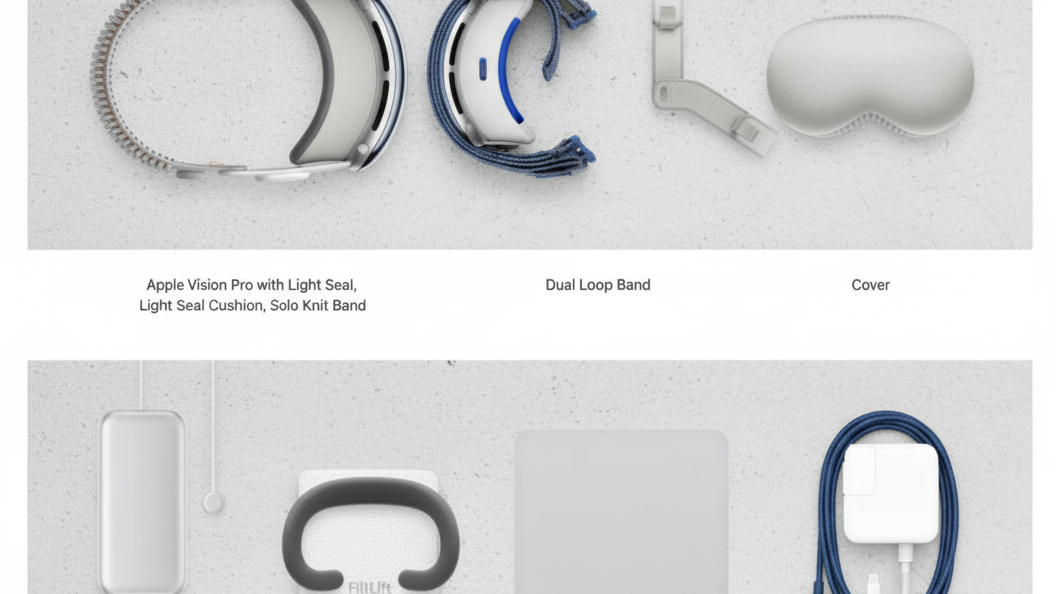
Before you start, confirm your Meta Quest 2 model and strap type. GraviPro is engineered primarily for Quest 2 headsets and most common aftermarket straps; however, if you’re integrating with other ecosystems (for example, Vision Pro prototypes or adapters), consult the GraviPro compatibility notes first. Gather the GraviPro kit, the FlitLift base, and a few simple tools so setup goes smoothly.
- Required: Meta Quest 2 (all standard revisions), GraviPro weightless strap system, FlitLift base
- Helpful tools: small Phillips or hex driver (depending on hardware), microfiber cloth, isopropyl wipes, spare Velcro/zip ties
- Compatibility note: Vision Pro devices differ in weight distribution and mounting geometry — use only approved adapters and follow manufacturer guidance when attempting cross-compatibility
Unbox, Inspect, and Inventory Components
Set up a clean, well-lit workspace and unbox GraviPro carefully. Lay out each component and verify items against the included inventory list: weightless strap, mounting brackets, FlitLift base, screws/fasteners, and any cushions or pads. Inspect for visible damage, loose threads, or missing parts — do not proceed if critical pieces are damaged or absent.
- Inspect foam and straps for tears or compression set
- Verify fasteners and hardware match the kit list
- Keep small parts organized in a tray to avoid loss
Prepare Your Quest 2 Strap and Mount
Decide whether you’ll use the stock Quest 2 strap or a compatible third-party strap. Third-party options can improve comfort, but they must provide secure mounting points for GraviPro. Clear any dust or oils from mounting surfaces and align connectors so the GraviPro brackets will sit flush.
- Remove the existing rear pad or adjuster if it blocks mounting points.
- Wipe contact areas with an alcohol wipe and let dry.
- Confirm strap anchor points are sturdy—replace worn Velcro or weak plastics before attaching GraviPro.
Assemble GraviPro with Quest 2 (FlitLift Technology)
Now attach the GraviPro system. Use the alignment guides printed on the brackets and follow the included diagram for left/right orientation. Fasten the FlitLift base to the strap or mount using the supplied screws, but don’t fully tighten until you’ve checked alignment and initial balance.
- Thread straps through the FlitLift channel so the mechanism can move freely.
- Seat any rubber grommets or cushions to prevent abrasion on the headset shell.
- Finger-tighten fasteners, then secure with a driver; avoid over-torquing plastic threads.
Verify that the FlitLift mechanism engages and returns smoothly. The goal is reliable lateral movement and counterbalance action to distribute weight from your face and neck to the rear of the head.
Balance and Tension: Achieve Weightless Comfort
Achieving the “weightless” sensation comes down to fine balance and correct tension. Start with looser straps, then gradually increase tension as you tune the rear counterweight. You want minimal forward tilt and even lateral balance so the headset’s weight is supported by the rear contact area instead of your face.
- With the headset off your head, set the FlitLift to a neutral position per the guide marks.
- Put the headset on and tighten the top and side straps until the headset sits stable but not tight.
- Adjust the rear counterweight incrementally, testing after each small change until you feel the front lift slightly off your face.
- Fine-tune lateral balance by shifting the rear pad or moving small adhesive pads to eliminate one-sided pressure.
Expect to iterate — small adjustments (2–3 mm shifts or slight increases in strap tension) can make a big difference in long-session comfort.
Initial Fit Test and Marathon Adjustments
After assembly and rough balancing, conduct a short fit test. Wear the headset and run a 5–10 minute VR session that mimics your typical usage (movement, looking around, interacting). During the test, check for hotspots, pressure points, and slip.
- Note any skin red marks or pressure on the nose bridge — reduce forward pressure or increase rear counterbalance.
- If the headset tilts or shifts during head movement, tighten side straps slightly and re-center the FlitLift base.
- For glasses wearers, ensure the cheek pads and face gasket still provide proper clearance and seal.
Once the fit test feels stable, extend the session to 20–30 minutes and reassess. Make small tweaks after each run until sustained comfort is achieved for longer periods.
In-Session Setup: Marathon-Ready Habits
Even with GraviPro’s weight redistribution, marathon sessions benefit from smart habits to reduce fatigue and preserve the weightless feel.
- Micro-break cadence: take a 60–90 second break every 30–45 minutes to stretch neck muscles and rehydrate.
- Hydration and posture: keep water nearby and maintain an upright posture — slumping increases perceived weight on the neck.
- Quick readjustments: pause briefly to re-center the FlitLift or tighten a strap if you feel drift; small corrections prevent cumulative fatigue.
- Session pacing: schedule longer breaks (5–10 minutes) every 2–3 hours for eyes and body recovery during ultra-marathon sessions.
Care, Maintenance, and Troubleshooting
After each session, take a few minutes to care for your GraviPro system. Regular maintenance preserves performance and prevents issues during critical runs.
Care and storage
- Wipe foam and straps with a damp microfiber cloth and mild soap; avoid harsh chemicals that degrade materials.
- Inspect fasteners for loosening and re-tighten finger-tight if needed; keep spare screws on hand.
- Store the headset and GraviPro in a cool, dry place away from direct sunlight to prevent foam and plastic degradation.
Troubleshooting common issues
If you encounter slippage, imbalance, or hotspots, try these targeted fixes:
- Slippage: check strap anchor points and replace worn Velcro; add non-slip adhesive pads where the mount contacts the strap.
- Imbalanced weight: adjust the FlitLift counterweight in small steps and confirm lateral pads are aligned symmetrically.
- Hotspots: redistribute padding or move the top strap; slightly relax side straps to redistribute pressure.
- FlitLift binding or noise: clean tracks, remove debris, and apply a small, manufacturer-approved lubricant if recommended in the manual.
If problems persist, consult GraviPro support or the product manual — don’t force components or use unauthorized modifications, especially when attempting cross-compatibility with other headsets like Vision Pro.
With careful setup and the right habits, GraviPro and FlitLift technology can transform your Meta Quest 2 experience, letting you enjoy marathon VR sessions with significantly less neck strain and more comfort. Take your time tuning the balance, follow the maintenance tips, and you’ll keep sessions pain-free and immersive.
Powered by Trafficontent







Share:
GraviPro Customer Reviews: Real Feedback on Vision Pro Weightless Comfort
GraviPro setup guide: integrating gravity-assisted gear with Meta Quest and Valve Index