

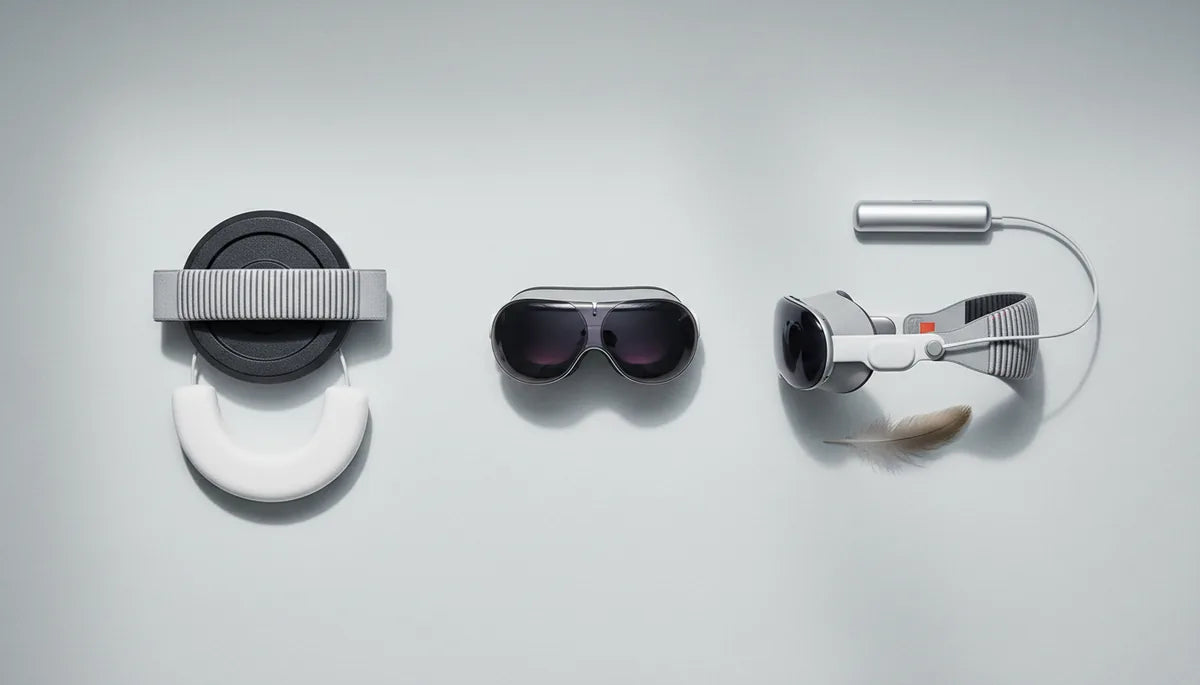
How Smart Weight Distribution Can Eliminate Neck Strain for Meta Quest 2 and Apple Vision Pro Users
Neck discomfort is one of the most common complaints among VR headset users, yet it’s often dismissed as “part of the experience.” In reality, much of that ache comes from avoidable weight imbalances: a few ounces positioned inches forward can multiply the load on your neck and upper back. This guide explains the biomechanics behind that silent strain and gives practical, tested solutions for two very different headsets—Meta Quest 2 and Apple Vision Pro—so you can enjoy longer sessions without paying for them in tight shoulders and headaches. ⏱️ 10-min read
Read on for targeted adjustments, accessory recommendations, and daily habits that reduce facial hotspots, rebalance torque, and help sustain healthy posture. Whether you’re gaming, designing in spatial computing, or running long collaborative sessions, these strategies will help you make your setup feel lighter, steadier, and far more comfortable.
The Silent Strain: Why VR Headset Weight Matters for Your Neck
Your head isn’t weightless: the typical adult skull and brain create a mass of roughly 10–12 pounds (about 4.5–5.5 kg) perched on a chain of small muscles and vertebrae. The body manages that load because the head’s center of gravity sits near the ears, allowing neck muscles to keep the eyes level with minimal effort. Add a headset whose mass sits forward of that pivot point, and the physics change quickly. Torque (moment) equals weight multiplied by distance: even a half-pound headset sitting two to three inches farther forward multiplies the force your neck must counteract.
That’s why a headset that feels only mildly heavy at first can produce intense fatigue after an hour: repeated micro-movements (looking up, tilting back, scanning) change the moment arm and spike the load. The result is not just transient soreness. Sustained forward-head posture and chronic loading can stiffen the upper trapezius and levator scapulae, leading to ongoing pain, headaches, and altered posture over weeks and months. Simple changes—bringing the headset’s mass closer to the skull, distributing load across the crown, or shifting weight toward the torso—reduce torque and let muscles relax.
Key practical idea: aim to minimize the horizontal distance between the headset’s center of mass and the axis of rotation through your neck. Where you feel the weight—nose, forehead, crown—is a clue to how that torque is being transmitted into your body.
Meta Quest 2: Common Comfort Challenges and Accessible Solutions
The Meta Quest 2 is broadly popular because it’s lightweight and standalone, but its compact design concentrates mass toward the face. Users often report facial pressure around the nose and cheeks, and a tendency for the headset to pull the head forward during longer play. That front-heavy bias is the main culprit behind rapidly developing neck tension, and it’s less about "fit" than where the weight sits relative to your ears and neck.
Start with small, immediate adjustments that don’t require new hardware. If you notice hotspots or pinching, test in 5–10 minute intervals while you tweak the straps: loosen the lower portion of the rear strap slightly while tightening the upper crown strap and rear band so more force is borne by the back of your head and crown rather than the face. Rebalance by pressing gently on the cheeks—if pressure disperses instead of pinching, you’re moving in the right direction. Also swap to a thicker or softer face cushion: a wider foam gasket spreads contact area and reduces localized pressure on the nose and cheekbones.
Third-party straps are an accessible next step. Many halo-style or reinforced crowns for Quest 2 redistribute load across the upper skull and behind the head. They reduce the headset’s nose-first pull and often add a rear stabilizing band that rests near the occipital bone—the ideal location to counteract forward torque. Choose models explicitly compatible with Quest 2 mounts, and favor straps with a secure rear anchor or stabilizing pad that won’t slip during movement.
Optimizing Quest 2 Weight Distribution: Beyond the Strap
To truly rebalance a Quest 2, think beyond band tension. Counterweights and rear-mounted battery packs are inexpensive and effective ways to shift the center of mass rearward—closer to your head’s natural pivot—dramatically lowering neck load without changing what you see. The idea is simple: place small, symmetrical weights at the back of the head strap near the occipital bone so they offset the front bias without interfering with tracking or airflow.
Practical steps for adding counterweight or a rear battery pack:
- Start light: attach 50–100 g (about 1.8–3.5 oz) first, then test in short VR bursts. Increase in small steps until the forward pull feels neutralized.
- Place weights low on the rear band, centered over the occiput. High-mounted weights can slide and feel unstable.
- Use a dedicated pouch or rigid counterweight that clamps securely; avoid loose objects that shift mid-session.
- If using a rear battery pack, route cables cleanly and secure them to the strap so the cable doesn’t tug or create hotspots.
Fine-tune strap tension and headset angle after adding mass. Adjust the headset so the displays align naturally with your eyes—too high or too low encourages chin-tuck or neck extension that negates the benefits of a counterweight. Check that the face gasket still seals comfortably; counterweights should reduce facial pressure, not cause the headset to slip forward when you look down. Finally, if you play active titles, confirm the added rear mass doesn’t cause excessive rotational momentum; balance remains a trade-off between stationary comfort and dynamic stability.
Apple Vision Pro: Understanding Its Unique Ergonomic Profile
The Apple Vision Pro brings premium materials and advanced optics to spatial computing, which also affects its ergonomic profile. Polished aluminum, laminated glass, micro‑OLED displays, and integrated cameras add up to a frontward concentration of mass unlike many plastic-based VR headsets. While Vision Pro’s engineering offsets some weight—Apple intentionally uses a crown-supported frame and an optional external battery pack—the device’s goggles-like form factor still places a substantial portion of its bulk forward of the face.
Vision Pro’s bands—principally the Solo Knit Band and the Dual Loop Band—are designed to manage that load by redistributing pressure away from the face toward the top and rear of the skull. The Solo Knit Band hugs the forehead and temples with elastic support, while the Dual Loop includes a crown strap to spread load across the upper skull. When tuned correctly, these systems reduce direct facial pressure, but they introduce different sensations: a snug crown and firmer top-of-head pressure that some users find unfamiliar after long sessions.
Because Vision Pro places more of its mass in front, precise fit matters more than with lighter headsets. Even minor misalignment can let the front bias tilt the head forward. Users who switch between active tasks and long seated work will notice the difference: Vision Pro stays stable during seated design reviews and productivity sessions when its belt pack or crown strap is optimized, but it can feel heavy during extended, unguided use if adjustments and supports aren’t explored.
Elevating Vision Pro Comfort: Innovative Support Systems
To minimize perceived weight and neck strain with Vision Pro, consider external support systems that effectively decouple headset mass from your neck. One example is the FlitLift GraviPro—an accessory-style lift stand designed to bear a portion of the headset’s weight while preserving freedom of movement. These kinds of supports create a near "weightless" feeling during long seated sessions by transferring load to a stable base, which is especially helpful for designers, clinicians, or anyone using Vision Pro for hours at a stretch.
How external supports and small ergonomic tweaks help:
- Support stands remove static load: rather than your neck countering the headset’s torque, the stand carries it. That’s a clear win for long, focused work where locomotion isn’t required.
- Under‑band padding: add a soft pad under the front band or across the crown to avoid narrow pressure points. A thin, breathable fleece or silicone pad can distribute contact area and reduce hotspots.
- Band tuning: center the dual-loop rear pad and tighten the crown strap gradually until the headset sits flush without tilting. Minor asymmetric adjustments (millimeter changes) can transform comfort for longer sessions.
Be mindful of preserving field of view and lens alignment when using third-party supports. The goal is to carry mass away from your neck without creating new misalignment or obstructing sensors. If you work standing or need full mobility, a tethered lift system that follows your motion—rather than a fixed stand—can be a compromise, although these systems are more complex and typically suit professional workflows.
Holistic Comfort: Comparative Strategies for Both Headsets
Both Quest 2 and Vision Pro demand attention to balance, but the way you approach comfort depends on each device’s design and your primary activity. Here are the core contrasts and practical selection guidance:
- Center of gravity: Quest 2 is lighter overall but notably front-loaded. Simple rear counterweights and halo straps yield big gains. Vision Pro concentrates mass in its optics and cameras; a crown-supported frame and external battery are already part of Apple’s strategy, so precise band tuning and optional lift supports produce the largest improvements.
- Strap design: Quest 2 benefits from reinforced crown or halo straps that anchor behind the head. Vision Pro’s knit and dual-loop bands spread load across the crown—good for seated work but sometimes uncomfortable for active play unless adjusted carefully.
- Active vs. seated use: For active gaming (room-scale play, locomotion), minimize added rear mass that increases rotational inertia; instead, prioritize snug, low-profile straps that keep the headset secure. For seated or semi-stationary workflows (design, collaboration, training), use counterweights, rear battery packs, or lift stands like FlitLift GraviPro to eliminate static neck load.
- Materials and skin contact: Soft, breathable face gaskets and moisture-wicking band pads reduce sliding and hotspots. Hair and sweat change how straps grip—you may need slightly tighter tension with sweat-prone sessions, or swap to materials that tolerate moisture.
Think of comfort as a system, not a single fix: headset, straps, counterweights, seating, and activity type all interact. Start with the least invasive change that addresses your immediate pain point, then iterate—small changes, short tests, and careful observation are the quickest path to a personalized solution.
Sustained Comfort: Maintenance, Breaks, and Best Practices
Even with perfect weight distribution, long VR sessions require routine care to keep your neck and posture healthy. Build simple habits into every session: schedule breaks, maintain ergonomic seating, and keep accessories clean and well-adjusted. These practices prevent small stresses from snowballing into chronic issues.
Actionable daily routine:
- Work in blocks: aim for 20–30 minute VR blocks followed by 1–2 minute resets. Use the pause to stand, roll your shoulders, and perform gentle neck tilts and side-to-side turns.
- Micro-stretches: a quick series—chin tucks (5–10 reps), lateral neck stretches (15–20 seconds each side), shoulder rolls—restores alignment and reduces stiffness.
- Posture setup: sit with lower-back support, feet flat, and elbows near 90°. Keep the display at eye level to avoid sustained looking up or down. Adjustable chairs and monitor heights work well when combined with headset tuning.
- Cleaning and upkeep: wipe face gaskets and pads according to manufacturer guidance; sweat and oils change how straps grip, which affects tension and balance. Replace foam or silicone cushions periodically to maintain cushioning and hygiene.
- Glasses and clearance: if you wear glasses, ensure lens clearance without tilting your chin. Many headsets and third-party inserts accommodate glasses—use spacers or thinner frames to avoid pushing the headset forward.
Finally, listen to your body. Transient tightness is common, but persistent or sharp pain is a signal to stop and consult a healthcare professional. For most users, combining mindful breaks, correct strap and weight placement, and ergonomic seating will transform a formerly uncomfortable session into one that’s sustainable and productive.
Next step: Try a short experiment: swap to a halo-style strap or add a 50–100 g counterweight, then run two 20-minute sessions while adjusting only one variable. Observe where you feel pressure and whether your neck feels less taxed. Small, measurable changes like that are the fastest route to longer, more comfortable VR sessions.







Share:
Neck Comfort Unpacked: How Strap Weight Distribution Impacts Quest 2 Sessions
How to Pick a Quest 2 Comfort Strap Based on Weight Distribution and Back Support