

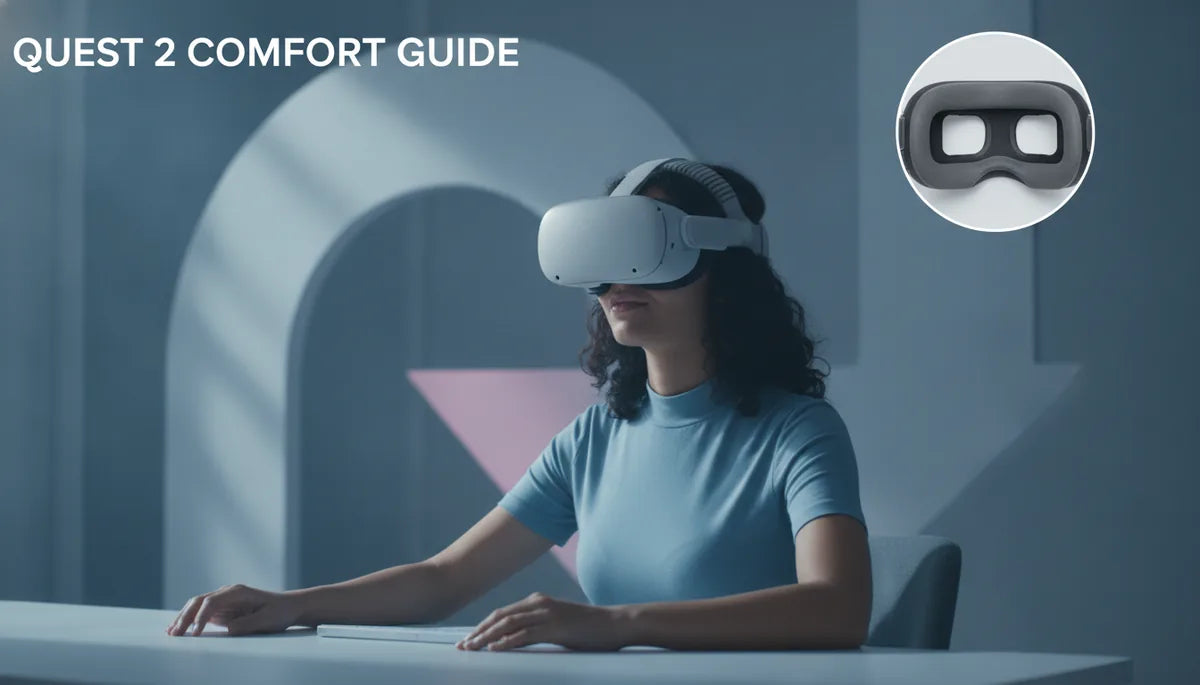
A glasses wearer's guide to Oculus Quest 2 comfort: straps, padding, and fit
If you wear glasses and spend hours in your Quest 2, small fit choices make a big difference. This straight‑forward guide helps you pick and tune straps, padding, and gaskets to reduce pressure, prevent lens contact and fog, and keep gameplay comfortable for long sessions. ⏱️ 7-min read
Quest 2 weight, balance, and glasses-wearer considerations
The Quest 2 is relatively light, but its front-heavy design concentrates force on the brow and cheekbones — exactly where glasses frames sit. For glasses wearers that often means pressure on the sides of the nose and temples, slipping during active games, or the headset rotating forward and touching lenses.
Quick checks to assess balance and identify problem points:
- Static balance test: put the headset on and tighten only the top strap. If the visor tips forward or pulls on the nose, the weight is front-heavy and you need more rear counterbalance.
- Temple pressure check: slide your index finger between the foam and your temple after wearing for 10 minutes. If you feel pinching, the side pressure is too high.
- Slip test: with the headset set where you like it, lean forward and jog in place for 30 seconds. Any slipping indicates a need for a better rear strap or different padding to increase friction and stability.
Adjusting balance reduces pressure on glasses frames: move padding to redistribute load away from the brow, or add rear-support (a counterweight or wider rear strap) to push weight onto the back of the head instead of the nose and temples.
Best strap options for long sessions: Elite Strap vs third-party
Choosing the right strap is one of the fastest ways to improve comfort. Options range from Meta’s official Elite Strap to third-party comfort straps and halo-style rigs. Consider weight, padding, adjustability, and price relative to your session length and glasses style.
Meta Elite Strap (and variants)
- Pros: solid rear support, simple adjustment, good balance improvement over stock strap; OEM fit and easy install.
- Cons: heavier than stock, limited padding options, official Elite Strap with battery is pricier.
- Best for: users wanting a reliable, straightforward upgrade and mild to moderate extended sessions.
Third-party and halo-style straps
- Pros: more padding choices, wider rear supports, often lighter or better-distributing halo designs, and sometimes lower price.
- Cons: variable build quality and fit; some require more installation effort or adaptors.
- Best for: long session players, those with larger or wider glasses frames, or users who need a highly padded solution.
Decision framework
- If you play 1–2 hours and want a simple OEM feel: Meta Elite Strap or Elite variant.
- If you play 2+ hours or have heavy glasses frames: choose a padded halo or third-party comfort strap with strong rear support and wide contact area.
- If budget is tight: look for reputable third-party straps with good reviews and return policies — avoid extremely cheap, thin models that sacrifice padding.
Padding and facial interface: reducing pressure and fog
Facial interface padding controls pressure distribution, seal, and how close frames sit to lenses. Three main padding variables matter: foam density, contour shape, and material (leatherette, cloth, silicone).
- Foam density: softer foam reduces pressure points but can compress over long sessions and reduce clearance for glasses. Medium-density foam often balances comfort and durability.
- Contour: deeper cutouts or “glasses-friendly” contours increase clearance at the nose and temples. Look for cutaways that keep frames from pressing into your lenses.
- Material: leatherette seals better and reduces light leak, but can trap heat and increase fog; cloth breathes more and can reduce fog but may let more light in.
How padding affects fog and glasses clearance
- Better seals (thicker leatherette) reduce airflow from around the headset and can increase fogging of glasses; improve ventilation instead of tightening the seal when fog occurs.
- Use anti-fog treatments on glasses, a small spacer gasket, or cloth interfaces to encourage airflow away from lenses.
- Consider thinner foam around the nose bridge to improve clearance while keeping side padding thicker for stability.
Glasses-friendly fit: nose clearance, strap height, and gasket choice
Properly setting strap height and choosing the right gasket prevents frames from touching lenses and reduces eye strain. Follow these practical steps:
- Start with a glasses-friendly gasket or spacer designed for the Quest 2 — these typically add a few millimeters of clearance around the nose and cheeks.
- Loosen the top strap and position the headset so the screen sits comfortably in front of your eyes without pressing on your glasses. Tighten the top strap just enough to hold position.
- Adjust the rear strap or halo height so the headset’s weight rests on the crown of your head and rear pad — this reduces downward pressure on your nose and temples.
- Fine-tune by sliding the headset slightly up or down to maximize clearance between frames and lenses; lock in with slight tightening of both top and rear straps.
Gasket and spacer options
- Thin spacers: add minimal thickness and preserve field of view while preventing lens contact for slimmer frames.
- Deep-cut face pads: increase cheek and nose clearance for larger or wraparound frames.
- Adjustable gaskets with removable inserts: allow small, incremental changes to find the sweet spot between seal and clearance.
Installation guide for beginners: step-by-step strap setup
Follow this repeatable flow when installing a new comfort strap or replacing the stock setup.
- Remove old strap: detach side anchors and top strap (if present). Keep screws or clips organized in a small dish.
- Install rear bracket: align the new strap’s rear bracket with the Quest 2’s mounting points and fasten securely but not overtightened.
- Attach side straps and top strap: connect side anchors, then fit the top strap. Make sure straps route without twists.
- Fit initial tension: snug the rear and top straps until the headset sits in place. Don’t over-tighten — you want crown support, not a face squeeze.
- Micro-adjust cues: after five minutes, check for even pressure on brow and cheeks, no pinching at temples, and clear nose spacing. If slippage occurs, slightly increase rear tension; if pinching appears, back off and reposition the padding.
Post-install checks
- Ensure even contact around the face — no sharp pressure points.
- Confirm no frames touch lenses at any position of the headset.
- Run a short movement test (turning, stepping) to check for slippage and re-tighten as needed.
Maintenance and cleaning for longevity
Cleaning and routine checks extend strap and pad life while keeping hygiene high — important when sharing headsets or sweating through extended sessions.
- Daily/after-sweat wipe: use a microfiber cloth with a small amount of water or isopropyl wipes (70%) for non-foam surfaces; avoid soaking foam.
- Weekly: remove face pad and clean with mild soap and water; air dry completely before reattaching. Leatherette can be wiped with a damp cloth and mild soap.
- Avoid harsh chemicals, bleach, or oven drying which degrade foam and adhesives.
- Replacement indicators: foam that stays compressed, cracked leatherette, stretched straps, or loosened clips — plan to replace pads every 6–18 months depending on usage and straps every 1–3 years.
- Storage: keep headset in a cool, dry place with the facepad away from direct sunlight to prevent foam breakdown and discoloration.
Compatibility and cross-brand considerations (Apple Vision Pro, accessories)
Most third-party straps and pads are built specifically for Quest 2’s mounting points. Cross-compatibility is limited — Apple Vision Pro accessories are not directly compatible with Quest 2 and follow different ergonomics.
Practical compatibility notes
- Non-Meta Quest 2 straps: many are compatible if they use the Quest 2’s side anchor points, but check manufacturer notes for model-specific fit and required adapters.
- Face pads: buy pads labeled for Quest 2 to ensure correct seal and camera cutouts; some universal pads need trimming and may void warranties.
- Wireless accessories and battery packs: additional battery packs or belts can improve balance by shifting weight rearward — prefer compact, purpose-built Quest 2 battery straps to avoid stress on mounts.
- Apple Vision Pro accessories: designed for a different headset geometry and will not fit Quest 2 without major modification; however, ergonomic ideas (halo support, wide rear pads) are transferable when choosing Quest 2 accessories.
In short: choose Quest 2–specific straps and face pads for reliable fit, and consider rear-mounted batteries or counterweights if you need extra balance improvements.
Powered by Trafficontent

Share:
The Best Oculus Quest 2 Comfort Strap for Long Gaming Sessions
Quest 2 Comfort Strap vs Elite Strap: Comfort Across Long Gaming Sessions