

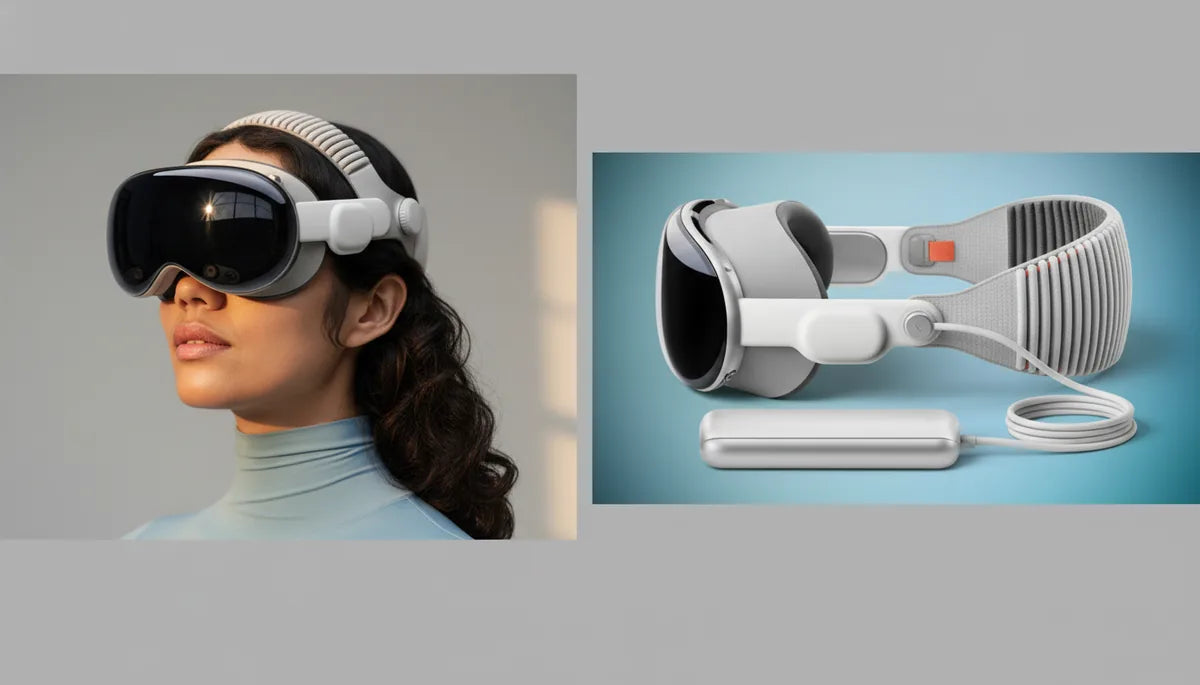
Anatomy of Meta Quest 2 Weight: How Balance, Straps, and Padding Unlock Long-Session Comfort
Comfort in virtual reality starts with anatomy and physics, not aesthetics. The Meta Quest 2 is a surprisingly capable headset, but its modest overall mass—about 503 grams—doesn’t tell the whole story. Where that mass sits relative to your head determines whether you feel snug and supported or fatigued and sore after an hour. ⏱️ 10-min read
This guide walks through the Quest 2’s weight and balance, compares strap options, and gives practical, anatomy-first steps to set up a comfort strap, tune quest-2-comfort-padding-and-gasket-tweaks" rel="nofollow noopener noreferrer">weight distribution, and maintain wearable hardware for marathon sessions. Expect concrete numbers, quick fixes for glasses wearers, and real-world examples that show how small changes yield big comfort gains.
Understanding Quest 2 weight and balance
Weight alone is a crude measure. The Quest 2’s roughly 503 g combines the electronics and optics in a front-heavy housing, the face gasket and foam, and whatever strap you attach. The critical concept is the center of gravity (CG): the point where all the headset’s mass can be considered to act. When that point lies forward of your head’s natural pivot—around the ear and base of the skull—it produces forward torque. Your neck and forehead take that load.
Imagine holding a hammer by the end of the handle versus near the head. The hammer feels heavier when the mass is forward. The same happens with a front-heavy VR faceplate: even modest mass causes constant micro-tension in neck muscles during rotation and quick head turns, leading to chin pressure, forehead soreness, and earlier fatigue. A back-oriented or well-distributed strap moves the CG nearer the head’s rotation axis, cutting torque and spreading contact forces across the skull rather than concentrating them on the forehead and facial bones.
Another factor is contact area. A small, tight foam band presses harder than a broader, cradling strap for the same load. Good comfort design increases contact area, uses compliant materials where it counts, and positions mass so the headset sits naturally—balanced, not strapped on. That’s why strap upgrades are so effective: they don’t necessarily make the headset lighter, but they change how your body feels the weight.
Comfort strap options: stock strap vs Elite Strap and popular alternatives
The Quest 2 ships with a soft fabric strap that loops over the crown and tightens at the back. It’s light and inexpensive, but it lacks a rigid frame. The result: the headset can drift, adjustment sliders slip with sweat or vigorous movement, and pressure points develop on the brow and cheeks during longer sessions. For casual use this is fine; for extended play, many users want a more engineered solution.
Meta’s Elite Strap brings a rigid plastic frame and a rear cradle that bears against the back of the skull. That rigid hoop changes how force is routed: instead of a single tension point on the forehead, the Elite Strap spreads load across the crown and the occipital area, dramatically reducing the forward pull. Side adjustments let you fine-tune lateral tension so the headset feels stable during rapid head turns. Adding the Elite Strap with a built-in battery is a common upgrade: the rear battery shifts mass back, often improving balance and extending runtime, though it adds absolute weight.
Third-party makers like AMVR, VRCover, MindKoo, and others expand on this with different trade-offs. Halo-style straps wrap behind and above the skull for a wider contact arc, often with breathable padding for workouts. Battery-integrated straps move power storage to the back to counterbalance the faceplate while adding hours of play—look for cable management and heat safeguards. Premium third-party straps may use memory foam, breathable mesh, or reinforced clips to improve comfort, durability, and micro-adjustability. The right choice depends on how you play: seated productivity, active fitness, or marathon gaming sessions all benefit from different strap priorities.
Step-by-step guide: installing and adjusting a Quest 2 comfort strap
Installing a comfort strap is straightforward, but a few small steps make the difference between a loose fit and a tuned setup that lasts hours.
- Prepare: power off the headset and clean the side connection areas where the strap mounts. Remove any face plate or lens cover to avoid fingerprints.
- Remove the stock strap: gently detach the fabric loop at the side connectors—press the latch and slide it out. Keep the stock strap if you want to revert later.
- Attach the new strap: align the new strap’s side connectors with the headset rails and slide until it clicks. For halo or rigid frames, ensure both sides engage evenly to avoid twisting the headset.
- Seat the headset: put it on with the top strap loosely adjusted. Let the rear cradle or back-pad rest on the base of your skull; the top band should lightly lay on the crown.
- Tighten in stages: tighten the top strap until the headset is supported but not pressing the forehead. Then snug the rear tensioner or side dials until the headset stays stable during a few head turns.
- Align the foam and lenses: ensure the face cushion sits flush and symmetrical. Use the IPD slider and headstrap position to center the lenses over your eyes; small fore-aft shifts affect pressure points.
Common pitfalls: over-tightening the crown strap shifts load back into the top of the head and can create pressure there; under-tightening lets the faceplate drop and increases cheek/forehead pressure. For glasses wearers, raise the strap slightly and choose a thicker face interface or a glasses spacer to prevent temple pinching. After initial tuning, test for 5–10 minutes and re-adjust—comfort is often a series of micro-tweaks, not a one-time set-and-forget.
Weight distribution and long-session strategies
For marathon sessions, small adjustments compound. The most reliable method to reduce neck strain is shifting the center of gravity rearward—counterweights do that elegantly. You don’t need heavy metal; even modest weight behind the skull can cut forward torque significantly.
- Counterweight guidelines: start with 0.5–1 oz (15–28 g) attached to the lower rear strap near the base of the skull. Move the weight in 5–10 mm steps until the headset feels neutral in a relaxed posture. Too far back can cause a head-bobbing sensation when nodding; too light won’t help.
- Placement matters: keep added mass low and centered, not high on the crown. A weight positioned at the nape better leverages the head’s rotation axis. Left-right imbalance creates new pressure points, so use a single central pouch or balanced dual weights.
- Battery packs and wireless adapters: battery straps and wireless transmitters can be great for balance if they sit behind the head. Route cables over the top or through designated clips to avoid tug on the faceplate. Be mindful of heat—the battery area may warm during heavy use; choose packs with venting or thermal cutoffs.
- Padding tweaks: thicker forehead pads relieve localized pressure but push the lenses away, changing perceived FOV and requiring strap readjustment. If you increase facial padding, counterbalance with a longer rear cradle or slightly more rear weight.
For active VR (Beat Saber, fitness), a snugger halo-style strap and more rear weight provide stability. For seated productivity (virtual desktops, long work sessions), prioritize breathable, pressure-distributing pads and lighter counterweights so you maintain mobility without constant neck tension.
Compatibility and accessories: cross-brand notes and Vision Pro context
The Quest 2 ecosystem supports a wide range of accessories—external batteries, headpad upgrades, and strap systems—but compatibility varies. Most third-party straps use the same side-rail mounts or come with adapters, but always confirm the model compatibility and whether any additional clips are required. Straps with integrated batteries often include a USB-C cable to the headset; make sure the cable is long enough for your preferred routing and that it conforms to power delivery specs for safe charging and runtime.
Cross-brand accessories from companies like AMVR, VRCover, and MindKoo typically focus on face interfaces and straps designed specifically for Quest variants. Accessories designed for other headsets can sometimes fit physically but may not align the CG correctly or might block ventilation. That’s why check measurements and mounting points before buying.
With respect to Apple Vision Pro: it’s a differently engineered device with distinct mounting geometry and accessory ecosystems. While some breathable pads or small peripheral mounts might physically fit, assume most Vision Pro accessories are not directly compatible with Quest 2 without adapters. Conversely, Vision Pro-inspired design lessons—like broader crown contact, smarter weight distribution, and breathable materials—are useful when choosing Quest 2 upgrades. When mixing brands, be cautious about tether routing, connector strain, and heat dissipation; mismatched components can cause discomfort or device stress even if they “fit.”
Maintenance, wearability, and care
Comfort is also about hygiene and the mechanical health of your strap system. Foam degrades, fabric accumulates sweat and oils, and plastic clips can loosen. A short maintenance routine extends comfort and prevents surprises mid-session.
- Daily wipe-down: after heavy use, wipe the facial interface and forehead pad with a microfiber cloth and a 70% isopropyl alcohol wipe or headset-safe cleaning solution. This removes sweat and oils that break down foam and fabrics.
- Weekly deep clean: remove detachable face pads and wash cloth covers per manufacturer instructions (many are hand-washable or machine-safe on gentle). Non-porous PU leather and silicone pads can be wiped and lightly disinfected.
- Inspect hardware monthly: check side-rail connectors for play, look for cracked plastic on pivot joints, and make sure any dials or Velcro are secure. Loose mounts change how forces route across the head and quickly reintroduce pressure points.
- Replace before failure: watch for crumbling foam, flattened memory foam that no longer springs back, or frayed straps. If padding compresses and doesn’t recover, it’s time for a swap; replacing pads is cheaper than treating neck or facial soreness.
- Storage: keep straps flat and face pads in a clean, dry place. Avoid compressing memory foam under heavy objects—repeated deformation shortens its life.
Finally, maintain your headset’s balance profile when swapping accessories. Adding a heavier pad or a new battery strap requires retuning counterweights and strap tightness. Treat changes like small experiments: tweak, test for 10 minutes, and refine.
Buying guide: choosing the right strap and practical tips for all-day comfort
When shopping, prioritize how you use the headset. An effective buying checklist simplifies choices and prevents impulse buys that don’t solve the real problem.
- Primary criteria:
- Weight distribution: does the strap move the center of gravity rearward or at least spread it across the skull?
- Adjustability: side dials, rear cradles, and top-band sliders let you micro-tune tension and height.
- Cushion quality: memory foam or multi-layer pads with moisture-wicking covers reduce pressure and sweat.
- Glasses-friendly features: deeper eye relief, thicker pads, or bundled spacers for temple clearance.
- Build and price: flexible range—stock replacement straps start around budget prices, Elite and premium third-party straps are mid-range, and battery-integrated or custom mounts are higher-tier.
- Must-have accessories:
- Aftermarket facial interface (PU leather for easy cleaning or breathable fabric for long comfort).
- Small rear counterweight pouch or purpose-built weight system (start 15–28 g).
- Integrated battery strap if you regularly exceed 2–3 hours per session.
- Soft case or stand that protects the strap geometry when not in use.
- Quick decision checklist:
- Are you active in VR? If yes, choose a halo-style or rigid frame with a secure rear cradle.
- Do you need extended runtime? Choose a battery-integrated strap but plan for added mass and heat management.
- Wear glasses? Prioritize thicker face pads or a glasses spacer and confirm temple clearance.
- Budget constraint? Start with a quality aftermarket face pad and a small counterweight before buying a full strap upgrade.
Price ranges vary: basic aftermarket straps and pads can start under $20, mid-tier rigid Elite-style straps around $30–80, and battery-equipped solutions or premium brands can range $80–200. Spend based on the hours you plan to use the headset each week—comfort pays dividends if you VR daily.
If you want a recommendation tuned to your use case, list how long and how active your sessions are, whether you wear glasses, and your budget, and I’ll suggest a targeted setup.
Next step: test changes incrementally—start with a better face pad and a 15–28 g counterweight, then add a rigid strap or battery pack if you still feel forward pull. Small changes compound into marathon-ready comfort.







Share:
Face Shape Friendly Quest 2 Comfort Padding and Gasket Tweaks
Best Aftermarket Comfort Straps for Meta Quest 2: Weight Distribution and Fit