

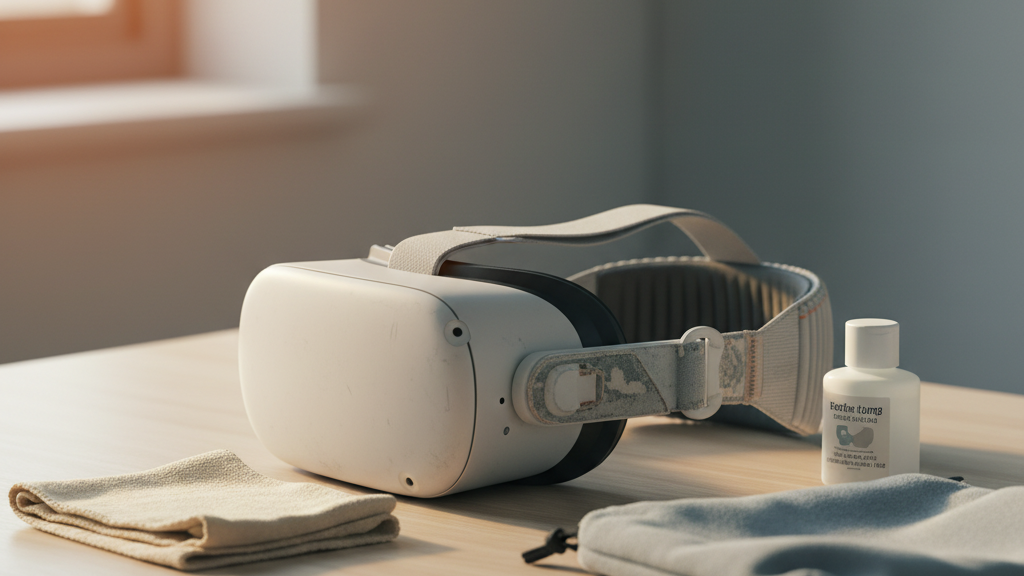
Extend Your Quest 2 Comfort Strap: Practical Material-Care Habits to Preserve Fit and Comfort
If you use a Quest 2 for long sessions, the comfort strap is the quiet workhorse that keeps your headset balanced and wearable. Left unchecked, sweat, sun, and simple wear will flatten foam, fray fabric, and loosen connectors — all of which shorten the strap’s useful life and wreck fit. This guide gives Quest 2 owners clear, material-specific routines and small habits that prevent damage and keep your strap feeling new longer. ⏱️ 6-min read
You’ll find inspection checklists, daily cleaning steps that won’t harm foam or plastics, storage guidance, connector maintenance, upgrade advice, and compatibility notes so you can choose and fit replacements without surprises. Follow these habits and you’ll push months — even a year — onto a strap’s lifespan without sacrificing comfort during marathon sessions.
Assess Strap Materials and Signs of Wear
Start by identifying what your Quest 2 comfort strap is made of: the outer fabric, internal foam pads, and plastic connectors or rails. Knowing the materials tells you which care rules apply. Look for manufacturer cleaning notes if your strap uses specialty coatings.
Make a habit of inspecting the strap regularly (monthly if you use the headset often). Check stitching and seams for frays or loose threads, test foam blocks for cracking or permanent flattening, and examine plastic sliders or snap points for cracks, bending marks, or loosened attachments. Note discoloration, stiffness, or soft spots — these are early signs of material fatigue, sweat damage, or heat exposure.
- Take a quick photo after each inspection to track progression over time.
- If a connector no longer snaps firmly or you must force it, plan a repair or replacement rather than continuing to use it.
- Document persistent fit issues after cleaning to decide whether replacement is necessary.
Daily Cleaning Without Damaging the Strap
Daily care is mostly about removing sweat and oils before they break down fabrics and foam. Detach the strap from the headset whenever possible — it makes cleaning faster and prevents stressing the attachment points.
Use a soft microfiber cloth lightly dampened with lukewarm water. Wipe the fabric and foam with gentle, repeated strokes to lift surface grime. For stubborn spots, add a small amount of mild, pH-balanced detergent to the cloth and work in gentle circles, then rinse by wiping with a fresh damp cloth.
- Avoid soaking foam sections — never submerge the strap.
- Do not use bleach, alcohol, petroleum solvents, or abrasive cleaners; they can degrade coatings and plastics.
- After cleaning, let the strap air-dry completely before reattaching to the headset.
Materials-Specific Care: Fabric, Foam, and Plastic Components
Different materials need different handling. Treat each component in your Quest 2 comfort strap according to what it’s made from to preserve shape and performance.
Fabric
Hand-wash with mild detergent in lukewarm water if the fabric is stained. Minimize agitation: gently press and rinse, then lay flat to dry in the shade. Never machine-wash or tumble-dry — the agitation and heat can distort weaves and loosen structural threads.
Foam
Never submerge foam pads. If they’re damp, blot with a dry towel and set the strap in a well-ventilated area to air-dry. Proper drying prevents odors and fiber breakdown. Avoid heat sources — radiators or direct sunlight can harden foam and make it brittle.
Plastic and Hardware
Wipe plastic rails, snaps and sliders with a damp cloth and mild soap if needed. Avoid solvent cleaners that can cloud or crack plastics. Ensure all parts are completely dry before reassembly to prevent adhesive failure or mold growth in glued joints.
Storage and Longevity: Safe Handling and Stowage
How you store the strap when it’s not in use strongly affects longevity. Keep it detached in a breathable pouch or drawer to prevent crushing and preserve its natural shape. Avoid direct sunlight, extreme heat, and chemical vapors, which accelerate color fade and material breakdown.
- Lay straps flat or hang them; don’t fold along the same crease repeatedly.
- Rotate among multiple straps if you have them — spreading wear will extend each strap’s life.
- In humid climates, tuck a silica gel packet into the storage pouch and replace periodically to fight mold and mildew.
Maintenance of Connectors, Fasteners, and Adjusters
Fasteners and adjusters get the most mechanical stress — and are often the first things to fail. Schedule a quick monthly check: examine Velcro, sliding rails, snaps, and hinges for wear, debris, or corrosion.
- Brush out Velcro with a soft brush to remove lint and sweat residues; if it’s irreversibly worn, replace the strip rather than patching it.
- Clean moving parts with a dry cloth or soft brush. Avoid applying liquids directly into joints.
- If metal sliders squeak, use a tiny amount of dry silicone lubricant on adjacent metal surfaces only — avoid oil-based lubricants on plastic.
- Replace cracked snaps or bent connectors immediately; continuing to use compromised pieces can lead to abrupt failure during use.
Upgrade Options and Installation: Comfort Straps for Quest 2
If you’re considering an upgrade, prioritize compatibility and weight distribution. Popular choices include official-style “Elite” straps and well-reviewed third-party options such as FlitLift, which explicitly list Quest 2 compatibility. Look for clear attachment points and hardware that match your headset model.
Simple installation checklist for beginners:
- Remove the stock strap carefully, noting how the connectors align.
- Attach the new strap and confirm each side clicks into place without forcing.
- Tighten both sides evenly so weight sits centered and pressure hotspots are avoided.
- Do a quick fit test: turn your head, look up and down, and navigate a menu to verify stability and sensor clearance.
- Give the new strap a short break-in period; some foam and fabric soften and conform after a few sessions.
Compatibility and Cross-Accessory Considerations
Not all straps and cushions are interchangeable. For example, accessories designed for other headsets (like Apple Vision Pro straps) typically won’t fit the Quest 2 because mounting points, adjusters, and rail width differ. Before mixing accessories, verify attachment geometry and check that cameras, microphones, and ventilation aren’t obstructed.
Also consider weight: heavier cushions or battery packs change balance and can tilt the headset forward or increase pressure on the temples. If you attach a heavier module, compensate by adjusting the strap tension or choosing a strap with better rear support to maintain comfort during long sessions.
Finally, review warranty terms when using third-party parts — some manufacturers reduce coverage if unofficial accessories are used.
Real Examples & Quick Mini-Cases
Example A: A daily two-hour user who wiped the Quest 2 comfort strap after each session, did a light soap rinse monthly, and always air-dried the strap in shade reported only light edge wear at nine months and preserved full comfort. Without those habits, the same strap would typically show noticeable deterioration by six months.
Example B: A traveler who previously folded the strap into a bag saw stiffening and cracking within months. After switching to hanging storage, wiping after sessions, and keeping the strap out of direct sun, the strap stayed supple for 10–12 months instead of failing after three to four.
Key lesson: small, consistent actions — wipe after use, avoid soaking foam, air-dry, and store thoughtfully — compound into measurable extension of strap life.
Takeaway / Next Step
Pick one small habit to start today: detach and wipe your Quest 2 comfort strap after your next session, then schedule a monthly inspection and photo log. Those two steps alone will reveal early wear and prevent most common failures — and they’re quick enough to make them stick. If you spot cracked connectors or permanently flattened foam, plan a replacement before a session to avoid an unexpected break.
Powered by Trafficontent







Share:
How to Pick an Oculus Quest 2 Strap for Glasses Wearers: Comfort Without Pressure
Quest 2 comfort strap alternatives: official, premium padding, and third-party options