

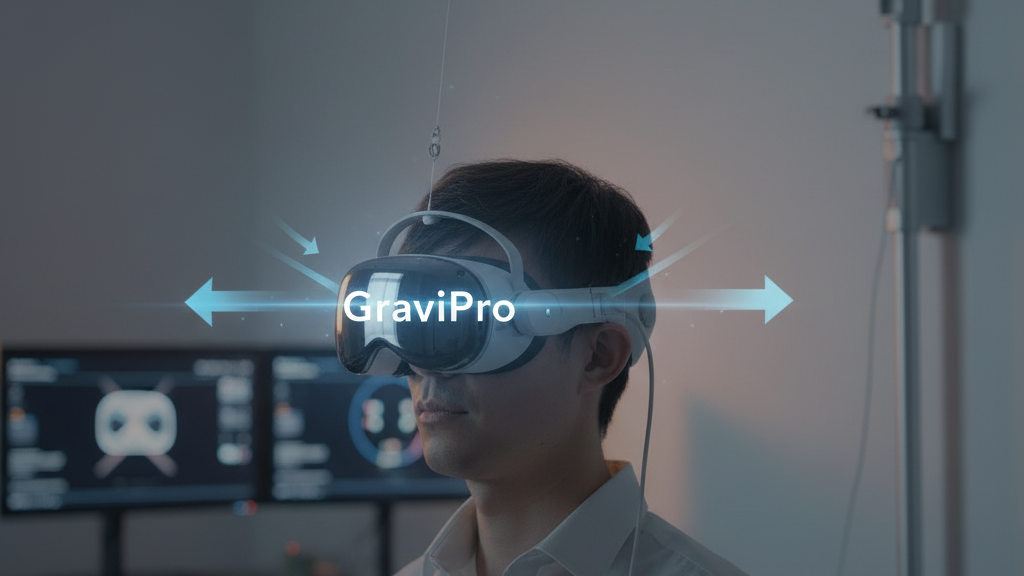
How to Pair GraviPro’s Gravity-Assisted System with Major VR Headsets for Better Comfort, Balance, and Longer Sessions
If you own—or are shopping for—a modern VR headset, you already know comfort can make or break the experience. GraviPro’s gravity-assisted lifting system, combined with flit-lift-weightless-vr-comfort/technical-deep-dive-the-flit-lift-dynamic-lifting-mechanism-explained" rel="nofollow noopener noreferrer">Flit Lift accessories, is designed to reshape how a headset’s weight feels without touching image fidelity or tracking. This guide walks you through the core ideas, headset-specific compatibility checks, installation and tuning steps, developer considerations, and everyday care so you can get the most out of longer, more dynamic VR sessions. ⏱️ 10-min read
Read this as a practical playbook: clear decision points before purchase, a fast 5-minute setup checklist, stepwise balance tuning, and developer-friendly integration patterns to ensure games and apps respect the physics of a gravity-assisted rig.
GraviPro + Flit Lift — Core concepts
At its simplest, GraviPro uses gravity-assisted balance and deliberate load distribution to move the effective center of gravity (CG) closer to the head’s natural pivot. Instead of letting a heavy visual module pull on the face and nose, GraviPro redirects some of that moment to the crown and neck via lifting arms and counterweights. Flit Lift complements this by providing modular cradles, counterweight kits, and strap interfaces that preserve stable alignment while minimizing wobble.
“Weightless comfort” isn’t zero mass; it’s the perception of neutral load. In practice that means the headset’s resultant forces align with the neck axis so you feel neither a forward pull nor a top-heavy tilt. Key factors that determine success are correct CG alignment, strap and cradle ergonomics, and sensible motion-sensitivity tuning so quick spins don’t translate into annoying lag or torque. The system adapts to different head shapes and intensity settings, so you get steadier aim, reduced facial pressure, and less neck fatigue during extended or dynamic play without altering visuals or tracking fidelity.
Compatibility matrix — headsets and interfaces to consider
Before buying GraviPro or Flit Lift parts, identify your headset’s mounting points, strap interface, sensor placements, and any built-in battery or accessory locations that change weight distribution. GraviPro supports a wide range of consumer and enterprise models—Meta Quest 3 and Quest Pro, Valve Index, Sony PS VR2, HTC Vive Pro 2, HP Reverb, and Varjo among them—but each headset has its own constraints.
Apple Vision Pro requires special attention. Its battery-integrated design and unique banded fit change CG when you add accessories. For Vision Pro, plan for a lightweight, modular bracket and consider a rear counterweight if accessories shift balance. Flit Lift supplies Vision Pro–focused comfort components that reduce perceived weight while keeping passthrough performance intact.
Interface options fall into three practical buckets:
- Modular brackets — ideal for swapping headsets or for multi-user setups. Verify rail spacing and clamp profiles against your headset.
- Wired (USB-C or similar) — offers stable data/power pass-through; check cable routing so it does not create neck drag.
- Wireless — reduces cable pull but requires robust power and low-latency streaming; make sure your wireless link is tested before relying on it for high-motion games.
Recommended pre-purchase checks: confirm strap rail spacing, verify camera/sensor clearances, ask the vendor about quick-release adapters, and—where applicable—request a fit mock-up or return window so you can trial balance with your head shape and play style.
Installation and fit — secure mounting and alignment
A careful install makes the difference between “it’s okay” and “I can play for hours.” Start by prepping the headset: inspect foam, gaskets, straps, and any existing rails for wear or deformation. Clear cable tangles and ensure nothing crowds the facial interface. Then follow these steps:
- Attach GraviPro brackets to a rigid anchor point—preferably where your headset has existing rails—using the included hardware. Avoid clamping curved housing unless the clamp is specifically shaped for it.
- Align the bracket so its centerline matches the headset’s optical midline. A misaligned bracket pushes the gravity vector off-center and reintroduces torque.
- Mount the Flit Lift cradle and route any cables behind or under strap channels to keep them away from the neck. Use clips or braided sleeves to secure loose wiring.
- Position the cradle so the gravity vector points through your natural forward gaze—stand upright and look straight ahead while making micro-adjustments.
- Tighten clamps until there’s no perceptible wobble but avoid over-torquing. Follow manufacturer torque guidelines if provided.
Quick 5-minute fit checklist:
- Symmetry: headset midline matches bracket midline.
- Comfort: no pinch points on the face, even pressure over the crown/back of head.
- Clearance: cameras and sensors unobstructed, passthrough areas clear.
- Secure routing: cables away from hinge zones and the neck.
- Repeatable on/off: quick-release or clamps return to the same position without fiddling.
Balance and ergonomics — achieving a weightless feel
Tuning balance is both technical and tactile. The objective is to place the resultant center of gravity near the neck axis so the headset feels neutral when you look straight ahead. Start with small, iterative changes: add or shift counterweights in small increments and test with both slow and rapid head movements.
Where to put the lifting arms and weights depends on your headset’s native CG. If the image module sits forward (common in many tethered headsets), move some weight rearward or raise the lift arm slightly to shift the moment arm. For crown-heavy setups—seen occasionally with thick comfort bands—lowering the cradle or redistributing padding helps center the load. Flit Lift counterweight kits are modular: add 10–20 g increments and re-evaluate until a neutral feel is achieved.
Testing protocol:
- Slow test: rotate head slowly 30° left/right and forward/back. Neutral should feel like the headset “moves with you,” not pulls.
- Dynamic test: perform quick yaw and pitch movements at gameplay speed to ensure no sudden torque or strap creep.
- Fatigue check: play for 20–30 minutes and note hotspots. Readjust padding or weight if you feel pressure points.
Neck and spine alignment matter as much as the headset. Maintain an upright posture—chin slightly tucked—and let your trapezius and neck muscles support micro-adjustments. If you habitually crane forward while playing, counterbalance settings might be hiding a posture problem. Encourage regular micro-breaks and light neck stretches to reduce cumulative load during long sessions.
Use-case guidance — sessions, games, and Vision Pro considerations
GraviPro and Flit Lift demonstrate clear wins in specific scenarios. They shine in long sessions, high-motion games, and mixed-reality workflows where head stability preserves immersion. To get the most from a gravity-assisted rig, structure your play sessions into three blocks:
- Warm-up (5–10 minutes): gentle neck and shoulder mobility, low-intensity VR tasks (calibration scenes, slow gaze-based menus).
- Steady-state (15–35 minutes): main gameplay or productivity session that leverages the gravity assistance for smoother navigation and reduced fatigue.
- Cooldown (5–10 minutes): short stretches, strap readjustment, and quick recalibration checks.
Micro-breaks: If you’re doing a long raid, a 5-minute break after each steady block helps reset posture and re-distributes pressure points. For ultra-long sessions consider breaking steady-state into 20–30 minute chunks with 5–10 minute intermissions.
Content fit: navigation-heavy experiences (open-world exploration, flight sims, vehicle piloting) benefit from a neutral CG because long yaw and pitch sweeps become less tiring. Telepresence and productivity use cases—video calls, mixed-reality design—gain from improved stability, which reduces jitter and helps with fine pointing or drawing. For fast twitch shooters and rhythm games, gravity assistance stabilizes aim during follow-throughs but you may prefer slightly less rear counterweight to keep response snappy.
Vision Pro notes: after installing GraviPro/Flit Lift, re-run room-scale calibration and verify passthrough clarity in a few lighting conditions. Spatial audio and passthrough fidelity can feel different if the headset shifts a few millimeters—adjust microphone and lighting settings accordingly and keep ambient lighting conducive to clean passthrough.
Developer integration — APIs, inputs, and design considerations
Designing apps that respect a gravity-assisted rig improves comfort at the software level. Expose a compact, versioned API that communicates the system’s gravity vector (x, y, z), calibration events, and lock states. Minimal payloads look like:
{
  "timestamp": 1680000000,
  "gravityVector": {"x":0.01,"y":-9.81,"z":0.02},
  "calibrationStatus":"complete",
  "gravityLock":false
}
Useful API primitives include getters for current gravityVector, events for calibration start/complete/driftWarning, and flags such as gravityLock to freeze orientation during scene transitions. Allow optional smoothing parameters so apps can request low-latency or higher-smoothing behavior per experience.
Input mapping ideas:
- Movement biasing: nudge joystick-based locomotion slightly toward the gravity vector to simulate natural lean without disorientation. Bound tilt amplitude to avoid sudden accelerations.
- Gaze alignment: align gaze-targeting axes with the gravity vector to improve pointing stability—especially useful in telepresence or UI selection systems.
- Controller bindings: provide toggles for users to switch between gravity-assisted and raw tracking so players can test sensitivity preferences.
Practical Unity example (pseudo-code):
// Poll GraviPro API for gravity vector
Vector3 gravity = GraviProAPI.GetGravityVector();
Vector3 smoothedGravity = Vector3.Lerp(prevGravity, gravity, smoothing);
playerController.ApplyGravityBias(smoothedGravity * biasFactor);
Design guidelines: cap linear accelerations (a helpful rule is keeping sudden linear changes under ~2 m/s²), smooth gravity updates, and avoid using gravity vector changes as the only cue for player motion. Provide accessibility settings—reduced motion, increased smoothing, and explicit calibration prompts.
Collaboration steps with GraviPro: engage early for compatibility testing, run hardware-in-loop sessions with representative headsets, and share telemetry about perceived torque or calibration drift. A feedback loop with engineering and QA will accelerate robust integrations.
Safety, maintenance, and care — prolonging gear life
Routine care prevents failure in small ways before they become big problems. Establish a cadence: quick weekly checks of brackets, straps, and cradle hardware; a deeper monthly audit to tighten fasteners and log wear; and firmware/driver checks on any attached modules.
Inspection checklist:
- Fasteners & clamps: look for loose screws, stripped threads, or bending in bracket arms.
- Straps & padding: check for fraying, compressed foam, or delamination that changes fit.
- Cables: inspect jackets for nicks, secure routing clips, and replace any worn sections.
- Cradle & bearings: verify articulation zones are free of pinch points and move smoothly after rapid motions.
Cleaning and storage: wipe hard surfaces with a dry microfiber cloth after every sweaty session; avoid immersing any component or using harsh solvents. Store parts in a ventilated case with silica gel packs and a moderate humidity target of 40–60%. Keep gear out of direct sunlight and away from hot cars or damp basements.
When to be concerned: unusual wobble, cracking sounds, persistent micro-movements after re-torquing, or visible strap delamination. These are signs to stop use and contact support. Maintain firmware versions and periodically re-run calibration—especially after mechanical tweaks or multi-user sessions.
Ecosystem, bundles, and future-proofing
Buying into GraviPro’s ecosystem is about modularity and upgrade paths. Official bundles pair gravity-assisted modules with headset-specific mounting kits, quick-release adapters, and cable management solutions—streamlining setup and reducing trial-and-error. When evaluating a bundle, consider the included adapters for your headset family, how straps and pads fit your head shape, and whether the kit includes a basic counterweight set for rapid tuning.
Support cycles and backward compatibility matter. GraviPro maintains a compatibility matrix that tracks headset revisions and interface changes; look for products with open firmware update paths and manufacturer support commitments. For enterprise deployments, ask about extended support windows aligned with your headset refresh strategy.
Third-party accessories should ideally go through certification programs that verify weight distribution, heat management, and cable routing. Certified parts typically carry compatibility notes and are tested to prevent sensor occlusion or passthrough degradation.
What to watch for in the near term: headsets are evolving toward integrated batteries, new band geometries, and denser sensor arrays. These changes can shift CG dramatically. Choose modular GraviPro components that can be repositioned or swapped out, and look for vendors that publish a clear roadmap and provide adapter upgrades when a major headset revision ships.
Next step: run a five-minute fit test with your headset and note three measurable things—midline symmetry, front/back pull, and hotspot locations—then use those observations to select the appropriate GraviPro bracket and Flit Lift counterweight kit for a trial fit. Register your gear with the manufacturer for firmware updates and compatibility notices so your setup stays current as new headsets arrive.







Share:
Technical Deep Dive: The Flit Lift Dynamic Lifting Mechanism Explained
The Technology Behind Flit Lift: Why Dynamic Lifting Improves VR Wear