

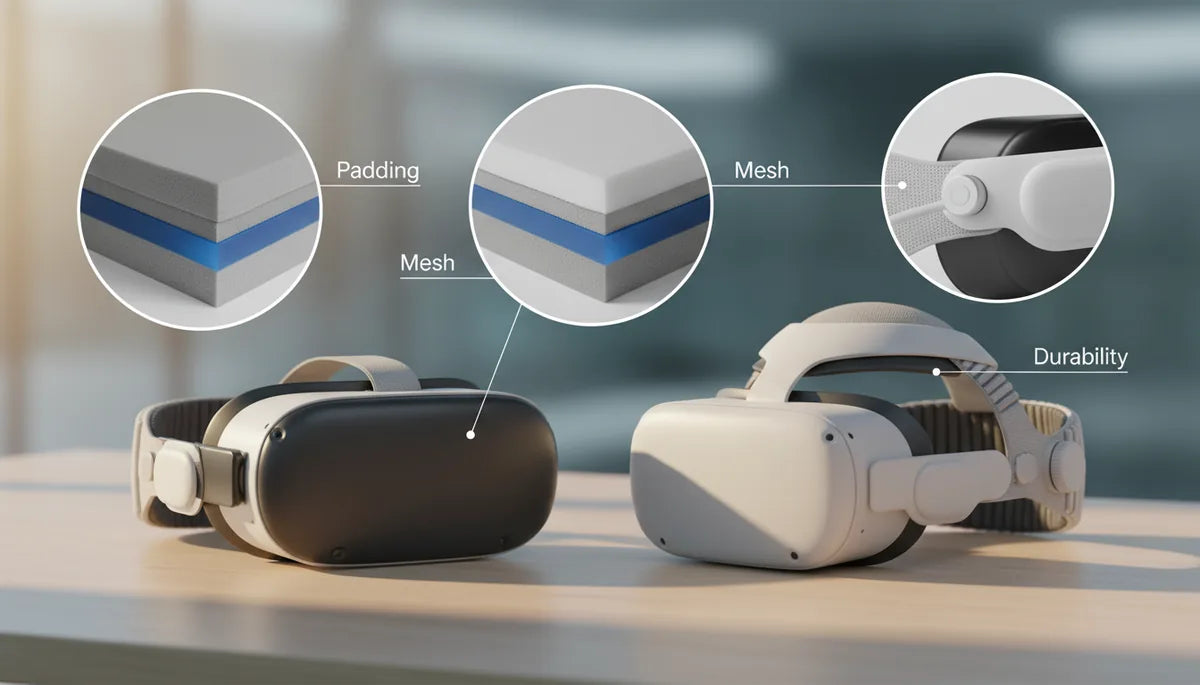
Material Matters: How Padding, Mesh, and Construction Drive Long-Session Comfort and Durability in Quest 2 and Vision Pro Straps
If you spend hours inside virtual worlds, the strap that holds your headset matters as much as the optics. Comfort isn’t just softness — it’s pressure distribution, breathability, weight balance, and a construction that survives repeated adjustments and sweat. For Quest 2 and weight-distribution-and-strap-adjustment" rel="nofollow noopener noreferrer">Vision Pro users, small choices in foam density, mesh type, and stitching patterns make the difference between fatigue after thirty minutes and a comfortable four-hour session. ⏱️ 9-min read
This guide walks through the materials and design choices that determine long-session comfort and lifespan. You’ll learn how memory foam, open-cell foam, gel inserts, knitted versus woven mesh, and polymers like nylon or silicone behave in real use; where straps typically fail; practical adjustment and cleaning tips; and how to evaluate third‑party options so you buy something that improves comfort rather than creating new problems.
Padding and Comfort: Types, Pros, and Real-World Feel
Padding is the first contact point and the biggest influence on perceived comfort. Memory foam molds to your brow, temples, and crown as heat softens it, distributing pressure over a broader area and reducing hotspots. That contoured fit is great for eliminating sharp pressure points, but the trade-off is heat retention: memory foam can trap warmth during marathon sessions. Open-cell foams keep their internal air channels open, feel lighter, and encourage airflow behind the pad, which reduces localized pressure and heat buildup. Manufacturers increasingly use hybrid blends to strike a middle ground—enough conforming comfort without the clingy, overheating feel.
Gel inserts are an easy upgrade when you need targeted pressure smoothing. A thin gel slab absorbs and spreads peak loads without adding bulk, and because it has thermal mass it can feel cooler against the skin. Cover materials matter, too: leatherette/PU coverings look premium and are easy to wipe down, but they can trap sweat against the skin. Moisture-wicking fabrics, perforated textiles, or breathable knitted mesh covers help move sweat away and dry faster.
In practice, Quest 2 users often start with thin foam that compresses and becomes pointy; upgrading to thicker PU or silicone-backed padding makes long sessions more stable. Vision Pro’s padded forehead and soft fabric bands already aim for a balanced feel, but swapping to gel-backed pads or breathable covers can noticeably reduce sweat and pressure during extended wear.
Mesh and Breathability: Keeping Cool During Long Sessions
Mesh is where ventilation and hygiene meet. Choosing between woven and knitted mesh is a trade-off: woven mesh has a grid-like structure that resists snagging and maintains shape under strain; knitted mesh is softer, more elastic, and creates micro-channels that deliver consistent airflow across contact points. For someone who sweat-tests VR for hours, knitted mesh over the forehead and rear head cradle can be a game-changer—the airflow reduces heat and keeps skin drier.
Perforated panels are another tactic: small punched holes in foam or leather-like covers increase airflow without sacrificing a firm, stable interface. A strap that pairs breathable mesh at the sweat-prone contact zones with more durable materials at anchor points delivers the best compromise: comfort where you need it and durability where forces concentrate.
Cleaning and wear-resistance are practical concerns. Woven meshes typically handle frequent washing and scrub-resistance better, but they can trap oils in the weave over time; knitted meshes dry faster and feel softer but may fray around attachment points with heavy use. For extended-session users, look for designs with removable, washable covers or replaceable mesh panels. If a strap lists machine washability, follow the manufacturer’s cycle recommendations and always air-dry thoroughly to avoid shrinking or degrading adhesives.
Durability and Construction: Stitching, Straps, and Wear-Resistance
Durability is an engineering problem: how to spread load, avoid concentration at weak seams, and select materials that resist sweat and repeated motion. Nylon webbing is common because it combines tensile strength and abrasion resistance—ideal for the loops and main load paths in Quest 2 and Vision Pro straps. Elastics are used for stretch and fit but suffer from creep (slow lengthening) after long sessions, so high-quality designs use reinforced elastic with stop-stitching or hybrid assemblies that limit permanent deformation.
Stitching patterns matter more than you might expect. Bar-tacks and box stitches at attachment points dramatically increase longevity compared with single straight stitches. Where straps pivot, designers use molded pivot joints or metal inserts to avoid repeated plastic flexing that leads to hairline cracks. Buckles and sliders see the most manual handling; robust ABS or polycarbonate hardware resists cracking, while metal hardware is more durable but adds weight.
Common failure points to watch for: the thin plastic spine in some Quest 2 "elite" style straps that bends and eventually snaps under torque; seam peel where foam meets fabric; and wear at strap ends where friction and oils cause fraying. Practical maintenance—periodic inspection of stitching, gently cleaning salt and oils, and avoiding yanking the strap—extends life. For heavy users, prioritize straps with reinforced anchors, replaceable pads, and documented tensile or life-cycle ratings where available.
Quest 2 vs Vision Pro: Strap Architecture, Weight, and Balance
Comparing the Quest 2 and the Vision Pro highlights different philosophies. The Quest 2 began with a minimalist elastic strap that was lightweight but poor at weight distribution—users reported sagging and pressure on the face. Meta’s Elite Strap moved toward a rigid frame and thicker padding to correct balance, but early iterations exposed the limits of certain plastics: concentrated bending stresses caused cracking in everyday use. Third-party makers addressed these issues by blending flexible silicone, robust ABS frames, and optional rear counterweights or integrated battery packs to shift mass closer to the head’s center of gravity.
Apple’s Vision Pro takes a more integrated approach: the Dual Loop Band applies vertical and horizontal control to spread load across the top and back of the head, while the Solo Knit Band embraces a seamless, single-piece knit for a softer cradle. The Vision Pro strategy reduces front-heavy torque through rear support and careful pad placement. Because the Vision Pro sits heavier in the front for its optics, that rear support is critical for reducing neck load; the dual-loop arrangement allows users to fine-tune vertical lift separately from horizontal tightness.
In simple terms: the farther back you can move mass (counterweights or rear padding), the less force the headset exerts on your face and neck. That’s why many Quest 2 power users adopt rear-weighted strap mods or battery packs, while Vision Pro benefits more from subtle fabric and pad optimization. Either way, effective designs pair soft, pressure-diffusing padding up front with durable webbing and anchors at the rear to maintain stability without pinching.
Fit, Adjustment, and Comfort for All-Day Wear
Even the best materials need correct adjustment to perform. Establish a tightening sequence: start with the top strap (if present) to set vertical height, then tighten the rear or side straps to secure lateral fit, and finally fine-tune the forehead or temple pads until pressure is distributed evenly. The goal is an even, cradle-like contact rather than a clamp. Tightening too quickly or asymmetrically creates hotspots and encourages slippage.
Strap height matters as much as tightness. If the rear strap sits too high on the skull, the headset will tilt back and place weight on the forehead; too low and it will tug the crown forward, pressing into the face. Adjust in small increments and test with a quick head nod—if the display shifts relative to your eyes, re-balance the vertical tension.
For glasses wearers, look for straps and pads with extra depth and soft, forgiving covers: PU leather can be slick against frames, while soft microfiber or knitted pads reduce rubbing. Users with pronounced facial contours can benefit from thicker forehead pads or optional spacer inserts that increase the gap between face seal and lenses. If you wear glasses for long sessions, prioritize removable, washable covers and try to find straps that include a slightly contoured brow pad to accommodate frames without pressure points.
Maintenance and Longevity: Cleaning, Care, and Replacement Signals
Regular care preserves comfort and prevents premature failure. Start by detaching the strap from the headset if your model allows it; this avoids wetting electronics. For fabric and microfiber covers, a mild detergent in lukewarm water and gentle hand-wash or short machine cycle (if manufacturer permits) followed by air drying is usually safe. Neoprene and foam pads respond well to light soap solutions—wipe rather than soak to prevent adhesive breakdown. For leather or PU elements, use a dedicated leather cleaner or a mild, alcohol-free wipe and condition occasionally to prevent cracking.
Drying is critical: allow 12–24 hours of air-drying in a ventilated area away from direct heat. Heat accelerates adhesive failure and warps polymers. Store straps in a cool, dry place and, if possible, use a breathable bag or cotton wrap to limit dust and moisture buildup. If you have a stand that lifts the headset, store it mounted to reduce compressive deformation of pads.
Replacement indicators are tangible: cracked or split padding, compressed foam that no longer springs back, loose or unraveling stitching, torn mesh, frayed webbing, or wobbling pivot joints. If adjustments no longer tighten securely or buckles feel brittle, it’s time to replace. For heavy daily users, expect padding lifespans of 6–18 months depending on material and care; webbing and hardware often last longer but should be inspected regularly.
Buying Guide: Choosing, Installing, and Compatibility with Accessories
When evaluating a strap, focus on three criteria: material performance (padding and mesh), construction quality (stitching, anchors, hardware), and compatibility (fit with your headset and accessories). Test for cushioning that recovers quickly after compression, a breathable cover, and reinforced anchors. Check for removable or replaceable pads—those extend useful life and make hygiene straightforward. Confirm hardware materials: metal sliders and polycarbonate buckles outlast cheap molded plastics.
Compatibility matters: some third-party Quest 2 straps include battery packs or headphone mounts; ensure cutouts and attachment geometry match your headset. Vision Pro users should verify magnetic attachment geometry and that aftermarket pads don’t interfere with the light seal or EyeSight sensors. Read community feedback specifically about long-session comfort and structural durability—user reports often reveal common failure modes like cracked spines or stretched elastic.
Quick install notes for a typical Quest 2 comfort strap:
- Power off the headset and place it face-down on a soft surface.
- Unclip the stock strap anchors (or remove the top strap) following manufacturer steps.
- Align the replacement strap’s attachment points and press or slide into place until you hear/feel a secure latch.
- Set the top pad height first, then adjust rear tension. Check for even seal and no lens fogging.
Before you buy: prioritize replaceable pads, breathable covers, reinforced stitching at anchor points, and documented return/warranty policies. A well-designed strap is a small investment that pays off in longer, more comfortable sessions and fewer replacements.
Next step: inspect your current strap for the wear indicators above, try a small pad or mesh swap if comfort is the issue, and if you game for hours regularly, choose a strap with reinforced anchors and breathable, replaceable padding to future-proof your headset.







Share:
How to optimize Quest 2 comfort with weight distribution and strap adjustment
Side-by-side comparisons official Quest 2 strap versus premium third-party options