

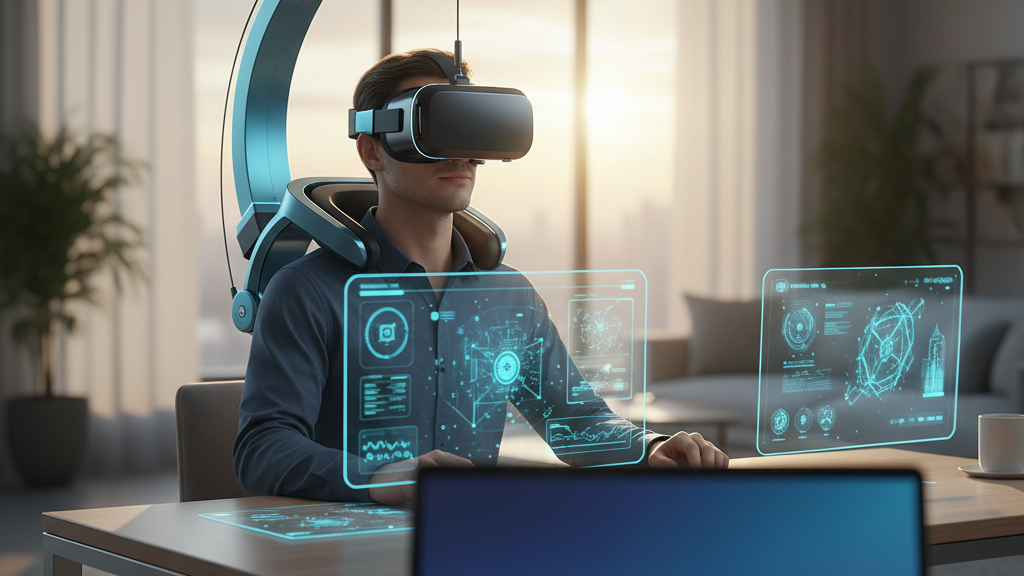
Maximize VR Endurance: Extend Playtime and Reduce Fatigue with GraviPro's Dynamic Lifting
Long VR sessions are a test of both hardware and human comfort. GraviPro’s Dynamic Lifting and weightless-comfort" rel="nofollow noopener noreferrer">Flit Lift technologies promise more than a lighter feeling—they reframe how weight is managed so you can play harder and longer without sacrificing tracking or battery life. This article walks VR gamers and developers through the why and how: the mechanics behind GraviPro, practical settings and charging routines that preserve battery and performance, and developer guidance for integrating the system into accessories and apps. ⏱️ 9-min read
Read on for clear calibration steps, power-saving recommendations, developer hooks and safety best practices—everything you need to get the most endurance from a GraviPro-enabled headset, from short competitive runs to marathon co-op sessions.
Understanding GraviPro's Dynamic Lifting System
At its core, GraviPro replaces static padding and strap tension with a gravity-assisted lifting architecture that moves much of the headset’s load from the neck to the torso. Instead of letting the cervical muscles counteract a front-heavy headset, GraviPro routes forces to a lightweight harness and counterweight assembly that rides on the chest and shoulders. The result is a fundamentally different distribution of effort: the torso carries the steady load while the neck handles only fine positional control.
The system blends passive mechanics—sliding rails, adjustable levers and counterweights—with active components: sensors monitor pitch and roll, and micro-actuators change tension or angle to maintain alignment during movement. Mounting is modular and tool-free: quick-release pins and sliding rails let the rig fit a wide range of shoulder widths and chest sizes while staying secure during rapid motion. Safety is built in: rated load limits, torque sensors and automatic lockouts prevent overrun when movement exceeds safe parameters. On-device diagnostics and calibration aids simplify setup, guiding users through weight balance checks and health diagnostics so the system remains accurate session to session.
Impact on Endurance: How GraviPro Affects Weight and Fatigue
Endurance in VR isn’t just a battery metric—it’s about how long your body can comfortably sustain focus and precise motion. By shifting the main load to the torso, GraviPro changes which muscles do the work. Neck muscles, which typically fatigue quickly under front-heavy loads, are relieved. The core, upper back and obliques take on steadier, less intense engagement, giving you a longer threshold before discomfort sets in.
That redistribution improves head steadiness. When your head stabilizes, crosshair alignment and spatial awareness improve because the headset experiences fewer abrupt micro-movements that require corrective inputs. In practical terms, many users move from frequent short breaks (30–60 minutes) to sustained sessions that reach into the 60–120 minute range without the same neck or shoulder soreness. This is especially meaningful in fast-paced, aim-intensive games where micro-adjustments compound fatigue. By dampening sudden head motions and reducing the need for constant small corrections, GraviPro spreads effort across larger muscle groups and delivers more usable playtime.
Battery Life in VR: Principles of Efficiency for Headset Power
Battery life in VR is governed by rendering, display output and sensor workloads. GraviPro does not directly increase battery capacity, but it reduces the mechanical and computational “noise” that forces headsets to spend extra energy on stabilization. When a headset is mechanically steady and aligned, inertial sensors and tracking systems require fewer corrective calculations, and motorized stabilization (if present) works less aggressively.
For example, a harness that prevents minor jostles reduces continuous micro-adjustments in the sensor fusion algorithm. That means the CPU/GPU can avoid small, frequent compensation steps and the motion-processing pipeline can operate more predictably—allowing aggressive power-scaling strategies without perceptible loss of tracking fidelity. Thermal stability also plays a role: a consistently balanced headset encourages steady airflow and prevents thermal spikes from repeated repositioning, which otherwise can cause transient power draw increases when components throttle and recover. Finally, good cable management and lightweight integrated tethering reduce mechanical drag that could register as torque or movement, avoiding further processing overhead. In short, ergonomic balance from GraviPro creates an environment where power-saving strategies are more effective, indirectly lengthening session durations.
Power-Saving Practices with GraviPro-Equipped Setups
Combine GraviPro’s ergonomic benefits with smart device settings to get the best endurance. Start every session with a physical calibration and a software power profile tuned to the task. The following practical steps will help you squeeze more playtime from a single charge while keeping experience quality high.
- Calibrate first: Use GraviPro’s on-device guide to fit the harness. Begin with straps loose, tighten until snug without restricting breathing, then hold a neutral posture for software calibration.
- Adjust display and refresh: For competitive play, choose a stable mid-range refresh target—e.g., 72–90 Hz for tethered headsets—paired with dynamic resolution. For less action-intensive sessions or social VR, enable a battery-saving mode and drop to 60 Hz or allow frame-rate variance.
- Manage brightness and contrast: Reduce peak brightness to around 60–80% for indoor play where HDR extremes are unnecessary; that alone can cut display power significantly.
- Enable frame-aware profiles: Use frame-aware power settings that shift rendering complexity during menus or cutscenes and ramp up only during high-action moments.
- Use standby intelligently: Configure short idle timeouts (e.g., 2–3 minutes) to enter a low-power state, but avoid overly aggressive timeouts that interrupt gameplay.
- Charging cadence: Top off batteries to 80–100% before long sessions; for daily use prefer keeping batteries between 20–80% to prolong cell life. For back-to-back play, rotate a charged spare pack if available.
These steps paired with GraviPro’s physical stability reduce wasted processor cycles and thermal spikes, producing a tangible extension in usable session time without sacrificing immersion.
Flit Lift: Weightless Comfort and Headset Balance
Flit Lift is GraviPro’s precision weight-management mode that routes part of the headset’s load into a dedicated counterweight system, creating a near weightless feel at the head. Rather than neutralizing weight through padding or stiff framing, Flit Lift actively compensates for front-heavy elements—lenses, batteries, and sensors—by reassigning load to a counterbalance that aligns with the wearer’s center of mass.
This active balance compensation monitors small shifts in torso posture and quickly adjusts tension or counterweight position so the headset remains centered. When you lean or stretch, the headset tracks the torso change instead of dragging the neck. The physical benefits are immediate: decreased pressure on the crown and temples, reduced strap tightening, and a calmer overall fit that needs fewer mid-session adjustments.
On the materials side, Flit Lift uses breathable padding and temperature-managed fabrics to prevent heat buildup beneath the harness. Adjustability matters: lateral sliders, modular counterweights, and micro-adjust levers let players fine-tune balance for different head shapes and helmeted play. Flit Lift’s limitation is the need for periodic recalibration—over long sessions the system may ask for a quick balance check after posture shifts or when switching accessories. When tuned, it substantially lowers neck load and keeps visual alignment stable during rapid in-game movements.
Integrating GraviPro with Vision Pro and Other Headsets
GraviPro is designed to be headset-agnostic through modular mounting plates and standardized connector schemas. For consumer headsets, the system supports common mass and center-of-gravity profiles—generally across the 300–700 gram range—with adapters for heavier devices like premium AR/VR combos. Vision Pro is explicitly supported through a dedicated adapter and an app workflow that leads users through device-specific alignment and balance checks.
Integration needs three practical considerations: mechanical mounting, software calibration and baseline posture. Mechanically, GraviPro uses quick-release pins and sliding rails to secure adapter plates. That lets you swap between a Vision Pro adapter and other headset plates in seconds. Software-wise, after mounting you’ll run the GraviPro app which contains device-specific calibration sequences; these instruct you to hold a baseline pose while the system records mass distribution and initial sensor offsets. Keep a consistent posture between swaps to minimize drift: standing or seated posture must match across setups to preserve center-of-gravity assumptions.
For developers, GraviPro exposes hooks for runtime alignment cues and balance telemetry. Typical supported headsets include mainstream tethered and standalone devices; when adding new hardware, document adapter positions and counterweight configurations in a quick-reference log so users can reproduce setups reliably. Don’t forget the basics: verify quick-release pins are fully engaged, ensure cable routing doesn’t introduce torque, and confirm firmware versions match GraviPro app expectations before play.
Developer Guide: Implementing GraviPro in VR Accessories
For developers building accessories or integrating GraviPro into experiences, start with a clear, conservative power and safety model. GraviPro provides a compact status model and a lightweight API designed to fit into Unity and Unreal workflows. Key data points to expose in your runtime are current load distribution, torque estimates, harness tension, calibrationVersion and adapterType. Include optional fields like firmwareVersion and lastUpdated for robust diagnostics.
Design your accessory firmware with a low-energy baseline: use event-driven processing where possible, keep continuous sampling to a low-rate sensor stream (e.g., 50–200 Hz IMU sampling depending on use case), and burst to higher rates only when required. For active balancing, target adjustment bursts at modest frequencies (10–30 Hz) to preserve smoothness without heavy motor draw. In power budgeting, allocate a stable fraction (for example, 10–20%) of your accessory’s battery budget to continuous balancing; the rest should be reserved for transient bursts and user interface tasks.
Expose weightDrift events, including timestamp, magnitude and direction, so games can provide optional coaching prompts or adapt physics via a gravityModifier parameter. Implement safety constraints: cap automatic force amplification, enforce rate-of-change thresholds, and build a safe fallback state where the system locks to a passive configuration if sensors fail. Finally, provide sample scenes and tutorials for Unity and Unreal that demonstrate how to consume balance telemetry, apply gravity modifiers to avatar motion and present in-app calibration steps that mirror the hardware experience.
Real-World Benchmarks and Safety: Testing Endurance and Maintenance
Benchmarks for GraviPro emphasize the human factor as much as runtime telemetry. Typical test scenarios combine sustained sessions (60–120 minutes) with rapid-motion drills and mixed-task flows to measure balance stability, perceived comfort and accessory power draw. In these tests, Flit Lift and a properly calibrated GraviPro harness often let participants extend comfortable play into the 90–120 minute range where they previously needed breaks. Objective measures include reduced head-tracking jitter, lower frequency of mid-session strap adjustments and steadier torque readings in sensors and harness pivots.
Safety and maintenance are simple, discipline-based practices. Before every session, verify quick-release pins and fasteners, and ensure cables are routed without torque against mounting points. Clean contact surfaces and padding after heavy use; replace foam or fabric pads at the first sign of compression set or skin irritation. Inspect counterweights, sliders and pivots monthly for wear; any motorized actuator showing noise or inconsistent torque should be serviced. Establish a maintenance cadence: daily visual checks, monthly mechanical inspections, and yearly firmware reviews. Keep a configuration log for each headset-adapter pairing to reproduce setups and to support warranty claims. Respect rated load limits and follow manufacturer guidance—modifying the harness or running it beyond specified torque thresholds can void coverage and create safety risks.
Next step: calibrate your GraviPro system before your next session, adopt the power profile suggestions above, and, if you’re a developer, download the GraviPro SDK to start instrumenting weight telemetry in your projects.







Share:
Ergonomic Breakthroughs for Pro VR Posture and Weightless Comfort
Measuring Ergonomic Impact: Metrics for Comfort and Posture with GraviPro VR Wearables