

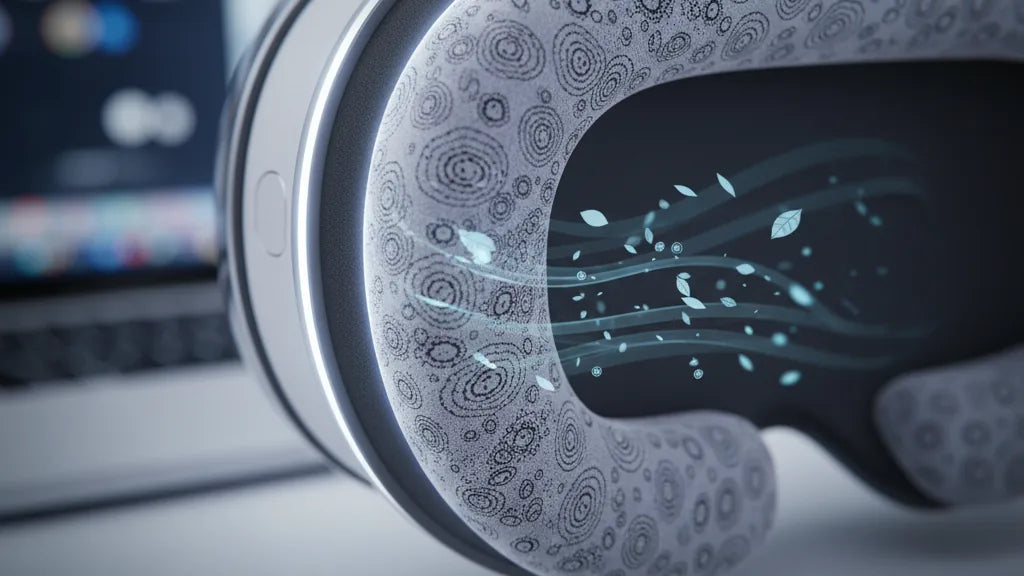
Keep Your Vision Pro Cool: Ventilated Cushions and Sweat Management for Comfortable Long Sessions
Using Apple Vision Pro for hours—whether for deep work, spatial design, or immersive gaming—brings an obvious trade-off: incredible immersion at the cost of face heat, sweat, and pressure. Ventilated cushions are a small upgrade with outsized impact. They change how air moves around your cheeks, brow, and nose, reduce moisture buildup, and help the headset feel lighter and more stable over time. ⏱️ 10-min read
This article walks Vision Pro owners through why ventilation matters, what materials and designs work best, sweat-management strategies, fit and stability trade-offs, maintenance steps, installation tips, and practical habits for marathon sessions. Expect detailed, actionable guidance you can test tonight—plus examples from real users who doubled their comfortable wearing time by rethinking padding and airflow.
The Case for Ventilated Cushions on Vision Pro
Apple’s Vision Pro is a dense, high-performance device that sits close to skin across the forehead, cheeks, and nose. By design, that close contact creates a microclimate: your body heat and breath raise the temperature inside the face seal, perspiration forms, and foam or fabric pads can quickly feel clammy. Ventilated cushions change that microclimate by introducing engineered airflow paths and breathable surfaces that keep contact points cooler and drier. The difference is immediate: cooler contact points translate to fewer mid-session adjustments and longer uninterrupted focus.
Ventilated cushion designs typically combine a contoured face pad with perforations or channels that diffuse pressure across a wider area. Instead of a few pressure hotspots—common where dense foam bears against the cheekbones—airflow-enabled pads spread load and let sweat evaporate. Users testing ventilated options in long sessions report not only less moisture but fewer pressure marks and less jaw tension. When paired with a weight-distribution accessory such as the FlitLift GraviPro, which lifts and rebalances the headset, the combination reduces neck strain and makes extended use feel much gentler.
Heat transfer matters for more than comfort. Lens fogging, skin irritation, and distraction all rise with higher skin moisture. Cooler, drier cushions help maintain lens clarity and a steadier seal, so you can stay immersed rather than pause to wipe or recalibrate. For anyone logging hours in Vision Pro—developers, creatives, or enthusiasts—ventilated cushions are a practical investment that improves both physical comfort and session productivity.
Materials and Design that Promote Airflow
Not all ventilated cushions are created equal. The core material and cover fabric determine how well air can move, how fast moisture wicks away, and how durable the padding will remain under repeated use. Perforated foams, honeycomb or lattice structures, and segmented cores create open channels that let air bypass the dense regions of traditional foam. These internal networks allow heat and moisture to travel laterally to the outer fabric where evaporation is faster.
On the cover side, breathable textiles such as 3D spacer mesh and perforated knit blends are our top picks. They balance soft skin contact with open structure; a polyester or polyester-spandex blend often offers strong moisture-wicking performance and quick drying. For the Vision Pro, designers often place vent channels along the temple, cheek, and brow seams to move air outward rather than letting it pool near nasal bridges. Modular designs—removable inserts or segmented panels—let you tune airflow for your face shape or the intensity of your session.
Durability is a practical concern. Open-cell or lattice foams can compress differently than closed-cell memory foam, so manufacturers usually reinforce critical contact zones to preserve the headset’s seal over time. Moisture-resistant coatings or antimicrobial fibers extend lifespan by preventing odor and microbial buildup when cushions are frequently exposed to sweat. Ultimately, you’re looking for a system that combines a ventilated core, a moisture-managing cover, and thoughtful channeling around common heat zones (temples, cheeks, brow) to maintain both comfort and a tight, stable seal.
Sweat Management Solutions
Ventilation reduces bulk heat, but sweat still happens. Successful sweat management is a layered approach: pick moisture-wicking fabrics, add removable washable covers, and consider antimicrobial treatments that control odor and bacterial growth. Moisture-wicking textiles pull sweat away from the skin into the fabric’s outer structure, where airflow helps evaporation; this keeps the skin surface relatively dry and reduces the chance of the headset sliding on your face.
Antimicrobial finishes—using silver, copper, or zinc-infused fibers or surface treatments—are common in higher-end cushions. These materials inhibit bacterial growth that causes odors and can be particularly valuable if you’re using the Vision Pro for several sessions a day. Look for cushions with removable covers so you can launder the outer layer regularly without degrading the foam core. A machine-washable polyester-spandex cover will typically survive repeated cycles better than delicate natural fabrics.
Beyond materials, practical fit adjustments reduce sweat. A well-distributed seal avoids concentrated pressure that traps heat, and anti-slip undersides keep pads from moving as hair and skin shift. In user testing, many people note that drier cushions not only feel better but make the headset more stable because moisture isn’t causing slippage. If you exercise or sweat profusely, consider an absorbent inner liner that can be swapped mid-session; it’s an inexpensive way to keep core comfort intact without replacing the entire cushion.
Fit, Comfort, and Stability with Ventilated Cushions
Ventilation introduces a design trade-off: the headset needs a seal to keep out stray light and maintain correct optical alignment, but ventilation works by allowing controlled air movement. The goal is a balanced seal—tight enough to preserve visual fidelity, loose enough at targeted zones to encourage airflow. Perforated foams and segmented cushion rings can maintain an offset seal that channels air along the cheeks and brow without creating light leaks or compromising immersion.
Customizability matters. Interchangeable inserts and adjustable thickness let you fine-tune where the headset contacts your face. For instance, thicker inserts at the forehead can lift weight off the nose and cheeks, while thinner cheek pads preserve peripheral sightlines and keep vents unobstructed. For glasses wearers, look for ventilated cushions that add clearance in the frame area or provide a softer, contoured nose gap to prevent frame pressure and fogging; a small shift in pad thickness can make a big difference in lens distance and comfort.
Stability during movement depends on both cushion shape and how the headset’s headband distributes load. Ventilated pads that spread pressure across the crown and temples reduce wobble and friction. Pairing cushions with a lift stand like FlitLift GraviPro further offloads weight from your neck by supporting the headset when stationary—this is especially useful during long desk or design sessions where you rarely sprint or pivot quickly. Real-world users frequently report that these combined adjustments reduce fidgeting, keep vision steadier, and allow longer uninterrupted stretches of work or play.
Maintenance and Longevity
Good maintenance keeps ventilated cushions functioning at peak performance and prevents sweat-related problems like odors, fabric breakdown, or foam collapse. Start with manufacturer care guidance, but when in doubt, follow a gentle cleaning routine: remove the cover, hand-wash or machine-wash on a delicate cycle with mild detergent, and air-dry completely. Avoid aggressive chemicals and high heat—both can degrade antimicrobial finishes and deform foam cores, reducing ventilation and fit.
For surface cleaning between washes, use a soft cloth dampened with a mild soap solution to wipe the skin-contact areas, and let them dry fully before reinstalling. For the foam core, spot-clean sparingly; excessive wetting can collapse open-channel structures or promote microbial growth if not dried properly. If you use isopropyl alcohol to degrease mounting surfaces during reinstallation, apply it only to the headset frame—not the cushion materials—to avoid embrittlement or fabric discoloration.
Odor prevention is part material choice and part habit. Rotate multiple covers if you have back-to-back sessions, store the headset in a cool, ventilated place after use, and let cushions breathe between sessions. Over time the foam will compress and ventilation efficacy will decline—plan to replace face pads annually under heavy use or every 18–24 months for moderate use. Signs it’s time for replacement include persistent odor after cleaning, loss of shape, or reduced seal and comfort despite adjustments.
Installation and Accessory Compatibility
Installing ventilated cushions on Vision Pro is straightforward but benefits from care to preserve the headset’s seals and sensors. Work in a clean, well-lit area with a soft cloth, and power down the headset first. Remove existing pads by gently detaching clips or peeling Velcro-backed sections; save any small fasteners. Clean the mounting surface with a microfiber wiped lightly with isopropyl alcohol to remove oils and residues—this improves adhesion and prevents gaps that can compromise both ventilation and optics.
When aligning the new cushion, orient vent channels so they guide air away from the nose and toward the outer edges; obstructed channels defeat the purpose. Snap or press the cushion into place until you hear a click, or secure the Velcro across its full length to avoid gaps. Reinstall the headband and harness and check strap tension: the cushioned perimeter should sit flush without pinching. Wear the headset for a brief 5–10 minute test; if you notice hotspots or channel blockage, re-seat the cushions or swap modular inserts to better fit your face geometry.
Accessories matter. The FlitLift GraviPro Vision Pro Lift Stand is commonly paired with ventilated cushions because it supports the headset’s weight, improving airflow and drastically reducing neck strain during long sessions. Check compatibility notes: some third-party face gaskets rely on snaps or adhesive that differ from Apple’s stock fasteners. If your cushion uses non-standard clips, you may need small adapter strips or double-sided medical-grade adhesive. Keep spare fasteners on hand to ensure a secure fit and to make mid-session swaps quick and reliable.
Best Practices for Long Sessions
Ventilated cushions extend comfort, but your behavior and environment complete the equation. Schedule deliberate breaks—stand, move, and stretch for five to ten minutes every hour to flood cooling blood to neck and shoulders and let the headset and cushions cool. Hydration matters; sweating increases when you’re dehydrated, so sip water before and during long sessions. Adjust room temperature and air circulation: a ceiling fan, room fan, or even an open window can lower the ambient heat load and speed evaporation at the cushion surface.
Optimize fit before you launch. Evenly distribute tension across the headband so no single contact point bears excessive weight, and verify vents remain clear of hair or headgear. If you feel hotspots, shift or rotate the cushion slightly—small adjustments often resolve pressure points faster than changing tension. For prolonged tasks like spatial design or movie watching, consider using a weight-relief accessory such as FlitLift GraviPro when you’re stationary: supporting the headset reduces downward pressure on the face and complements the ventilation system by keeping contact points gentle and exposed to air.
Finally, practical on-session habits make a cumulative difference. Keep a small microfiber towel at hand for a quick pat if needed, have spare washable covers if you’re doing back-to-back sessions, and set a timer or use app prompts to remind you to blink, look away, and shift posture. These small rituals preserve comfort without breaking immersion: by combining ventilated cushions, good fit, maintenance, and smart session habits you can reliably extend wearable time and maintain crisp, clear focus throughout.
If you haven’t already, try swapping to a ventilated cushion and run a controlled test: one two-hour session with the stock pad, then another with a ventilated pad and the same environment. Note differences in facial moisture, pressure points, number of adjustments, and overall focus. Small changes—channel orientation, a thinner nose insert, or pairing with a GraviPro lift—often yield the biggest practical gains. Your next step: select a ventilated cushion made for Vision Pro that offers removable, washable covers, a ventilated core, and compatibility with your current mounting system—then give your face an upgrade it can feel from minute one.







Share:
Top Third-Party Comfort Straps for Quest 2 Pros, Cons, and Comparisons
Optimizing Meta Quest 2 IPD and Lens Comfort for Sharper, Happier Sessions