

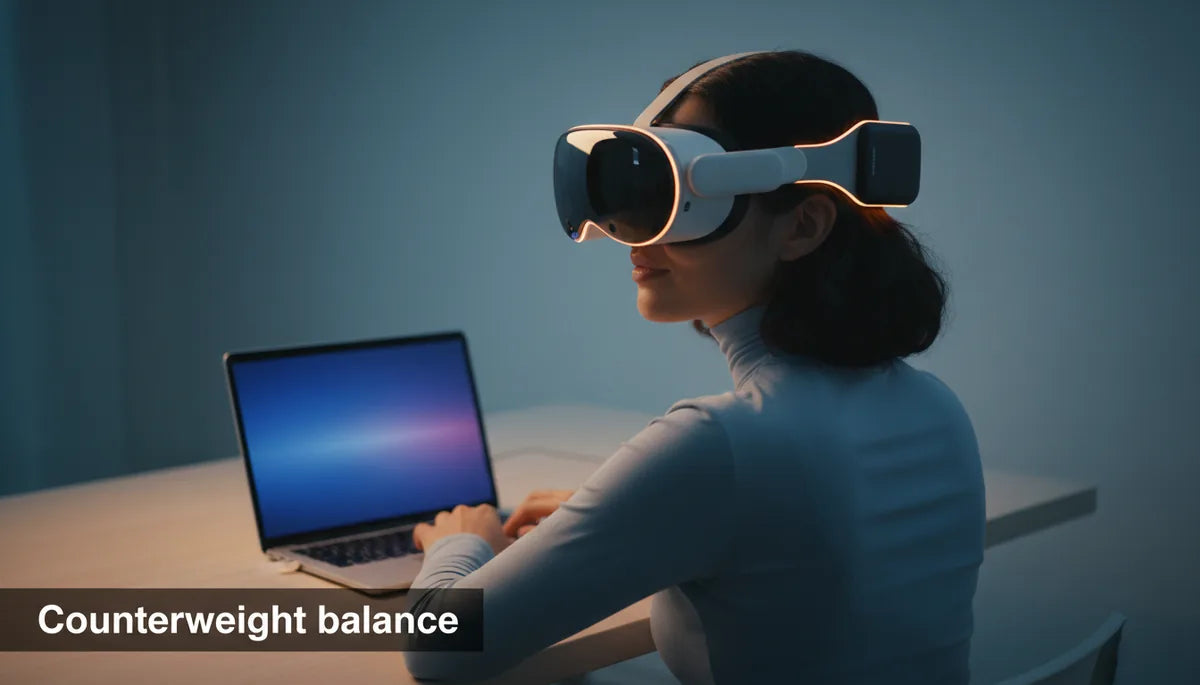
Achieving Balance: How Counterweights Can Transform Your Meta Quest 2 Comfort and Cut VR Neck Fatigue
If your meta-quest-2-weight-distribution-and-fit" rel="nofollow noopener noreferrer">Meta Quest 2 starts feeling like a forward‑pulling halo after 30–60 minutes, you’re not imagining it. Many Quest 2 owners experience cheek pressure, forehead or nose bridge soreness, and a heavy forward tilt that forces the neck into an awkward hold. The good news: a well-chosen counterweight—installed and tuned correctly—can dramatically reduce that forward torque and extend comfortable playtime. ⏱️ 10-min read
This guide explains why the Quest 2 feels front‑heavy, the physics behind counterbalancing, how to choose between DIY and dedicated solutions, and step‑by‑step setup and maintenance tips. Read on for practical, experience‑driven advice that will help you get back to longer, less painful VR sessions without guessing at what will work.
Why Your Quest 2 Feels Front-Heavy and Fatiguing
The Quest 2’s sleek front shell houses the display, optics, and electronics—components that are necessarily placed forward of the head. This compact front housing creates a design bias: most of the headset’s mass sits in front of the pivot point at the base of your skull. The rear strap and padding do provide support, but they’re often not heavy or low enough to counteract that forward mass. As a result the headset tends to tip forward during movement and even when you’re still, pulling your gaze downward and forcing your neck into a sustained tilt.
From a biomechanical perspective, that tilt translates to increased torque around the cervical spine. Your neck muscles — the sternocleidomastoids and the upper trapezius — work continuously to keep the display level. Over an hour or two, those muscles fatigue, causing stiffness, tension headaches, and soreness across the upper back and shoulders. Common pain patterns include pressure points on the cheeks and nose bridge from the facial gasket and temple or forehead discomfort when the strap is overtightened to compensate for forward pull. The end result is shorter sessions, more frequent breaks, and a tendency to readjust the headset constantly — all signs that the center of gravity (CG) is poorly balanced.
The Science of VR Counterbalancing: How It Works
Counterweights don’t make a headset magically lighter; they change where the mass sits relative to your neck. Imagine the head as a lever and the base of the skull as the fulcrum. The farther an object is from the fulcrum, the greater the torque it produces. In the Quest 2, the display and optics sit forward of that fulcrum, increasing forward torque. Adding mass toward the back of the head moves the system’s center of mass closer to the fulcrum, which reduces the torque the neck muscles must resist.
Two practical principles are at play: center of mass and counter‑torque. When the center of mass shifts posteriorly (toward the back of your head and the body’s midline), the headset feels more stable and less prone to tilt. A small weight positioned low and centered behind the head can create a counter‑torque that neutralizes the forward pull from the front housing. The perceived weight reduces because your neck no longer fights a constant tilt – muscles work less, and the headset’s micro‑movements (bouncing or wobble) are minimized. That increased stability matters in room‑scale motion and fast head turns where any imbalance becomes immediately noticeable.
Manufacturers and accessory designers exploit these principles: purpose‑built rear weights, halo‑style straps, and rear battery packs all utilize posterior mass to relocate the CG. The total mass may be unchanged or even slightly increased, but the net feeling is lighter and more secure because the torque demanding neck stabilization is reduced.
Choosing the Right Counterweight for Your Quest 2
Picking the right counterweight is a balance between effectiveness, comfort, and practicality. There’s no single “perfect” weight for every user; body size, neck strength, how tight you wear the headset, and the strap type you use all affect the ideal solution. Still, practical ranges and form factors make selection straightforward.
- Weight range: A common starting point is 50–150 grams. Many users find ~100 g gives a noticeable improvement without overcompensating. Heavier options (150–250 g) may help players with stronger forward pull or those using lighter aftermarket straps but can feel bulky.
- Attachment type: Adhesive plates allow fine increments and are discreet; clip‑on or sleeve weights are easy to move between setups; rear battery packs add mass plus extended runtime but require cable routing and can introduce heat.
- Material and comfort: Dense metals give small form factors, while gel or foam‑encased weights reduce pressure points and noise. Look for coatings or sleeves to prevent chafing against the strap.
- Compatibility: Check how the weight will sit with your current strap. The stock Quest 2 strap has less rear structure than the Elite Strap or halo designs; clip‑on solutions may be necessary for those. Elite and third‑party straps with rear pockets often accept modular weights directly.
For most Quest 2 owners, start light and work up: try one 50–100 g piece centered at the base of the skull, test for comfort and balance, then increase incrementally. If you’re also using a halo or Elite Strap, less mass is often required because those straps already move support rearward.
DIY vs. Dedicated Counterweight Solutions
You can choose from an inventive DIY project or a polished, purpose-built accessory. Both paths have merit depending on budget, aesthetics, and how much tuning you want to do.
DIY options are inexpensive and highly tunable. Common approaches include coin pouches attached with Velcro, fishing weights slid into a fabric sleeve, or small battery packs secured with a clip. These let you add or remove mass in small increments—great if you like experimenting. A hybrid approach, sewing small pockets into the strap for adjustable weights, spreads load more evenly than a single heavy lump. However, DIY setups can shift during active play, feel less secure, and sometimes damage straps or adhesives if not properly protected. Safety matters: unsecured weights could fall off during room‑scale movement and present hazards.
Dedicated counterweights and comfort solutions, such as rear weight modules, integrated battery packs, or aftermarket comfort straps with weight pockets, offer a cleaner look and more secure attachment. They typically use materials and fastening methods designed for the headset, reduce slip, and provide a softer interface against the strap. Many include modular increments so you can tune the mass precisely. The drawbacks are cost and the potential for brand lock‑in: a purpose‑built rear weight designed for a specific strap may not transfer to other headsets.
Budget also plays a role. DIY gear can be under $10, while quality straps and dedicated counterweight modules often run from $30 to $100+. If you frequently play long sessions, a dedicated option is usually worth the investment for safety, durability, and comfort.
Installation and Adjustment Tips for Optimal Balance
Getting balance right is more about placement and tuning than raw mass. Here’s a step‑by‑step routine that produces predictable results for most Quest 2 owners:
- Prepare your setup: remove accessories, clean the strap surface, and have ruler or measuring tape handy. Wear the headset in your normal play configuration (facial interface, lenses set to your IPD).
- Select a starting weight: begin with one 50–100 g unit. Center it horizontally on the rear strap so its mass sits directly behind the base of your skull, not above or lower on the neck.
- Mount and secure: use the clip, pouch, or adhesive to fasten the weight. For Velcro pouches, tuck the weight fully inside and seal. If using a battery pack, ensure cables are routed to avoid tugging on the headset’s left or right side.
- Tighten straps lightly: set strap tension so the headset sits stable but not pinching. Tighten too much and you’ll create pressure hotspots; too loose and the rear weight won’t stabilize the front properly.
- Test balance with specific movements: look straight ahead, then tilt up, down, and do quick left/right head turns. If the headset tips forward, add 25–50 g; if it feels too rear‑heavy and pulls the back of your head backward, remove weight or move it slightly lower.
- Fine‑tune placement: small anterior‑posterior moves—sliding the weight slightly higher or lower—have a big effect. Aim for the weight’s centerline to align with the skull base. Symmetry is key: if you use split weights, keep them equidistant to avoid lateral pull.
Practical notes: for clip‑on weights, double‑check that the clip cannot rotate during play. For adhesive plates, clean the strap with isopropyl alcohol first and press firmly for at least 30 seconds. If you experience new neck or shoulder pain after adding weight, reduce mass immediately and reassess positioning — heavier is not always better.
Beyond Counterweights: Holistic Comfort Strategies
Counterweights solve a major part of the problem, but they work best as part of a broader comfort strategy. Consider these complementary changes to reduce hotspots, heat, and cumulative fatigue.
- Upgrade the facial interface: Swap in a thicker foam or silicone gasket to spread pressure across the cheeks and nose more evenly. Antimicrobial or breathable options reduce sweat buildup and skin irritation during long sessions.
- Choose a supportive head strap: Halo or Elite‑style straps redistribute load to the crown and rear of the skull. Pairing a good strap with a modest rear weight often outperforms a heavy weight with a flimsy stock strap.
- Optimize fit and IPD: Start with light strap tension, center the headset, and adjust the interpupillary distance. Proper lens alignment reduces eye strain and avoids compensatory head tilts that worsen neck load.
- Take deliberate breaks: Use scheduled 5–10 minute breaks every 45–60 minutes to relieve muscle fatigue. During breaks, remove the headset and do gentle neck rolls and shoulder stretches.
- Heat and airflow: Elevated temperature under the foam increases discomfort. Use breathable face pads, keep the room ventilated, or add a small fan to reduce sweat and slippage.
- Body posture and support: If seated play is common, use an upright supportive chair. For standing or room‑scale sessions, focus on a neutral spine and engage the core lightly to reduce neck load.
Combining these approaches with a well‑tuned counterweight creates a compound effect: the headset rests more on your skull and shoulders, the face gasket carries less localized pressure, and your neck muscles no longer fight to maintain a level gaze. That’s why many users report session lengths increasing dramatically once they address balance and fit together.
Maintaining Your Comfort Setup for Longevity
Comfort is not a one‑time fix; the tape, clips, and foam you rely on need occasional care. A few maintenance routines keep everything hygienic, secure, and performing well over time.
- Regular inspections: Check straps, clips, and pouches for wear every 4–8 weeks. Look for fraying stitching, loosened Velcro, or fatigued plastic that could fail under movement.
- Cleaning the facial interface: Remove foam or silicone pads per manufacturer guidance. Wipe down contact surfaces with a mild, skin‑safe disinfectant or 70% isopropyl alcohol, and let them dry completely before reuse. Replace foam pads when they lose shape or accumulate persistent odors.
- Weight care: For metal or leaded DIY weights, use rust‑proof sleeves and ensure edges are wrapped to prevent strap damage. For battery packs, inspect cables for kinks and ensure connectors are intact to avoid accidental tugs.
- Adhesive management: If you used adhesive plates, remove and reposition them only when necessary — repeated reapplication reduces stickiness. When removing, do it slowly and use adhesive remover to protect strap fabric.
- Storage practices: Store your Quest 2 on a stand or in a case that supports the rear weight and avoids compressing the facial foam. Don’t hang the headset by the straps alone if weights are attached; that stresses stitching.
Small habits matter: a quick wipe after heavy use, an inspection before a long streaming session, and replacing foam annually can keep your comfort setup consistent and reliable. That stability lets you focus on immersive experiences instead of equipment adjustments.
Next Step: Try a Small, Reversible Change Today
If you’re still skeptical, start with a single, reversible tweak: attach a 50–100 g clip or Velcro pouch to the center rear of your Quest 2 strap, wear the headset for a 30–45 minute session, and compare how your neck and face feel. If it helps, iterate by adding 25–50 g increments until the forward pull is gone but the rear doesn’t yank your head back. Pair this with a breathable face pad and a light strap tension — you’ll likely notice longer, more comfortable playtime within minutes.







Compartir:
Best Aftermarket Comfort Straps for Meta Quest 2: Weight Distribution and Fit
Comfort Strap vs Elite Strap: long-session ergonomics and support for Quest 2