

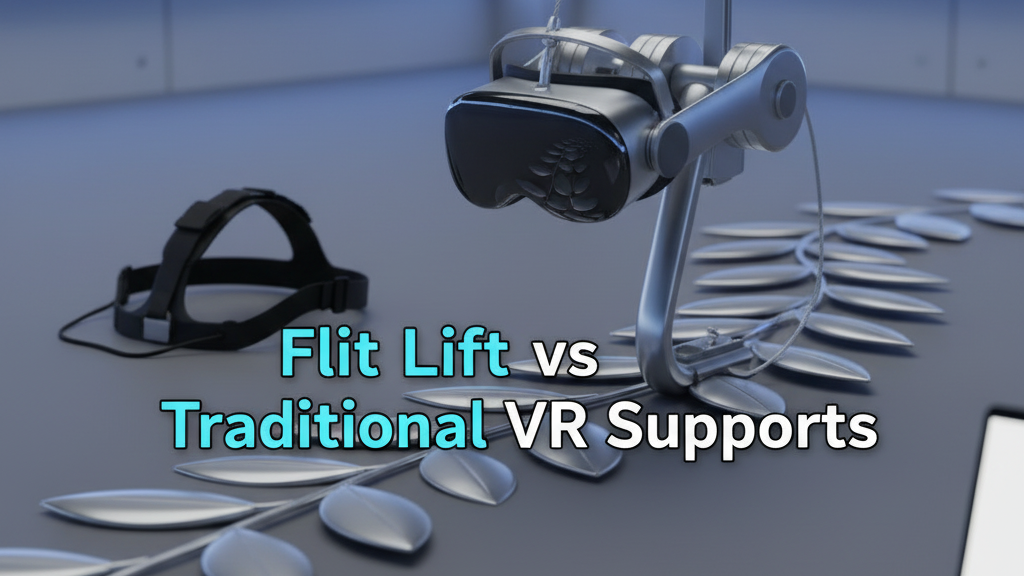
Flit Lift vs Traditional VR Headstraps: How GraviPro’s Dynamic Lifting Redefines Comfort and Endurance
If you’ve ever ended a long VR session with a sore neck, a bruised forehead, or the constant urge to loosen straps, you’re not alone. Traditional headstraps do a credible job holding displays in front of your eyes, but they do it by pinching and compressing fixed contact points: forehead, temples, and sometimes the back of the skull. The result is pressure hotspots, anterior neck torque, and frequent mid‑session adjustments. ⏱️ 11-min read
This article compares the Flit Lift approach—built around the GraviPro gravity‑assisted dynamic lifting system—with conventional passive straps. I’ll explain how GraviPro redistributes load, what that feels like in real use with systems such as Apple flit-lift-weightless-vr-comfort/gravipro-compatibility-guide-pairing-gravity-assisted-vr-gear-with-major-headsets" rel="nofollow noopener noreferrer">Vision Pro, how endurance and session length change, what developers should test for, and practical setup, maintenance, and buying guidance to help you decide if a lift system is worth the investment.
Flit Lift vs traditional VR supports: a practical overview
Comfort in VR is a composite of four practical factors: how evenly pressure is distributed, how stable the headset stays during movement, how much heat builds under contact surfaces, and how easy it is to micro‑adjust fit on the fly. Traditional headstraps are simple and lightweight, but they’re fundamentally passive—straps and pads press the headset against the face and scalp. Over long sessions that passive compression translates into hotspots at the brow and temples, forward leverage that increases neck torque, and more frequent strap adjustments to chase a comfortable foil.
Flit Lift reframes the problem by removing much of the front‑heavy load from the head. Instead of clamping, GraviPro’s dynamic system shifts the effective center of mass towards the torso and hips. The harness and counterweight architecture take the bulk of gravity’s pull, so the faceplate needs only to be positioned precisely, not to bear the entire weight. In practice, that reduces the sensation of a “top‑heavy” rig and minimizes the tug that causes anterior neck strain.
To compare fairly, look beyond sticker comfort: measure session length before fatigue, count mid‑session readjustments, note hotspots and heat accumulation, and track maintenance intervals for straps and pads. The lift design promises better endurance, but durability depends on build quality and how the system tolerates daily use.
How the GraviPro dynamic lifting system works
Under the hood, GraviPro is an orchestration of hardware and control software. Its core subsystems include a harness frame that rides along the spine and hips, small actuators that apply vertical support and fine tilt adjustments, counterweights that balance front‑heavy leverage, a sensor array that monitors posture and motion, and a control unit that blends inputs and outputs in real time. The modular design lets you swap pads, tighten harness points, or remove a mounting arm for transport.
When you strap in, the system aligns with your torso: shoulder straps, waist belt, and a back frame distribute load across broader contact areas than a forehead pad ever could. Sensors—accelerometers, strain gauges, and inertial units—track micro‑movements. The control software then adjusts actuator tension and counterweight balance to keep the headset feeling “weightless.” Those adjustments aren’t abrupt; they’re damped and phase‑matched to your motion so the lift follows you when you walk, pivot, or nod.
Integration with headsets like the Vision Pro is achieved through secure crown mounts and adapter plates that preserve balance during rapid motion. Calibration routines tune the system to your height, preferred fit, and activity profile; safety checks ensure actuators won’t overextend and that quick‑release mechanisms disengage cleanly in an emergency.
Comfort impact in real-world use
The headline here is simple: when load is shared with the torso and hips, you stop feeling like you’re carrying the headset on your face. That translates into fewer pressure hotspots and less anterior neck strain. Early adopters report the most tangible wins during mixed‑motion sessions—walking in place, short sprints, or tasks that require repeated leaning and crouching—where a passive strap would tug and shift.
Design details matter. A responsive harness that moves with posture preserves headset alignment without digging into the shoulders or compressing the trapezius. Flit Lift emphasizes load sharing through a snug waist belt and contoured shoulder pads that distribute force across a larger surface area; when tuned correctly, the frame routes weight down to the hips, reducing pinching under the collarbone and the classic “pressure on the bridge of the nose” sensation.
Materials and venting also play a large role. Balanced padding—neither too thick to compress nor too thin to chafe—paired with breathable fabrics and vent channels along the back reduces heat accumulation during long sessions or exerting activity. That’s why users who switch report not only less soreness but also fewer mid‑session breaks to cool down or re‑adjust. The result is steadier alignment: fewer lost sightlines, less re‑centering, and a smoother, more immersive experience.
Endurance and session length implications
One of Flit Lift’s selling points is longer usable sessions. When the head isn’t shouldering the entire mass, subjective fatigue rises more slowly. Gamers and creators have extended single blocks of VR use—whether a two‑hour training run or an eight‑hour studio day—without the repeated strap fiddling that fragments immersion.
That said, dynamic lifts add energy and thermal considerations. The motors and actuators draw power continuously, not just during dramatic movements. Plan for battery management: spare battery packs, staged charging strategies, or tethered power if your sessions routinely exceed the lift’s runtime. Higher duty cycles—frequent lifts, heavy motion—heat components faster, and heat can ripple into physical comfort if not managed. Build in short cooldown breaks for intense sessions and watch onboard temperature cues.
From an ROI perspective, factor in reduced downtime for strap readjustments and lower cumulative soreness that can sap performance in long studio days. For competitive gamers, fewer interruptions and steadier headset alignment can translate into practical in‑game advantages. For creators, lower fatigue means sustained precision when editing, sculpting, or motion‑capturing over many hours.
Compatibility, setup, and everyday usability
Compatibility is pragmatic: Flit Lift’s GraviPro systems are designed to pair with headsets that provide crown‑mount or adapter options—Vision Pro being a primary example. Look for secure crown mounts, adjustable adapter plates, and flexible attachment points that preserve the original headset balance. The more customizable the mounting geometry, the better you can preserve optical alignment while shifting load to the harness.
Initial setup is straightforward if you follow a sequence: assemble the frame, attach the headset to the adapter, put on the harness, then run the guided calibration. Quick adjustments—height sliders, strap tensioners, and hipbelt locks—should be tool‑free and fast. Cable routing is often overlooked but critical: route power and data cleanly along the frame to avoid snagging during locomotion and to keep the headset’s weight vector stable.
Portability and footprint are practical concerns. Flit Lift emphasizes a smaller, modular footprint than large external rigs: it can mount to a wall or ceiling track or fold down for storage. If you share a living space, prioritize a configuration that disassembles quickly or tucks away. For multi‑user households, presets for different players dramatically reduce the time spent re‑tuning straps between users.
Developers and ecosystem integration
For developers, GraviPro is more than hardware; it’s an extension of the input surface. Flit Lift exposes APIs and SDKs that stream torso and head motion, torque cues, and calibration hooks so you can tune how in‑experience forces interact with the lift. Unity, Unreal, OpenXR adapters, and sample projects accelerate integration so a single build can behave properly across Vision Pro and other platforms.
Developer best practices emphasize minimizing disruptive weight shifts. Implement gradual ramp rates, damping, and user‑adjustable comfort presets (Light, Moderate, Strong) or a continuous slider so players can match lift dynamics to their tolerance. Provide in‑experience tests: a short “balance scene” that nudges the system and lets users feel onset and offset before committing to longer play. Log comfort telemetry—number of strap adjustments, session length, and subjective comfort ratings—and use that data to refine default settings.
Cross‑platform compatibility is essential. Keep versioning clear and document deprecation timelines so studios can update builds without surprises. Provide templates for locomotion, seated‑to‑standing transitions, and VR workouts; these are where lift dynamics matter most. Lastly, keep the lift unobtrusive: haptics and visual cues can indicate active support without breaking immersion.
Maintenance, pricing, and buying guidance
Lifecycle costs go beyond the sticker price. Expect to budget for spare pads, belts, and service intervals. Practical guidance: plan to refresh high‑contact padding every 6–12 months depending on use and hygiene, inspect belts for fraying or slack quarterly, and follow manufacturer battery care guidelines to avoid premature capacity loss. Regular checks—tightening fasteners, checking quick‑releases, and running a calibration—extend the system’s effective life.
Pricing tiers vary by configuration. A basic kit covers the harness, adapter plate, and a single battery; higher tiers add extra padding, a travel case, spare batteries, and premium mounting hardware. When evaluating ROI, consider the value of extended sessions: if a lift lets you add an extra hour of productive studio time per day, that advantage compounds rapidly for professionals. For gamers, the calculus is more personal: fewer breaks, steadier play, and reduced discomfort can justify higher upfront costs.
Buying tips: test the system if possible—rentals or demo stations are ideal. Compare warranty coverage and service offerings; a longer warranty can offset higher initial outlay. Check retailer availability of spare parts and turnaround times for repairs; downtime can be hidden cost for professional users. Finally, factor in power accessories: a second battery or a docking system can be the difference between practical overnight sessions and frustrating interruptions.
Practical how‑to: quick setup and comfort tuning
Getting Flit Lift dialed in quickly saves time and frustration. Use this compact routine to align the system for Vision Pro comfort and stability.
- Unbox and inspect: lay out components on a clean surface, check for shipping damage, and read the safety checklist.
- Assemble the frame: attach shoulder straps, waist belt, and back plate per the manual. Keep fasteners finger‑tight until final fit.
- Mount the headset: attach the Vision Pro to the supplied adapter plate and use the quick‑release locking connectors. Ensure the headset’s optical center remains aligned with the crown mount before tightening.
- Initial fit: don the harness, secure the waist belt snugly, and let the shoulders rest naturally. Tighten main tension straps evenly—aim for even pressure across shoulders and hips, not a single tight contact point.
- Run calibration: the guided routine will ask you to stand, sit, nod, and walk a few steps. Let the system record baseline posture and tune actuator damping. Save a preferred preset.
- Stability check: play a short test scene with head turns and light locomotion. Note any drift or hotspots and adjust shoulder pad position or hipbelt tension accordingly.
- Battery management: plug in a full charge before long sessions and consider a spare pack. Monitor temperature and duty cycle indicators during intense use.
Minor daily checks—quick strap visual inspections and a calibration run if multiple users share the unit—keep comfort consistent and cut down on mid‑session fiddling.
Examples and case scenarios: real‑world use cases
Concrete scenarios show where dynamic lifting shines.
Case A — Two‑hour training module: A group of trainees runs a two‑hour simulated environment with mixed locomotion and rapid posture changes. With a passive strap, several participants report shoulder pinching and fore‑head soreness after 30–40 minutes, necessitating short breaks. With Flit Lift, headset alignment remains stable; trainees report less shoulder fatigue and maintain posture through sprint and crouch transitions. The harness routes weight to the hips during standing moves, reducing neck torque and improving concentration.
Case B — Day‑long studio session: An XR artist alternates eight hours of editing, mixed with 20–40 minute seated blocks and brief standing tests. On traditional straps, accumulated pressure requires a 10–15 minute break every hour to stretch and re‑fit. With GraviPro, the artist sustains longer blocks with only short five‑minute posture resets and experiences fewer alignment‑related retakes during motion capture. The reduced need to re‑center the headset saves real time when rendering and compositing complex scenes.
Case C — Competitive gaming: A tournament player values uninterrupted focus. Fewer mid‑match adjustments and steadier sightlines translate into fewer lost microseconds, which can matter in high‑frame‑rate titles. The lift’s weight redistribution also reduces reactive head sway after sudden pivots, improving aim stability for games that rely on fine head tracking.
These use cases illustrate the practical tradeoffs: dynamic lifts reduce physical interruptions and improve alignment but add considerations for power and thermal management. For many users the tradeoff is favorable; for others who need ultra‑light, no‑power solutions, traditional straps will remain attractive.
Next step: how to evaluate Flit Lift for your setup
If you’re considering a purchase, test these variables: session length before and after adoption, the frequency of mid‑session strap adjustments, hotspots (location and severity), and any change in neck or shoulder soreness over repeated days. For developers, add automated telemetry—session time, lift duty cycles, and subjective comfort prompts—to iterate on comfort presets.
Practical checklist: try a demo if available, confirm adapter compatibility with your headset, ask about spare part availability, and budget for padding refreshes and a backup battery. Start with a conservative preset and ramp the support up gradually—most users prefer to discover their “weightless” sweet spot rather than accept a factory default.







Compartir:
The Technology Behind Flit Lift: Why Dynamic Lifting Improves VR Wear
Maximizing ergonomics: long-session VR posture with weightless comfort accessories