

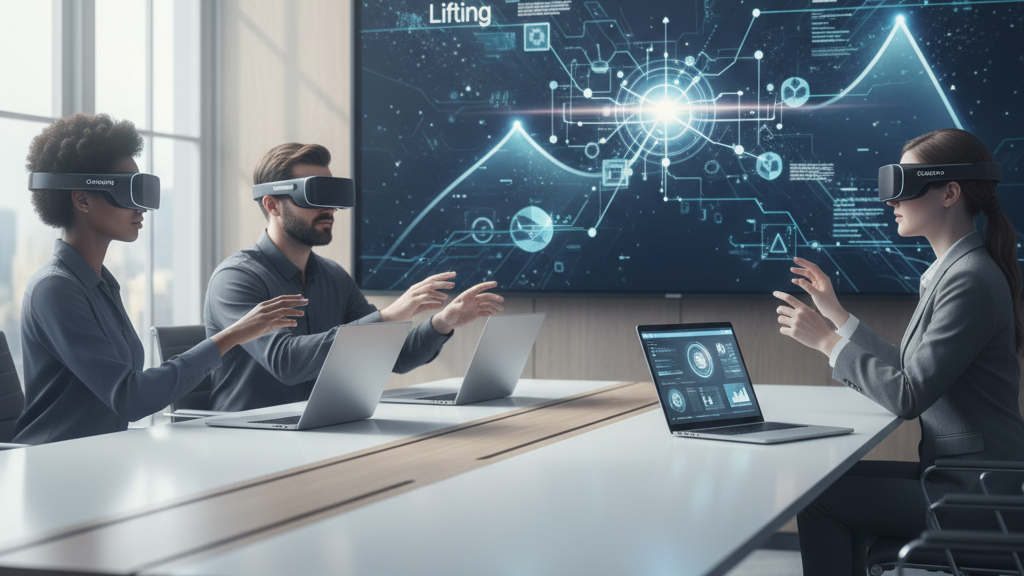
GraviPro in the Workplace: Reducing VR Fatigue with Dynamic Lifting for Training, Meetings, and Collaboration
As organizations push VR beyond novelty and into daily workflows—training simulations, remote meetings, design sprints—the ergonomics of wearing a headset for 45–90+ minutes becomes a practical barrier. GraviPro’s dynamic lifting system reframes that problem: instead of asking users to tolerate vr-comfort/beyond-the-headset-must-have-comfort-accessories-for-immersive-vr-experiences" rel="nofollow noopener noreferrer">headset weight around the face and neck, it redistributes load to the hips and core, letting people stay focused longer and move more naturally. This article walks HR, L&D, IT, and facilities leads through how GraviPro changes comfort, how that comfort influences outcomes, and how to pilot, measure, and scale the solution across enterprise VR programs. ⏱️ 10-min read
Read on for concrete rollout steps, metrics to track, integration considerations with enterprise identity and asset systems, and a 90-day roadmap built from early-adopter lessons. Whether you’re preparing safety training, cross‑functional collaboration, or immersive onboarding, this guide explains how a physical accessory—when paired with policy and measurement—can unlock better learning, steadier meetings, and higher adoption.
GraviPro in the Workplace: How Dynamic Lifting Improves VR Comfort
GraviPro combines a lightweight frame, adjustable straps, and gravity-assisted mechanics to reroute headset weight from the neck and shoulders toward the pelvis and core. Imagine a harness that captures vertical force and channels it across the lumbar region: the headset still sits on your head and your hands remain free, but the core supports most of the effort. That shift reduces forward head tilt and neck extension—common causes of trapezius strain and shoulder pinching during long sessions.
In workplace terms, this translates to steadier posture, clearer visual focus, and fewer posture-related interruptions. Trainers running multi-part simulations notice fewer mid-session posture fixes; participants in lengthy design reviews are less likely to check their posture or remove the headset to stretch. That continuity matters: when a trainee doesn’t have to stop every 10–15 minutes to reset a slipping fit, they remain cognitively engaged and physically comfortable.
Practical setup and safety are key. First-time users should follow a guided calibration: snug the harness so the majority of the vertical load bears on the hips, confirm adjustable grips center the headset, and run a short movement check to ensure balance during turning and leaning. Facilities teams should clear chairless zones, place soft mats in case of missteps, and provide seating alternatives for those who prefer it. Small investments in fit and rollout protocols amplify the comfort benefits substantially.
GraviPro’s Impact on Training Outcomes
Ergonomic comfort is not a cosmetic improvement—it's an educational multiplier. Reduced neck and shoulder strain extends the window for deliberate practice, the concentrated repetition that turns early competence into fluency. In practical terms, learners supported by GraviPro complete longer uninterrupted practice blocks, produce steadier motion patterns, and experience fewer posture-related breaks. Instructors report more consistent execution on repeated tasks, and that consistency accelerates skill encoding.
To translate improved comfort into measurable learning gains, track concrete metrics from the start. Recommended KPIs include session duration per user, number of uninterrupted practice blocks, error rates during procedural simulations, and retention scores on post-session quizzes. Combine these numeric signals with subjective measures—fatigue and comfort ratings collected pre-, mid-, and post-session on a 0–10 scale—to build a fuller picture. In pilot programs we’ve seen realistic targets of a 1–2 point improvement in comfort scores and a 20–30% reduction in reported fatigue incidents within four weeks of introducing weight-relief accessories.
Another advantage is standardization across body types. Adjustable heights and balanced distribution make the same exercise feel similar for smaller and larger users, reducing variance in baseline performance. That consistency simplifies cohort comparisons and allows L&D teams to make more confident decisions about curriculum pacing and assessment thresholds. Finally, instructors benefit from data feedback loops: session telemetry (head tilt, motion smoothness) and frequent trainer observations let curriculum adapt in near real time—shortening or lengthening practice blocks where needed to optimize retention.
Meetings and Collaboration: Keeping Participants Comfortable
In multi‑user VR scenarios—design reviews, strategy workshops, collaborative whiteboarding—small physical discomforts compound quickly. Micro-adjustments to relieve neck strain create breaks in flow, and cumulative fatigue makes turn-taking clumsy. GraviPro’s weight balance and stable fit minimize those micro-movements by anchoring the headset so participants can move their eyes and heads without constant counterbalancing. The result is clearer gestures, steadier eye-lines, and better-preserved vocal clarity across meeting durations.
Comfort also matters for line-of-sight: when participants can look at a shared virtual whiteboard or a teammate without craning, conversation becomes more natural and consensus forms faster. That’s particularly relevant for distributed teams conducting long sprints—sessions of 60–90 minutes where sustained attention is essential. Organizations using GraviPro report fewer "can you repeat that?" interruptions and better gesture synchronization during multi-person annotations.
Plan practical facilitation techniques for groups using GraviPro-equipped headsets. Arrange room layouts with open movement zones and visible boundaries; place directional microphones or clip-on mics to capture speech clearly without users having to lean forward; assign an on-call tech champion to perform quick fit checks between sessions. For chairless setups, define soft-landing areas and encourage periodic seated breaks. During onboarding, include a short segment on how GraviPro changes mobility expectations—users should practice pivoting, leaning, and seated-to-standing transitions while someone verifies harness adjustments.
Implementation Playbook: From Pilot to Scale
Successful adoption follows a structured path: assess, pilot, measure, refine, and scale. Begin with an assessment of devices and use cases. Inventory headsets and check compatibility with GraviPro and complementary accessories (FlitLift for Vision Pro, for example). Choose 2–3 teams representing core use cases—safety training, design collaboration, customer-facing simulations—and run a 4–6 week pilot with clear success criteria and a simple data plan.
Pilot design should be tightly scoped. Define objectives (e.g., increase uninterrupted practice time by X%, improve comfort score by Y points), baseline current metrics, and enroll a small steering group: a pilot champion, an IT lead, and an L&D trainer. Phase the pilot in weeks: onboarding and baseline data collection (weeks 1–2); expansion to adjacent teams and cross-team workflows (weeks 3–4); governance alignment, security checks, and readiness assessment (weeks 5–6). Each phase should produce artifacts—survey results, session telemetry, trainer notes—that inform the go/no-go decision for broader procurement.
Security and maintenance must be baked into procurement and operations. Clarify who will manage device provisioning, firmware updates, and asset tagging. Establish SLAs for cleaning and physical inspection of harnesses, and create a simple incident response plan for fit-related injuries or device malfunctions. When scaling, document governance: who approves additional headsets, how return/repair is handled, and which teams own training content updates. A well-documented playbook reduces friction and keeps adoption focused on value rather than logistics.
Integration with Enterprise VR Ecosystems
GraviPro is built to slot into enterprise ecosystems rather than working as a siloed accessory. It exposes well-documented RESTful and event‑based APIs that allow IT teams to pull user and session metadata into LMS, ERP, or DAM systems. Out-of-the-box support for SSO with SAML, OAuth 2.0, and OpenID Connect means GraviPro-aware workflows can enforce consistent identity and access controls across VR and desktop tools—critical for compliance-minded organizations.
Asset tagging and role-based access control (RBAC) are central integration points. GraviPro supports standardized metadata schemas so training modules, 3D assets, and device configurations map cleanly to existing registries. Policies travel with user identities—so an instructor’s permissions apply whether they log in from a headset or a web console. For distributed IT teams, that reduces the administrative overhead of per-device provisioning and helps enforce training entitlements and retention policies across the organization.
Consider data privacy and telemetry governance during integration. Decide what session data is necessary—comfort scores, head tilt frequency, session duration—and where it will live. Use API filters and retention policies to keep personally identifiable movement telemetry scoped to what training teams need for curriculum improvement. Finally, document integration test plans and rollback procedures before wide deployment, and involve security and procurement early when hardware bundles include third-party accessories like FlitLift or Vision Pro-compatible components.
Measuring ROI: Comfort, Productivity, and Adoption
To see a return on ergonomic investments, tie comfort improvements to productivity and adoption metrics. Start with a baseline period—two weeks using existing headsets—capturing subjective comfort (0–10 pre/mid/post session), objective markers (head-tilt duration, blink rate proxies where available), and productivity signals (time to module completion, pass rates, number of meetings held). After adding GraviPro and any Vision Pro lift systems, compare against those baselines at 30, 60, and 90 days.
Reasonable, evidence-based targets help set expectations: aim for a 1–2 point rise in average comfort scores and a 20–30% reduction in fatigue incidents within the first month. On training metrics, target 10–20% faster module completion and a 15% increase in meeting throughput (more efficient meetings held per day and higher completion rates of assigned action items). These are directional goals—actual results depend on use case complexity and baseline behavior—but they provide tangible benchmarks for pilot success.
Collect data from a mix of sources: programmatic telemetry from devices (session lengths, posture-correction events), survey responses (micro-surveys embedded in post-session workflows), and qualitative trainer observations. Regularly review the mix of behavioral and self-reported metrics in weekly pilot meetings, and create dashboards that show progress against KPIs. Over a 3–6 month window you’ll see trends that justify procurement decisions and inform changes to content length, cadence of sessions, or the choice of complementary accessories.
Best Practices and Real-World Adoption
Field experience consistently shows that ergonomics succeeds when technology, governance, and people practices align. Define roles early: IT owns device provisioning and security; L&D owns curriculum and learner progress metrics; facilities manages room layouts, safety zones, and physical maintenance. Put these responsibilities into a governance charter with SLAs for repairs, cleaning, and support response times. Clear accountability short-circuits interdepartmental delays and keeps pilots moving.
Adopt a phased onboarding rhythm. Week 1: executive alignment and steering-team setup; Week 2: device configuration, baseline testing, and admin training; Weeks 3–4: closed pilot execution with 2–3 teams; Weeks 5–8: iterate based on feedback and extend to adjacent teams; Months 3–6: governance refinement and scale procurement. Provide role-specific learning: administrators need device lifecycle training; trainers need curriculum adaptation guidance; end users need quick-start fit and safety modules. Schedule refreshers every 2–3 months and keep a channel for immediate feedback—short surveys, 5–10 minute interviews, and manager check-ins—that feed into iterative improvements.
Maintenance and safety must be practical and repeatable. Create simple daily and weekly checklists for harness inspection, cleaning, and calibration. Track harness lifecycle: predictable wear points such as strap elasticity and frame integrity should have replacement schedules. For safety compliance, enforce limits on continuous wear time, encourage short seated breaks for sessions longer than 60 minutes, and provide ergonomic guidance for those with neck or spinal issues. Finally, cultivate vendor collaboration: include accessory vendors in procurement conversations so warranty, firmware, and API support are part of the package—this reduces surprises during scale-up.
90-Day Roadmap (milestones):
- Days 0–14: Executive sponsor confirmation, steering team formed, device inventory, and baseline metrics collection.
- Days 15–30: Pilot cohort onboarding, initial calibrations, and first-week feedback loops; begin tracking comfort and productivity KPIs.
- Days 31–60: Iterate on fit, facilitation practices, and room layouts; expand to adjacent teams and test cross-department workflows.
- Days 61–90: Governance and security alignment, procurement planning for scale, and decision point for broader rollout based on KPI thresholds.
Early adopters across manufacturing, software, and healthcare report tangible wins: fewer session breaks during training, smoother long-form meetings, and clearer collaboration in cross-functional sprints. These are practical gains that accumulate—reducing fatigue not only improves comfort but preserves cognitive bandwidth required for learning and decision-making.
Next step: assemble a compact pilot brief (one page) that lists objectives, teams, timeline, and KPIs. Run a two-week baseline, procure a small GraviPro set with compatible Vision Pro or headset lift accessories, and schedule your first pilot. Track comfort and productivity consistently, and use the 90-day roadmap above as a cadence for decisions about scale.







Compartir:
Vision Pro and Eyeglasses: Comfort Tips for Glasses Wearers
Petite-Face Friendly Fits: Tailoring Vision Pro for Children and Adults with Narrow Faces