

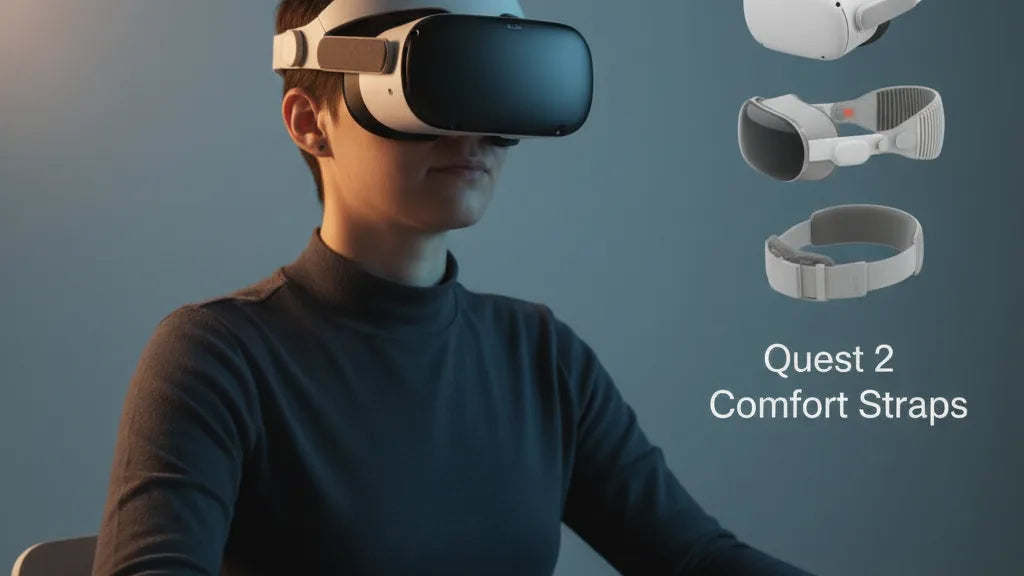
Best Quest 2 Straps for Long Sessions: Comfort, Support, and Perfect Weight Balance
If you love deep VR sessions on the Meta Quest 2 but end your playtime with forehead pressure, cheek pain, or a sore neck, the problem is rarely the headset—it’s the strap. The stock soft strap is fine for quick demos, but it wasn’t built for marathon sessions. This guide walks through why the standard strap falls short, what features matter in an upgrade, how different strap styles solve specific problems, and practical steps to install and tune your setup so you can play longer, with less strain. ⏱️ 11-min read
Read on for clear buying criteria, hands-on adjustment tips, counterweight strategies (including using battery packs), maintenance routines, and real user-case examples. Whether you want a rigid halo, an Elite-style wheel, or a fabric solution with added padding, you’ll leave with actionable advice to get the most comfortable Quest 2 setup possible.
The Quest 2 Comfort Conundrum: Why the Standard Strap Falls Short
The Meta Quest 2 brought accessible VR to millions—but its default strap is designed with cost and simplicity in mind, not sustained comfort. At heart, the stock solution is a soft elastic band that secures the headset by tightening around the skull. That approach works for short, casual use but becomes problematic within minutes of intense play. Because the headset’s mass sits forward of the eyes, the stock strap has to fight gravity by pressing into a few small contact points: the forehead, cheekbones, and the top of the head. Users commonly report the headset digging into the forehead, sagging during movement, or requiring overtightening to stay stable—each symptom a recipe for pressure points and micro-adjustments that break immersion.
Another subtle issue is lack of occipital support. The back of the skull is an ideal anchor for redistributing front-weight, but the soft strap offers no structured cradle there. Without a rear anchor, the headset’s center of gravity remains forward, increasing the load on your face and neck. Add heat and limited airflow from close-fitting fabric, and what starts as a fun session quickly morphs into physical fatigue and shorter play windows. Recognizing these core shortcomings—front-heaviness, narrow contact points, and minimal rear support—helps explain why most serious Quest 2 users upgrade their straps.
Decoding Superior Comfort: Key Features of a Premium Strap
Comfort in VR is mechanical as much as it is padding. The best straps blend ergonomic shape, stable anchoring, and breathable materials so the headset’s mass is carried across larger, less sensitive surfaces. Ergonomic design means a strap that contours to your skull—distributing force across the forehead, upper crown, and occiput rather than concentrating it on your brow. Occipital support is a non-negotiable: a rear cradle that gently cups the base of the skull changes how the entire system balances, reducing neck strain and facial compression.
Look for straps with multiple adjustability points. A rear dial (precision wheel) provides fine control over horizontal clamping pressure without brute-force tightening. A dedicated top strap manages vertical lift, letting you tune how much of the headset’s weight is taken off your face. Flexible hinges and tilt mechanisms let you flip the headset up for breaks without removing the unit entirely—useful for a quick pause in social VR or between rounds of a demanding game.
Material choice matters, too. Breathable neoprene or perforated padding prevents sweat buildup, and memory-foam inserts can soften contact points without collapsing under repeated use. Robust plastic or metal frames add structural integrity, keeping the headset stable during motion. Finally, modularity—removable pads, Velcro for attaching counterweights, and replaceable components—extends comfort over time and lets you tune the system to your head shape and play style.
Top Comfort Strap Categories and Their Benefits
Third-party Quest 2 straps fall into a few clear categories, each solving different comfort problems. Understanding these will help you choose a solution that matches your priorities—whether that’s minimal facial pressure, maximum stability during active play, or a balance of comfort and extended battery life.
Halo-style straps (rigid ring around the head) move contact away from the face by distributing weight around the skull. The rigid band and rear cradle reduce the forward torque on your face, which is especially helpful for glasses wearers and anyone who dislikes forehead pressure. These designs often feel “lighter” because your forehead isn’t bearing the brunt of the headset’s mass.
Elite-style straps focus on locked-in stability. They frequently use rigid side arms connected to a rear cradle with a turn-wheel or dial for adjustment. This yields excellent horizontal grip and prevents wobble during quick head movements—a big plus for active titles and room-scale play. While Elite-style solutions may still touch the face, their superior clamping and structure decrease the need for constant re-centering.
Soft, fabric-based alternatives (upgraded soft straps) trade some structure for cushioning and breathability. If you value padding and a lightweight feel, a high-quality soft strap with thicker neoprene and a reinforced top strap can be a comfortable mid-ground. Finally, battery-integrated straps or straps designed for modular counterweights combine balance and runtime extension—dual benefits for marathon sessions. Choose based on whether you prioritize pressure relief, movement stability, or extended battery life.
Optimizing Weight Distribution: Beyond Just the Strap
An upgraded strap changes contact points, but achieving truly fatigue-free VR often requires addressing the Quest 2’s forward center of gravity. Counterweights—small masses attached to the rear of the strap—are one of the most effective and inexpensive ways to rebalance the headset. By shifting the center of gravity rearward, a counterweight reduces the torque trying to rotate the headset downwards, relieving pressure on the nose and forehead and lowering neck strain.
There are two practical approaches: dedicated counterweight accessories and battery-integrated solutions. Dedicated counterweights are usually compact, clipped or Velcroed to the rear cradle. They’re cheap, easy to experiment with, and reversible—try a 100g to 300g weight to notice a meaningful change. Battery-integrated straps marry the benefits of additional runtime with counterbalancing. A small external battery pack attached to the back gives you extra playtime and a natural counterweight. When mounted securely—using the strap’s built-in battery pouch or reliable Velcro—the battery’s mass can create an ideal balance without adding bulk to the front.
Whichever route you choose, incremental tuning is key. Start light and add small weights until your headset feels centered with minimal forehead or cheek pressure. Secure attachments and even weight distribution across the rear cradle ensure the added mass doesn’t swing or introduce new instability during motion-heavy experiences.
Seamless Installation and Precision Adjustment Tips
Installing and fine-tuning a new strap is quick once you know the steps. Most third-party straps attach using the same side-arm anchors as the stock strap, slide-in rails, or robust Velcro tabs. Gently detach the original soft strap—usually by sliding or unclipping the side arms—then align the new strap’s attachment points so they click or slide home. Avoid forcing pieces; if it resists, check for proper alignment.
After secure attachment, use this order for adjustments:
- Top strap for vertical balance: Tighten incrementally until the headset lifts slightly off the cheeks to remove facial pressure while maintaining a stable view.
- Rear dial/turn-wheel for horizontal fit: Engage the wheel until the headset feels snug on the back of your head without pinching the temples.
- Side hinges and tilt: Adjust the angle so the display is centered and clear; a small tilt can free up forehead contact and improve optical clarity.
With the headset on, move your head briskly to simulate gameplay. If the unit shifts or rotates, fine-tune the rear dial. If you feel pressure on the forehead, loosen the top strap slightly and re-balance using a rear counterweight if available. For best results, mark your “sweet spot” by noting dial settings and strap lengths—this helps when multiple people use the headset or when you remove and remount the strap frequently. Small, deliberate tweaks deliver far better results than trying to brute-force a single-tightness solution.
Essential Practices for Extended VR Sessions
Even with the ideal strap, marathon VR requires smart habits. Think of comfort as a system that combines hardware, fit, and user behavior. First, wear technique: place the headset gently, adjust the top strap so the weight is shared across the crown and occiput, then tighten the rear dial. The headset should feel secure without significant compression anywhere.
Breaks are practical performance enhancers. Follow a simple rule: 10-15 minutes of movement for every 45–60 minutes of play, or at minimum, take a 5-minute break every hour to rest your neck and eyes. Use those pauses to hydrate, perform gentle neck rolls, and let sweat evaporate from padding so moisture doesn’t build up. Ventilation helps—run a small fan in the room or choose straps with breathable padding and perforations.
If you wear glasses, choose straps that minimize facial pressure and offer extra forehead clearance—halo designs often excel here. Consider thin, prescription lens inserts to remove glass friction entirely. And remember lighting: long sessions in a dark room increase eye strain, so ambient, indirect lighting reduces contrast between the display and your surroundings which eases visual fatigue. Finally, monitor posture. Sitting or standing with a neutral spine and relaxed shoulders puts less stress on neck muscles than leaning forward or tensing up during intense gameplay.
Caring for Your Comfort Strap: Maintenance and Hygiene
Keeping your strap clean, dry, and structurally sound preserves comfort and longevity. Care varies by material, so follow manufacturer instructions first. For fabric or neoprene padding, hand-wash gently in cold water with mild detergent, rinse thoroughly, and blot dry. Lay flat to air-dry—avoid heat sources that can warp foam or cause adhesives to fail. Leather or faux-leather surfaces should be wiped with a damp cloth and conditioned sparingly with a leather-safe product if they dry out.
Rigid plastic components, dials, and hinges benefit from regular wiping with a soft cloth and mild soap to remove oils and salt from skin contact. Dry thoroughly to prevent corrosion or sticky mechanisms. Store your headset and strap in a cool, dry place, ideally in a breathable bag to prevent dust and mildew buildup. Loosen tension when not in use to prevent elastic fatigue and maintain shape.
Inspect your strap every few months for signs of wear: fraying seams, cracked padding, or play in sliders and joints. Replace worn pads or straps before comfort degrades—many manufacturers sell replacement cushions and rear pads. If you use adhesive Velcro for counterweights or battery mounts, check that attachments remain secure and replace worn hook-and-loop fasteners to avoid mid-session slippage. Regular upkeep keeps the strap performing like new and protects your investment in longer, more comfortable play.
Top Quest 2 Comfort Straps: Best Picks and When to Choose Them
Which upgrade is right depends on how you use the Quest 2. Here are practical picks and the scenarios where they shine. Halo-style examples like the BoboVR M2 are ideal for users who suffer from forehead or cheek pressure or those who wear glasses. They shift contact away from sensitive facial areas and provide a more evenly distributed load—great for long seated experiences or social VR where you want minimal face contact.
Elite-style options—such as the Kiwi Design Comfort Head Strap or Meta’s official Elite Strap—are best for active players who need stability. Their rigid arms and turn-wheel adjustment prevent wobble during fast camera turns or room-scale movement. If your sessions include movement-heavy rhythm games or fitness-focused titles, this style keeps your view steady and requires fewer micro-adjustments.
Battery-integrated straps (or Elite straps with battery packs) are the go-to for marathon sessions where runtime and balance matter. Examples include upgraded variants of the BoboVR M2 Pro and specific Kiwi models that support external batteries. These straps double as counterweights and give several extra hours of play—perfect for streamers or prolonged group sessions.
Finally, high-quality soft straps with reinforced top straps are a good budget compromise: they add comfort and breathability without the bulk of a rigid frame. If you’re switching between comfort and portability, a fabric-based upgrade with removable pads is a sensible choice. Match your pick to whether comfort, stability, or battery life is your top priority.
Real Examples & Quick Mini-Cases: How Small Changes Deliver Big Comfort
Real-world testing consistently shows that how weight is carried matters more than how plush the padding is. Here are two concise use-cases and the practical lessons they offer.
Example A — The Workhorse Upgrade: A user with 90-minute sessions experienced forehead digging and neck fatigue with the stock strap. After switching to the official Elite Strap with Battery and adding a modest rear counterweight, the headset’s center of gravity moved rearward. The result: longer sessions with less strain, fewer mid-session adjustments, and a clearer sightline throughout gameplay.
Example B — Motion-Heavy Play: A player tackling 3–4 hour sessions in vigorous titles moved to a third-party strap that combined a reinforced top strap with thicker temple padding. The top strap kept the display aligned through jarring movements, while the padding relieved pressure on the temples and jaw. Outcome: reduced micro-adjustments, less neck soreness, and a steadier image during fast turns.
Transferable tactics from both examples: distribute weight toward the back, tune the top strap for vertical lift, and use small rear weights or battery packs rather than relying on overtightening. These modest interventions often produce the largest comfort gains and preserve immersion during long VR adventures.
If you’re ready to upgrade, start by identifying whether pressure, stability, or runtime is your primary pain point, then pick a strap category that addresses it. Small adjustments—tightening the top strap, adding a 150–300g counterweight, or switching to a wheel-adjust Elite—can transform hours of discomfort into uninterrupted, enjoyable VR time.







Compartir:
Real user reviews: top third-party strap replacements for Quest 2
Choosing Third-Party Straps to Boost Quest 2 Comfort and Stability