

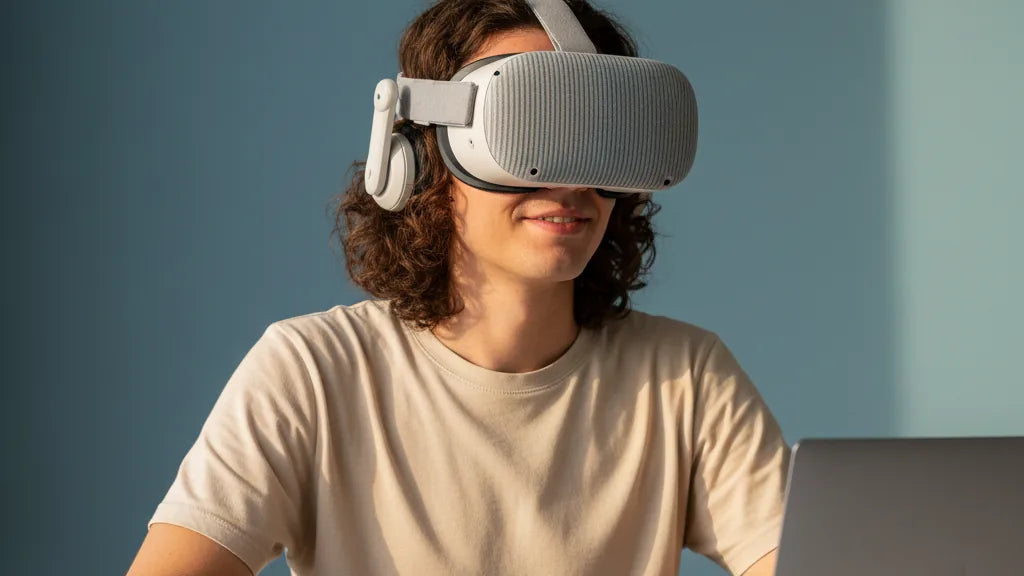
All-Day Comfort Tested: Which Meta Quest 2 Straps Keep You Playing for Hours
If you find your Meta Quest 2 becoming uncomfortable after an hour—or worse, cutting a session short because of forehead or cheek pain—you’re not alone. The stock strap is minimalist by design and sacrifices long-term comfort for simplicity. Upgrading to a purpose-built comfort strap can transform how long you can play, exercise, or work in VR. ⏱️ 12-min read
This guide walks through why the default strap fails for extended sessions, what to look for in an “all-day” strap, which designs and models stood out in real-world testing, and practical steps to tune, install, and maintain your setup. Expect concrete fit tips, compatibility notes for glasses and hair, and hands-on observations from long sessions so you can choose a strap that truly keeps you immersed.
Why Your Quest 2 Needs a Comfort Upgrade
The Meta Quest 2 headset feels impressively light on paper—around half a kilogram for the headset—but the weight is concentrated forward where the display and lenses sit. The stock strap is thin and relies on tension between the top and sides of the head, which means pressure builds up at a few small contact points: the forehead, the upper cheeks, and the rear strap anchor points. Over 30–60 minutes that localized pressure causes soreness, slippage, and the urge to stop and readjust.
Beyond raw discomfort, poor weight distribution has practical downsides. When the headset pulls forward or tilts with head movement, you get lens misalignment, blurring, and the need to re-center often. That breaks immersion and makes long campaigns, long workout sessions, and collaborative work sessions harder. For people using the Quest 2 for fitness or long productivity stints, this is a real friction point—literally and figuratively.
Upgraded straps address both pressure and stability. By spreading load across a broader area—often the brow, the top of the skull, and a cradle at the rear—aftermarket designs shift the center of mass away from the face. That reduces facial pressure, neck strain, and the micro-adjustments that pull you out of VR. In short: a better strap doesn’t just feel nicer; it preserves attention, performance, and playtime.
What Makes a Head Strap "All-Day" Comfortable?
“Comfort” is subjective, but there are objective design features that predict which straps survive multi-hour sessions without headaches. First and foremost is balanced weight distribution: the strap should move the headset’s effective pivot point away from the nose and cheeks and toward the top and back of the skull. That reduces concentrated pressure and neck torque during sustained use.
Padding quality matters. Memory foam or dense breathable foam that maintains shape gives you continuous cushioning without bottoming out after an hour. Breathable materials—moisture-wicking fabrics, perforated foam, or ventilated silicone—help prevent heat buildup and sweat, which otherwise turn comfort into irritation during workouts or marathon sessions.
Adjustability is another non-negotiable. Multiple axes of adjustment (top strap for vertical eye relief, rear dial or Velcro for circumferential fit, and sometimes lateral fine-tune) let you dial in a stable, pressure-free balance. Durability and hardware quality—metal or reinforced plastic buckles, sturdy attachment points—ensure the strap remains precise and reliable as you use it repeatedly. Finally, features like integrated rear counterweights or battery packs add convenience: if they shift mass to the back of the head, they can dramatically reduce forward pull even if they add a little overall weight.
The Contenders: Halo-Style Straps for All-Day Comfort
Halo-style straps use a rigid or semi-rigid ring that wraps around the head and transfers weight to the brow and back of the skull. That ring is usually paired with a cushioned forehead pad so pressure isn’t concentrated on a small strip of skin. In real-world testing, halo designs were consistently the best at eliminating facial pressure and reducing lens misalignment during long sessions.
Two halo models we tested stood out. The ComfortHalo Pro Strap balances a solid rear cradle with soft memory foam padding. Its oversized adjustment dial makes single-handed tightening easy mid-session; this is handy during social VR or while streaming. The ErgoFit Halo Plus introduces a vented top panel that improves airflow and prevents the heat-soak you can get during heavy gameplay. Users reported forgetting they were wearing a headset after long sessions—an informal but telling indicator of comfort.
Strengths of halo designs include broad pressure distribution and consistent fit during vigorous movement. They’re especially useful for seated experiences, long RPG sessions, or fitness titles where facial pressure can be distracting. Drawbacks: some halo straps add bulk, and if you have limited desk space or a cramped play area, the ring can catch on things during sweeping motions. Price varies—mid-range halo options give great comfort without the premium sticker of higher-end elite models—making them good value for most players.
The Contenders: Elite and Battery-Integrated Straps
Elite-style straps prioritize a snug, adjustable fit with a reinforced rear cradle. Many elite models include an integrated battery at the rear, which serves two functions: extending headset runtime and acting as a counterweight to offset the Quest 2’s front heaviness. In our tests, straps with rear batteries made a noticeable difference in perceived balance—even when the battery added modest weight.
The StrapX Pro Elite performs well for users who want a secure, locked-in feel. Its rear cradle cups the base of the skull and its materials resist sweat build-up. With an integrated battery, it offers longer sessions without tethering—ideal for streamers or players who dislike frequent charging interruptions. The ComfortFlow Battery Strap leans into breathability and smooth-adjustment mechanics: soft-touch fabrics and a silky dial make regular tweaks comfortable, and the materials resist moisture during high-intensity workouts.
Trade-offs exist: battery-integrated designs can increase the headset’s total weight and add complexity—plugging, charging, and maintenance become ongoing tasks. If you prefer the lightest possible headset and don’t need extra runtime, a halo or non-battery elite strap may be better. But for long multi-hour sessions where you’d otherwise worry about battery life or forward tilt, the rear-weighted battery straps are one of the most effective ergonomic upgrades available.
Beyond the Strap: Optimizing Your Fit and Weight Balance
A high-quality strap is only half the equation: fit tuning is where comfort becomes repeatable. Start with the headset loosely fitted so it can sit in the natural contours of your face. Place the display so your pupils line up with the lens centers—this reduces eye strain and removes the urge to push the headset forward. Let the weight rest lightly on the cheeks and upper jaw, not the forehead; that distributes load across broader, less sensitive surfaces.
Adjustments matter in stages. First set top strap tension to control vertical position—this determines eye relief and reduces nose pressure. Next, tighten the rear dial for circumferential stability until the headset stays put during head turns without pinching. If your strap uses Velcro, work in micro-adjustments: too tight and you invite pressure points; too loose and you get slippage and lens misalignment. The “snug but not sore” rule is your target.
For persistent forward pull, consider counter-balancing. Integrated rear batteries are the cleanest option because they both extend runtime and shift center of mass backward. If you don’t want a battery attached, inexpensive clip-on counterweights or even a small pouch you fill with coins or a battery bank can achieve a similar effect. The goal is to move mass behind the ears so the headset pivots around the skull, not the nose.
Special Considerations: Glasses, Hair, and Accessories
Small ergonomic details quickly become big comfort issues when you play for hours. Glasses wearers often find that standard facial interfaces compress frames or pinch the temples. Prescription lens inserts are the best solution: they snap into the headset and eliminate the need for glasses, improving comfort, reducing glare, and protecting both your glasses and headset lenses. For glasses you can’t part with, choose straps with extra facial clearance and a softer nose bridge to avoid pressure on the frames.
Hair type and style also influence fit. Thick hair, high buns, and voluminous styles can push the strap forward or prevent a snug crown fit. Low buns, ponytails, or flattened buns at the nape of the neck usually work best. For thin or fine hair, silicone-lined straps or straps with grippy textures prevent slippage. Long hair can be braided or tucked under the rear pad to maintain a smooth cradle; just test adjustments before long sessions.
Compatibility with accessories matters if you use external audio, liquid cooling, or external battery packs. Many halo and elite straps leave room for over-ear or on-ear headphones, but bulky solutions may conflict with rear cradles. If you plan to pair a strap with a power bank or a heavier audio solution, check mounting points and cable routing options—routing the cable along the strap’s edge or through a designated channel prevents tugging and accidental disconnection during play.
Installation and Maintenance: Keeping Your Comfort Strap Ready
Installing a new strap on the Quest 2 is straightforward, but doing it correctly saves time and prevents damage. Always detach the stock strap at the factory clips first—press the plastic pins and slide the anchors out gently. Align the new strap’s attachment tabs with the same slots, confirm they click into place, and test the release mechanism before applying tension. If your strap includes a rear dial or a battery pack, secure those components and confirm any power or data connections are seated properly.
Maintenance is both hygiene- and performance-focused. Wipe sweat-prone areas with a damp microfiber cloth and mild, fragrance-free soap after long sessions. For fabric straps, light rinses and air-drying are acceptable; avoid machine washing unless the manufacturer explicitly allows it. Silicone or PU leather surfaces tolerate more aggressive cleaning, but never use bleach or solvents. For shared headsets, clean contact areas between users; consider disposable face covers or rotating a dedicated strap per person.
Storage also affects longevity. Keep straps away from direct sunlight and heat to avoid foam and adhesive breakdown. If you remove the strap for storage, hang it or store it in a breathable pouch to avoid creases and compression of foam pads. Finally, avoid overtightening: constant max tension can deform padding and wear out adjustment mechanisms faster. Regularly inspect buckles, Velcro, and stitching; early attention to fraying or loosened rivets prevents failures mid-session.
Real-World Comfort: User Experiences and Case Studies
Practical testing reveals subtleties that spec sheets don’t capture. David, an RPG devotee, did an epic five-hour session with a premium halo strap we’ll call Product X. He reported almost immediate relief compared to the stock strap, but he did need a minor forehead pad adjustment at the three-hour mark to smooth out a developing pressure ridge. The overall takeaway: halo designs can handle marathon sessions well but sometimes require small mid-session tweaks for perfect fit.
Maya, who uses VR primarily for fitness, favors a silicone-padded, sweat-resistant strap—Product Y—during 45–60 minute boxing and cardio sessions. Her priority was stability under rapid movement and moisture resilience. Product Y held tight, didn’t migrate, and its materials resisted odor and salt buildup. For high-energy play where sweat and motion combine, material choice and strap geometry are as important as padding thickness.
Emily, a content creator who streams multi-hour sessions, switched to a battery-integrated elite strap. The rear battery lengthened her uninterrupted stream time and doubled as an ergonomic counterweight, eliminating the forward tilt that used to cramp her nose after two hours. She did note slightly increased neck awareness due to the added mass, but overall the balance improvement outweighed the extra weight. These case studies point to a simple rule: match strap type to your primary activity—halo for long seated sessions and general comfort, elite/battery for extended runtime and secure fit during mixed activities, and silicone/padded straps for active, sweat-heavy workouts.
Factors to Consider When Choosing Your Comfort Strap
Choosing the right strap hinges on a few personal variables. Budget ranges are wide: you can find functional comfort straps for under $30, while premium halo or battery-integrated options may range from $60 to $120 or more. Set a realistic budget based on how much time you spend in VR. Frequent users should view a strap as an investment in durable comfort; occasional users can prioritize low-cost options that still significantly outperform the stock strap.
Think about primary use. If you mostly sit for long sessions—RPGs, sims, or work—prioritize broad pressure distribution and breathable pads. If you exercise, focus on sweat resistance, grippy materials, and stability. For streamers or people who need long battery life, a rear-mounted battery strap delivers both extended runtime and improved balance.
Head shape is another consideration. Narrow heads may prefer straps with fine adjustment range and cushioned temples to avoid gaps. Wide heads need generous circumference and a deeper rear cradle. If you’re tall or often lean back while playing, ensure the strap’s rear cradle holds the lower skull securely; otherwise the headset can slip forward during backward motions. Finally, verify accessory compatibility: if you use over-ear headphones, prescription lens inserts, or external battery banks, factor those into your choice to avoid surprises after purchase.
Maintenance and warranty matter too. Look for brands that provide replacement pads, detachable washable covers, and clear cleaning instructions. A good warranty indicates confidence in hardware longevity—handy for an item that gets heavy use and occasional sweat exposure.
Next step: if you’re unsure which strap fits your routine, start by mapping your typical session—how long, how active, and whether you need extra battery life—then pick a strap type aligned to those needs. Combine that with a better facial interface and, if needed, prescription inserts, and you’ll be set for genuinely longer, more comfortable VR sessions.
Takeaway: A comfort strap is the single most impactful upgrade for Quest 2 owners who want longer, less distracting VR sessions. Choose a halo strap for broad pressure relief, an elite/battery strap for balance and runtime, and tune fit carefully. With the right strap and a few simple adjustments, hours of immersive play can finally feel as effortless as the virtual worlds you visit.







Share:
Fine-Tuning Weight Distribution on Any VR Headset for Neck-Friendly Gaming
Ergonomic Fit for Glasses: A Deep Dive into Quest Two Comfort for Extended Sessions