

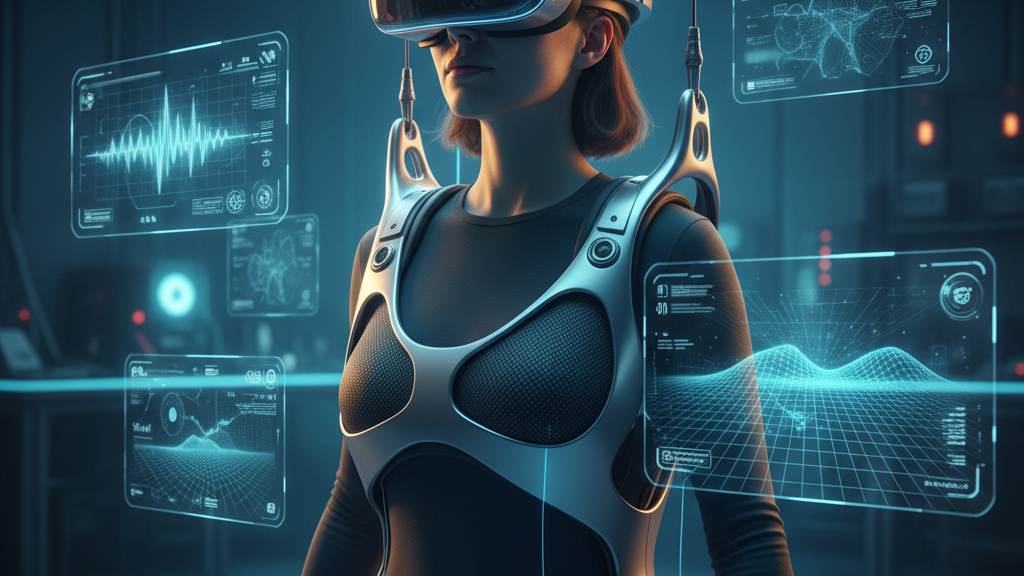
Flit Lift + Unreal Engine: Keeping Vision Pro Immersive and Comfortable for Long VR Sessions
Extended VR sessions expose two competing demands: rich, believable world motion and the human body’s tolerance for wearing a headset. Flit Lift and GraviPro change that equation by redistributing headset mass and shaping inertial feedback so developers can keep users immersed longer without trading away fidelity. This guide walks VR engineers, Unreal Engine developers, and power users through the practical integration points, ergonomics, performance tradeoffs, and validation steps required to make weightless comfort a reliably repeatable part of your Vision Pro experiences. ⏱️ 12-min read
You’ll get concrete settings, telemetry schemas, and UX patterns that translate Flit Lift’s physical lift and GraviPro’s torque control into perceptually stable scenes in Unreal Engine—plus a checklist for hardware setup and a testing plan to prove out extended-session gains. Read on to align hardware, engine, and design so users feel light, not confused, during long plays or research runs.
Flit Lift and GraviPro: Core concepts for Unreal Engine
At its core, the Flit Lift system delivers controlled vertical lift against gravity while GraviPro modulates torque and inertia around the head. For a user in Vision Pro, that combination creates a percept of near-weightless movement: the visual world moves while the headset’s physical mass doesn’t grab the neck or straps in unexpected ways. The perceptual payoff matters. When lift, torque, and tracking cues stay coherent, the vestibular system receives consistent information and the brain can map virtual motion to real sensations without the startling mismatches that cause nausea or break presence.
From an engineering standpoint, think in three linked variables: lift range, torque mapping, and latency. Lift range typically sits between 0.5 and 2.0 meters for most elevated travel experiences—enough to feel vertical motion but not so much that scale cues break. Torque maps a virtual weight value (0.0–1.0) to GraviPro’s output so inertia scales predictably with speed. And latency: aim for an end-to-end motion-to-photon budget under 20 milliseconds. Achieve consistency before complexity; users tolerate a predictable, slightly artificial feel far better than inconsistent realism that stutters or jitters. In Unreal Engine, this trio supports micro-adjustments—gentle glides, slow ascents, and subtle buoyancy—that preserve spatial orientation and reduce simulator sickness risk.
Unreal Engine integration points for weightless comfort
Integrating Flit Lift and GraviPro with Unreal Engine is best approached as a three-layer problem: input & mapping, physics synchronization, and render/post-processing. Practically, developers should expose Flit Lift signals as engine inputs—use the Enhanced Input system in UE4/UE5 to register a vertical offset axis and a discrete lift action. This lets designers route lift state into camera offsets without tearing up existing locomotion graphs.
On the physics side, use physics substepping to keep simulated inertia aligned with the physical lift. Two useful patterns are an additive root-motion layer for body posture changes and a separate interaction layer for world-space objects. With this separation, the camera can receive a lift-driven vertical offset while hands and carried objects remain consistent in world coordinates, reducing depth cue conflicts during ascent or descent. Keep a debug toggle that switches the weightless adjustments on and off for A/B testing in both Editor preview and VR runtime.
Finally, integrate motion smoothing and temporal reprojection into the rendering pipeline to hide tiny timing gaps. Feed lift and torque telemetry into animation blueprints so avatar posture reflects lift state (subtle chest lean, shoulder relaxation). Maintain clean thresholds—don’t constantly apply lift tweaks for micro-motions—and validate across multiple framerates so your comfort logic behaves predictably from 60 to 120 Hz.
Ergonomics and immersion in extended sessions
Immersion isn’t just a rendering problem; it’s a human one. The most common fatigue drivers in long VR sessions are neck torque from unbalanced headsets, strap pressure, and sustained arm elevation. Flit Lift shifts the headset’s effective weight so neck muscles don’t fight against the device during motion. When combined with GraviPro’s torque shaping, users can maintain a neutral head posture—ears over shoulders, chin level—more easily, and let movement originate from the torso instead of constant head tilt.
Design ergonomics into the experience. Encourage a comfortable gaze cone: 20–30 degrees around forward view is a reasonable maximum for frequent interactions. Provide a stable horizon cue (subtle horizon drift when ascending or descending) or a soft reticle to anchor gaze during motion. Offer posture reminders or brief rest breaks in longer sessions: a 30–60 second pause every 20 minutes to roll shoulders and relax the neck significantly reduces cumulative strain.
Track ergonomics with metrics not guesses. Use session questionnaires (quick comfort ratings at 15, 30, and 60 minutes), posture telemetry (head pitch and neck torque estimates), and behavioral cues (frequency of micro-breaks, blink rate if available). These data, combined with subjective feedback, let you tune lift parameters and strap tension per user. Small, personalized calibration adjustments account for differences in head shape, neck strength, and typical posture—critical if you want multi-hour sessions to feel as effortless as a short demo.
Physical setup: configuring Flit Lift with Vision Pro and GraviPro
Hardware alignment is where the promise of weightless comfort turns into reliable reality. A straightforward checklist reduces setup variability and makes tests repeatable across users and locations:
- Anchor and control hub: Install Flit Lift units on a stable overhead or floor-anchored mount; mount the GraviPro control hub within line-of-sight for reliable wiring and signal paths.
- Firmware and app: Update Vision Pro firmware and the Flit Lift app; confirm the app discovers both Flit Lift and GraviPro units before seating a user.
- Pairing and self-checks: Put GraviPro into pairing mode, then verify device IDs and run a sensor drift check. Watch for any non-zero baseline while idle; small offsets are fixable with recalibration.
- Soft-arm calibration: With no user attached, set extension stops and validate torque sensors respond smoothly across the expected range of motion.
- Center of mass alignment: Seat or stand the user and adjust the headset and lift so the headset’s center of mass aligns vertically with the lift point. This reduces lateral torque and keeps strap tension consistent during motion.
- Horizon and display alignment: Use the Flit Lift app to center the Vision Pro display relative to the user’s natural line of sight. Verify virtual horizon matches real-space cues when ascending or descending.
- Safety checks: Confirm emergency stop, tether management, and a pre-defined abort trigger if users report discomfort.
Run a short smoke test in Unreal: a 60–90 second sequence with a few linear ascents, lateral glides, and an object interaction. Observe hand-to-head offsets and how held objects behave while lift is active. If hands jitter against world-space objects during ascent, tweak the additive root-motion layer to favor world positions over camera offsets for interacting hands.
Performance and latency considerations during weightless wear
When Flit Lift is active, perceived latency is not only a function of rendering and head tracking; it also includes actuation delay from the lift system. Aim for a practical end-to-end motion-to-photon budget in the low tens of milliseconds. An effective budget to target is:
- Sensor/pose read: 4–8 ms
- Lift actuation/GraviPro response: 4–8 ms
- Render pipeline (GPU submit to scanout): 6–12 ms
- Display and bus overhead: 1–3 ms
Measure by timestamping at pose read, lift command dispatch, frame submission, and display scanout. These logs expose where jitter accumulates and whether buffering (1–2 frames) is needed to smooth out micro-jitter without preemptively predicting far ahead.
In Unreal Engine, leverage motion vectors and temporal reprojection but be conservative. Use modest motion smoothing to conceal micro-latency while keeping the rendered pose accurate for the next frame. Recommended engine settings to start with:
- Target framerate: match headset refresh (Vision Pro typical targets vary—validate per model); prefer steady 90/120 Hz if hardware supports it
- Render scale: begin at 100% and reduce in increments (95 → 90) only if GPU time exceeds budget
- Temporal anti-aliasing with motion vector stabilization enabled
- Reprojection: enable as a last-resort fallback, but tune thresholds so it doesn’t introduce visible warping during vertical lift
Remember: balance helps perceived latency. When the headset isn’t fighting the neck, users tolerate small visual delays better. If lift-induced actuation spikes are unavoidable, smooth those actuation profiles across 8–20 ms to prevent a sudden “give” that our vestibular system flags as an anomaly.
Testing, telemetry, and validation workflow
Prove comfort through repeatable testing that combines objective telemetry, physiological signals (opt-in), and subjective questionnaires. A robust validation plan has three parts: test design, telemetry schema, and analysis workflow.
Design: run sessions at 15, 30, and 60 minutes to capture short, medium, and extended exposure effects. Include control runs without Flit Lift enabled, and runs with different lift parameter presets (low, medium, high). Use tasks that combine locomotion, interaction, and passive observation to capture varied movement profiles.
Telemetry schema to collect (with timestamps):
- Lift state: current height, rate of elevation, dwell time at each level
- Head motion: yaw/pitch/roll, translational velocities, angular accelerations
- Headweight distribution: estimated neck torque from load/torque sensors or derived from lift offset and headset CG
- Gaze: fixation duration and scan paths on key elements (opt-in)
- Session meta: session duration, breaks taken, user comfort scores at intervals
- Optional physiology: heart rate, skin conductance for stress detection (explicit consent required)
Analysis: compute per-session summaries (median head torque, peak acceleration events, average lift frequency) and correlate with subjective scores (comfort, presence, SSQ). Use time-to-onset for any motion sickness reports and overlay them on lift events: sudden lift changes that precede SSQ increases are red flags. Implement guardrails in the runtime: automatic pause and gentle return-to-neutral if head torque exceeds safe thresholds or if a user reports discomfort via a quick gesture.
UX patterns that leverage weightless comfort
Once balance and latency are addressed, design choices amplify the user experience. Weightless comfort invites movement that feels buoyant rather than propulsive. Favor movement metaphors and UI designs that align with that feeling.
Movement patterns:
- Glide corridors and guided rails: predefined routes with gentle curvature and predictable speed preserve orientation. Allow small thumbstick adjustments for course nudges; provide a clear override to exit the rail when needed.
- Momentum-based motion: implement lingering velocity when input stops, with a soft exponential decay to reinforce buoyancy. On turns, add a subtle vertical ease to simulate lift-assisted banking.
- Teleport-lite for high-intensity actions: use short, visually-anchored teleports for rapid traversal options to avoid vestibular conflict in high-speed sequences.
UI and interaction patterns:
- Place primary controls within the user’s resting arm zone and avoid long reaches; use persistent, lightweight widgets in world space rather than layered menus that require arm elevation.
- Use adaptive comfort modes: when telemetry detects rising neck torque or elevated acceleration, fade to a calmer motion profile automatically—slower ramps, reduced lift amplitude, and stronger horizon stabilization.
- Provide clear visual anchors: floor texture gradients, horizon markers, and subtle motion blur tuned to lift velocity help the brain reconcile visual and inertial cues.
These patterns preserve presence because they respect both the physics of the virtual world and the limits of the human body. Where possible, expose comfort presets so end users can quickly select “Relaxed”, “Balanced”, or “Performance” modes depending on their tolerance and the session length.
Early adopters' insights and case studies
Early deployments across indie studios and mid-size teams reveal consistent benefits and a few actionable caveats. Measured improvements were real: average session lengths increased from a 25–35 minute baseline to roughly 40–60 minutes with Flit Lift engaged, and in calm scenes some testers stretched to around 70 minutes. Subjectively, testers reported reduced neck and shoulder strain and a steadier sense of scale—especially in enclosed corridors where small head jitters previously broke presence.
However, the data also flagged predictable tradeoffs. Wrist fatigue can arise if designers assume users will hold arms aloft for long periods; place important controls within resting positions and encourage periodic arm rests. Fine-grain per-user calibration was another recurring theme. Differences in head shape, posture (seated vs standing), and headset fit required quick per-user adjustments to lift height and torque mapping to achieve consistent comfort. Teams that added a 60–90 second onboarding calibration saw far fewer mid-session complaints.
Implementation stories: one narrative-driven studio used guided rails and momentum-based easing to create a floating corridor experience. Post-integration, their testers stayed engaged for narrative beats and reported fewer “blink-and-reset” moments between scenes. A research lab adopted the telemetry schema above and found head-torque spikes predicted motion sickness onset with meaningful lead time—enough to trigger an auto-pause and a guided breathing break that prevented escalation.
Compatibility, ecosystem, and roadmap
Flit Lift today is focused on Vision Pro as a flagship integration, with GraviPro accessories—control hub, modular lift units, torque/load sensors, and a companion app—forming the hardware backbone. Developers should expect adapter kits for common PC-VR rigs where mounting geometry varies; an OpenXR-compatible middleware layer is in active development to broaden hardware interoperability.
On the engine side, Flit Lift and GraviPro workflows target Unreal Engine 4.27 and 5.x. Key integration points are the Enhanced Input system, physics substepping APIs, and rendering hooks for motion smoothing and reprojection. Planned updates include a native Unreal plugin that exposes lift and torque telemetry to Blueprints and C++ with example maps demonstrating additive root-motion layers and interaction separation. A telemetry SDK for standardized logging (JSON with timestamps and signal schemas) is slated to release in a subsequent patch, making cross-team analysis easier.
Accessory roadmap highlights: tighter integration with headset mounting adapters, automatic center-of-mass estimation tools using quick user pose checks, and an expanded presets library for common game and simulation genres. For teams that prioritize research or multi-hour deployments, enterprise support for batch calibration and centralized telemetry aggregation is also on the product roadmap.
Next step: if you’re about to prototype, start with a one-hour pilot that includes hardware calibration, a simple glide corridor scene in Unreal, and the telemetry schema above. Use that pilot to lock your latency budget and tune comfort presets before scaling to broader user tests—small early investments here pay back in far fewer mid-session dropouts and a higher sustained presence for your users.







Share:
Dynamic Lifting System Benefits for VR Comfort: Ergonomics, Fatigue Reduction, and Performance
Beyond the Headset: Must-Have Comfort Accessories for Immersive VR Experiences