

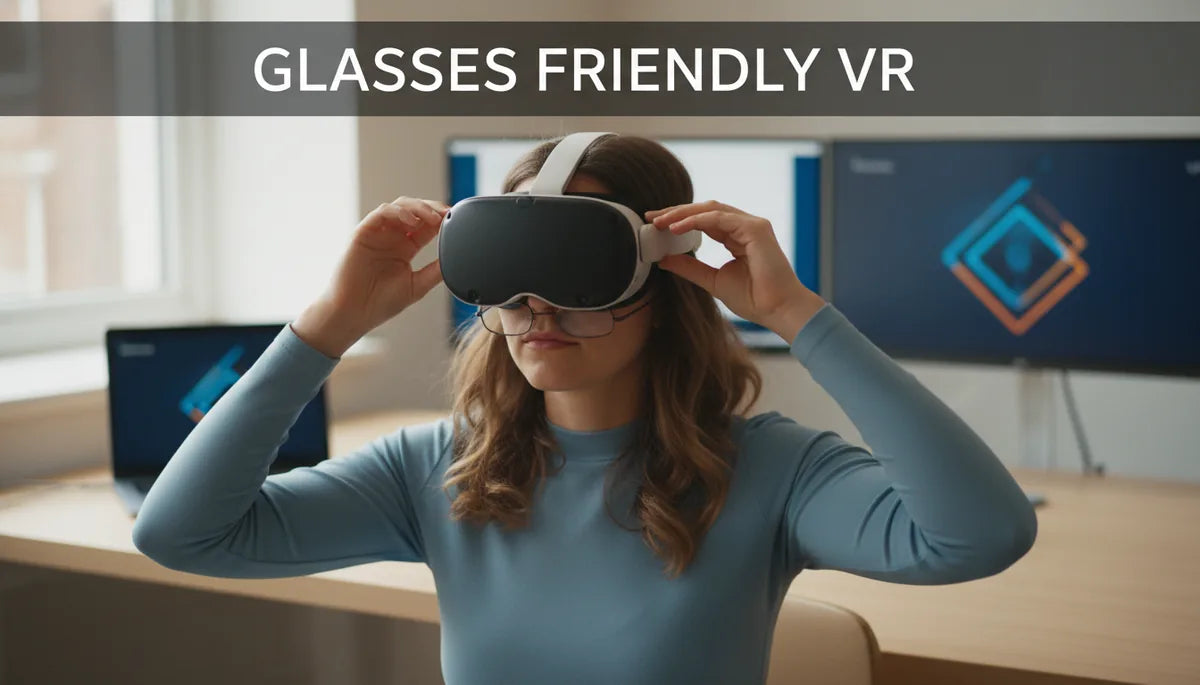
Glasses Friendly VR: How to Adjust Quest Two Fit for Glasses Wearers
If you wear prescription glasses and own a quest-two-comfort-straps-the-best-value-options-compared" rel="nofollow noopener noreferrer">Meta Quest 2, you know the struggle: pressure on the temples, fuzzy edges, or the constant fear of scratching your lenses. This guide walks through practical adjustments, accessories, and care routines to make your Quest 2 comfortable, clear, and safe for both your eyes and your eyewear. ⏱️ 10-min read
Understanding the Glasses-VR Challenge
Wearing eyeglasses inside a VR headset changes the geometry that the device was optimized for. Headsets like the Meta Quest 2 are engineered to keep the headset lenses a fixed distance from the eyes; adding glasses between your eyes and those lenses introduces extra thickness and hard surfaces that can reduce field of view, create pressure points on the nose and temples, and increase the risk of scratching either the headset lenses or your glasses. Those small contact points can become painful during just 20–30 minute sessions and can lead to headache, fogging, or misalignment that degrades visual clarity.
Besides discomfort, glasses can interfere with the headset’s optical performance. The extra separation can shift where the headset optics focus, potentially introducing blurriness at the edges or a reduced sweet spot. People with larger frames or thicker lenses (e.g., high-index prescriptions) experience this most, and if glasses touch the headset lenses, scratches and smudges are a realistic concern. Without addressing fit and spacing, many glasses wearers either shorten VR sessions or stop using the headset altogether.
Another frequent issue is heat and condensation. VR sessions raise facial temperature; warm air trapped between glasses and the headset facial interface can fog lenses quickly. Combined with pressure and poor weight distribution, fogging not only reduces clarity but also encourages people to press the headset harder to “see better,” worsening discomfort. Recognizing these mechanical and physiological challenges is the first step toward targeted fixes—spacer, strap tuning, or swapping to prescription inserts.
Leveraging the Built-in Glasses Spacer
Meta includes a simple glasses spacer in the Quest 2 box designed specifically to create extra room between your glasses and the headset lenses. The spacer increases the distance by a few millimeters and shifts the face gasket forward so frames don’t press directly against the optics. Properly installed, it reduces the chance of contact and helps keep your prescription lenses safely away from the headset’s coated glass.
To install the spacer: remove the facial interface foam by pulling gently at its tabs, align the spacer with the face gasket so the thicker edge faces inward toward the headset lenses, and snap it into the slots on the facial frame. Then replace the foam around the spacer to ensure a snug seal. Test fit with your glasses on—there should be a small but noticeable clearance between your frames and the headset lenses, and the headset should still sit comfortably on your face without excessive forward tilt.
Some users find the included spacer enough for thinner frames or low-profile lenses, while others need additional room. If you still feel contact after using the spacer, try a thin lens insert (see below) or experiment with a slimmer pair of frames for VR sessions. Remember: the spacer slightly alters the fit and face contact points, so you may need to fine-tune strap tension after installation to maintain stability and a clear view.
Mastering Standard Head Strap Adjustments
Before buying accessories, make sure you’ve fully optimized the standard Quest 2 strap. Good strap setup reduces pressure on your nose and temples and prevents glasses from shifting inward toward the headset lenses. The Quest 2 has three main adjustment points: the top strap, the two side straps (which control how tightly the headset hugs your face), and the rear gap—where you can influence tilt and weight distribution. Small changes here yield big comfort improvements for glasses wearers.
Start with the top strap: loosen it so the headset rests slightly higher on your forehead rather than pressing down on the bridge of your nose. That upward support takes pressure off your glasses. Next, adjust the side straps symmetrically until the headset feels secure but not clamped; you want even contact around your face rather than deep pressure at the nose bridge or temple points. Finally, find the sweet spot in tilt: tilt the visor a degree or two away from your face to increase clearance for frames while still keeping the lenses aligned with your eyes. If the headset tilts forward too much, frames can be pushed against the headset lenses.
Here are concise steps to follow for a balanced fit:
- Loosen all straps, put on your glasses, then place the headset on your face.
- Tighten the top strap until the headset feels supported without pushing your glasses down.
- Tighten side straps until the headset is stable; avoid overtightening which increases pressure on frames.
- Adjust tilt so the headset’s display centers on your pupils and your glasses clear the lenses.
Upgrading to Glasses-Friendly Comfort Straps
If you use the Quest 2 frequently or for extended play sessions, aftermarket straps can transform the experience. The official Meta Elite Strap and many third-party comfort straps use a wider contact area, rear-mounted support, or halo-style designs that shift the headset’s center of mass away from the face. For glasses wearers, this matters: distributing weight to the back of the head reduces facial pressure, which in turn prevents frames from being pushed into the headset lenses.
There are several strap styles that work well for glasses wearers:
- Rear support straps: rigid or semi-rigid bands that lock into the headset and provide a stable rear counterweight.
- Halo/halo-adjacent straps: a rounded band that sits on the crown, offering broad support and minimal face pressure.
- Padded padded fabric straps: soft, breathable straps with thicker padding that reduce localized pressure points.
Practical example: switching from the stock soft fabric strap to a rear-support strap often cuts face pressure noticeably within minutes. Users report more comfortable 60–90 minute sessions and fewer adjustments mid-game. If you want a battery pack, consider a strap that can accommodate a rear battery; the extra weight behind the head balances the front-heavy display and prevents the visor from pressing forward onto your glasses. When shopping, check compatibility with facial interface accessories and note whether the strap interferes with the included glasses spacer or lens inserts.
The Ultimate Solution: Prescription Lens Inserts
Prescription lens inserts are the best long-term solution for many glasses wearers. Instead of trying to fit your eyeglasses within the headset, lens inserts mount inside the Quest 2 and align with the headset optics, giving you a crisp prescription-corrected view without frames between your eyes and the headset lenses. Inserts eliminate many of the common problems—pressure, fogging against the headset, and the risk of scratching—while providing full optical correction tuned to your prescription and, in many cases, your interpupillary distance (IPD).
How they work: optical labs create custom lenses shaped to the headset’s optics and mount them in a thin frame or magnetic carrier that clips into the facial interface. Most vendors (including several well-established providers) will accept your prescription and deliver inserts that match your single-vision or reading needs. Many inserts also offer anti-reflective and scratch-resistant coatings and options for blue-light filtering or anti-fog treatment. Because the inserts sit in front of the headset lenses, they preserve headset optical performance and provide a larger sweet spot for clarity.
Cost and considerations: prices typically range from roughly $60 to $200 depending on lens complexity, coatings, and whether they include custom IPD adjustments. Turnaround time varies from a few days to a couple of weeks. When choosing a provider, confirm compatibility with the Meta Quest 2 (many vendors list supported models). If you have astigmatism or a strong prescription, check whether the vendor can produce the required lens parameters—some high-power or cylindrical prescriptions may need special handling. For many users, the investment pays off through improved comfort, enhanced visual clarity, and longer, more enjoyable VR sessions.
Protecting Your Lenses: Headset and Eyeglasses
Once you’ve found a comfortable fit, protecting both sets of lenses is essential. Headset lenses are coated and can be damaged by abrasive cloths, household cleaners, or rough contact with frames. Your glasses can be scratched or warped if pressed against the headset. Simple prevention habits and a few inexpensive accessories make a big difference in longevity and image quality.
Start with cleaning protocols: always use a soft microfiber cloth for both headset and eyeglasses. For stubborn smudges, use an optical-grade lens cleaner designed for coated lenses—spray the cloth, not the lens. Avoid paper towels, tissues, or household cleaners with ammonia or alcohol at high concentrations; these can strip anti-reflective coatings. For dust, use a gentle blower or a soft brush designed for camera lenses to remove particles before wiping, which helps prevent micro-scratches.
Recommended protective accessories include:
- Silicone lens protectors or thin plastic shields that attach to the headset to prevent direct contact with frames.
- Facial interface covers and washable foam replacements that act as a buffer between glasses and the headset and improve hygiene.
- Hard-shell carrying cases or lens caps for storing the headset with lenses covered, avoiding accidental contact during transport.
Long-Term Comfort and Maintenance for Glasses Users
Comfort in VR is cumulative—small improvements compound over long sessions. Beyond spacers, straps, and inserts, build a routine that supports eye health and headset longevity. That includes scheduling breaks, maintaining cleanliness, and being attentive to how weight distribution affects your neck and facial pressure over time. A well-balanced headset setup can turn a 30-minute tolerable session into a comfortable multi-hour experience.
Session hygiene and breaks: experts commonly recommend pausing every 30–60 minutes to rest your eyes and adjust your glasses if needed. Even short 5–10 minute breaks reduce eye strain and give your face a chance to recover from pressure points. If you experience persistent headaches or double vision, stop the session and re-evaluate fit and optics—these can be signs that your IPD is off or that glasses are shifting during play.
Maintenance matters: replace foam facial interfaces periodically—sweat and oils degrade foam and can lead to slipping that shifts your glasses closer to the headset lenses. Consider breathable, replaceable foam covers or polyurethane alternatives that are easier to wipe down. Keep the headset’s straps clean and check clasp and snap points for wear; a slipping strap will force you to over-tighten, which is bad for both glasses and comfort. Finally, if you wear contact lenses sometimes, alternating between contacts and glasses for VR sessions may offer temporary relief; contacts eliminate frame thickness but aren’t suitable for everyone or long sessions without proper eye hydration.
By combining correct spacer use, dialed-in straps, an appropriate comfort strap upgrade, or prescription lens inserts, you can tailor your Quest 2 for a glasses-friendly VR experience. Each step removes a friction point—literal and figurative—bringing you closer to long, immersive sessions without the ache, blur, or worry of scratched lenses. If you’re ready to invest in long-term comfort and optical clarity, prescription inserts and a well-balanced strap are two of the highest-leverage upgrades you can make.







Share:
Budget-Friendly Quest Two Comfort Straps: The Best Value Options Compared
Official vs Third-Party Strap Choices for Meta Quest: Safety, Durability, and Comfort