

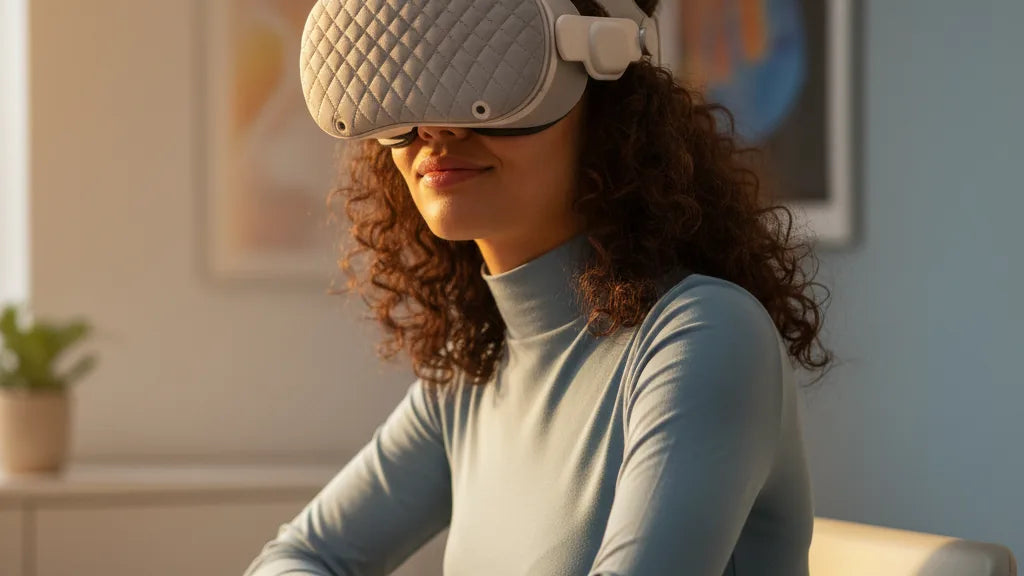
If your Meta Quest 2 leaves your forehead sore, your neck tight, or the view wobbling after an hour or two, a purpose-built head cushion is one of the simplest upgrades that delivers measurable change. This article explains how a cushion actually shifts pressure and weight, which materials and strap combos work best in different climates, and how to fit and care for the cushion so you can play longer without pain or interruptions. ⏱️ 11-min read
Read on for practical, step-by-step guidance—covering physics, product trade-offs, installation, weight-balancing options like rear battery packs, cleaning routines, and specific tips for glasses wearers and accessory compatibility—so you can choose and maintain the head cushion that keeps your Quest 2 stable and comfortable for marathon sessions.
How a head cushion changes comfort and stability
A head cushion does more than make the Quest 2 feel softer—it changes the way force is applied to your skull and how the headset tracks motion. The stock Quest 2 concentrates much of its weight and contact at a few points: the forehead, the cheekbones and the face gasket. Over time those concentrated forces create hotspots, numbness, and the instinct to tighten your neck and jaw. A properly designed cushion redistributes that pressure over a broader area—forehead, temples and crown—reducing peak pressure and the muscle tension that follows.
Mechanically, cushions alter two things: contact area and moment arm. By increasing the contact surface, they lower pressure per square centimeter, easing facial soreness. By raising and padding the forehead and crown, they shift the headset’s effective pivot point closer to the skull, reducing the headset’s tendency to tilt forward and lessening the torque your neck muscles must oppose. That keeps the center of mass closer to your head, which stabilizes the view and reduces micro-adjustments that break immersion.
Expect realistic, measurable benefits: fewer forehead hot spots, reduced temple ache after long sessions, and improved tracking stability—especially during quick turns in games like Beat Saber. But cushions aren’t magic. They won’t fix a poorly adjusted strap, or erase neck pain caused by poor posture. They’re a targeted upgrade that, combined with the right strap and weight balance, extends usable session time and reduces soreness.
Quest 2 weight and balance: why cushions matter
The Quest 2 was designed compactly, with most of its electronics and the display sitting towards the front. That front-forward bias means its center of gravity is closer to your face than to the back of your head. The result: even small head tilts feel amplified, and the headset can dip forward unless you tighten the strap—often at the expense of comfort.
Understanding how weight and balance work helps explain why cushions create a noticeable difference. When the headset’s center of mass sits far from the skull, your neck and facial muscles constantly compensate to maintain a stable view. A cushion that pads the forehead and crown decreases the lever arm that produces that tipping force. That lowers the torque applied to your neck for any given lean or rapid movement, which reduces fatigue and the need for micro-adjustments.
Adding padding alone can help, but pairing it with a counterweight or rear-mounted battery pack moves the physical center of mass backward, further neutralizing forward bias. Conversely, adding heavy accessories to the front—large aftermarket facial interfaces, thicker lenses, or extra front-mounted audio—can negate cushion benefits unless you rebalance the headset. The takeaway: cushions are an important piece of the balance puzzle, most effective when used alongside strap changes or lightweight rear counterweights.
Types of cushions and materials: choosing by comfort and climate
Not all cushions are equal. Differences in foam density, core construction, and cover materials change how a cushion feels and performs in warm rooms or extended sessions. Here’s a practical breakdown to match material properties to your play style and environment.
- Memory foam: Molds to head contours, reducing hotspots. Excellent for comfort and reducing pressure points, but denser memory foams can trap heat. Gel-infused memory foam adds a modest cooling effect and is a good choice if you run hot.
- Open-cell foam: Lighter and more breathable; it allows better airflow and reduces sweat buildup. Open-cell foams may compress faster under heavy use, so look for higher-quality densities if durability matters.
- Gel pads: Provide a cooler surface and a slightly slippier contact point that can be pleasant in hot sessions. They’re heavier and can be less durable than foam, but offer immediate cooling relief.
- PU leather (synthetic leather): Smooth, easy to wipe and disinfect. Tends to trap heat, which can be uncomfortable in warm rooms or intense cardio VR sessions.
- Breathable mesh and sweat-wicking fabrics: Best for active gamers who sweat. Mesh promotes airflow and dries faster; technical sweat-wicking fabrics pull moisture away and keep contact dryer.
For glasses wearers, choose softer, contouring foams that create a small forehead gap and reduce pressure on the temples. If hygiene is a priority, removable and washable covers are invaluable. For budget buyers, a mid-density open-cell foam with a removable cover offers the best mix of comfort and longevity. Premium buyers should look for gel-infused memory foam or multi-layer cores (firm inner layer for stability, softer outer layer for comfort).
Comfort strap options: stock strap vs Elite Strap vs third-party solutions
Your strap choice determines how much a cushion can help. The stock Quest 2 strap is lightweight and compact, but it concentrates pressure on the forehead and offers limited rear support. Adding a thin cushion under that strap smooths pressure and improves comfort at a low cost, and is quick to install with hook-and-loop fasteners or clips.
The Meta Elite Strap upgrades support by widening the contact area around the sides of the head. It naturally distributes weight better than the stock band, so pairing it with a cushion often yields the best comfort-to-cost ratio. The Elite Strap with Battery (or Elite Strap plus an aftermarket battery pack) pulls the center of mass rearward, which reduces forward pull and works in concert with a forehead/crown cushion for marathon sessions.
Third-party comfort straps vary widely in design and price. Some high-end options integrate thick pads, rigid frames, and quick-release buckles to improve ergonomics and stability—these often cost more but give the best long-session comfort. Popular third-party cushions come in two flavors: add-on pads that clip to the stock strap and full replacement straps with built-in cushions. Add-ons are inexpensive and reversible; full straps are pricier but often more durable and better integrated with battery solutions and audio mounts.
When choosing, weigh installation complexity and accessory compatibility. If you plan to add a rear battery or audio strap, make sure the cushion doesn’t interfere with mounting points or top-strap adjusters. Price-wise, expect simple add-on cushions to start under $20, mid-range Elite Strap solutions around $50–$100, and high-end third-party comfort straps in the $80–$200 range depending on features and materials.
Step-by-step install and adjustment for best fit
Getting the cushion into the right position is as important as the cushion itself. Follow these steps for a beginner-friendly install that minimizes wiggle, pressure points, and tilt:
- Power down the headset and lay it face-up on a soft, clean surface. If replacing the facial interface, remove the stock band as instructed by the manufacturer.
- Clean the facial interface and strap attach points with a microfiber cloth; remove oils and sweat that reduce adhesive effectiveness or create slippage.
- Align the cushion with the headset’s centerline. For forehead/crown cushions, position the thickest part over the brow and the rear edge toward the crown—this shifts the pivot point closer to your skull.
- Secure the cushion using the provided fasteners—clips, hook-and-loop, or adhesive strips. Press firmly for 15–30 seconds on each attachment; if it uses clips, snap each clip and test for play.
- Put the headset on and set the strap length so the headset sits firmly but not tightly. Adjust the top strap (if present) to eliminate forward tilt; tighten in small increments and shake your head gently to check for slippage.
- Test while both standing and seated, and run a quick active movement test (look left-right, duck, and jump) to confirm there’s no shifting that causes tracking wobble.
- If forehead pressure remains, move the cushion slightly higher or lower in millimeter increments until the pressure redistributes to the crown and sides.
Small changes make big differences. Tightening too quickly is a common mistake; aim for a snug fit that allows the headset to remain steady during vigorous gameplay without compressing the cushion flat.
Reducing headset weight and improving distribution
Once you’ve added a cushion, the next lever to pull is weight distribution. Moving mass rearward—rather than simply padding the front—reduces torque on your neck and keeps the headset stable. There are safe, practical ways to do this.
Rear-mounted battery packs or counterweights are the most direct method. These attach to the back of the strap or to integrated rails on certain third-party straps. By shifting a fraction of the headset’s mass back by a few centimeters, you dramatically reduce forward pull. For players who want longer battery life, an Elite Strap with Battery or aftermarket rear battery packs achieves both extended runtime and better balance.
Some users opt for lightweight replacements for front-heavy facial interfaces or low-profile lens mods to shave grams at the front. Others choose a different strap that offers a rigid frame and better rear support. Note that accessories designed for other headsets—like the FlitLift GraviPro used with the Vision Pro—demonstrate the idea of structural support and counterbalance, but compatibility with Quest 2 is not guaranteed. Always check mounting systems and weight limits before adapting hardware from unrelated products.
A practical approach: add a cushion first, then test with a small rear counterweight (200–300 g). If balance improves without new pressure points, consider a dedicated rear battery. Avoid ad-hoc solutions that add heavy, poorly secured mass—the goal is controlled redistribution, not extra swinging weight that worsens motion artifacts.
Cleaning, maintenance, and replacement tips
Hygiene and shape retention are essential to keeping a cushion comfortable and functional. Sweat, skin oils, and grime degrade materials and reduce the cushion’s ability to stabilize the headset. Regularly cleaning and replacing parts keeps comfort consistent and prevents slippage that can affect tracking.
Cleaning rules by material:
- PU leather: Wipe with a microfiber cloth dampened with mild dish soap; don’t soak. For disinfection, a light alcohol wipe (70% isopropyl) is acceptable but avoid repeated saturation. Air-dry away from heat.
- Fabric/mesh: Remove the cushion (if detachable) and hand-wash or machine-wash on a gentle cycle with mild detergent. Air-dry completely before reattaching. For spot cleaning, use a damp cloth and mild soap.
- Memory foam: Spot-clean only. Avoid submerging memory foam; use a gentle soap solution, dab with a cloth, and allow to air-dry fully to prevent mold or breakdown.
After intense sessions, wipe contact areas to remove sweat and oils. Use removable sweat guards or disposable covers for heavy cardio or multi-user setups. Replace foam or PU covers when they lose shape, develop permanent compression, or present a hygiene risk—typically every 6–18 months depending on use and material quality.
Store cushions in a cool, dry place away from sunlight and heavy objects. If you notice uneven compression, fraying fabric, or a persistent odor after cleaning, it’s time for replacement. A degraded cushion not only reduces comfort but can allow subtle slippage that undermines tracking stability.
Fit tips for glasses wearers and accessory compatibility checklist
Glasses complicate fit, but cushions can make VR with eyewear bearable. Thin, soft cushions that allow a small forehead gap reduce temple pressure on frames. Here are practical adjustments and a compatibility checklist to run before purchasing:
- Pad thickness: If you wear glasses, choose a cushion with a softer outer layer or thinner profile so the headset rests without pinching the temples. Memory foam that molds gently works well.
- Forehead gap: Look for cushions that create a small gap between the forehead and the headset edge—this reduces pressure transfer to your glasses arms.
- Facial interface: Consider a slimmer facial interface or an aftermarket spacer if you need more room; some cushions pair better with narrower facial gaskets.
- Quick compatibility checks before buying:
- Does the cushion obstruct attachment points for battery packs or audio straps?
- Will clips or adhesives interfere with the top-strap adjuster or Elite Strap mounts?
- If you use a Link cable, does the cushion leave the side ports and cable path unobstructed?
- Is there enough clearance for prescription inserts or lens mods you already own?
- Audio and battery compatibility: If you plan to use an aftermarket audio strap or rear battery, confirm the cushion’s placement won’t block rails or mounting brackets. Many third-party vendors list compatibility; when in doubt, contact support or check community reviews and build photos.
Finally, test the fitted setup with your glasses on, in a range of movement scenarios. If you feel pressure on the temple tips, try swapping to a slightly softer cushion or adjusting the strap height to let the headset sit more squarely on your crown.
Next step: try a mid-density memory foam cushion with a breathable cover, pair it with either the Meta Elite Strap or a lightweight rear counterweight, and follow the installation checklist above. If you still get discomfort, iterate—small adjustments to position, strap tension, and rear weight usually solve the remaining issues. A properly chosen and maintained head cushion will measurably extend your comfortable Quest 2 session time, reduce neck strain, and keep the virtual world steady.







Share:
Top Third Party Quest Two Head Straps for Extended Comfort
Lightweight Versus Durable: Choosing the Best Comfort Accessories for Oculus Quest Two