

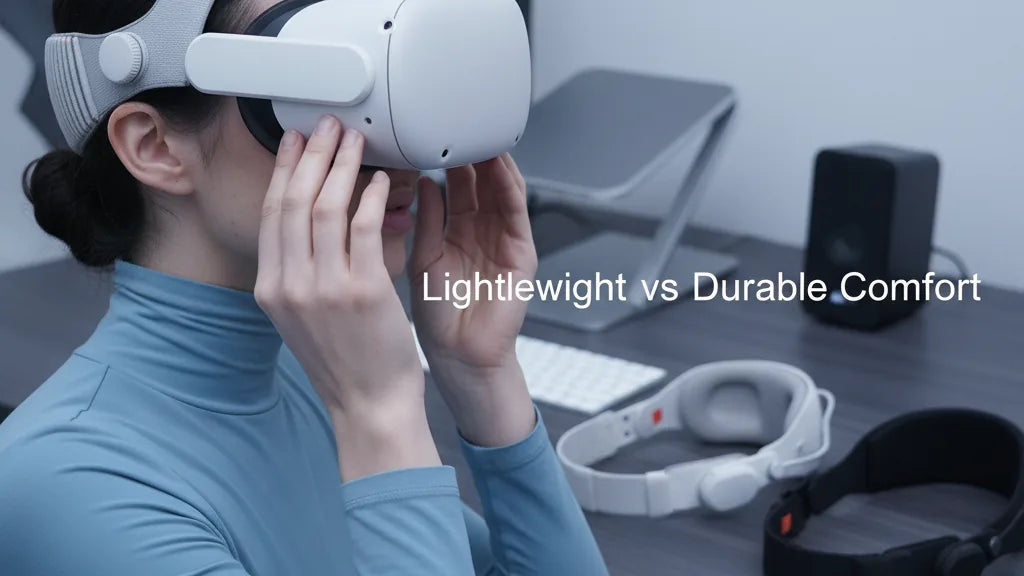
Lightweight vs Durable: Choosing the Best Comfort Accessories for Oculus Quest 2
Long VR sessions that don’t leave you with a sore neck or a red nose start with the right comfort strategy. For Quest 2 owners, that means balancing weight, fit, and materials: a lightweight setup reduces immediate fatigue, but a durable one survives heavy use and sweat. This guide walks you through the trade-offs, practical installs, and real-world tweaks so you can choose accessories that match how you play. ⏱️ 12-min read
Below you’ll find a clear comparison of straps, padding, balance techniques (including counterweights), maintenance tips, and glasses-friendly options. Read it to the end and you’ll be able to decide which upgrades to buy first—and how to set them up for multi-hour comfort.
Assess Your Comfort Priorities: Weight, Balance, and Fit
Comfort with the Quest 2 isn’t a single measure; it’s the relationship between where the headset’s mass sits, how that weight is supported, and how contact points distribute pressure. The headset’s center of gravity leans forward toward the face—so if your straps don’t push or pull evenly, most of the load ends up on your nose and cheeks. The ideal setup moves that bulk toward the crown and rear so the front facial interface only needs to seal lightly against your face.
Start by listing what matters most. If you play 20–40 minute sessions, lightweight simplicity (minimal straps and thin padding) often wins: less mass, fewer hotspots, and faster adjustment. If you plan multi-hour sessions—watching movies, lengthy fitness routines, or development work—prioritize a stable strap, durable padding, and even weight distribution to limit neck strain. Glasses wearers add another dimension: you’ll need extra internal space and a facial interface that clears frames without pushing lenses into your face.
Finally, accept trade-offs. Lighter systems can be less adjustable or use thinner foam that compresses sooner. Heavier, more structured straps and thicker pads reduce face pressure but add load and can feel bulky. If you shift between activities, look for modular parts—removable counterweights or interchangeable pads—that let you tailor balance and contact for each session.
Strap Options: Standard, Elite, and Third-Party
The Quest 2 ships with a soft, elastic strap that’s featherlight and budget-friendly but limited for long play. Its velcro adjustment is quick, but the elastic design doesn’t offset the front bias of the headset. You’ll feel the faceplate pull down during longer sessions or active movement.
Meta’s official Elite Strap and its battery-equipped variant bring a more structured solution. Built from rigid plastic and often featuring a rear dial or ratchet, these straps lock a precise fit and move the compression away from your face. That stability reduces the need for frequent readjusting and helps during motion-heavy play. Early Elite versions had reports of cracking in high-stress areas, so look for updated batches and check warranty information if durability is a priority.
Third-party manufacturers have filled the rest of the market with diverse approaches. Halo-style designs—like the BoboVR M2—cradle the crown and distribute pressure over a wider area; they’re excellent for reducing facial load. Brands such as KIWI Design, VR Cover, and FlitLift offer hybrid solutions: rigid frames with supplemental foam, quick-release adjustment dials, and compatibility with counterweights or battery packs. When deciding, compare weight, adjustability range, and where the strap places pressure. If you need a minimal setup, a lightweight two-point strap may suffice; for secure, repeatable fits, a rigid or halo strap is the smarter long-term choice.
Lightweight Strategies for Long Sessions
“Lightweight” isn’t just low gram count—it’s a strategy to reduce fatigue over extended use. The key is how weight is distributed rather than eliminated. A modest counterweight (often 40–80 grams) clipped to the rear strap shifts the center of gravity backward, easing forward pull without adding bulk to the crown. The benefit is that your facial interface can be thin and breathable while the headset remains stable.
Choose thin, open-cell foam facial interfaces covered in breathable mesh or antimicrobial fabric to minimize heat build-up. These materials seat away from your nose, reduce sweat accumulation, and maintain a light contact feel. Avoid dense foams that trap moisture; they reduce comfort over time and compress quickly, changing fit mid-session.
Keep external accessories minimal. A small, removable battery or wireless module can improve playtime but will add front or rear weight—so only use them when needed and position them to counterbalance the front. When adjusting straps, don’t crank them tight. Over-tightening can create hotspots and increases perceived headweight. Instead, find a snug but relaxed fit where the headset floats slightly on your face and the rear strap prevents forward tilt. Finally, an ergonomically-shaped halo or thin crown strap can secure the headset with less material pressing on the forehead, preserving airflow and lowering the “top-heavy” feeling common with bulky setups.
Durable Comfort: Padding, Materials, and Maintenance
When you need longevity—family sharing, frequent workouts, or daily multiplayer sessions—material choice and maintenance matter as much as initial comfort. Common facial interface materials include foam, silicone, and PU leather. Each has distinct strengths and cleaning implications.
Foam is soft and plush but absorbs sweat and oils. With sustained use, it can compact and harbor odors. Silicone interfaces are hygienic and wipe-clean, resisting sweat absorption; they’re durable but can feel less squishy against the face. PU leather (leatherette) walks a middle line: a premium look and easy wipeability, while offering more cushion than silicone. For head straps, fabric-wrapped foam offers comfort and breathability; denser plastic or composite shells increase structural strength at the cost of weight.
To extend accessory life: choose breathable designs with ventilation channels, use antimicrobial covers if you sweat heavily, and establish a cleaning routine. For silicone and leatherette parts, wipe with a 70% isopropyl or manufacturer-recommended cleaner after sweaty sessions, and let parts air dry fully before storage. For foam and fabric, use removable, machine-washable covers when available, or spot-clean with mild soap and warm water. Rotate facial interfaces if you can—having a backup pad reduces downtime and prevents the continual use of an over-compressed cushion. Regular inspection for compressed foam, cracks in plastics, or worn Velcro will catch failures before they affect comfort mid-session.
Step-by-Step Install and Fit for Quest 2
Getting the fit right is a simple three-part process: strap geometry, facial seal, and balance. Follow these steps for most common straps—stock, Elite, or third-party halo designs—and you’ll reduce hotspots and improve stability.
- Loosen all straps. Start with everything at its widest so the headset can seat easily onto your face without tugging hair or pinching.
- Center the lenses. Hold the headset up to your eyes and move it forward/back until the image is sharp with the on-head IPD and strap positions. For Quest 2, small adjustments can greatly affect comfort and clarity.
- Set crown height. Adjust the top or halo strap so the weight sits on the crown instead of the forehead. The goal is a light pressure across the crown, taking load off the nasal bridge.
- Tighten rear adjustment. Use a dial or Velcro to secure the rear; do this gradually until forward tilt stops. The headset should feel stable when you nod your head, without shifting or creating pressure points.
- Fine-tune facial seal. Adjust the face pad angle or remove/replace foam spacers to eliminate gaps and ensure even contact around the cheeks and forehead. If you wear glasses, check that frames don’t press into your face or the lenses touch the headset lenses.
- Test for movement. Shake your head, jump in place, or play an active demo. If the headset slides, revisit the rear tension and crown placement rather than tightening the face strap.
For straps with removable counterweights or batteries, add the weight last and re-check balance. Small changes in mass at the rear can alter how the headset contacts your face; tweak until pressure redistributes evenly.
Compatibility, Accessories, and Cross-Platform Considerations
Accessory compatibility matters for both fit and safety. Quest 2-specific straps and facial interfaces are designed around the headset’s mounting points and lens curvature. Avoid stretching adapters from unrelated ecosystems without confirming fit: straps designed for Apple Vision Pro, for example, have different attachment schemes and may not secure properly or could void warranties when forced onto Quest hardware.
Battery packs and wireless adapters increase playtime and free you from cords—but they change balance. A rear-mounted battery can serve as a perfect counterweight if it clamps securely to the strap. Conversely, a front-mounted module increases nose pressure unless counterbalanced. Measure where added mass sits and use lightweight options or clip-on counterweights to restore balance.
When mixing brands, check two things: attachment compatibility (do clips and mounts line up?) and physical clearance around the lenses. Some third-party facial interfaces extend closer to the lenses or narrow the internal cavity, causing eyeglass wearers to make trade-offs. Lastly, verify if mounts or straps block built-in sensors or ventilation. If you use external trackers or microphone arrays, ensure the chosen strap doesn’t interfere with their field of view or mics.
Glasses-Friendly Comfort and Real-World Tips
Wearing glasses inside a Quest 2 is common, and getting the fit right avoids scratched lenses and sore bridges. First, assess frame size: low-profile frames with thin arms fit better. But beyond frames, your choice of facial interface is crucial. Look for thicker inner rims or "glasses spacer" facial interfaces that increase the distance between your eyes and the headset lenses without compromising seal.
Good options include softer open-cell foam with cutouts for frames, or silicone interfaces that flex around lenses. Some third-party vendors offer “glasses kits” with deeper cavities and removable foam sections to create extra nose clearance. When fitting, always put on the headset gently: slide the headset forward onto your face, then secure straps—don’t push the glasses into the headset. If you encounter pressure points at temple arms, try shifting the frames slightly forward on the nose or select a thinner face pad to gain room.
Practical tweaks for all users: keep a microfiber cloth handy for lenses, rotate between two face cushions to let sweat-damp pads dry, and consider anti-fog treatments if you experience condensation. For glasses wearers, an inexpensive option is prescription lens inserts (also called “lens mods”) that replace headset optics with prescription lenses—this eliminates frame issues completely, but requires purchasing the correct prescription inserts and confirming compatibility with your strap/pad combo.
Making Your Choice: A Step-by-Step Guide
Choose accessories methodically rather than impulsively. Follow these steps to land on a setup that actually improves your sessions.
- Define the session profile: typical length, activity type (fitness, competitive, cinema), and how often you’ll share the headset.
- Rank priorities: weight (low), durability (high), hygiene (high), ease of adjustability, and budget. This ranking informs whether you buy lighter or more rugged gear.
- Set a budget. Expect to spend $20–$40 for basic upgrades, $50–$100 for mid-range straps and quality facial interfaces, and $100+ for premium modular systems or those with built-in batteries.
- Research compatibility. Confirm the accessory is explicitly listed as Quest 2 compatible and check customer photos for real-world fits.
- Read long-term-focused reviews. Look for mentions of foam compression, strap cracking, seam durability, and hygiene upkeep rather than only “first impressions.”
- Buy modular where possible. A strap that accepts removable pads or counterweights gives flexibility as your needs change.
- Test for 15–30 minutes after install and again after an hour. If discomfort appears only after extended use, be ready to swap pads or shift balance—this indicates a fit problem rather than material failure.
Taking this staged approach will reduce returns and let you build a collection of parts that match different play styles: a lightweight kit for short sessions and a durable, padded kit for marathons.
User Stories: Lightweight vs. Durable in Practice
Real users illuminate trade-offs better than specs. Consider Alex, a VR esports player: he favors a lightning-fast, minimalist strap and a thin breathable face cover. The responsiveness and low mass help him during quick head movements, though the kit needs occasional readjusting. Then there’s Sarah, a fitness enthusiast whose sessions are sweaty and intense. She chose a robust halo strap and a silicone facial pad she can wipe down between circuits. The setup is heavier but stays secure and hygienic.
For long-form viewing, David prioritized softness. A plush foam pad and a well-padded strap let him watch movies for hours without pressure points. The family-shared Quest belonged to the Chens, who bought multiple removable covers and a pair of washable face pads to rotate between users—this combination delivered both hygiene and longevity at a modest cost.
Each of these choices reflects priorities: performance users trade weight for agility, workouts trade lightness for washability, and binge-watchers favor plush distribution. Your ideal setup will map directly to which of these pain points you experience most—neck fatigue, nose pressure, heat, or hygiene—and you can combine parts from different philosophies (a light strap with a small rear counterweight, for instance) to get the best of both worlds.
Budgeting for Comfort: Balancing Cost and Value
Comfort upgrades for Quest 2 range from inexpensive face covers to premium modular straps. The smartest buys prioritize daily-wear items: a good facial interface and a reliable strap are high-impact purchases. Facial interfaces typically cost $10–$40. Mid-range straps and halo systems sit in the $30–$80 band, while feature-rich or battery-integrated straps can exceed $100.
Don’t confuse low price with poor value. A $20 breathable pad that you actually use every session can be worth more than a $120 strap that’s too heavy or constricting. Conversely, if you’re an active or multi-user household, investing in wipe-clean silicone pads and a rigid strap with a fine adjustment dial is money well spent. Factor in recurring expenses—replacement pads, washable covers, or spare Velcro—when planning your spend.
Finally, consider resale and modularity. Durable straps with replaceable components keep value: worn foam can be replaced, and a sturdy strap will work with future headsets if standards don’t change drastically. As a rule of thumb: start with a mid-tier strap and a high-quality facial interface. If that solves your main issues, upgrade to premium parts only where they add specific benefits like integrated battery life or medical-grade silicone for heavy sweating.
Next step: measure one or two of your most common sessions, pick the category that causes the most discomfort (weight, sweat, fit), and select a mid-range strap plus a breathable facial interface designed to address that issue—test for a week and iterate from there.







Share:
Head cushion benefits boosting comfort and stability on Quest 2 sessions
Step by Step Guide to Adjusting Your Oculus Quest 2 Head Strap for Maximum Comfort