

How to Choose the Right Meta Quest 2 Comfort Strap: Materials, Cushion Levels, and Fit for Long Sessions
If you love sinking into long VR sessions but hate the pressure points and heat after 30 minutes, the right comfort strap and cushion can change everything. This guide walks Quest 2 owners through the practical trade-offs between cushion materials, strap systems, fit geometry, maintenance, and compatible accessories—so you can pick a setup that keeps you comfortable, balanced, and playing longer. ⏱️ 10-min read
You'll find clear comparisons (memory foam vs. silicone vs. closed-cell), step-by-step installation help for beginners, quick comfort tests to avoid buying multiple kits, and a compact decision checklist you can use at the store or when browsing third-party options. Read on for concrete tips that translate to real sessions—whether you’re sim racing, socializing, or working out in VR.
Assess cushion materials and comfort trade-offs
Choosing a cushion is about trade-offs: pressure relief, breathability, hygiene, and how the material behaves under heat and sweat. Memory foam is the most popular choice for long, restful sessions because it contours to the nose, cheeks, and brow, spreading force across a larger area and reducing localized hotspots. Early on it feels plush and forgiving, but warm skin and sweat cause some memory foams to soften and compress over hours, which lowers their long-term support.
Silicone and closed-cell foam behave differently. Silicone stays firm and resists compression, which preserves consistent eye-to-lens alignment and can feel cooler against the skin because it’s non‑porous. Closed-cell or dense polyurethane foams are sweat-resistant and easy to wipe clean; they work well for active titles. The downside of firmer materials is that they concentrate force unless paired with a wider contact area.
Fabric covers and breathability matter more than most buyers expect. Open‑cell foams and cushions with knit or mesh covers let air circulate behind the face, reducing heat build-up and fogging. Moisture-wicking covers (microfiber blends or antimicrobial textiles) move sweat away and help the foam recover overnight. If you run hot during sessions, prioritize a breathable, removable cover over a thicker unvented pad—fresh airflow is often the single biggest comfort gain.
Evaluate strap systems and head cushion combinations
Strap type and cushion must work together. The stock Quest 2 strap is a light, soft band that’s easy to adjust but can let the facial cushion shift during movement. Elite-style and halo systems add a rigid or semi-rigid frame that locks the cushion in a repeatable position. Those rigid straps are excellent for lens stability and predictable weight transfer, but they can create new hotspots where the frame contacts the skull if the cushion isn’t sized to spread load.
Third-party bands from makers like Kiwi Design and BoboVR often match Meta’s clip points but differ in pad profile, stitching, and materials. Look closely at how a cushion mounts—does it use clips, adhesive, or a plug-and-play frame? Clip systems give you repeatable alignment and easier swaps; adhesives can seal well but are less forgiving when you need to reposition or replace the foam. Check strap width and buckle style too: narrow fabric straps are more flexible and reduce pinch, while wider rear cradles anchor the headset and prevent tilt.
Stitching and cover durability are practical differences you’ll notice over months. Double-stitched seams, reinforced attachment points, and fabrics rated for abrasion will outlast cheap suede or glued-on covers. For compatibility, match the strap’s clip style and cushion mounting method to your replacement pads so you don’t end up with a cushion that won’t sit flush against the headset or interferes with lens clearance.
Weight distribution and fit geometry for Quest 2
The Quest 2 is front‑heavy by design: the displays, lenses, and electronics sit ahead of the face seal. Good strap geometry shifts that front load toward the crown and rear of the head so the headset feels centered rather than pulling on your cheeks and forehead. Two simple mechanisms do most of the work: a rear cradle or counterweight and the top strap that controls crown contact.
A rear pad or small counterweight placed at the occipital ridge (the bony area just above the neck) moves the center of gravity back and reduces cheek pressure. With a weight plate, start light and increase until you notice the front lightening without the rear becoming uncomfortable. Adjust the cradle angle and height incrementally—one notch at a time—and test for lens alignment after each change. Raising the top strap by a notch transfers load from the forehead to the crown, which many find more comfortable for long sessions.
Consider glasses: thicker frames need a slightly different geometry. Low‑profile cushions or slimmer facial interfaces preserve room for frames and lessen the chance of pressure against lenses. Also make small lateral adjustments—strap tension should be even on both sides—so the headset sits square to your eye line. When weight and padding work together, you’ll feel less cheek and forehead strain and fewer pressure marks after an hour.
Installation and initial fit for beginners
Swapping cushions or straps on a Quest 2 is straightforward if you follow a patient, methodical process. Power down the headset and work on a clean, soft surface to avoid scratching lenses. Most swaps use either clips, plug-and-play frames, or adhesive; never force components into place. If something resists, take a second to re-check the orientation—rushed installs cause torn fabric or stretched seams.
- Remove the original interface: power off, gently unclip or peel back the ECC (facial interface) following Meta’s guide. Take care around wiring or sensors.
- Align the new cushion: position the mating connectors and press evenly. For adhesive-backed pads, apply in sections—press the top edge, then work around the rim to avoid gaps.
- Reattach the strap: if you’re switching to a halo or Elite-style strap, fit the rear cradle first, then loop the top strap and secure any buckles.
- Initial fit: put the headset on, snug the main straps until the display is close but not tight, then use the fine-tuning dial or side adjustments to align lenses with your pupils.
Common pitfalls: over-tightening to "eliminate movement" compresses cushions and kills airflow; misaligned adhesives create lens fogging; and uneven strap tension causes tilt. After installation, wear the headset for 10–15 minutes and check for hotspots, lens alignment, and whether the cushion shifts with head movements. Small tweaks—raising the top strap, moving the rear cradle up or down—will often solve the discomfort without further swaps.
Maintenance, moisture, and durability
Long-term comfort depends on care. Materials react differently: silicone and closed‑cell foams are easy to wipe clean after an intense session, while memory foam usually needs a removable cover for washing. Plan a simple maintenance routine: wipe non-porous surfaces after every session; launder or hand-wash removable covers weekly if you sweat heavily; deep clean cushions monthly or as-needed.
Air-drying between sessions is crucial. Foam that stays damp will smell and compress faster. If your cushion cover has anti-microbial treatment, follow the manufacturer’s washing temperature guidelines—heat can break down protective coatings. Avoid direct sunlight when drying; UV can degrade foams and fabrics. Replacement indicators include noticeable compaction (the cushion no longer springs back), seams fraying, persistent odor after washing, or visible tears. Those signs mean the pad no longer spreads pressure effectively and should be replaced before discomfort becomes a session-stopper.
For active users, choose sweatproof materials (silicone or closed-cell foams) and keep a spare removable cover to swap mid-week. For heavier lifters or regular multiplayer nights, inspect attachment clips and stitching every few months—loose clips or worn loops are common failure points that lead to cushion misalignment and reduced support.
Compatibility realities: glasses, prescription lenses, and third-party accessories
Compatibility is rarely absolute—most third-party cushions and straps will fit the Quest 2 but small differences matter. Glasses wearers should look for low-profile interfaces or kits that include spacers; these prevent frames from pressing into lenses and reduce fogging. Denser foams with smooth microfiber or antimicrobial covers can support frames better without pushing the headset forward.
Prescription lens adapters change inner clearances and can affect how a cushion sits. Always check the adapter’s stated clearance and mounting method. Some adapters have stabilizer arms or screws that protrude; these can conflict with thicker facial pads. If you use progressive frames or deep-set temples, measure frame height and compare against the adapter’s profile or look for adapter vendors that list compatible frames.
Apple Vision Pro is a different product with its own mounting and optics ecosystem; cushions built for Quest 2 won’t directly transfer. That said, the fit principles—airflow, pressure distribution, and rear counterweights—apply across headsets. When considering third‑party accessories, verify clip type and cushion mount, and check community reports for specific lens clearance issues. Compatibility notes from makers like Kiwi Design and BoboVR are helpful but always double-check photos and return policies before buying.
Budget options and quick comfort tests
Not every buyer needs the premium Elite Strap. Budget cushions and fabric rear straps can dramatically improve comfort for a fraction of the price. Look for bundles that include a breathable memory-foam cushion with a washable cover and a basic rear cradle—these often deliver the best cost-to-comfort ratio. If you’re buying cheap, prioritize a removable cover and durable mounting clips over aesthetic suede finishes.
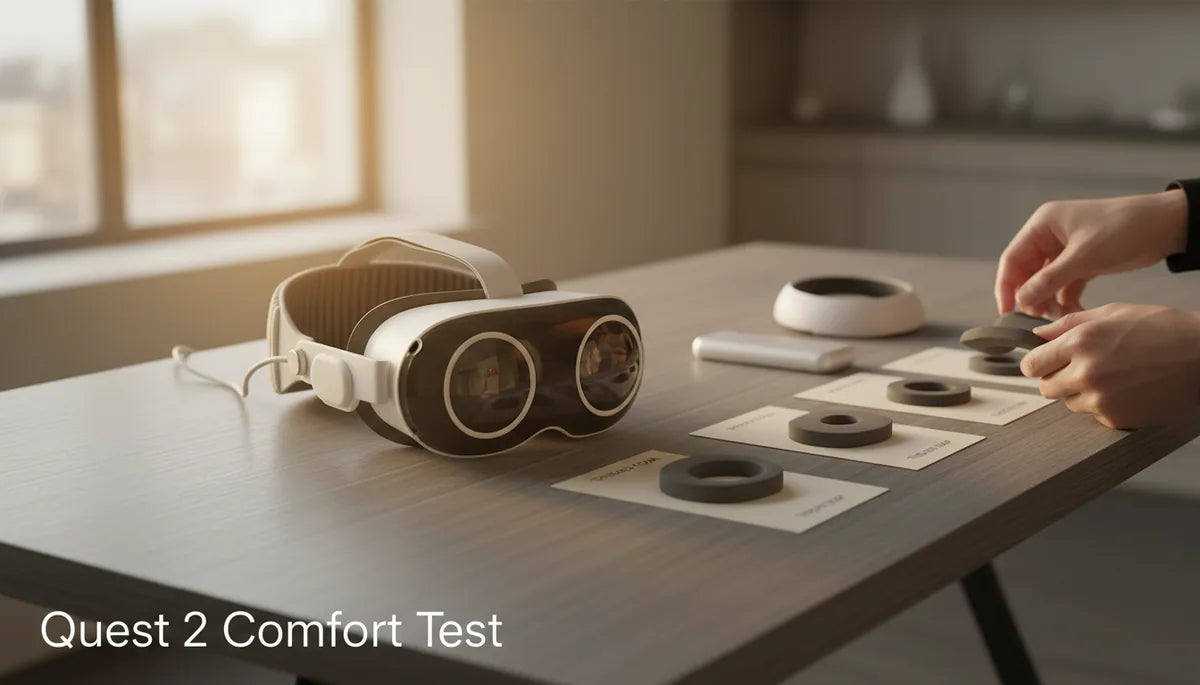
Before investing in multiple sets, run quick tests to evaluate comfort in one purchase. A compact test protocol:
- 10-minute wear: check for forehead and cheek hotspots; note any immediate pressure points.
- Movement test: shake your head and walk around to see if the cushion shifts or the headset tilts.
- Balance check: try leaning forward and backward; a properly balanced setup won’t slide down or pull forward.
- Glasses clearance: if you wear glasses, move your eyes side to side and blink—anything rubbing the frame is a fail.
- Sweat simulation: after a short cardio segment or under a hairdryer (briefly and not too hot), test for moisture retention and whether the cushion traps heat.
These low-cost trials give immediate feedback on fit and material performance. If a budget setup passes these tests, you may never need an expensive upgrade. If it fails, the failure mode (heat, shifting, or pressure) will guide which upgrade to prioritize: a breathable cover, a rigid strap, or a counterweight.
Decision framework for the best Quest 2 comfort setup
Use this checklist to make a final choice. Score each area 1–5 for your use case (1 = poor fit, 5 = ideal). Prioritize items that score low.
- Weight & balance: Does the strap allow good rear counterweighting or crown contact? (rear cradle, counterweight options)
- Cushion material: Memory foam for contouring, silicone/closed-cell for sweat resistance—pick based on typical session length and activity level.
- Adjustability: Fine-tune top strap, rear cradle angle, and side tension—are these easy to change while wearing?
- Durability: Double-stitched seams, abrasion-resistant fabric, and robust clip mounts earn higher marks.
- Maintenance: Removable, washable covers; easy to wipe non-porous surfaces; availability of replacement parts.
- Compatibility: Lens adapters, glasses clearance, and verified clip fit for your Quest 2 chassis.
- Comfort longevity: Will the cushion keep its shape over months under sweat and heat?
Score each item, then sum the totals. For most users, a total above 28 indicates a good long-term choice; 20–28 is acceptable but expect compromises; below 20 suggests rearranging priorities. As a rule of thumb: choose breathable memory-foam with a removable cover plus a light rear cradle for mixed use, and choose silicone or closed-cell foams with rigid halo straps for high-sweat or high-movement activities.
Next step: pick one change—cushion, strap, or counterweight—and run the quick comfort tests above. A single targeted upgrade will often deliver more immediate benefit than chasing a “perfect” all-in-one kit.







Share:
How to Adjust Your Quest 2 Strap for Maximum Comfort on Long Sessions
Counterweights for VR Headsets: How to Boost Quest 2 Balance Without Pressure