

Official Quest 2 Strap vs Third‑Party Options: What Keeps You Comfortable During Marathon VR Sessions
If you plan to play VR for hours at a time, the difference between a tolerable session and an exhausting one often comes down to the strap. This guide compares the stock Quest 2 straps and popular third‑party upgrades with one goal: help you pick and fit a setup that maximizes comfort without sacrificing balance or stability during marathon play. ⏱️ 7-min read
I’ll walk through what the official options offer, what third‑party straps typically add, the concrete comfort metrics you should test, and practical fit and maintenance steps so your next multi‑hour session doesn’t end early because of neck strain or hotspots.
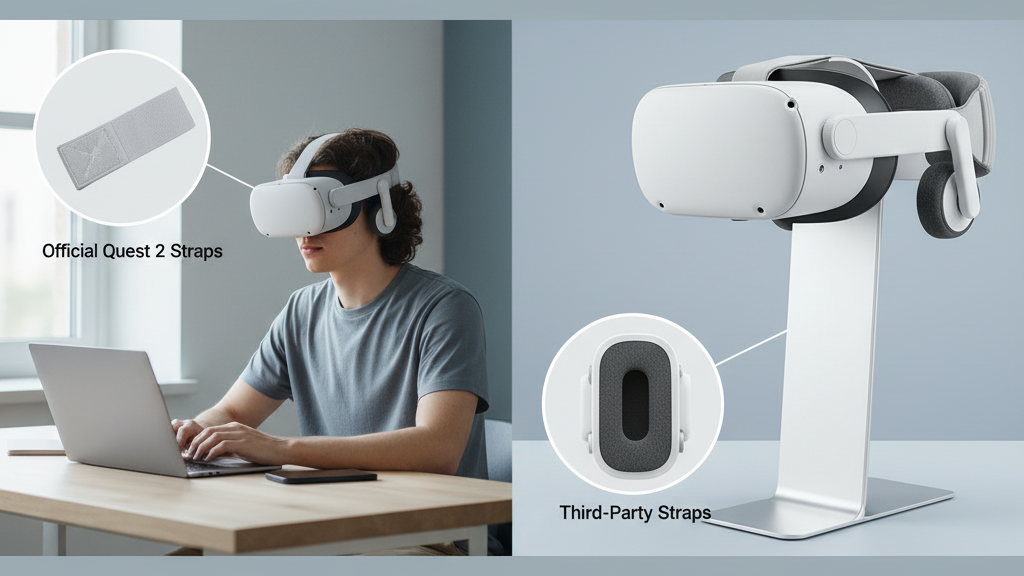
Official Quest 2 Straps: What Comes with the System
The Quest 2 ships with a basic fabric strap designed for light, infrequent use. It’s lightweight and simple to adjust, but it concentrates more pressure on the forehead and temples over long sessions. If you’re gaming for 30–60 minutes at a stretch, it’s fine; for anything longer you’ll likely notice hotspots and repeated readjustments.
Meta’s Elite Strap with Dial improves on that by giving a sturdier frame and a ratcheting dial for fine tension control. The dial stabilizes the headset and reduces lateral wobble, which helps during active play. However, its padding is modest—so while it improves fit and limits drift, crown pressure can still become noticeable after an hour or two.
The Elite Strap with Battery adds rear mass as a counterweight, shifting the center of gravity backward and reducing facial pressure. That rear battery usually makes the headset feel better balanced, but it also increases total weight. For many marathon players the tradeoff is worthwhile: less forward facial strain even though the system is heavier overall.
Third‑Party Straps: What They Add to Marathon Comfort
Third‑party straps aim to treat the Quest 2 like a tool built for long sessions. Typical enhancements you’ll see include wider straps (roughly 1.5–2 inches) to spread pressure over the crown and shoulders, and thicker foam padding—around 10–20 mm—across the brow and crown. Many add quick‑adjust buckles or micro‑adjust sliders so you can fine‑tune fit instantly between games or streams.
Expect trade‑offs: extra materials add weight and can change balance if the strap sits differently on your skull. Cheaper models (around $20–$40) buy you width but not always durability or a good follow of the Quest’s mounting points. Mid‑range padded designs run $50–$90 and hit a reliable balance of materials and fit. Premium options with memory foam and refined adjusters sit in the $100–$150 range and often last longer and feel more comfortable over extended use. Always check warranty and return policies before buying.
Key Comfort Metrics for Long Sessions
When choosing a strap, use these measurable traits as your checklist:
- Pressure distribution: A broad contact area spreads load across the forehead and temples. Look for padding that smooths pressure rather than pushing against a single point.
- Weight distribution: Where the mass sits matters more than total pounds. Rear counterweights or battery packs that sit near the back of the skull reduce facial pressure.
- Padding quality: Multi‑density or memory foam cushions rebound better and create fewer hotspots than cheap foam that compresses quickly.
- Adjustability range: The strap should tighten securely without pinching and offer quick readjusts—test quick head turns and brisk shakes to confirm it stays locked.
- Pressure points and edge comfort: Rounded edges and soft rims prevent chafing along the hairline and temples.
- Glasses compatibility and ventilation: Glasses need extra clearance; breathable linings and moisture‑wicking fabrics reduce heat and sweat buildup during long sessions.
Installation and Fit: Step‑by‑Step Guidance
Proper installation makes a big difference. Below is a practical sequence that works for the Elite Strap and most third‑party options that are designed for Quest 2 mounting points.
- Pre‑check: Confirm the strap is a true Quest 2 model or a third‑party product advertised as compatible. Check left/right orientation before attaching anything.
- Attach side posts first: Clip or slide the strap ends onto the headset’s side anchors (the small posts where the stock strap attaches). Make sure they click or seat fully.
- Add the rear or top anchor: Secure the rear band or top crown pad next, routing the strap through any guides on the headset frame so it sits flat and avoids pinching the visor.
- Align buckles and guides: Rotate or position buckles so they lay flat against the strap—not against your forehead—so you won’t feel them during use.
- Initial fit and tension: Put the headset on, set the top strap height, then adjust rear tension until weight feels centered. Aim for a snug fit that doesn’t clamp the temples.
- Fine‑tune with movement: Do quick head shakes, look side to side and up/down. If the headset slips, tighten gradually—too tight creates hotspots; too loose causes drift.
- Secure cables and accessories: If using a rear battery pack, route any cables along the strap and tuck them into supplied channels or use small Velcro ties to avoid snagging during play.
After a few minutes of wear, recheck the fit—pads compress and your head will settle, so a second quick adjustment before a long play block pays off.
Weight Distribution and Battery Considerations
Long sessions expose how weight placement affects fatigue. A front‑heavy headset pulls on the face and increases neck torque, even if total weight is modest. Rearward mass—like a battery pack or counterweight—shifts the center toward the back of the skull, reducing forward pull and perceived facial heaviness.
The Elite Strap with Battery is a factory option that follows this principle; third‑party kits often use similar rear packs or counterweights. Note that placing extra mass high on the crown increases leverage and can actually raise neck load, so aim to position counterweights low and close to the back of the skull when possible.
Practical strategies:
- Prefer rear‑mounted battery packs that sit low on the back of the skull rather than perched on the crown.
- Use a balanced setup—wider side supports and a stable rear pad will minimize the need for micro‑corrections that tire neck muscles.
- Take scheduled breaks, stretch your neck, and maintain relaxed posture during multi‑hour sessions.
Glasses‑Friendly Comfort and Cushioning Features
If you wear glasses, tiny design choices matter. Look for headsets or straps that offer:
- Generous nose clearance and a slightly deeper facial cavity to avoid pressure on frames.
- Rounded edge cushions and a broad forehead pad to spread load away from temple arms.
- Breathable or moisture‑wicking linings that reduce fogging and sweat buildup around the cheeks and brow.
Memory foam and multi‑density layering are especially helpful for glasses wearers because they conform around frame temples and reduce shifting. Edge cushioning with soft rims prevents the frames from digging into the skin during long sessions.
Maintenance, Longevity, and When to Replace
Marathon use accelerates wear. Inspect your strap and pads regularly for these signs:
- Padding that doesn’t rebound, sagging edges, exposed foam, or compressed cushions—replace before hotspots develop.
- Frayed straps, cracked buckles, loose stitching, or any hardware that slips—these reduce support and can cause misalignment during active play.
- Sticky or degraded fabrics from sweat—clean according to the manufacturer guide; some pads are removable and washable.
Suggested cadence: with heavy daily use inspect every 4–6 weeks and plan cushion or strap replacement within 6–12 months. Lighter use can extend that to 12–24 months. Always follow the maker’s care recommendations, and keep spare cushions or an alternate strap handy if you rely on long sessions for streaming or practice.
Cross‑Platform Notes: Vision Pro and Other Headsets
Straps are not universally compatible across all headsets. Vision Pro and Quest 2 use different mounting systems and crown shapes, so a strap built for one rarely fits the other without adapters. If you own or plan to use multiple headsets consider:
- Looking for third‑party brands that sell dedicated adapters or cross‑compatible mounts.
- Prioritizing adjustable designs and straps with modular pads that can be swapped between devices where possible.
- Thinking about accessories that address weight—some platforms offer solutions like the FlitLift GraviPro to re‑balance heavy front loads on Vision Pro.
Across devices, the same comfort principles apply: prioritize even weight distribution, broad padding, and an adjustable, secure fit to minimize neck strain during long testing or play sessions.
Takeaway: if your sessions regularly go beyond an hour, upgrade from the stock fabric strap—either to Meta’s Elite Strap (with or without battery) or a well‑made third‑party padded design. Test the strap with brisk head movements, prioritize rearward weight placement over crown‑heavy solutions, and keep a maintenance routine so your setup remains comfortable over time. Your next step: try a mid‑range padded strap or the Elite Strap with Battery for a week and evaluate comfort with brisk head shakes and a 90‑minute session to see which tradeoffs work best for your play style.
Powered by Trafficontent







Share:
Vision Pro for glasses wearers: how to get a snug, comfortable fit
Comfort strap versus Elite Strap: an ergonomic comparison for Quest 2