

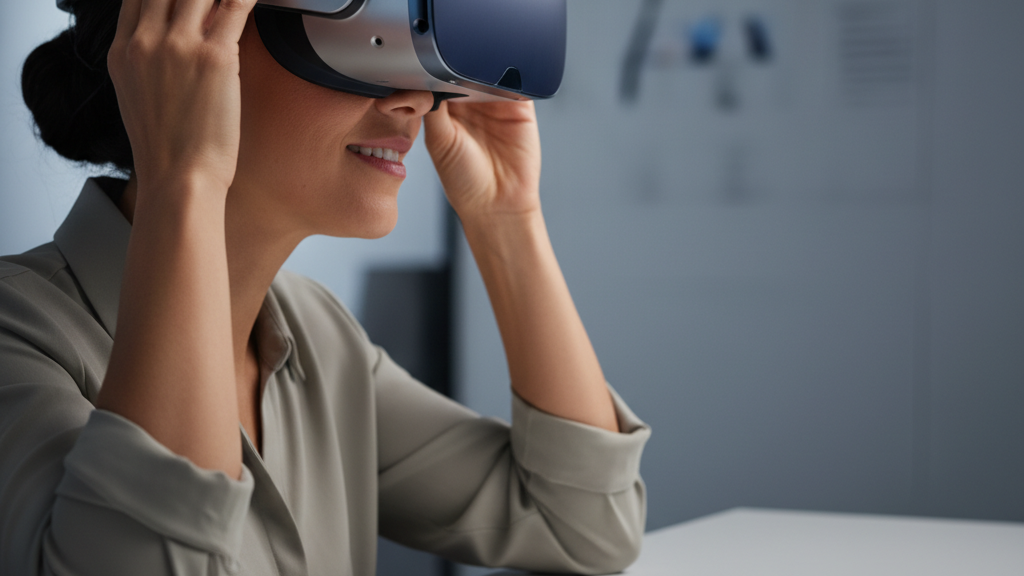
Vision Pro for glasses wearers: how to get a snug, comfortable fit
Glasses shouldn't be a barrier to comfortable mixed-reality sessions. With small, intentional adjustments to strap tension, nose clearance, and weight balance, Apple Vision Pro can sit securely without pinching your temples or fogging your lenses. This guide walks glasses wearers through practical, repeatable steps to reduce pressure and fatigue for long sessions. ⏱️ 6-min read
Understanding Vision Pro fit for glasses wearers
The Vision Pro uses a padded visor and a halo-style headband that transfer much of the headset’s mass across the crown and sides of the head. That geometry is favorable for reducing facial pressure, but glasses introduce extra thickness and rigid temple arms that change the contact points. Common pressure zones for glasses wearers are the temples, the bridge of the nose, and the cheekbones where the face gasket meets the frame.
Different frame styles behave differently: thin metal rims and low-profile temples usually fit with fewer hotspots, while thick acetate frames or wide temple arms are more likely to be pinched between the headset cushions and your face. Understanding where your frames sit helps you prioritize adjustments—temple squeeze needs strap/tilt fixes, while bridge pressure needs nose clearance and possibly a different cushion profile.
First-fit adjustments you should make right away
Before you launch an app, take five minutes to set up the Vision Pro around your glasses. A correct first fit saves time and prevents discomfort during longer sessions.
- Don your glasses and place the Vision Pro gently on your head—don't tighten anything yet.
- Adjust crown/side strap tension so the halo supports the majority of the weight; the headset should feel secure but not clamped to the face.
- Align the cheek pads so they sit against your face without pressing the temple arms inward. If pads push on your frames, loosen side straps and add slight forward tilt.
- Check visor tilt: a small forward tilt can relieve temple pressure; too much tilt will press the nose area—find the sweet spot where the display is clear and the frame isn't squeezed.
Ensuring glasses clearance and minimizing pressure points
Clearance and pressure management are about three things: lens distance, temple space, and nose bridge support. Addressing each reduces hotspots and lens contact.
Lens and temple clearance tips:
- Confirm there is a small gap between your spectacle lenses and the Vision Pro face foam—no rubbing when you move your head.
- If temples sit too close to the foam, increase side-strap length slightly or add a millimeter of forward tilt to move foam away from the arms.
- Low-profile temples help—if you regularly use thick frames, consider a slimmer temporary frame for long VR sessions or explore prescription inserts (official or third-party) to remove frames entirely.
Nose bridge and anti-fog:
- Ensure the nose pad of the headset doesn't rest directly on your glasses' bridge—raising the visor slightly often resolves this.
- Use anti-fog treatments on glasses or ensure a small airflow path to reduce moisture buildup; consistent strap tension that avoids an airtight seal helps ventilation.
- If you notice persistent hotspots on the nose, try changing the face cushion profile (if available) or adding a thin foam shim to redistribute contact.
Strap systems, balance, and weight distribution
How the Vision Pro distributes load across the head determines whether you feel pressure after 20–60 minutes. The goal is to shift weight off the face and onto the crown and rear of the head.
Best practices for weight distribution:
- Tighten the top/crown strap first so the halo takes the load, then fine-tune side straps for stability. A secure crown reduces cheek and temple pressure.
- Adjust for neutral tilt—slightly forward for visual alignment but not so far that the visor pulls down into the face. Neutral tilt prevents the headset from sliding forward, which causes repeated micro-adjustment and fatigue.
- Consider counterweights or rear-mounted accessories if you feel front-heavy. Products like balance pads or dedicated counterweight accessories (e.g., FlitLift GraviPro-style solutions) can help, but verify compatibility and cable routing if any.
Accessories and compatibility: official options and third-party add-ons
Apple and third parties offer accessories that improve comfort for glasses wearers, but compatibility varies. Official fit kits, when available, typically include alternative cushions and pads designed to change the gap and contact geometry for prescription glasses.
Third-party options provide low-cost or specialized solutions—replacement face cushions (different thicknesses), low-profile straps, and counterweight mounts. When choosing add-ons:
- Confirm physical compatibility with Vision Pro’s mounting points and ventilation—improvised parts can block airflow or change sensor alignment.
- Look for reputable makers who advertise Vision Pro compatibility and have clear return policies.
- Consider prescription optical inserts if you prefer removing frames. These inserts can eliminate temple interference entirely but must be fitted correctly and sourced from trusted providers.
Step-by-step setup for a comfortable fit (glasses on)
Follow this sequence each time you put the headset on to ensure a repeatable, comfortable fit.
- Put on your glasses and sit in a stable chair—this reduces accidental knocks while adjusting.
- Place the Vision Pro on your head gently; let the halo rest on the crown without tightening.
- Tighten the crown strap until the headset feels supported; the visor should hover lightly above your glasses.
- Adjust side straps equally to bring cheek pads toward the face until they touch without compressing glasses’ temples.
- Fine-tune tilt: a small forward tilt typically clarifies the view and reduces temple squeeze—stop when your glasses are no longer contacted by the foam.
- Move your head, look up/down/side-to-side, and nod briskly—if the headset shifts or exerts new pressure, loosen and re-balance the straps until stable.
- Run a short test app or interface check to confirm there’s no optical distortion or fogging; if there is, tweak ventilation and strap tension again.
Maintenance, cleaning, and longevity tips
Caring for the cushions, straps, and your glasses preserves fit and hygiene. A regular routine prevents sweat buildup and cushion collapse that reduces clearance.
- Clean face pads and foam weekly after heavy use with a damp microfiber cloth and mild soap; allow to air dry fully before reuse.
- Wipe down straps occasionally—follow manufacturer guidance; many are hand-washable or use removable covers for machine washing.
- Keep lenses and glasses frames clean with appropriate lens cleaner to reduce fog and abrasion against cushions.
- Inspect foam and straps for compression, cracks, or torn stitching. Replace worn cushions to maintain the designed clearance and cushioning—don’t rely on compressed foam to protect your glasses.
All-day comfort tips and quick comparisons to Quest 2
For marathon sessions, small habits make a big difference: schedule short posture breaks, switch to a lighter frame if possible, and rotate between sitting and standing to change pressure dynamics. Use strap micro-adjustments during breaks rather than waiting for discomfort to build.
Comparing Vision Pro to Oculus/Meta Quest 2: Quest 2 is generally lighter overall but more front-heavy because its mass is concentrated in the visor. The Vision Pro is designed to transfer more load to the halo and crown, which often reduces facial hotspots at the expense of slightly more head contact. For glasses wearers, that means Vision Pro’s weight distribution can feel less rubbing on the nose and cheeks if the halo is set correctly, while Quest 2 may require thicker padding or more frequent adjustments to protect temples and the bridge.
In short: prioritize crown support and careful tilt with Vision Pro, consider low-profile glasses or prescription inserts, and use compatible accessories to balance weight. Those steps will dramatically reduce pressure and fatigue and keep your mixed-reality sessions comfortable and immersive.
Powered by Trafficontent







Share:
Glasses Friendly VR: Fitting Quest Two Comfort Straps for Spectacle Wearers
Official Quest 2 Strap vs Third-Party Options: Which Keeps You Comfortable During Marathon Sessions