

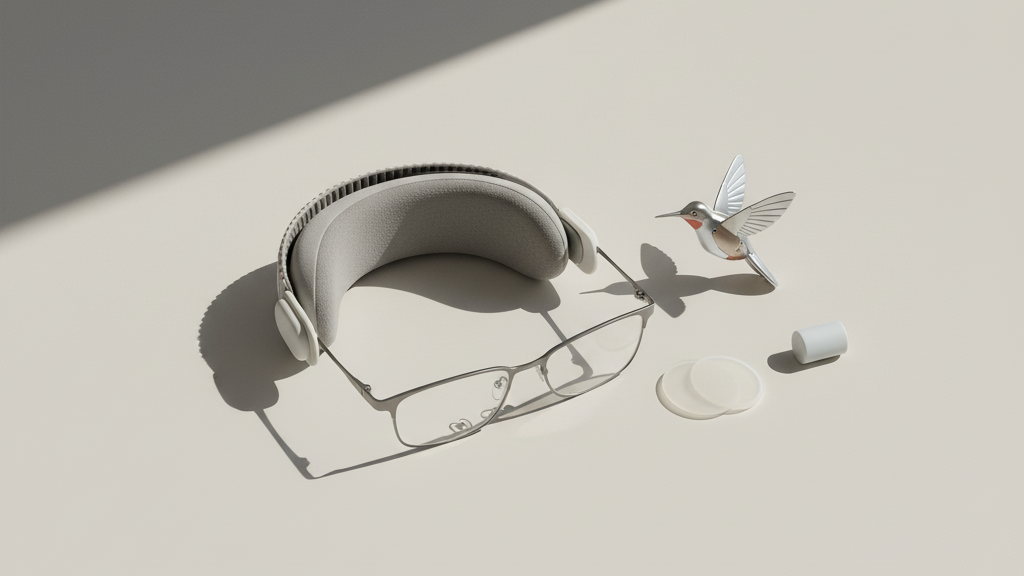
Vision Pro and Glasses: A Practical Guide to Comfortable, Long Sessions with FlitLift and Smart Setup
Wearing a mixed-reality headset like Apple’s Vision Pro when you also rely on eyeglasses can feel like walking a tightrope: you want a clear, centered image without the irritation of pinched frames, fogged lenses, or cheek pressure. This guide is written for glasses wearers and Vision Pro enthusiasts who want to stretch sessions from a few minutes to an hour—or more—without constant adjustments. ⏱️ 10-min read
You’ll find practical setup routines, an explanation of how a counterweight accessory like FlitLift reduces front‑heavy strain, step‑by‑step fitting instructions, and real-world tips for different head shapes, hot-weather use, and light exercise. Each section includes short tests and actionable tweaks so you can quickly validate comfort and keep your Vision Pro sessions focused on what matters: the content, not the discomfort.
Glasses-on Vision Pro: Compatibility and Setup
Yes—you can wear Vision Pro with glasses, but not every frame plays equally well under the visor. The ideal frames are lightweight, low‑profile, and sit close to the face without protruding into the headset’s optics. Think slim metal or plastic frames, rimless or semi‑rimless designs, and standard lens thickness. If your lenses are thick, ask your optometrist about low‑profile or high‑index options to reduce bulk—thinning a lens can make a surprisingly large difference in headset comfort.
Start setup with the basics: put on your glasses, then the Vision Pro. Adjust the headband so the device sits evenly and check the interpupillary distance (IPD) while wearing your glasses—the virtual image must sit directly over your pupils. Look for pressure points where the headset meets the frames: temple arms catching on the gasket, a bridge pinching, or lenses brushing the headset foam. Move your head slowly and scan your visual field; any tilt or misalignment will be obvious as ghosting, blur, or an off-center image.
Run a short calibration and comfort test—5–10 minutes in a low‑demand app is perfect. This lets you confirm lens alignment and feel for hotspots without committing to a long session. If the headset shifts or your frames create red marks, adjust crown height, loosen or retighten straps, and recheck IPD. Small tweaks at this stage prevent major discomfort later.
How FlitLift Elevates Comfort for Glasses Wearers
FlitLift is a lightweight counterbalance that reduces the front‑to‑back pressure created by headsets like Vision Pro. For glasses wearers, this can be transformational: instead of the headset resting heavily on your nose and temples—areas already occupied by frames—FlitLift repositions weight toward the crown, decreasing pressure where your glasses sit.
Installation is straightforward, but alignment matters. Attach FlitLift following the manufacturer’s instructions and start from the smallest lift setting. The goal is a subtle rebalancing, not a radical repositioning. When correctly set, you should notice less temple friction, fewer nose‑bridge hotspots, and improved stability as you move your head. FlitLift does not replace careful strap tuning; use it as a complement to Vision Pro’s fit system to achieve an even, weightless feel.
Practical tip: after fitting FlitLift, do a 5–10 minute test while wearing your glasses. Check for any new rubbing where the counterweight meets the crown pad, and ensure the headset still centers over your pupils. Many users report they can comfortably extend their sessions by 30–60% with FlitLift engaged because the headset no longer digs into the same sensitive spots your glasses already occupy.
Step-by-Step Fit Guide for All-Day Wear
Developing a quick routine saves time and removes guesswork. Here’s a concise, repeatable order that puts comfort first and helps glasses wearers lock in a balanced fit before a long session.
- Loosen all straps: start with the headset nearly slack so it can settle onto your head without fighting tension.
- Put on your glasses, then the Vision Pro: allow the gasket to rest around your cheeks and forehead naturally.
- Set crown height: lower or raise the crown pad until the headset feels balanced front‑to‑back; small adjustments are best.
- Align IPD and center the lenses: use the Vision Pro’s IPD settings with your glasses in place so the image aligns with your pupils.
- Settle the nose bridge: ensure glasses and headset foam sit evenly—no pinching or gaps. Add silicone nose inserts if needed to create lens clearance.
- Tighten side straps incrementally: find firm but not pinching tension that stabilizes without pressing the temple arms.
- Attach FlitLift if using one and fine‑tune: start with the lowest lift and increase until you feel even weight distribution.
Finish with a 5–10 minute trial in a low‑movement app. Watch for red marks, fogging, or a sense of tilt. If any issues appear, revert to the previous step and tweak in smaller increments. This routine becomes fast with practice and ensures you only take longer sessions when the headset truly feels stable and comfortable.
Ergonomic Setup for Long Sessions
Longer sessions are less about the headset and more about your overall posture and environment. A headset aligned with your eyes and a neutral neck position prevents the slow-onset fatigue that turns a fun hour into a painful chore.
Keep the Vision Pro lenses at or near eye level: when seated, the central lens should align with your natural gaze so you’re not forced to tilt the chin up or down. Small tilt adjustments—around 5–10 degrees—can dramatically reduce eye strain and make content feel more natural. Pair this with a chair that supports your lumbar curve, height set so your forearms rest comfortably on the desk or armrests, and feet flat on the floor with hips and knees near 90 degrees.
Lighting matters. Avoid harsh overhead lights or bright windows directly in your field of view; diffuse, balanced ambient lighting reduces reflections and glare. If you’re working at a desk with other screens, position them roughly an arm’s length away and slightly below eye level to prevent repetitive downward gaze. Plan microbreaks every 20–30 minutes: stand, stretch your neck and shoulders, blink deliberately to refresh your eyes, and wipe any sweat or oil from the gasket so sensors and foam keep performing well.
Comfort Tips for Hot Weather and Sweat
Heat and sweat are the notorious comfort killers for any headset, and glasses wearers have the double challenge of fogging. The right materials and a few routines keep play sessions cool and visuals clear.
Choose breathable, moisture‑wicking cushions and covers with open‑cell foam and washable liners. These materials move moisture away from skin and dry faster than dense foam. Anti-slip, silicone‑backed covers can stop the headset from creeping down your face when perspiration reduces friction. Brands that focus on airflow-friendly cushions (including some FlitLift-compatible options) are worth trying for long sessions in warmer environments.
Adopt a simple timer habit: pause every 20–30 minutes to wipe forehead and lens edges with a clean microfiber cloth. This prevents sweat from migrating into the foam and forming condensation on the lenses. If you still get fogging, create a tiny vent by slightly loosening the crown or temple straps to allow airflow without sacrificing stability. For serious heat, use a small desk fan pointed near—but not directly at—your face to keep air moving and reduce trapped warmth. When temperatures are high, shorter, more frequent sessions are often more comfortable than marathon sittings.
Comfort for Small Faces and Different Head Sizes
Vision Pro’s fit system covers many head shapes, but glasses wearers with small faces face a unique balance challenge: the headset can sit further forward and create cheek or temple pressure. Conversely, larger heads might need more crown lift to keep lenses centered. The key is incremental adjustments and the right accessories.
For smaller faces, start with the lowest crown position and shorten the temple straps slightly. This pulls the headset snugly toward the rear of the skull, reducing pressure on the cheeks and lowering the likelihood of glasses being pushed into the gasket. Silicone nose inserts or thinner face cushions create a small, controlled gap that protects both the lenses and your frames from contact. FlitLift is particularly useful here: by shifting weight back, it reduces active pressure on small facial structures and keeps the display steady when you move.
If you have a larger head, raise the crown and lengthen temple supports to keep the headset balanced. Watch for forehead hotspots and increase cushion density or swap to a softer pad if you notice persistent pressure. Whenever possible, have friends or colleagues with differing head sizes try your setup—real feedback helps you identify pinch points or looseness you might miss. Test each configuration with short wearable blocks, and keep a small set of spare cushions and nose pads so you can match the hardware to the head shape in minutes.
Using Vision Pro During Exercise
Vision Pro can be used for light and moderate activity—indoor cycling, yoga, or guided stretching—if you prioritize stability and situational awareness. Glasses wearers must pay attention to frame movement, peripheral vision, and sweat management. The headset should remain secure without over-tightening, which causes fatigue and interferes with circulation behind the ears.
Choose low‑profile frames and non‑slip temple tips; silicone liners on the temple arms reduce sliding and pressure. Keep straps snug but not constricting: a useful test is whether you can slide one finger beneath the strap comfortably. If you plan on motion, engage FlitLift to maintain balance—its counterweight reduces the tendency for the front of the headset to pull downward during head movements.
Avoid high‑impact or rapid‑head‑turn activities that risk the headset shifting or colliding. If sweat becomes significant, pause, wipe the gasket and glasses, and recheck strap tension. For safety, use the passthrough or guardian features as intended so you stay aware of nearby obstacles. After a workout, take a moment to clean the foam and lenses so sweat salts don’t degrade materials and so the next session starts fresh.
Care, Maintenance, and Accessories
Maintaining clear optics and comfortable cushions is as important as the initial fit. A simple care routine prolongs the life of your Vision Pro and keeps your glasses-working smoothly underneath.
- Cleaning: Use a microfiber cloth and manufacturer‑approved lens cleaner. Apply the cleaner to the cloth, not the lenses, and wipe gently. For foam and covers, use mild soap and water on removable liners, then air‑dry completely before reattaching.
- Inspection cadence: Every 2–4 weeks, inspect cushion surfaces, nose pads, and strap fixtures for wear—flattened foam, fraying seams, or reduced grip signal replacements are due.
- Accessory kit: Keep a small kit with extra nose pads, a spare FlitLift preset or mounting strip, anti‑slip strap covers, and a microfiber cloth. Having these on hand makes mid‑day tweaks easy.
- Lens protection: Consider clear protective film for your eyewear and Vision Pro lenses if you frequently swap glasses or travel. It helps prevent scratches and smudges that scatter light and aggravate fatigue.
Buying alternative cushions with varied densities and shapes lets you experiment until you find the best match—softer foam for less pressure, firmer for a stable seal. If you use FlitLift, check compatibility guides and keep spare attachment pads; small wear items tend to outlast the first month of heavy use if you rotate them regularly.
Next step: try the step‑by‑step fit routine, add FlitLift if you haven’t, and schedule a 10‑minute test with a simple app. If you still feel hotspots or fogging, adjust in small increments and use the short break routine—wiping, rebalancing, and returning—which will quickly reveal the right combination of fit and accessories for your glasses and head shape.







Share:
Understanding Flit Lift: how it changes Vision Pro comfort during extended use
GraviPro in the Workplace: Ergonomic VR Solutions for Training, Meetings, and Collaboration