

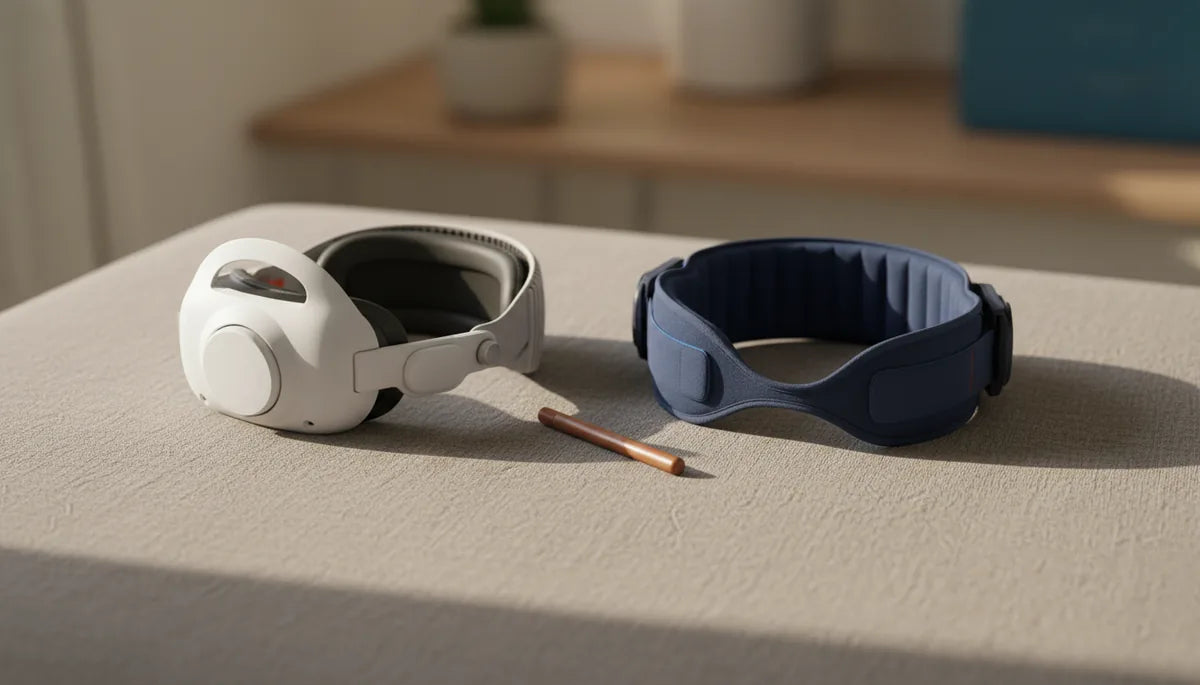
Elite Strap vs Third‑Party Comfort Straps: Which Quest 2 Upgrade Actually Keeps You Comfortable for Marathon VR?
If you’ve fought with the Quest 2’s stock elastic band during a long session—fidgeting with the fit, feeling the headset dig into your face, or battling a sore neck afterward—you’re not alone. Upgrading the head strap is one of the fastest ways to reclaim comfort and immersion, but the market splits into two camps: Meta’s official Elite Strap and a host of third‑party "comfort straps" that promise padding, balance, and breathability. ⏱️ 11-min read
This guide breaks down how each approach handles the hard facts of long play: weight distribution, pressure points, adjustability, durability, and real-world endurance. Read on to learn which strap is likely to keep you in the headset for hours instead of minutes—and how to choose the right option for your play style, head shape, and budget.
Understanding Quest 2's Base Comfort Challenge
The Quest 2’s default strap is deceptively simple: a lightweight elastic band that makes the headset wearable out of the box. For short demos or quick sessions that works fine. But problems emerge when playtime stretches beyond an hour. The stock strap’s minimal padding and elasticized design don’t adequately support the headset’s front‑heavy profile, so the weight tends to pull on your face. That forward pull creates the familiar hotspots—areas of concentrated pressure—across the forehead, cheekbones and bridge of the nose. Redness and irritation are common after long sessions, and in some users that leads to headaches or jaw tension.
Beyond facial pressure, the elastic strap struggles to keep the headset perfectly aligned during movement. Because the strap provides little resistance to forward tilt, you’ll find yourself readjusting the headset mid‑game, which breaks immersion. And because the stock band concentrates load toward the face rather than distributing it across a broader area, the muscles at the back of your neck and shoulders can fatigue quickly during marathon play. In short: the baseline strap is cheap and lightweight but poorly engineered for endurance gaming.
The Official Contender: Meta Quest 2 Elite Strap Unpacked
Meta designed the Elite Strap to address many of the stock band’s shortcomings with a relatively restrained set of changes. At its core is a rigid halo‑style frame that wraps around the back of the head, combined with a rear adjustment dial to micro‑tune tension. Instead of relying solely on the face to support the headset, the halo shifts a significant portion of the weight rearward, moving the center of gravity closer to the skull’s midpoint. That immediately reduces pressure on the forehead and cheeks and cuts down on forward tilt.
The rear dial is a convenient feature: it allows one‑handed tightening and loosening, so you can make small adjustments without removing the headset. The structure is largely hard plastic with a thin layer of padding where the band contacts your head. For many players, the Elite Strap delivers a noticeable improvement in stability and reduces the frequency of mid‑game tweaks. It’s a tidy, simple solution that integrates seamlessly with the Quest 2’s mounting points.
But the Elite Strap is not a flawless upgrade for marathon sessions. The padding is relatively thin and can become a hotspot if it isn’t aligned perfectly for your head shape. Some users report the rigid frame eventually transmits more load to the neck than expected during prolonged sessions—redistributing weight rearward helps the face but increases leverage on the posterior chain. Durability is another area to watch: the plastic dial and clips can show wear over years of heavy use, and replacement parts are limited compared with aftermarket ecosystems. In short, the Elite Strap is a solid, official fix that improves stability and face comfort—but it trades some cushion and airflow for structure.
Third-Party 'Comfort Straps': Design Philosophy and Variety
Third‑party manufacturers have approached the Quest 2 comfort problem from many directions. Instead of one standardized fix, the market has evolved into distinct design families, each tackling pressure and balance differently. The most common are halo/rigid designs, padded fabric straps, and battery‑integrated models—each with tradeoffs worth understanding for marathon play.
Halo and rigid third‑party straps follow the same principle as the Elite Strap—move support away from the face and spread load across the crown and sides. Where they differ is in material choices and contact area: many use semi‑rigid frames with broader, more generous padding, or they place extra cushioning across the back of the skull. Adjustment systems vary too, from Velcro and aluminum sliders to micro‑dials that mirror the Elite’s feel but with finer incremental control. These rigid third‑party options can be very durable, cope well with sweat, and often include extra rear padding for neck comfort.
Padded fabric straps take a softer approach. They trade some structural rigidity for continuous padded contact—memory foam or EVA foam wrapped in breathable mesh is common. These straps feel plush and conform to head shape, reducing hotspots by increasing the contact area and dispersing pressure. They’re typically lighter and more flexible, making them pleasant for long, low‑movement sessions. However, excessive padding can trap heat, so many designers add moisture‑wicking fabrics or perforated zones to improve airflow.
Finally, battery‑integrated models solve two problems at once: they rebalance the headset by placing battery packs at the rear and extend play time for users who tether to portable chargers or want more runtime on wireless setups. That back weight offsets front heaviness and reduces facial pressure, but it also increases load at the nape and may require a sturdier neck during multi‑hour play. Each third‑party path aims to ease the same pain points, but they do it with different priorities—cushioning, balance, or battery life—so your ideal pick depends on how you play.
Head-to-Head: Ergonomics, Weight Distribution, and Adjustability for Endurance
When you distill comfort for marathon VR down to a few key mechanics, three things matter most: how a strap redistributes the headset’s weight, how it avoids pressure hotspots, and how precisely you can tune the fit. The Elite Strap moves load rearward with a hard halo so the face experiences less direct force. The effect is immediate: fewer adjustments and a steadier view. But because the halo delivers support through a relatively narrow band and thin padding, that rearward load can concentrate at a point—leading to neck strain over two to three hours for some users.
Third‑party solutions often broaden the contact patch. Padded straps spread pressure across a wider area over the crown or sides, which reduces intensity at any single point (the scientific remedy for hotspots). For example, a memory‑foam pad across the crown will conform and reduce sharp pressure on the forehead, and a wider nape pad will disperse load so your neck muscles take less strain. Counterweights in battery straps can be very effective at neutralizing the Quest 2’s front bank, but they introduce their own variable: added mass at the back increases torque during rapid head movements and can fatigue the neck if you’re playing motion‑intensive titles for hours.
Adjustability is where practical fit meets endurance. The Elite Strap’s single rear dial is excellent for quick micro‑tuning during a session; it’s intuitive and fast. Many third‑party straps compensate with multi‑point adjustments—side sliders plus rear Velcro or dual dials—allowing a more customized fit for varied head shapes. That extra granularity can keep a headset stable during vigorous play, but it can also complicate setup. In short, elite structure wins for simplicity and stability; third‑party designs win for pressure distribution and fine‑tuned comfort—especially across diverse head shapes and if glasses are involved.
Durability, Installation, and Maintenance Considerations
Marathon use doesn’t just demand comfort—it exposes weak points. Both the Elite Strap and third‑party options can survive heavy use, but they wear differently. Predictable failure points include padding compression over time (memory foam or EVA will lose springiness), fabric fraying around Velcro or stitch lines, and plastic clips or dials developing play or cracking. Battery straps have the additional complexity of connectors and cells that can degrade if exposed to moisture or dropped repeatedly.
Installation is typically straightforward, but small mistakes can undermine comfort. Align the strap mounting points carefully with the headset slots to ensure even pressure on both sides. When installing a halo or clip‑on third‑party strap, check that the side mounts snap in cleanly and that any Velcro is fully seated; misaligned anchors create asymmetrical pressure. For the Elite Strap, confirm that the rear dial locks with a solid click and that the strap sits centered on your skull before you fine‑tune tension.
Routine care is simple but important: wipe pads with a damp cloth and a mild, non‑alcohol cleaner; avoid bleach or strong solvents that break down foam and fabric. For foam pads, let them air dry completely before storing. Remove aftermarket batteries when not in use, and keep charging contacts clean. If your strap uses Velcro, brush debris out periodically to maintain stickiness. When you notice pad compression or significant stitching fray, replace the pads or strap—don’t wait until a clip fails mid‑session. Finally, consider a protective case if you transport the headset frequently; repeated impacts are a leading cause of plastic clip failure.
The 'Marathon Test': Which Strap Wins for Sustained Comfort?
Put bluntly: there’s no universal winner, but patterns emerge. For marathon sessions where long‑term comfort, heat management, and pressure diffusion matter most, many users prefer well‑designed third‑party comfort straps. Their thicker padding and wider contact areas distribute pressure more evenly and typically reduce facial hotspots and jaw tension over multiple hours. Padded fabric options feel lighter overall and tend to be kinder to the neck in sustained, low‑to‑moderate movement sessions, such as exploration, seated simulators, or social VR.
The Elite Strap shines where stability and simplicity matter. If your sessions involve rapid head movement (competitive shooters, fast‑paced rhythm games) the rigid halo and rear dial can lock the headset in place with minimal slippage—there’s a real advantage to not fiddling with multiple adjustments mid‑round. For players who value a clean, integrated look and an easy install, the official option is a strong pick.
Consider player profile when choosing: glasses wearers often benefit from straps that create more forehead clearance—padded third‑party options frequently provide that extra buffer. Users who prioritize battery life and want a single package for extended wireless use should evaluate battery‑integrated straps carefully; they reduce facial pressure but demand that you’re comfortable with added rear weight. If your priority is marathon comfort with low motion intensity, a soft, breathable third‑party strap is likely the most consistently comfortable pick. If you need rock‑solid stability and don’t mind some added neck work, the Elite Strap holds its own.
Making Your Choice: Factors Beyond Comfort (Price, Features, and Value)
Comfort is central, but it isn’t the only factor. Budget, additional features, and long‑term value should also influence your decision. The Elite Strap is priced as an official accessory—moderate cost, integrates flawlessly, and typically carries predictable support from Meta. Third‑party straps vary widely in price: you’ll find inexpensive padded bands that improve comfort immediately, premium foam and aluminum rigs that rival or exceed the Elite in build and comfort, and feature‑rich models that add battery packs or modular components.
When evaluating value, ask practical questions: Can you easily replace pads? Does the strap offer a warranty or spare parts? Is the adjustment mechanism robust and serviceable? Battery‑integrated models should specify battery capacity and how easily you can remove or replace cells. For third‑party options, check return policies and community reviews; fit is subjective, and a vendor with a reasonable return window saves frustration.
Actionable buying checklist:
- Identify your typical session length and movement intensity.
- Prioritize must‑have features (e.g., glasses clearance, battery, ventilation).
- Look for breathable fabrics and washable or replaceable pads.
- Read durability notes about dials, clips, and connectors; prefer metal sliders or reinforced plastics for heavy use.
- Buy from sellers with clear return windows so you can perform a two‑hour test at home.
Ultimately, the smartest purchase matches your play style. If you’re a marathon explorer or social VR regular, a plush, breathable third‑party comfort strap with broad padding will likely deliver the most consistent endurance. If you value official support, simple adjustments, and a stable fit for fast movement, the Elite Strap is a solid compromise that keeps things tidy and reliable.
Next step: pick one strap that matches your top priority—stability, padding, or battery—and run a two‑hour play test with the fitting routine below. Note where pressure builds, whether you retighten, and how your neck feels afterward. Use those notes to refine your choice or justify trying another strap with a different design tradeoff.
Quick Fit Routine for Your First Long Session
Before you jump into a marathon playtest, use this simple fitting routine to maximize your chance of success:
- Loosen all straps completely and place the headset on so the display aligns with your eyes.
- Center the rear band over the crown of your head, then engage the rear dial or Velcro to bring the headset level—tighten until snug but not pinching.
- Adjust side arms so the headset hugs the temples without squeezing. If you wear glasses, create a little extra forehead clearance.
- Do gentle head shakes and quick turns to confirm stability. If the headset shifts, tighten the rear dial a notch or reposition padding.
- Play for 30 minutes, then pause to inspect for hotspots. Realign padding if you feel concentrated pressure.
- Complete a two‑hour session and log how your face, temples and neck feel—this is the data you’ll use to choose between straps or try counterweights.
Armed with these observations and the tradeoffs above, you’ll be able to choose the strap that keeps you in the game longer, with fewer interruptions and less soreness afterward.







Share:
Ergonomics and Endurance: How Weight Affects Quest 2 Comfort Over Long Sessions
How strap design affects balance choosing Quest 2 comfort straps for better weight distribution