

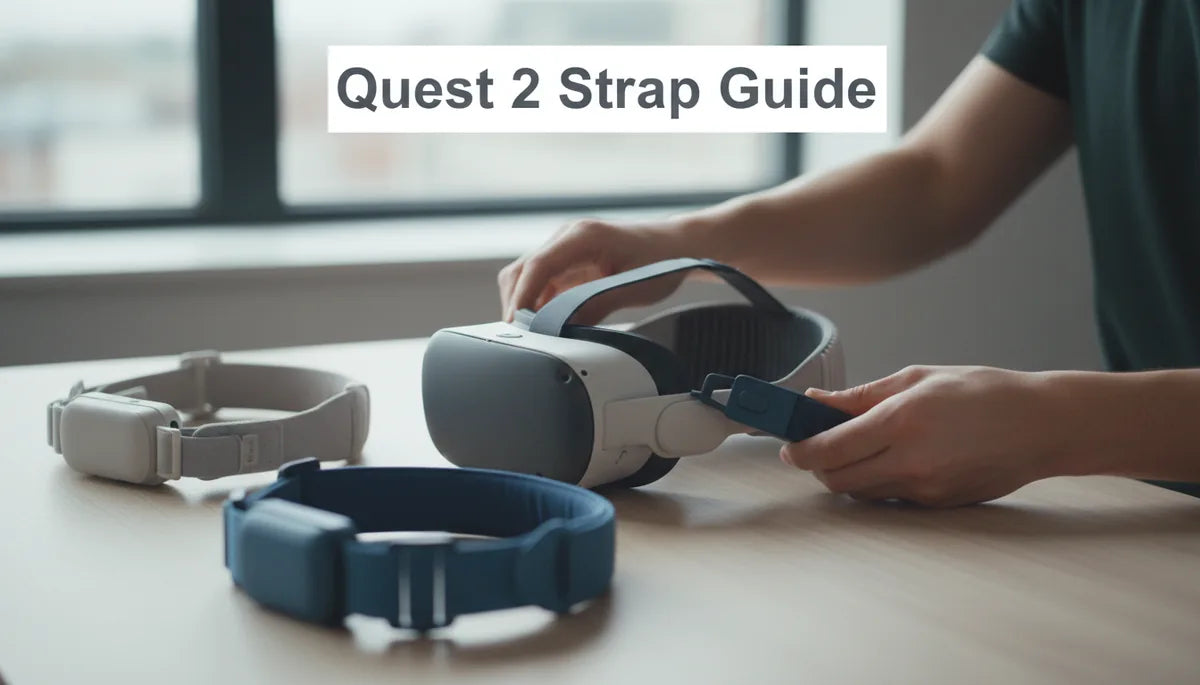
How to Choose the Best Oculus Quest 2 Strap: Comfort, Fit, and Durability for Long Sessions
If you own a Quest 2 and plan to spend hours exploring virtual worlds, the stock strap will quickly reveal its limits. The right replacement strap transforms marathon sessions from a chore into something close to effortless: less pressure on your nose, fewer adjustments mid-game, and a fit that stays stable during sudden turns. This guide walks you through the practical trade-offs—comfort, fit, durability, and budget—so you can pick a strap that matches how you play. ⏱️ 10-min read
Below you’ll find a side-by-side approach to the three main families of Quest 2 straps, plus concrete checks you can make in the store or at home. Expect step-by-step installation tips, cleaning and lifespan advice, ergonomics guidance for long sessions, and recommendations across price ranges. Read it, test a few settings, and you’ll know exactly which strap will keep you in VR longer and with less neck pain.
Understanding Quest 2 strap options: standard, Elite, and third-party
Most Quest 2 owners encounter three broad strap families: the thin, adjustable standard strap that ships with the headset; the Meta Elite Strap and Elite Strap with Battery designed to improve rear support and balance; and a lively ecosystem of third-party designs that range from simple fabric bands to padded, dial-driven rigs. Each family pursues different trade-offs: minimal weight and portability, structured support and balance, or an array of features and price points from independent makers.
The stock strap excels at being light and unobtrusive, but its narrow top strap and limited rear support concentrate pressure on the forehead and nose during long sessions. The Elite Strap moves the conversation toward stability: a sturdier rear band and a crown strap spread weight across the skull rather than a single contact point. The Elite with Battery adds a counterweight and extra runtime, trading bulk for fewer charging interruptions.
Third-party straps are where variety lives. You’ll find quick-release systems for fast swapping, memory-foam comfort pads, metal-reinforced connectors for longevity, and models optimized for glasses wearers. When comparing options, use three practical criteria: how the strap shifts the headset’s center of gravity, how much adjustability it offers (dial or multi-strap), and whether hardware feels robust—no creaky plastic, secure clips, smooth sliders. Try a fit test for a minute or two—movement stability and ease of readjustment predict how the strap will perform in hour-plus sessions.
Key comfort factors to evaluate
Comfort is a cluster of small victories: adequate padding, breathable materials, balanced weight distribution, and a shape that avoids red marks. Start with the pad density. High-density foams and closed-cell EVA resist mid-session sagging; they keep a consistent cushion against your forehead and crown. Memory foam gives a plush, custom feel the first few times, but lower-density foams can compress and lose support faster.
Material choices matter beyond softness. Microfiber, velour, and neoprene blends feel gentle against skin and wick away sweat, while mesh covers improve airflow on hot days. Removable covers are a big practical win—if you sweat during intense play, you want to be able to launder or replace the surface fabric without replacing the entire pad.
Weight distribution is the trickiest perceptual factor. A strap that shifts load to the rear pad or spreads it across a wider crown will feel lighter overall because it avoids concentrated pressure on the nose bridge. If a strap advertises a wider top band or a dedicated rear cradle, that usually equals less facial soreness. Finally, test how easily you can adjust the fit: dials and secure buckles let you make small changes without re-centering the headset, saving you frustrating mid-session pauses.
Fit for long sessions: crown height, top strap tension, and glasses wearers
How a strap sits on your head determines whether a two-hour session feels like a workout or a walk in the park. Crown height controls where weight lands on the skull. If the crown pad sits too high, you’ll feel pressure concentrated at the top center; move it slightly lower or toward the rear and the load distributes toward the parietal areas, reducing fatigue. A one-inch shift can change comfort dramatically.
Top strap tension is a balance between stability and hotspots. The strap should be snug enough that the headset stays stable during quick head turns, but not so tight that it pinches the forehead or temples. A good rule: adjust until the image stays steady during a brisk head turn and no red marks appear after a minute. If you get hotspots, back off half a notch and test again.
For glasses wearers, clearance and contact points are the headline concerns. Look for face cushions with recessed channels or extra depth so plastic rims don’t press against your lenses. Consider straps that shift weight to the rear—less forward force means less nose pressure and therefore less contact between the face pad and glasses. Also watch temple clearance: some third-party straps provide angled pads or softer materials around the temples to prevent pinching. Always try the combination—headset, strap, and your glasses—before committing, and keep replacement pads handy if the first-fit creates pressure points.
Durability and maintenance: padding, materials, cleaning, and replacement lifespan
A comfortable strap that fails quickly is a false economy. Durable straps use denser foam, reinforced fabrics, and welded or metalized hardware at common pivot points. Signs that a strap is approaching end-of-life include flattened or unevenly compressed pads, fraying or stretched nylon webbing, sticky or rough sliders, and micro-cracks around plastic hinges. Those are the moments to repair—or replace—before fit suffers.
Cleaning is straightforward if the strap was designed with maintenance in mind. Removable, machine-washable covers are ideal: unzip or snap them off and wash on a gentle cycle, then air-dry. If the pads are fixed, spot-cleaning with a damp cloth and mild detergent prevents foam saturation. Avoid harsh cleaners and submersion for foam pads; closed-cell foams resist moisture better than open-cell memory foams. For straps with a battery pack, remove electronics before any cleaning and follow the manufacturer’s care instructions.
Replacement timelines vary by use. Casual players who wear the headset a few times a week can expect pads and fabric to remain serviceable for 1–3 years; heavy daily users should budget for refreshes every 6–18 months, particularly for velour or memory-foam surfaces that absorb sweat. Hardware often outlasts fabric. When buying, check whether covers are sold separately and whether the manufacturer offers replacement pads—those options extend the strap’s useful life and reduce long-term cost.
Installation and setup: step-by-step for beginners
Installing a new strap should be a quick, confidence-building ritual. Here’s a simple, fail-safe sequence to follow. Before beginning, power down the headset and remove any lenses or accessories that might obstruct the mounting points.
- Remove the stock strap: release the side latches or press the quick-release tabs, then slide the strap away. If screws are used, keep them organized and wipe the mounting slots clean.
- Align the new strap: seat each side into the headset’s mounting points. For snap-in connectors, push until you hear a click; for screw-in systems, insert and tighten evenly without overtightening.
- Set the rear pad and crown position: with the headset off, place the rear pad where it will contact the lower back of your skull and set the crown pad about one inch above the brow line as a starting point.
- Initial tensioning: use the dial or side adjusters to reach a mid-tight setting—secure but not snug.
- Test and fine-tune: put the headset on, look around, and move your head through a range of motion. If the image slips or the headset wobbles, tighten in small increments. If you feel pressure on the nose or forehead, loosen or shift the crown slightly rearward.
Calibration tips: always test with the content you usually play—fast-paced shooters will reveal wobble that a slow exploration game won’t. If you use a battery-equipped Elite Strap, position the battery so it balances the front weight; small shifts in battery location can eliminate a lot of neck strain. Finally, make note of your preferred dial or notch settings—this saves time next session and is helpful when multiple people share the headset.
Weight, balance, and long-session ergonomics
Weight is obvious; balance is where the ergonomics game is won. A heavier strap or rear-mounted battery pack can reduce facial pressure by shifting the headset’s center of gravity rearward, but too much rear mass creates neck torque and fatigue. Think of the strap as a see-saw: move some counterweight backward until the headset neither wants to tip forward nor yank your neck backward.
Placement strategies: if your headset feels front-heavy, add a modest rear weight—either the Elite Strap with Battery or a light counterweight—to nudge the center of gravity rearward. If the headset suddenly feels like it’s “hanging” behind your ears after doing this, reduce the weight or adjust the rear pad upward so the support is more distributed. The goal is a neutral neutral: a fit where small head movements do not require neck muscles to compensate.
Long-session tips: break sessions into 45–60 minute blocks with short stretches. Keep a micro-fiber cloth handy to dab sweat off face pads, and rotate headband settings slightly every hour to prevent one area from taking all the pressure. If you play while standing or using room-scale tracking, prioritize stability—dial-based systems and wider rear cradles reduce wobble. For seated, rail-shooter, or cinematic experiences where you move less, prioritize plush padding and breathability over maximal rear support.
Budget guidance and care: best value picks and third-party compatibility notes
Budgeting for a Quest 2 strap starts with your typical session length and how aggressively you play. For casual users and travelers who need a quick, portable upgrade, entry-level third-party straps under $25 provide more comfort than stock straps but may wear sooner. Mid-range options ($25–$60) are the sweet spot for most players: memory-foam pads, wider straps, and sturdier buckles deliver real comfort gains without premium pricing. Premium choices — the Meta Elite Strap and Elite Strap with Battery, or high-end third-party rigs — cost $60–$100+ but reward marathon sessions with superior balance and durable hardware.
Recommendations by use-case:
- Casual / travel: lightweight third-party fabric straps or the Kiwi Design Comfort Strap offer quick comfort boosts at modest cost.
- Regular long sessions: a mid-range strap with dense foam and a secure dial or ratchet system gives day-in-day-out comfort without neck strain.
- Marathon play / minimal charging breaks: Elite Strap with Battery or high-quality third-party straps with battery mounts provide runtime and balance—accepting the weight trade-off for longer unplugged sessions.
Compatibility and purchase tips: buy from the Meta Store or authorized resellers to ensure authenticity and sensible warranty coverage. Third-party sellers vary in build quality and return policies; check images against official product photos and read warranty details—some cover manufacturing defects but not normal wear. Keep receipts and note the return window. If a deal looks too good to be true, research the seller and check user reviews for recurring hardware failures (loose sliders, cracked hinges).
Care to extend life: use removable covers, avoid soaking foam, and store the headset strap-facing-up to prevent flattening. For straps with metal components, a light wipe with a dry cloth keeps corrosion away. Replace covers or foam pads at the first sign of uneven compression—a small investment that restores comfort and keeps the headset sitting correctly on your face.
Next step: if you’re torn between options, try a mid-range strap first to assess how much improved weight distribution and padding matter to your sessions. If you regularly play for multiple hours or want fewer charging interruptions, test the Elite Strap with Battery—but try to demo it with your headset and glasses to confirm comfort before buying.







Compartir:
Beginner friendly guide to installing the Meta Quest 2 comfort strap
Weight distribution tricks to reduce neck strain in virtual reality