

Strap Design Showdown: Top Strap vs Halo Strap for Quest 2 — Which Reduces Perceived Weight Best?
If you spend more than 30–60 minutes in virtual reality, the choice of strap can make or break the session. For Quest 2 owners chasing longer playtimes with less facial pressure and better head stability, the debate often comes down to two philosophies: the simple overhead top strap and the more structured halo-style suspension. Both move weight away from your face, but they do it in very different ways and that changes how the headset feels, how it balances, and how long you can stay comfortable. ⏱️ 12-min read
This article walks through the practical differences between top straps and halo straps for the Quest 2, focusing on perceived weight, balance, fit, glasses comfort, materials and sweat control, installation and care, compatible accessories, and a decision framework to pick the right solution for your head, budget, and use case. Expect concrete adjustment steps, common troubleshooting fixes, and a short checklist you can use before your next session.
Understanding the two designs: Top strap vs Halo strap
At a glance, the top strap and halo strap look like two simple answers to the same problem: how to hold the Quest 2 steady and keep the display off your face. Under the surface, they are different load paths. The classic top-strap architecture uses a band that runs over the crown and anchors toward the rear. Weight is carried through the skull’s top and the sides of the head—think of it as lifting the headset up and keeping it from sagging forward. This reduces forward tilt and takes much of the pressure off your nose and cheeks.
The halo strap adopts a ring or brace that wraps around the back of the head, paired with a forehead pad. It forms a cradle that transfers the headset’s mass to the occipital region (the nape) and the forehead simultaneously. Rather than purely lifting from above, the halo creates a balanced hold that makes the headset feel like it is "floating" because the face is no longer the primary load-bearing surface. That floating sensation is why many users report longer comfortable sessions.
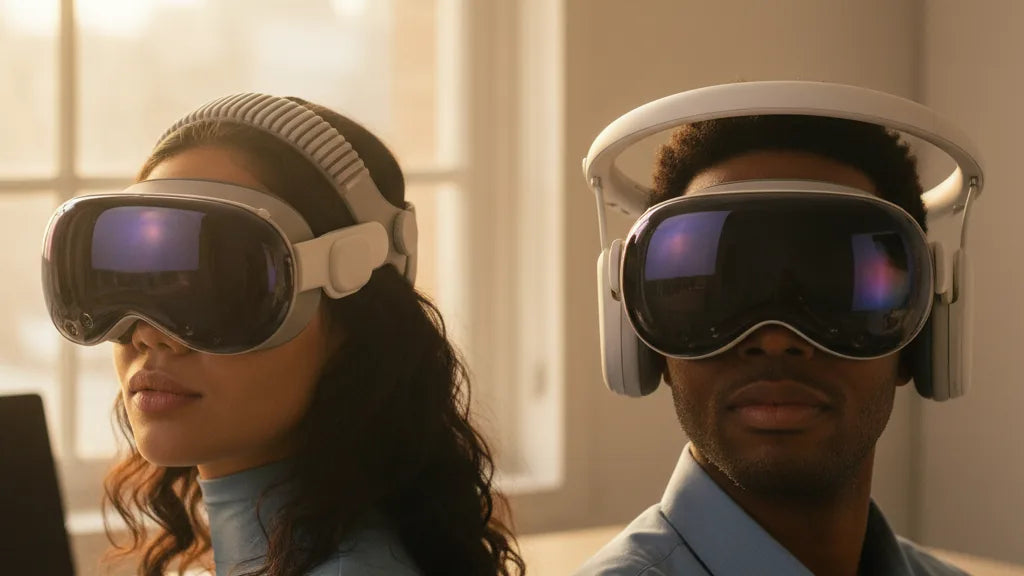
Appearance and contact points diverge, and so do the trade-offs. Top straps tend to be lighter, simpler to attach, and offer good stability for active movement, while halo straps provide better facial relief and improved front-to-back balance but can feel bulkier and press on the back of the skull in some head shapes. For glasses wearers or those who use thicker facial padding, the halo often creates extra space around the face; conversely, small heads can experience crown hotspots with a top strap if padding or adjustment is insufficient.
Perceived weight and balance: what strap design actually changes
People often confuse the headset’s actual mass with perceived weight. The Quest 2’s physical weight doesn’t change when you switch straps, but where that weight is transferred to your head profoundly changes how heavy it feels and how your neck reacts. A top strap lifts vertically across the crown, so the downforce on your cheeks and nose is reduced. This vertical lift lowers forward torque—meaning less tendency for the headset to pivot forward—and most users find devices feel lighter because the face is no longer fighting gravity on every nod.
Halo straps change the torque balance by moving contact rearward. Rather than supporting the headset upward from a single crown point, the halo creates a fulcrum between the forehead and the occiput. This spreads the load across a larger area and reduces the forward-pulling moment on the face. Practically, many users report less cheek pressure and fewer strap-induced facial marks after two hours or more. However, because the load is more distributed across the skull, neck muscles might engage differently; some find the neck feels steadier, others notice a new pressure at the nape if the halo is misadjusted.
Think of it like carrying a backpack versus a shoulder bag. The top strap is like a shoulder bag that lifts the front, keeping the face light but focusing stress on the crown. The halo is more like a snug backpack strap system that spreads weight around, decreasing localized facial sinking but changing how your head wants to pivot. If you play fast-paced VR where sudden head rotations are common, the top strap’s higher center of lift can feel more responsive. For browsing, media, or long productivity sessions, the halo’s reduced facial contact often wins for perceived comfort.
Fit, adjustability, and setup: getting an even, stable fit
Comfort begins with fit. No strap will shine if it’s not set up correctly. For top straps on Quest 2, begin by centering the headset so the display sits squarely over your eyes. Tighten both side straps evenly until the headset is held snug against your face but not pinching—then add the top strap and pull until the crown contact feels supportive without creating a pressure ridge. Test by nodding and shaking your head; watch for slippage and readjust the horizontal tension so the frame stays aligned without squeezing your temples.
Halo straps require a different process. Position the forehead pad so it sits flat and low enough to match your hairline and brow curve—too high and the headset tilts backward, too low and it digs into the forehead. With the headset on, open the rear halo as wide as it needs and use the dial (or ratchet) to tighten in small increments. Aim for a wrap that cradles the occipital bone without compressing the soft tissue behind your ears. Side straps, if present, should be adjusted last to eliminate lateral play while keeping the halo parallel to the base of your skull.
Common misfits and fixes: if your top strap causes a crown hotspot, add a thin foam pad or reposition the crown contact slightly back toward the mid-skull. If the halo produces a gap at the forehead, lower the pad a few millimeters or adjust the tilt screw/dial to correct nose-to-display distance. For both systems, retest after five minutes—the head settles and hair compression can change the feel. Minor iterative tweaks (tighten or loosen by one notch) usually solve most comfort complaints.
Glasses wearers and facial comfort: minimizing pinch and pressure
Glasses dramatically influence strap choice because frames add thickness and shift pressure points. Top straps typically reduce direct frontal pressure by lifting the headset off the nose bridge, which helps prevent frames from being squashed against the face. If your glasses have long temple arms, a modest top-strap tension can hold the headset steadier and reduce temple rubbing. However, if the strap is overtightened at the crown, the headset can pivot and force the glasses inward—so aim for balanced tension rather than brute tightness.
Halo straps often provide the most real estate around the face because they move the primary support points away from your cheeks and nose. That extra clearance lowers the chance that frames will rub or press into your temples and can significantly reduce fogging since the headset sits slightly further from your face. Many glasses wearers prefer halo systems for long sessions because the headset contours the head, not the face, allowing room for thicker frames and progressive lenses.
Practical tips: use a thinner facial interface or a specialized glasses spacer when possible—these maintain lens separation and reduce pinch. If you’re getting fog, adjust the forehead pad height to open the air corridor near the brow, and consider a small anti-fog wipe on your lenses. For both strap types, always check temple contact: press the headset lightly forward and back to see if frames move; if they do, reduce forward tilt via strap readjustment or add a bottom shim to alter angle without clamping the glasses.
Materials, durability, and sweat management
Materials shape comfort in two ways: how they cushion contact points and how they handle sweat. Top straps often use flexible fabrics—nylon, polyester, woven elastic—or soft silicone. These conform well to head shapes, are lightweight, and can breathe moderately when fabric-based. But elastic elements degrade over time and silicone traps heat, which matters in long sessions or warm rooms. Halo straps, on the other hand, typically use a more rigid shell—ABS or a similar plastic—for the frame, with plush foam and breathable covers at the forehead and occiput for contact comfort.
Durability trade-offs are straightforward. Fabric top straps fray and lose elasticity after many cycles and sweaty sessions; they can often be machine-washed if removable, but check manufacturer guidance. Halo frames are robust and resistant to stretching, but foam pads compress over months and sweating can degrade adhesive or Velcro attachments. Memory foam feels luxurious initially but can compact and lose rebound after heavy use; open-cell or ventilated foam keeps cooler and lasts longer under sweat.
For sweat management, choose breathable covers—microfiber or mesh over foam—and plan a cleaning cadence. Quick daily wipes after intense sessions and a deeper clean (remove covers and wash or hand-wash) every 1–2 weeks for heavy users keeps odors and skin irritation down. Replace pads at the first sign of cracking, persistent odor after thorough cleaning, or when padding loses more than 30–40% of thickness—these are reliable replacement cues to retain comfort and hygiene.
Installation and maintenance: step-by-step and care
Installing or swapping straps on the Quest 2 is a common user task. For a typical top strap swap: 1) Power down or set the headset aside to avoid accidental inputs. 2) Locate side attachment slots and gently unclip the original side straps—don’t yank; support the headset body. 3) Insert the new side straps into the slots until they click; ensure any hooks align with their guide rails. 4) Attach the top strap to the central bracket (Velcro or clip) and adjust tension evenly. 5) Put the headset on and iterate adjustments until the headset sits square and comfortable.
For halo-style installation: 1) With the headset facing you, expand the halo fully and orient the forehead pad forward. 2) Slide or clip the halo base plate into the headset’s designated mounts—most halos align with small pins or slots; match them and press until secure. 3) Close the halo gently around the head, position the forehead pad, then tighten the rear dial in small increments until stable. 4) Test fit with head rotations and small jumps to confirm the halo holds without slipping.
Maintenance cadence: wipe external fabric and plastic weekly if you sweat frequently; remove and hand-wash removable pads every one to two weeks. If the halo uses a ratchet or dial, lightly lubricate moving parts annually with a dry silicone spray—avoid oil that attracts dust. Replace foam pads when compression or odor persists despite cleaning, and check Velcro or snaps for wear every three months. Proper handling—avoid dropping the halo or flexing the plastic excessively—extends life dramatically.
Ecosystem and compatibility: third-party options and accessories
The Quest 2 benefits from a rich accessory ecosystem. First-party upgrades like Meta’s Elite Strap (for devices that support it) add a more rigid back band and additional padding, offering a middle-ground between a simple top strap and a full halo. Third-party manufacturers fill niches: lightweight fabric top straps with better breathability, reinforced halo kits with better padding, and modular systems with integrated battery packs to shift weight further back and increase playtime. When shopping, verify the mount type—some halos require an adapter or specific base plate to fit Quest 2 mounting points.
Accessories multiply the benefits. If you prefer halo comfort but miss battery life, integrated rear battery packs attach to the halo shell and push the center of mass close to the back of the head, further reducing front pull. Cable management clips reduce tugging during tethered PCVR sessions. Swappable facial interfaces, such as wider glasses-friendly inserts or thicker foam for nose guards, let you fine-tune the gap to reduce fog and pinch. Many third-party vendors advertise tool-less swaps and universal adapters, but check user reviews for long-term fit and build quality.
Cross-compatibility notes: while some straps fit multiple headsets (Quest 2, Quest Pro, Valve Index), others are headset-specific because of unique attachment geometries. Halo concepts have also influenced other products like the Apple Vision Pro, but those systems are designed with different weight and ergonomics in mind—so don’t assume a Vision Pro strap will suit the Quest 2. Always confirm model compatibility, return policy, and warranty before buying third-party hardware.
Decision guide: choosing the right strap by use case and budget
Choosing between top strap and halo often comes down to how you use your Quest 2. Use this framework: session length, activity type, glasses use, head shape, local climate, and budget. If you play short bursts (20–45 minutes) and move a lot—beat-saber style games or frantic multiplayer—simple top straps or reinforced top-straps with modest padding usually suffice. They’re light, less expensive, and provide quick stability. If your sessions routinely exceed an hour, you prioritize facial comfort or wear glasses, and you prefer a relaxed, media-focused experience, a halo strap almost always delivers a more comfortable long-term feel.
Budget considerations: third-party top-strap upgrades are the most cost-effective improvements and often give a surprisingly large comfort gain for the price. Mid-range halo kits cost more but reduce facial pressure significantly and pair well with battery packs for long VR cinema or productivity sessions. Premium first-party or boutique halo systems offer the best materials and fine-tuned fit but at a higher price. Factor in accessory costs—if you need a glasses spacer or extra padding, add that to your total budget.
Practical recommendations by scenario: 1) Active gamers who move: choose a reinforced top strap with good lateral padding. 2) Glasses wearers and long sessions: choose a halo strap with a wide forehead pad and a glasses-friendly facial interface. 3) Mixed use (games and media): a modular halo or hybrid system with detachable top support gives the best of both worlds. Quick checklist before you buy: confirm Quest 2 compatibility, check return policy, read long-term user reviews focusing on pad durability, and plan for cleaning and replacement pads. If you’re unsure, start with a mid-range third-party halo that offers a trial or easy returns—comfort is personal and sometimes surface specs don’t tell the whole story.
Next step: try your ideal setup for at least one extended session (60–90 minutes) and take notes on hotspots, head stability, and any glasses contact. Small adjustments—pad thickness, dial tension, and forehead pad height—make the most difference. If you want, bring those notes and I’ll help you refine the settings or pick specific strap models that match your head shape and use pattern.







Compartir:
Comparing Quest 2 strap types: Halo strap vs Elite strap and impact on stability
How the Quest Two Head Strap Affects Weight Distribution and Immersion